Like Snapchat, creators on Instagram rely on filters and effects to refine their visual style. With photos and Stories competing for attention in a feed that refreshes every second, the right filter or effect often determines whether someone pauses or scrolls past. Today, Instagram offers options that enhance natural tones, replicate film textures, add cinematic depth, and help maintain a cohesive aesthetic across your profile.
This post details the best Instagram filters and effects you can use to enhance your photos, Reels, and Stories.
What Are Instagram Filters and Effects?
Instagram filters are automatic color and tone adjustments applied to photos or videos when they are captured or posted. When applied, they modify brightness, contrast, saturation, warmth, and highlights.
Instagram effects, on the other hand, are interactive visual enhancements that use augmented reality to change how photos and videos look and behave on the platform. They go beyond basic color grading and add dynamic elements that respond to your face movements, gestures, or surroundings in real time.
Instagram Filters vs Effects vs Presets
| Aspect | Instagram Filters | Instagram Effects | Presets |
|---|---|---|---|
| What they are | Built-in color and tone adjustments | Augmented reality visual layers | Pre-saved editing settings |
| Where they are used | Feed posts and videos | Stories and Reels | Edited before uploading |
| How they work | Adjust brightness, contrast, warmth and saturation | React to face movement gestures and camera | Apply consistent edits across photos |
| Level of control | Limited but quick | Interactive and dynamic | High control and customization |
| Best use case | Maintaining feed consistency | Engagement driven short form content | Branding and professional aesthetics |
| When they apply | At the time of posting | During recording | Before uploading to Instagram |
| Skill required | Beginner friendly | Beginner to intermediate | Intermediate to advanced |
| Longevity | Stable and evergreen | Trend-driven and short-lived | Long-term visual identity |
Where to Find Instagram Filters and Effects
Instagram makes it easy to discover filters and effects, but most users only scratch the surface. Knowing where to look helps you save time and build a consistent visual style, rather than relying on random suggestions.
To find Instagram filters:
- Select a photo or video while creating a feed post, and tap Next.
- Tap the Filter button.
- Swipe through the filter options displayed at the bottom of the screen. You can tap any filter to preview it and adjust its intensity before publishing.
To find Instagram effects:
- Open the Story or Reels camera and tap the effects icon.
- When recording a story, the effects carousel automatically appears at the bottom.
- You can simply swipe through them to see how each effect appears. At the end of the effects carousel, you’ll find a search button and tapping it opens the effects gallery, where you can browse categories, search by effect name or creator, and explore trending options.
- When recording a Reel, tap the Effects button on the left to open the effects gallery.
- Tapping an effect lets you preview it in real time, and saving it adds the effect to your personal collection for quick access later.
Best Instagram Filters for Photos Feed Posts
These filters work best for static feed posts where consistency and color accuracy matter more than visual gimmicks.
Clarendon by Instagram
Adds contrast and saturation without flattening details. Works well for lifestyle and everyday photos.
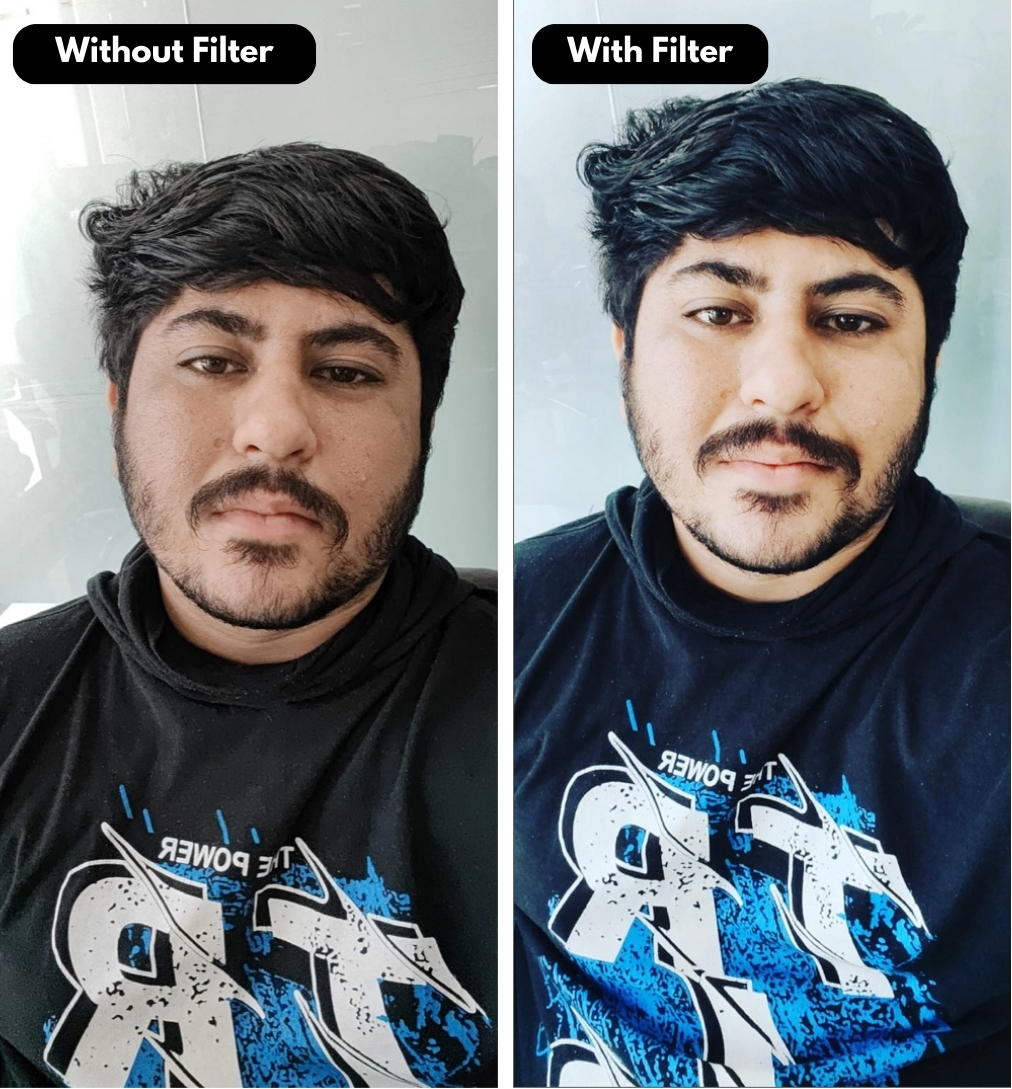
Lark by Instagram
Lightens images and boosts blues and greens without oversaturation. A reliable choice for clean, airy feed aesthetics.

Old Film
Vintage grayscale with film texture. Best for editorial style feeds or throwback content.

Best Instagram Filters for Selfies and Portraits
Selfies benefit from gentle lighting and controlled skin smoothing rather than dramatic overlays.
Sparkles by Instagram
Adds light blush and shimmer without overpowering facial features.

Lo-Fi by Instagram
Adds strong contrast and rich tones. Best suited for bold portrait shots where lighting is already controlled and intentional.

Best Instagram Filters for Travel and Outdoor Photos
Outdoor shots need filters that enhance skies, greens, and depth without color distortion.
Juno by Instagram
Brightens colors and warms up tones, making colorful travel scenes feel richer while still looking natural.

Lark by Instagram
Boosts blues and greens, which is why it’s often recommended for outdoor photos with sky and foliage.

Best Instagram Filters for Food, Flatlays, and Products
Food and product content perform better with accurate colors and subtle warmth.
Reduces saturation slightly and preserves warm tones, making it suitable for flatlays and neutral product photography.
Ludwig by Instagram

Juno by Instagram
Boosts warmth and vibrancy in a controlled way, making food appear fresh without oversaturating ingredients.

Moon
Black and white with strong contrast, suitable for texture-focused compositions.

Best Instagram Effects for Stories and Reels
Effects work best in short-form content where motion and interaction matter more than permanence.
Aurora by Instagram
Subtle cosmic lights that add movement without stealing focus.

Starry Night by Instagram
Adds depth and ambiance to night shots and calm talking Stories.

Mixed Signals by Instagram
Glitch-inspired overlay for experimental Instagram Reels and creative edits.

Best Practices for Using These Filters and Effects Strategically
While filters and effects can give your Instagram content a distinct visual identity, overusing them often does more harm than good. Instead of improving engagement, this can make posts feel inconsistent or visually overwhelming. Therefore, it is wise to follow a more effective approach:
- Pick two to three filters for feed posts and stick with them long term.
- Use effects sparingly and only when they support the story you are telling.
- Save your favorite effects so you are not tempted to use random trending ones.
- Avoid mixing heavy effects with strong filters in the same piece of content.
- Review engagement patterns to see which styles your audience responds to most.
That’s a Wrap…
We hope this guide helped you discover Instagram filters and effects that actually fit your content style instead of overwhelming it. Fewer, smarter choices usually perform better than constant experimentation. Sticking to a small set of filters and effects helps your content feel intentional and cohesive.
Test what works, refine your style over time, and save your go-to filters instead of switching them constantly.
Did we include your favorite filter or effect? If not, share the one you use most in the comments and help others discover a few new favorites worth trying.