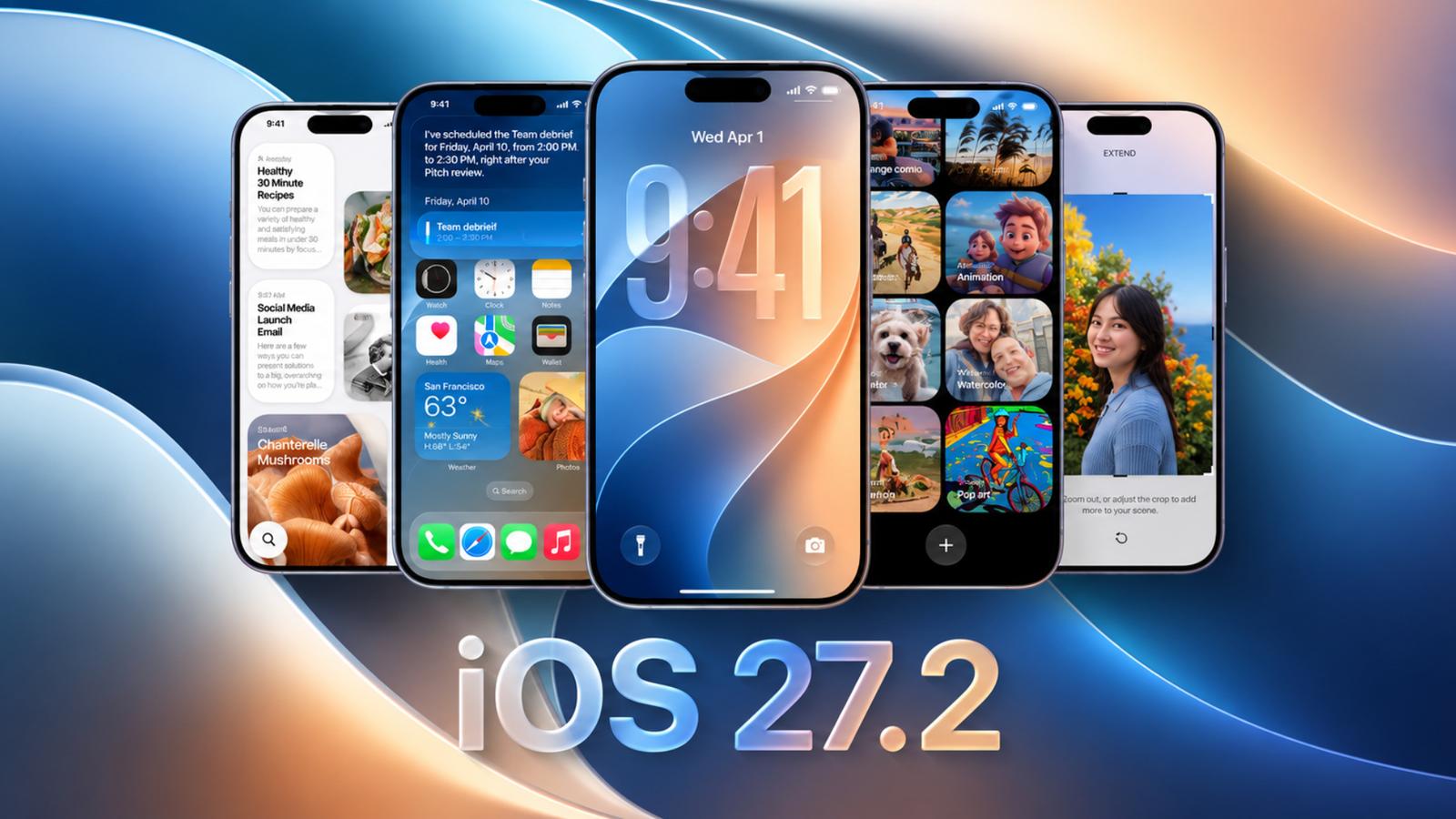
Apple has released iOS 27.2, bringing a collection of new features and refinements to compatible iPhones. Released on October 26, 2026, the update expands Siri AI language support, adds contextual suggestions to Messages, refreshes Apple Music, and improves several built-in apps. It also enables Apple Pencil (USB-C) support on Apple’s foldable iPhone Duo.
Unlike a minor maintenance update, iOS 27.2 introduces changes across Photos, Podcasts, Apple TV, FaceTime, and other parts of the operating system. Apple has also expanded Siri AI language support and included more than 160 security fixes, making this an important update for eligible iPhone users.
Here’s a closer look at what’s new in iOS 27.2, which features require compatible hardware, and what you should know before updating your iPhone.
iOS 27.2 brings major improvements to Siri AI
One of the biggest changes in iOS 27.2 is the expansion of Siri AI. Apple’s updated assistant can now recall previous conversations. For example, you can ask Siri about a restaurant it recommended in a previous conversation instead of starting from scratch.
Siri AI can also draw information from more sources, including photos attached to Messages, Calendar event attendees, and voicemails. Apple has improved how Siri uses Safari browsing history and Reading List information to provide relevant answers.
The update also introduces an Excluded Apps setting. This option lets users select which apps will be available to Siri, Search, and system suggestions. Thus, you can control how Apple’s intelligent features interact with personal information.
Another useful addition is granular text selection in Siri responses. Instead of copying an entire answer, users can select and copy only the specific text they need.
Siri AI adds support for five more languages

With iOS 27.2, Siri AI expands beyond English to support five additional languages:
- French
- Japanese
- Korean
- Portuguese
- Spanish
However, Siri AI remains unavailable in the European Union and mainland China. The feature also requires compatible hardware, including the iPhone 15 Pro and iPhone 15 Pro Max, along with the iPhone 16 series and newer supported models.
Messages gets contextual suggestions
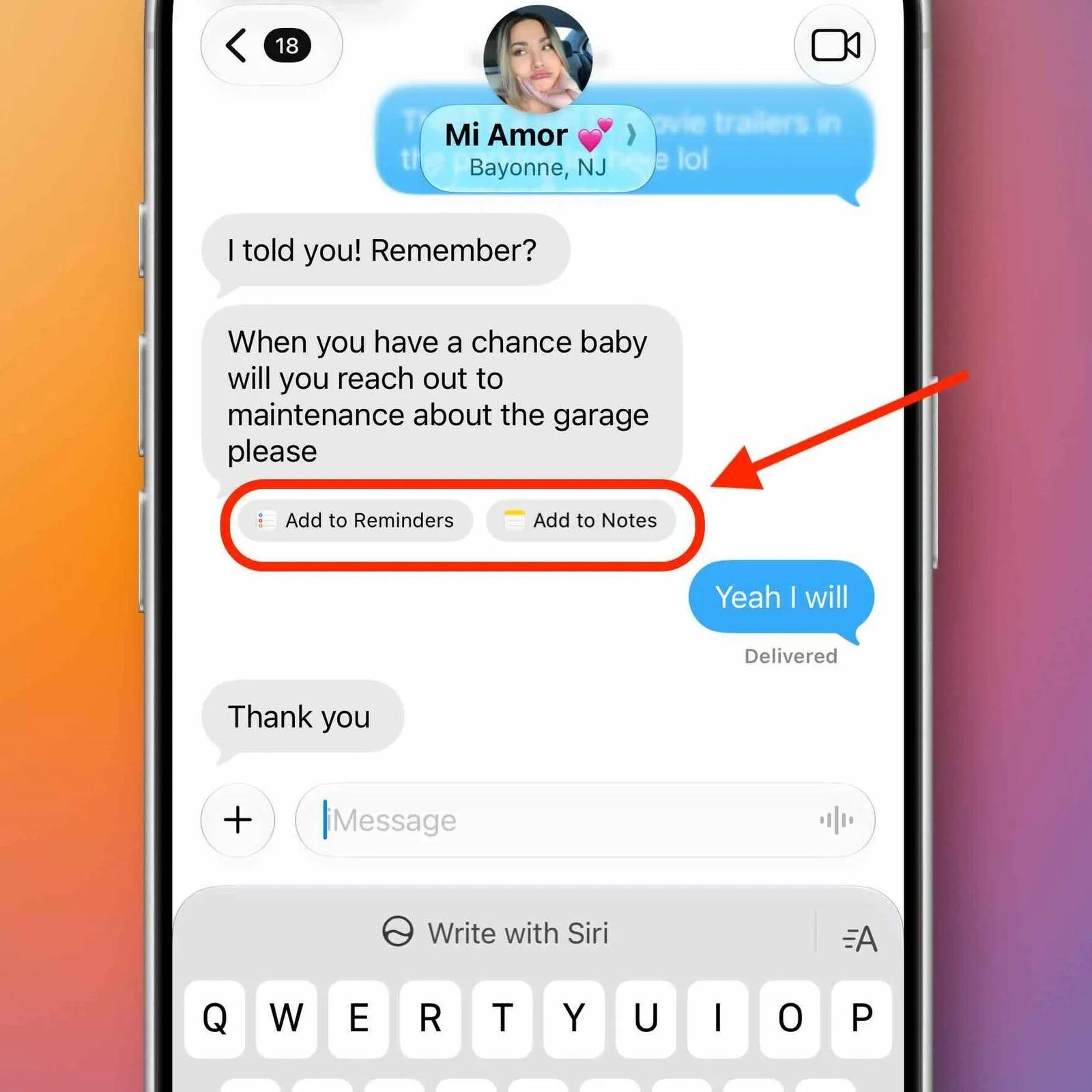
The Messages app adds a feature called Suggestions, which helps users act on the context of their conversations.
For example, if someone sends a dinner invitation, Messages may suggest adding the event to Calendar. Other supported suggestions can help users create reminders, add information to Notes, open locations in Maps, or track flights and packages.
You can also choose which categories of suggestions you want to see, providing more control over the feature.
Apple Music gets a visual refresh
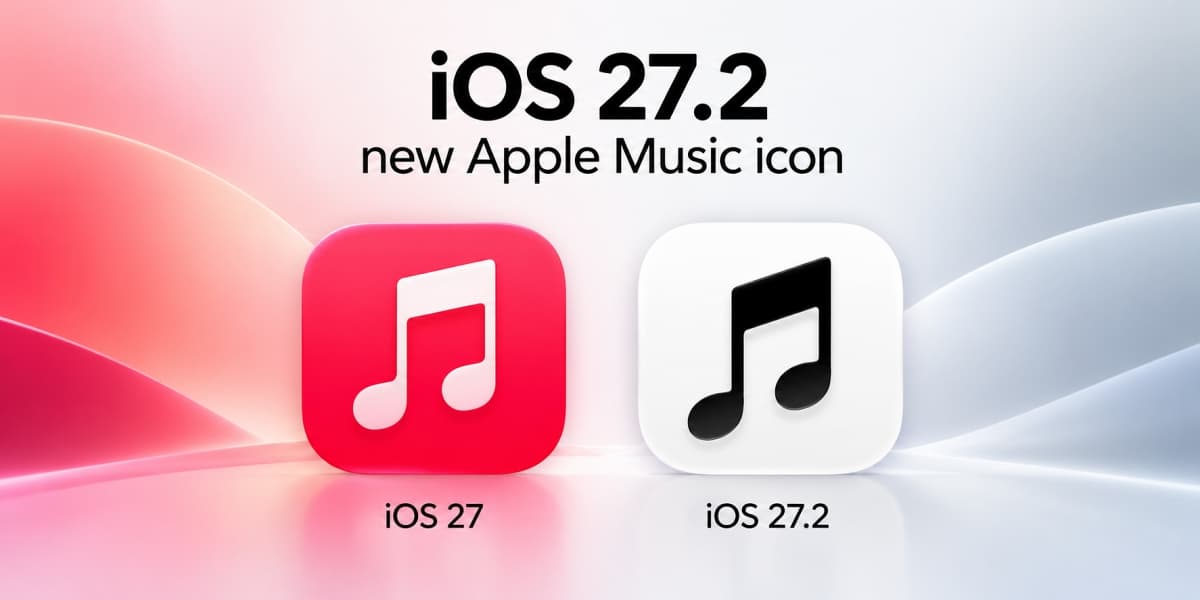
Apple Music gets a visual refresh in iOS 27.2. As part of Apple’s latest Apple Music rebranding, the update brings a redesigned black-and-white app icon that replaces its familiar red appearance.
The changes extend inside the app, where blue replaces red as the accent color for selected navigation elements. Also, Music widgets have been updated with black backgrounds to match the updated visual identity.
Photos improves Shared Albums and image transparency
The Photos app receives several practical improvements in iOS 27.2.
- Shared Albums allows editing captions and comments so that participants can correct information or update details after posting.
- Apple also added ways to avoid duplicate photos in those albums and to remind users before Shared Albums expire, giving participants a chance to save important images and videos.
Another notable addition is support for Google’s SynthID watermarking technology in Photos and Image Playground. This helps identify images generated in Image Playground and certain edits in Photos, including Extend and Reframe, and larger changes made with the Clean Up tool. Users can check supported images through Google’s SynthID Detector.
Podcasts and Games get smaller but useful updates
Apple has reorganized the Podcasts app’s Home tab to make it easier to find new content and resume unfinished episodes. Instead of grouping everything under Up Next, the interface now separates content into two sections: New Episodes and Continue Playing.
The Games app also receives improvements to its Friends tab. You can see more context for friend suggestions, and view recently played games on friends’ player pages to discover what other players are enjoying.
Apple TV adds profiles on iPhone and iPad
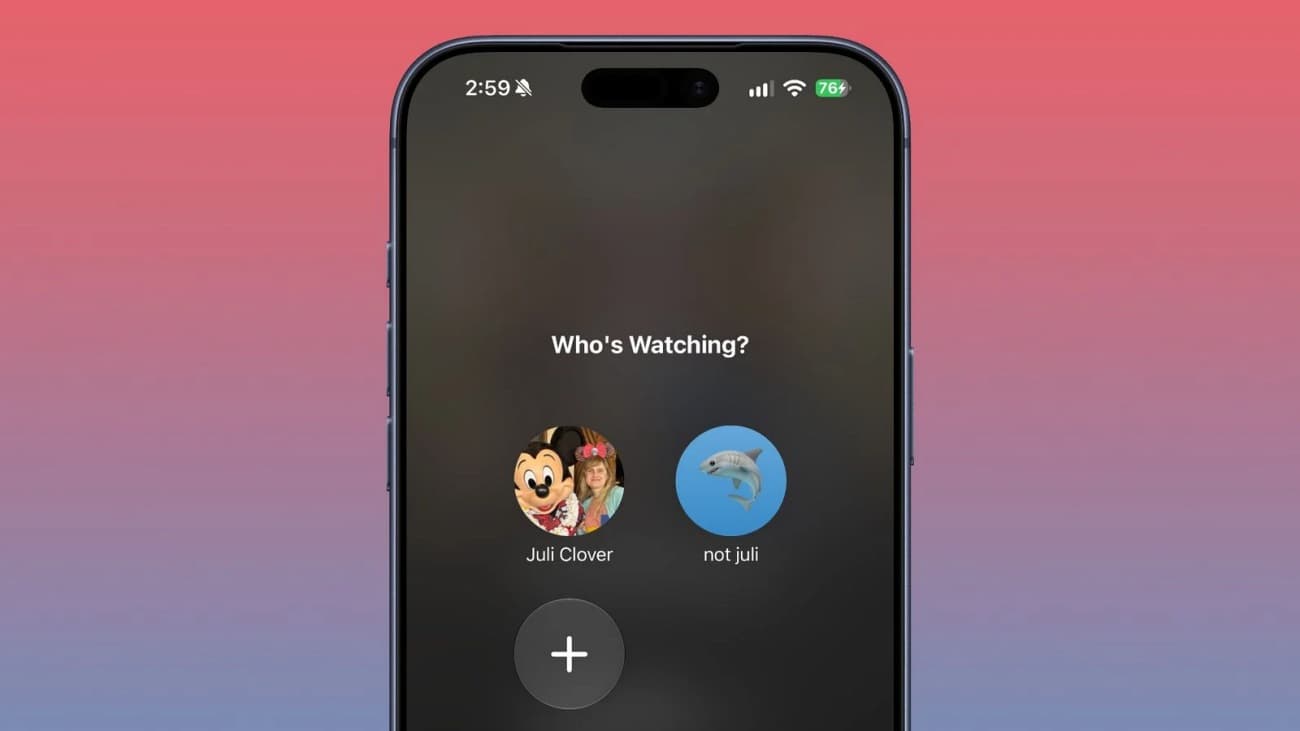
The Apple TV app now supports creating individual profiles directly in the iPhone and iPad app’s account settings. This will help families to keep their recommendations and viewing preferences separate from one another.
You can create a profile by providing a name, selecting a profile rating, and specifying whether it is intended for a child. The default setting for the child profile is PG content rating, with additional options available to customize age ratings for movies and television shows.
FaceTime adds accessibility improvements
iOS 27.2 introduces support for adding a third-party sign language interpreter or live captioner to a FaceTime call. This gives users additional ways to make conversations accessible, depending on their communication needs.
Apple has also expanded Dual Capture to group FaceTime calls on supported iPhone models. The feature lets the front and rear cameras capture video simultaneously, so users can share both their face and their surroundings during a conversation.
Dual Capture support is available on selected newer devices, including the iPhone 17 series, iPhone Air, iPhone 18 Pro models, and iPhone Duo, running the latest iOS 27 version.
Shortcuts app gets new Automation features
Apple has introduced several improvements to the Shortcuts app in iOS 27.2.
- New iPhone Duo automation: Create automations that run when you open or close your foldable iPhone.
- Workout automation: The “When I Start a Workout” trigger now supports the Fitness app to automate workout-related tasks.
- Improved app automation: The “When Weather Is Opened or Closed” trigger can now provide the name of the app that was closed.
- Easier shortcut editing: You can edit shortcut names and icons directly from the Shortcuts library on iPhone and iPad.
iPhone Duo gets Apple Pencil support
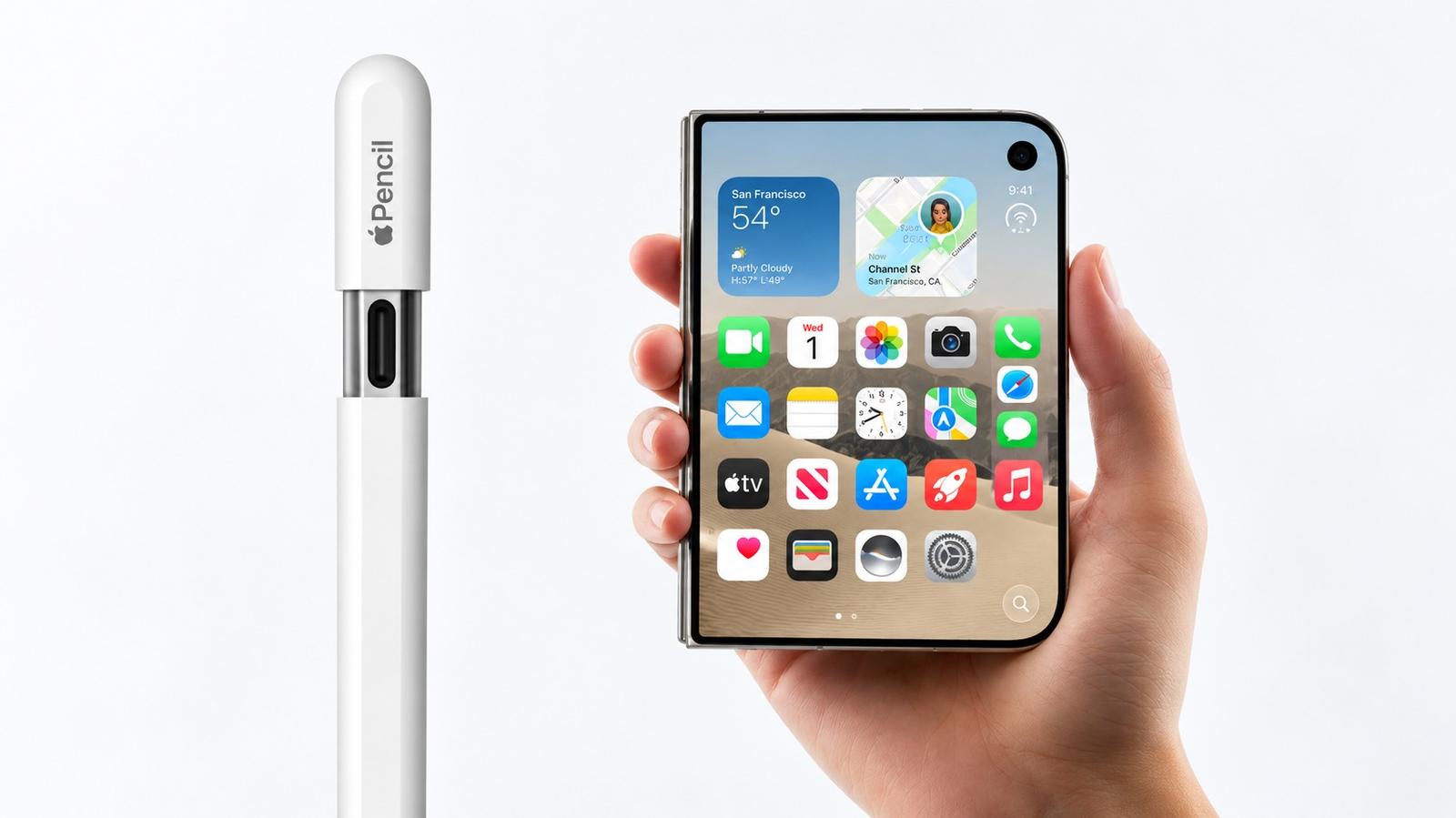
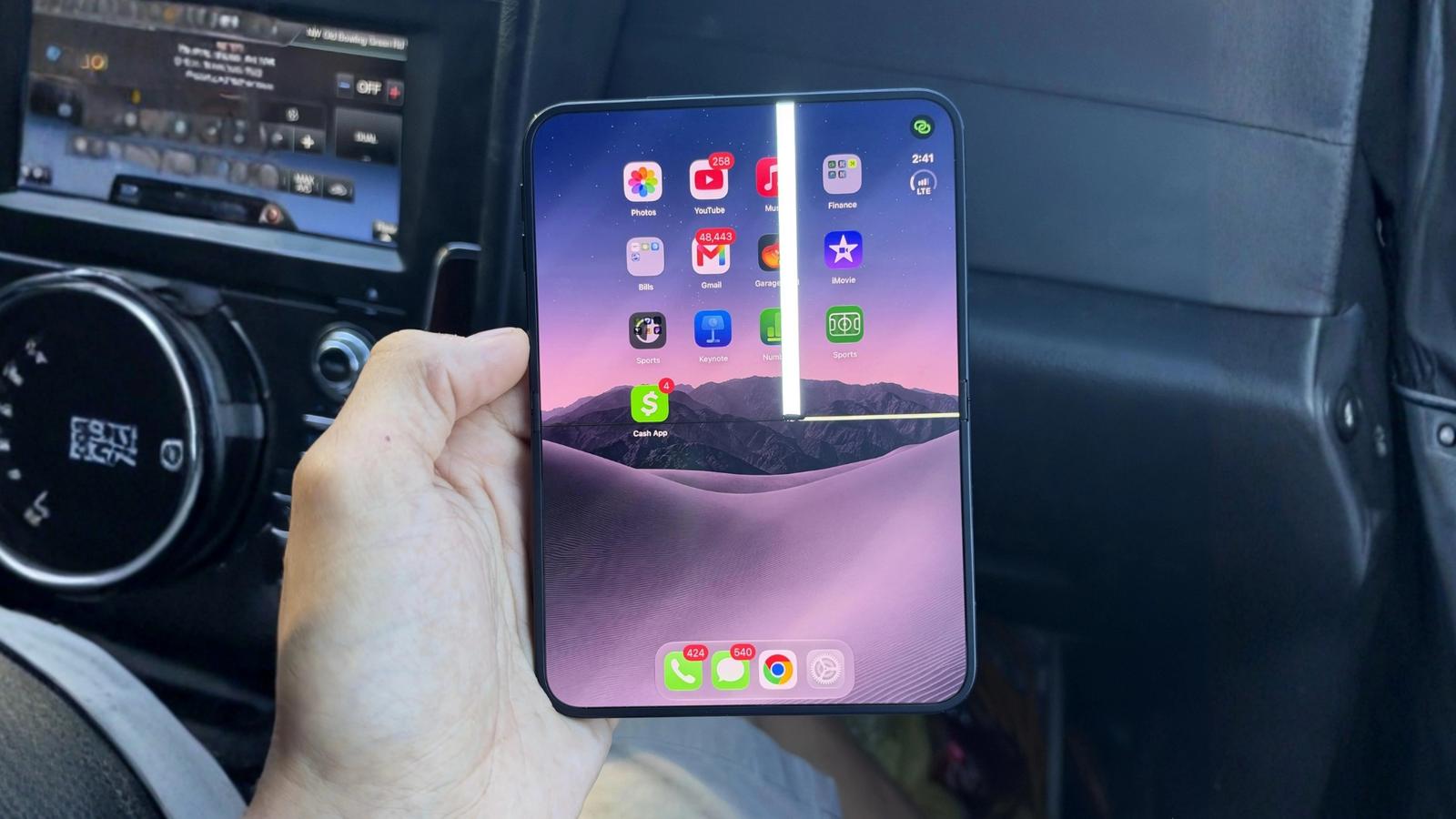
One of the more notable device-specific additions is support for Apple Pencil (USB-C) on the iPhone Duo. The feature lets you draw, annotate, and interact with supported content using a compatible Apple Pencil.
Apple had previously indicated that Pencil support would arrive later, and iOS 27.2 delivers that capability through a software update.
The update also introduces Edge Light on the iPhone Duo, which illuminates the user’s face during video calls.
More changes across iOS 27.2
Beyond the headline features, the update includes several additional improvements:
- Apple TV Multiview: Watch up to four live sports streams simultaneously in the Apple TV app for supported sports events included in the subscription, such as Major League Soccer, Formula 1 (F1) in the U.S., and Friday Night Baseball doubleheaders during the Major League Baseball season.
- Phone app: Call Context can remind users of a contact’s anniversary during a call when the date is saved in Contacts.
- Home app: Compatible smart locks now offer options such as automatically locking after a door closes and alerts when a door stays open too long.
- HomePod: A new Lock Controls setting helps prevent accidental audio playback from unwanted touches while preserving controls for functions such as timers and alarms.
- Clock: Alarm lists now use smaller a.m. and p.m. labels.
- App Tracking Transparency: Users in the European Union receive changes to tracking permission prompts, including an alternative expanded prompt in certain countries.
Apple also tested a redesigned Health app during the iOS 27.2 beta period. However, that redesign did not make it into the public release and is expected to arrive in a later update.
iOS 27.2 includes more than 160 security fixes
Alongside its new features, iOS 27.2 addresses more than 160 security vulnerabilities. Apple has indicated that the vulnerabilities fixed in this release were not actively exploited, but installing security updates remains an important way to protect an iPhone.
Overall, iOS 27.2 is a substantial update that makes Apple’s software more useful across everyday tasks. If you have a compatible iPhone, I recommend installing the update to take advantage of the new features, expanded AI capabilities, and important security fixes.