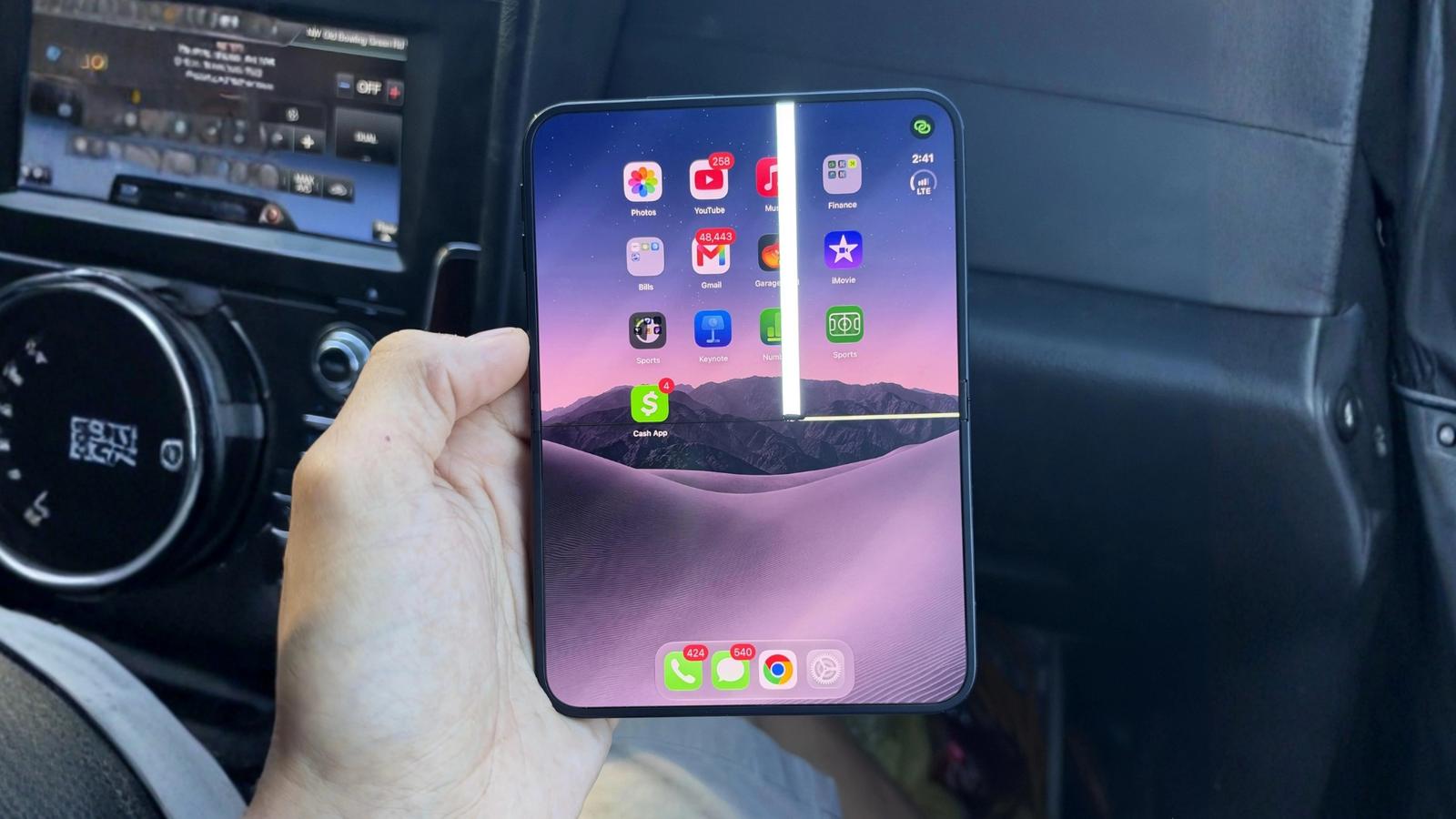
The iPhone Duo’s new foldable display has raised concerns after some users reported cracks near the hinge shortly after its October 23 launch. Some have also noticed white lines and pixel issues on the inner screen, raising questions about the phone’s durability.
Apple hasn’t confirmed the cause or how widespread the issue is yet. If you’ve just bought a Duo, here’s what I’d look out for and what I’d do if it happened to my phone. The good news is that if a manufacturing defect caused the crack, Apple’s one-year limited warranty may cover it, so don’t rush into paying for a repair.
What is the “Crackgate” issue with the iPhone Duo display?
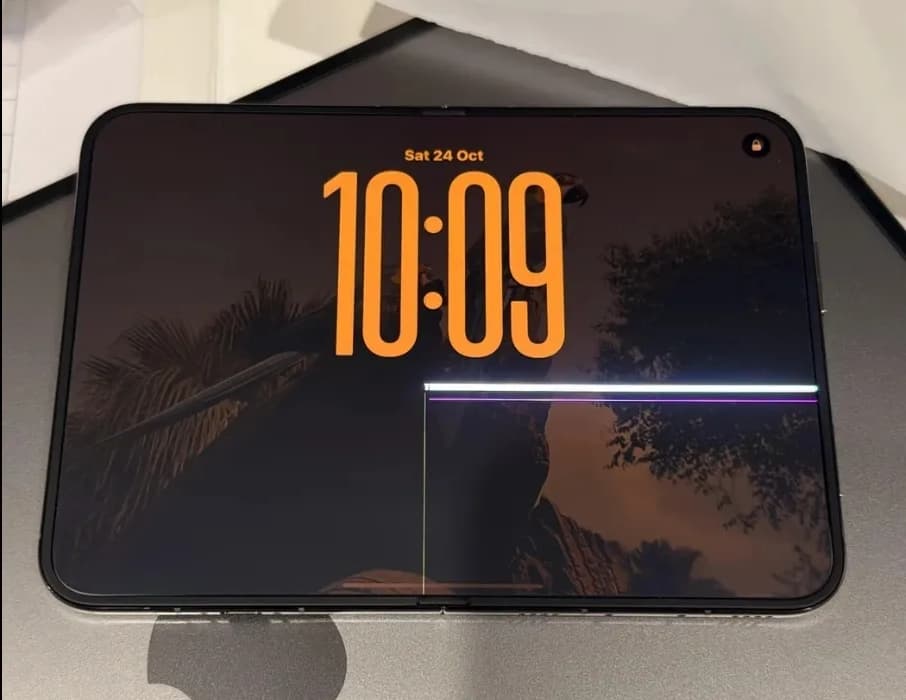
On Reddit, several owners reported cracks appearing along the center crease, with a horizontal block of pixels glowing white. In some cases, it happened right during setup, making people wonder if just folding the phone would be enough to make this happen.
The investigation is becoming more interesting because the display itself may not be the cause. In my iPhone Duo hinge teardown report, I already discussed how certain components could put excessive pressure on the delicate inner display. Dust entering the hinge and potential stress points around its internal components have also attracted attention.
However, further investigation hasn’t established that all the cracks have the same origin, and there has been no official statement from Apple confirming a hardware problem.
For owners, the immediate concern is simpler: a damaged folding display can be expensive to replace. So don’t panic if your phone works normally, but watch for unusual hinge noises, visible cracks, flickering, or bright lines across the screen.
What to do immediately if your iPhone Duo display is cracked
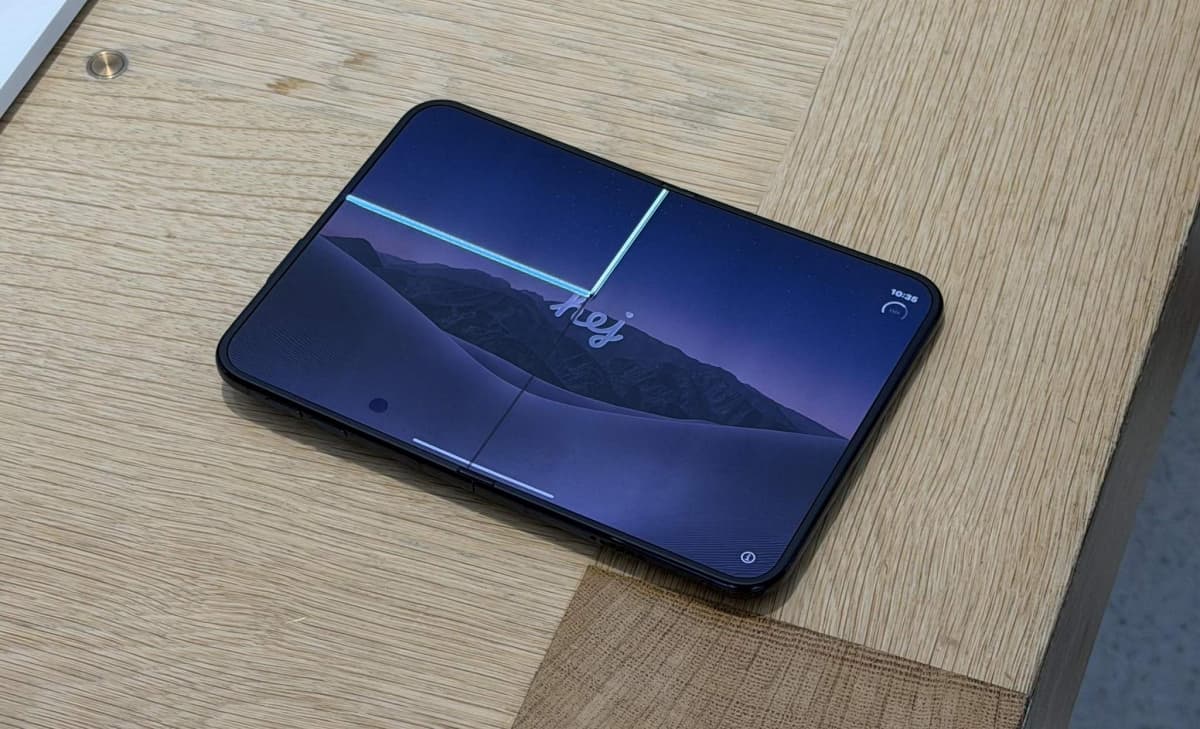
If you notice a crack or display defect, avoid experimenting with the phone to determine how bad the problem is. Here’s how I’d handle the situation.
1. Stop folding and unfolding the phone
My first move would be to stop opening and closing the iPhone Duo unnecessarily. Apple’s official iPhone Duo hinge troubleshooting guide also recommends checking for hinge problems such as unusual noises, stiffness, misalignment, and visible damage.
Do not force the hinge if it feels stiff, makes an unusual clicking or cracking sound, or refuses to close completely. Apple’s handling guidance mainly focuses on keeping sand and grit away from the hinge, but you should also avoid pressing directly on the display crease or forcing the two halves together.
Keep the phone on a stable surface when you are not using it. If the white line is getting worse, the hinge looks damaged, or the device gets unusually hot, stop using it and get in touch with Apple.
2. Document the damage
While preparing to contact Apple, make sure you take photographs of the cracked iPhone Duo screen. Include photos of the central crease, the entire inner screen, the outer screen, and the hinge from multiple angles. If you notice bright white or green lines, flickering, or dead pixels, photograph those symptoms too.
I would also record a short video if the display defect changes or flickers, as long as I can do so without repeatedly moving the hinge. Keep your purchase receipt, order confirmation, and any relevant service records.
When speaking with Apple Support, describe exactly what happened. For example, explain whether the crack appeared during normal use, whether you dropped the phone, or whether you heard a cracking noise from the hinge.
3. Back up your iPhone data
A cracked screen does not necessarily mean your phone will stop working right away. But internal damage might cause problems that make it hard to access your data.
If the screen is still usable, back up your iPhone Duo to iCloud or a compatible computer. Wait until the backup finishes before you send the phone in.
4. Avoid DIY repairs and screen protector removal
Even though Apple has published official iPhone Duo repair documentation, I wouldn’t recommend opening the device or attempting an inner-display repair.
First of all, foldable displays are especially fragile, and the hinge complicates things. Pulling at the display, inserting tools into the hinge, or pressing on the crease could turn a minor issue into a more expensive repair.
Do not peel off the inner display’s cover layer simply because it looks damaged. The protective layer is not the same thing as the underlying display. Also, keep the hinge away from sand and loose debris, and use a soft, lint-free cloth to clean accessible surfaces.
One thing to know: Apple says hinge issues don’t have software-based fixes, so restarting, updating, or restoring your iPhone won’t fix a mechanical hinge problem. If the display is cracked or the hinge appears damaged, arrange a professional inspection.
How to get your cracked iPhone Duo repaired or replaced
Contact Apple Support first rather than going straight to an independent repair shop. Explain the symptoms, when they started, and whether the phone has experienced any impact or unusual hinge behavior. Then follow their recommendations.
The next step is visiting either an Apple Store or an Apple Authorized Service Provider, depending on availability in your area. Ask the technician to inspect the inner display and hinge, and ask whether the device qualifies for warranty service or a replacement.
Will Apple replace a cracked iPhone Duo for free? It’s possible, but nothing is certain. Apple’s limited warranty generally covers qualifying manufacturing defects, while accidental damage is treated differently. The final decision depends on the inspection, the applicable warranty terms, and the cause of the failure.
Early reports indicate that some affected owners obtained replacement devices through Apple Stores, although other buyers had difficulty. If you bought the device through a mobile carrier or another retailer, contact them as well.
How much does it cost to fix a cracked iPhone Duo display?
The cost is one of the biggest reasons to seek a proper diagnosis before authorizing a repair. According to Apple’s iPhone Duo out-of-warranty repair costs, the repair estimates are as follows:
| Repair type | Without AppleCare+ | With AppleCare+ |
|---|---|---|
| Inner display damage | $999 | $99 |
| Outer display damage | $379 | $29 |
| Cover layer damage | $49 | $19 |
| Back glass damage | $199 | $29 |
| Other damage | $1,499 | $99 |
The difference is substantial. An inner-display replacement costs $999 without AppleCare+, while the listed AppleCare+ service fee is $99 for qualifying damage. AppleCare+ is a separate paid plan ($19.99 a month, $199.99 a year, or $399 upfront for AppleCare+ with Theft and Loss in the US), so you should also consider its cost when comparing the total expense.
My advice is straightforward: if your iPhone Duo develops a crack during normal use, start with a warranty assessment. Paying nearly $1,000 for a replacement without determining the cause shouldn’t be the first step.
What should you do if the screen is not cracked but shows a white line?
A white line across the iPhone Duo display can be alarming, especially if the phone hasn’t been dropped. The problem may involve the display panel, its internal connections, or another hardware fault. A visible line alone is not enough to identify the cause.
Start by observing the symptom without repeatedly folding the phone. Check whether the line remains visible across different apps and screens. If the device is otherwise safe to use, a normal restart may help rule out a temporary software glitch.
If the line persists, grows, flickers, or appears alongside touch-response problems, arrange a professional inspection. If you also hear a snapping sound or notice unusual hinge movement, stop operating the hinge and contact Apple.
Most importantly, don’t wait for a white line to become a complete display failure before seeking help. Early documentation and a timely service assessment can make the next steps easier.
Final thoughts
The early iPhone Duo display failures are concerning, but I would not conclude that all devices have a faulty hinge based on a limited number of reports. The cause, scale, and long-term implications still need to be established.
If your iPhone Duo screen has cracked, stop folding it, document the damage, back up your data, and contact Apple before agreeing to a paid repair. With an out-of-warranty inner-display replacement listed at $999 in the US, getting the diagnosis right matters.
A premium folding phone should not leave its owner guessing whether normal use will damage the screen. Until Apple clarifies the reported failures, focus on protecting the device, preserving evidence, and seeking warranty options before spending another dollar.