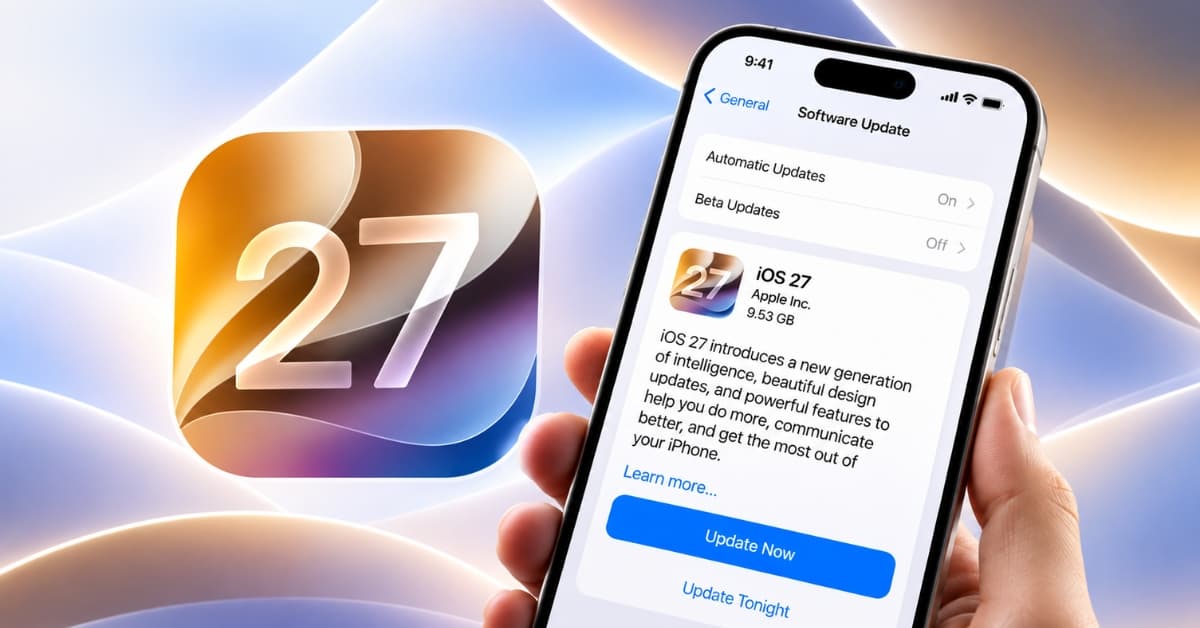
The first thing I did after installing iOS 27 was look for the big features Apple spent time showing during WWDC. I played around with the new Apple Intelligence features, tried the new Siri AI, and moved on.
Over the next few days, I kept running into features that Apple barely talked about. None of them changes how you use an iPhone overnight, but they remove little bits of friction that show up dozens of times a day.
Here are some of the less talked-about iOS 27 features that have made the biggest difference in my daily use.
1. A new super cool way to set a timer
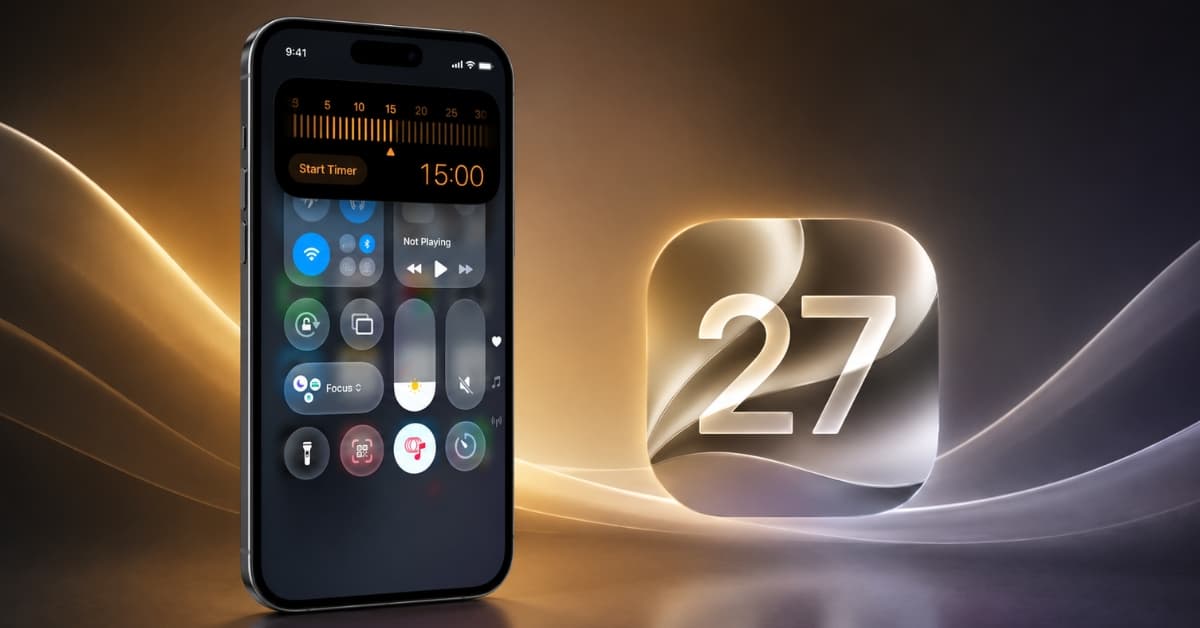
I never paid much attention to the Timer control in Control Center because tapping it always opened the Clock app, and I could just as easily launch it from my Home Screen. That’s changed in iOS 27.
Now, the moment I tap the Timer control, a compact slider drops down from the Dynamic Island. I can drag it to the duration I want, hit Start, and get right back to whatever I was doing. If I’m reading an article, replying to messages, or checking emails, I never lose my place.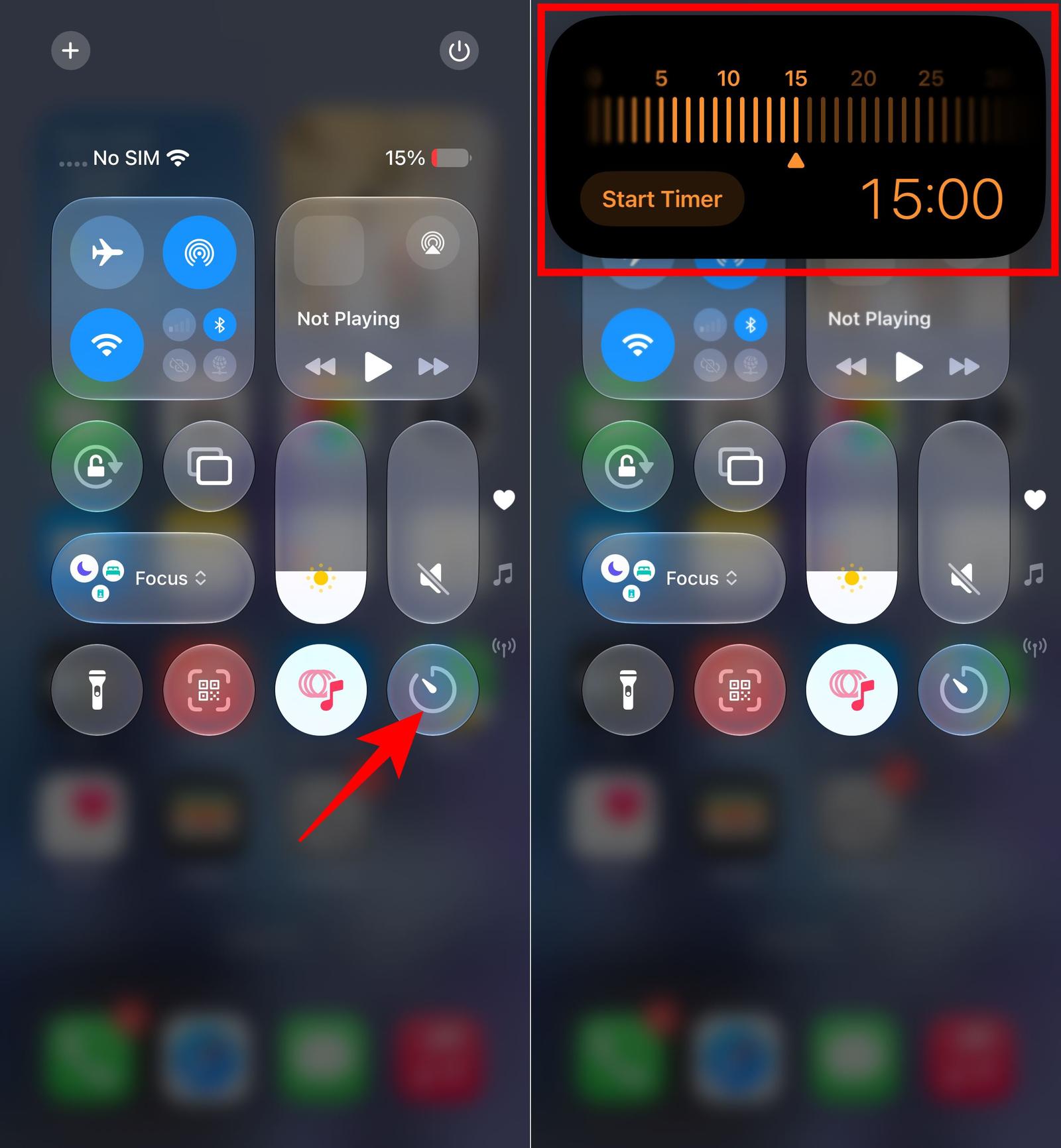
Since updating, I haven’t opened the Clock app nearly as often. A quick tap on the timer control, a swipe on the Dynamic Island slider, and I’m done.
2. Paste copied content with one tap
Copying and pasting on an iPhone hasn’t exactly been complicated, but it has always taken an extra long press before you could actually insert the copied text. iOS 27 has a fix. The moment you open any text field after copying something, a clipboard suggestion appears just above your keyboard.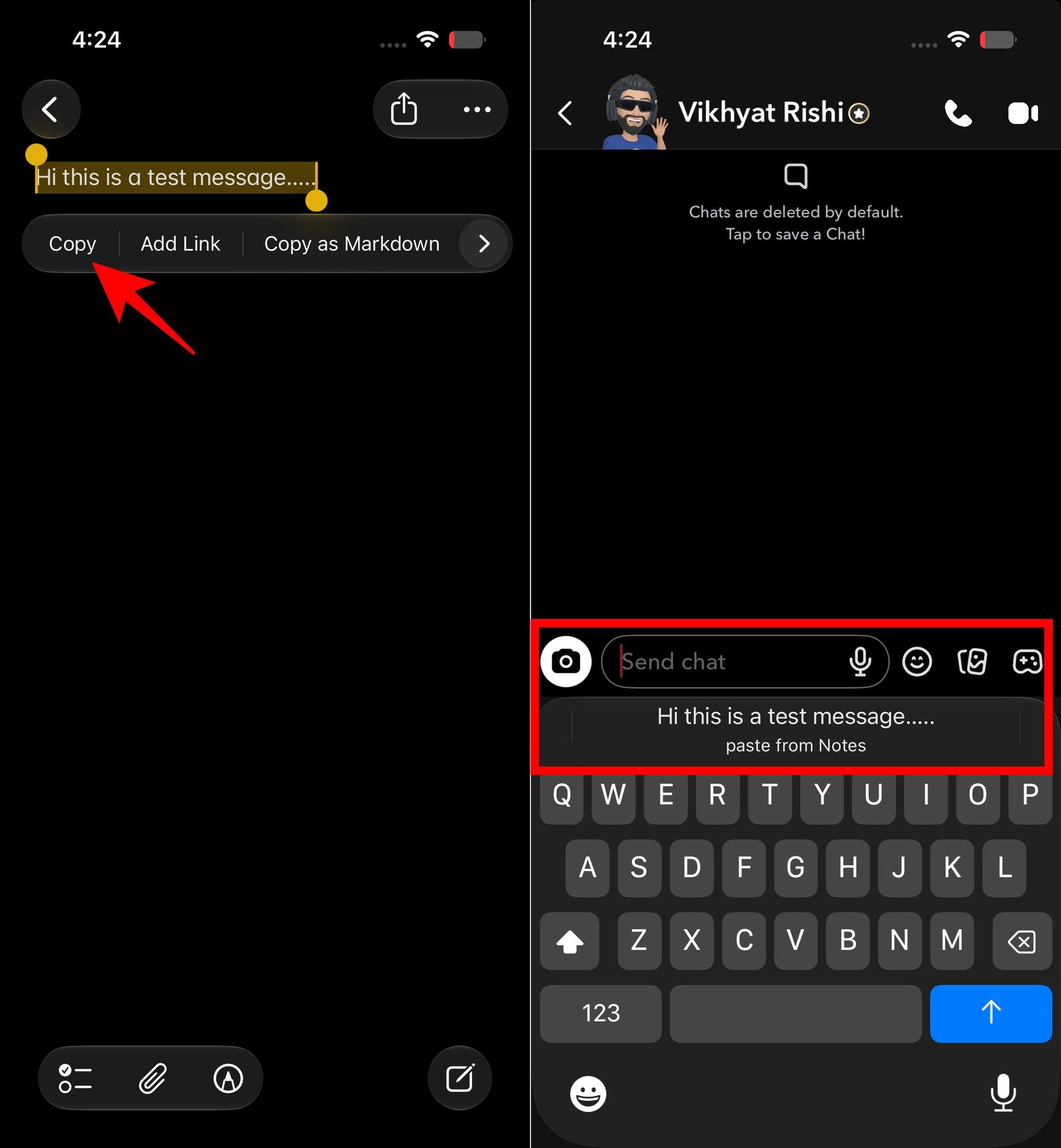
The first time it appeared, I ignored it out of habit and reached for the old Paste menu. A couple of messages later, my thumb was already going straight to the clipboard suggestion instead.
Now it’s become the fastest way to share links, move notes between apps, or paste addresses into forms. It’s a tiny change, yet it’s one I notice dozens of times throughout the day.
3. Shrink the Lock Screen Clock
I spend far too much time changing wallpapers, so this was one of the first settings I tried.
Reducing the Lock Screen clock gives the wallpaper more space instead of letting the time dominate the top half of the screen. A few wallpapers that looked cramped before suddenly looked good enough that I stopped adjusting their position altogether.
I ended up revisiting old wallpapers just to see how they looked with the smaller clock, and many of them suddenly worked much better.
Must read: How to Create AI Wallpapers on iPhone
4. Separate volume controls for ringtones, alarms, and notifications
This feels less like a new feature and more like Apple fixing something that never made sense.
Instead of tying everything together, iOS 27 finally lets you control ringtones, alarms, and notification sounds independently. My ringtone stays loud enough that I don’t miss calls, while alarms and system sounds stay at a much more comfortable level.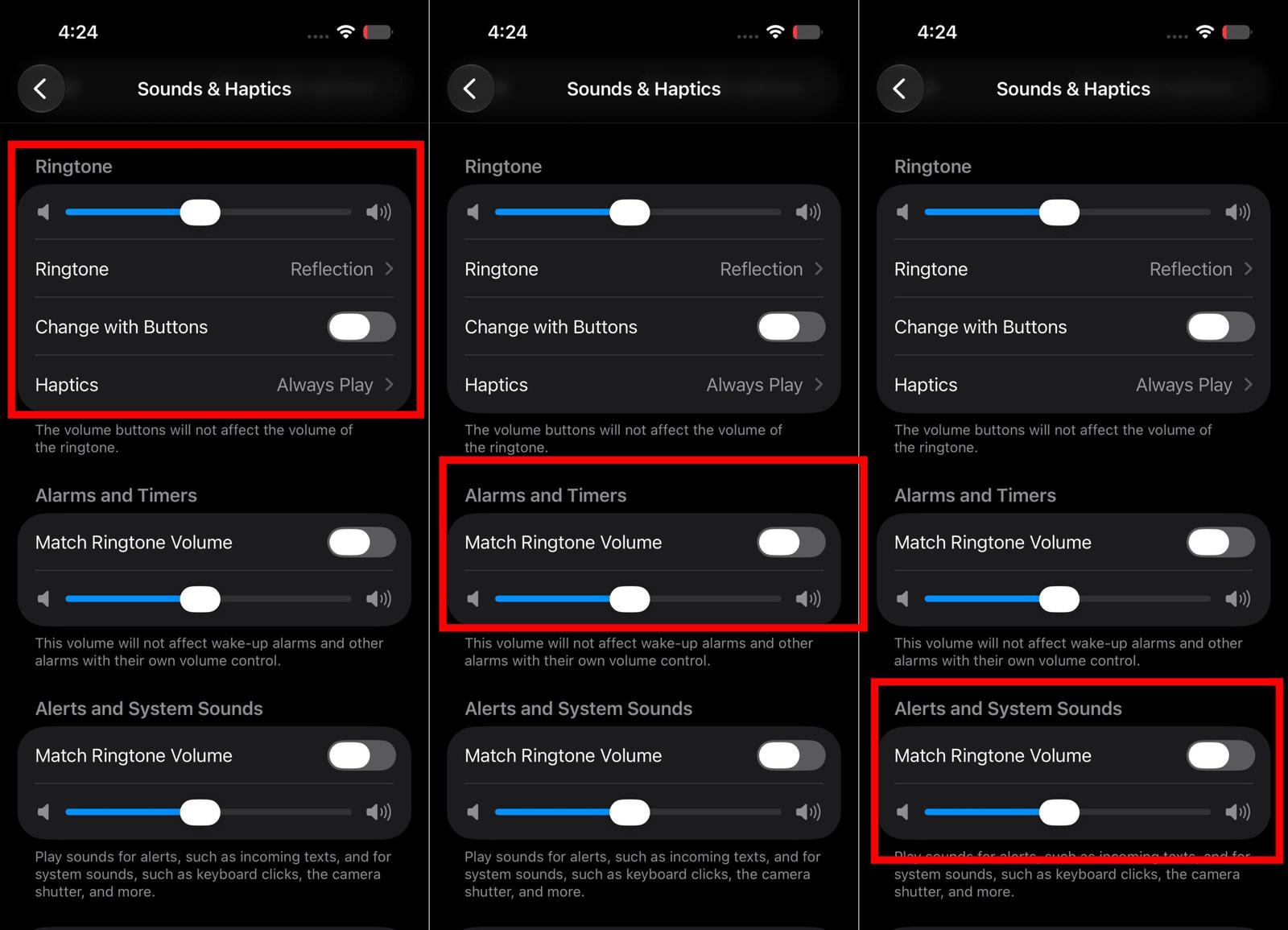
I changed the sliders once after updating and haven’t opened the menu again, which is probably the best sign that Apple got it right.
5. Extend wallpapers to fill the lock screen
The new Apple Intelligence-powered Extend feature has already saved several wallpapers that I thought were unusable.
Whenever an image doesn’t quite fit the Lock Screen, iOS 27 can generate the missing area instead of forcing you to crop or zoom in. I tried it on a few wallpapers with space around the edges, and the results were good enough that I had to look twice to spot what had been created.
Rather than hunting for perfectly sized wallpapers, I can now use images that were never meant for the iPhone’s aspect ratio. That’s a much bigger quality-of-life improvement than I expected.
6. Review selected photos before sharing
The usefulness of this feature didn’t click until I selected around 40 photos to share and noticed a couple of random screenshots mixed in.
Instead of scrolling through the entire library trying to find them again, the new Show Selected view displays only the images you’ve picked. Reviewing, removing, or double-checking a large selection takes seconds because everything is already in one place.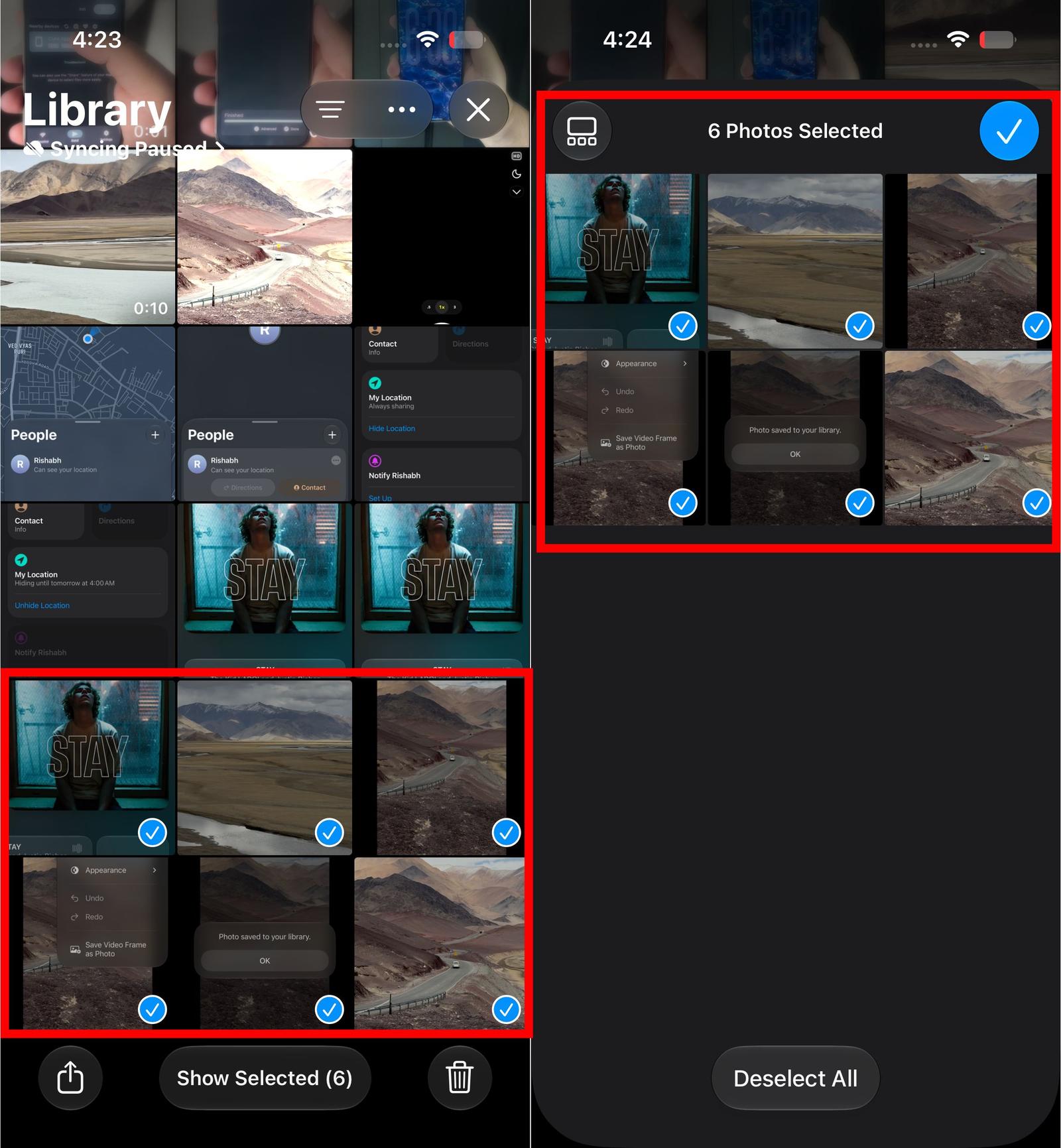
It won’t get much attention compared to bigger iOS 27 additions, but it’s the sort of refinement that makes the Photos app feel less frustrating every time I use it.
The little things add up…
The best part of iOS 27 isn’t a flashy AI feature or a redesigned app. It’s the collection of small improvements that keep saving a few seconds throughout the day.
None of these additions will convince someone to update on their own, but after using them for a while, they’ve quietly become part of how I use my iPhone every day.
Which of these hidden iOS 27 features is your favorite? Share your pick in the comments.
In case you missed: