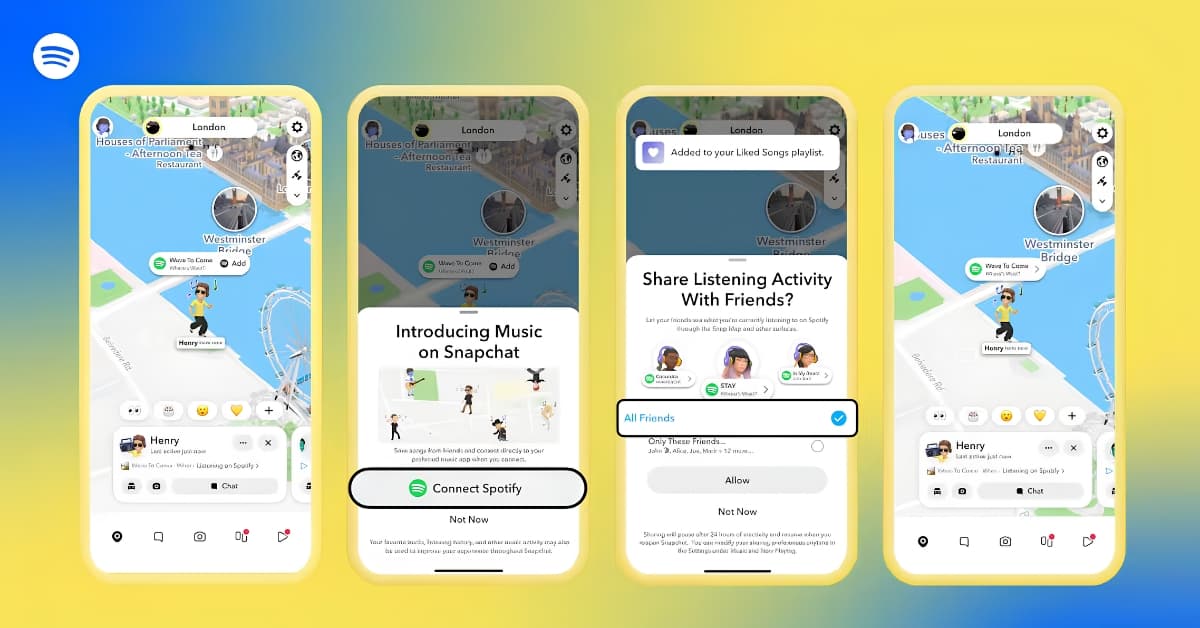
Music is coming to Snap Map. Snapchat has announced Now Playing, a feature that adds your current song to your Bitmoji so friends can see what you’re listening to while browsing the map.
If you’ve ever received a “What song is this?” message after posting a Story, Now Playing eliminates the need to keep sharing Spotify links. Once you connect your Spotify account and choose who can see your activity, your currently playing track appears above your Bitmoji on Snap Map.
Here’s everything you need to know.
Share your current Spotify track on Snap Map
The feature debuts with Spotify support, making it the first music streaming service to work with Now Playing. Spotify is the first streaming service to support Now Playing, suggesting more music platforms could be added later.
After linking Spotify with Snapchat, your current track appears alongside your Bitmoji on Snap Map. Every time the music changes on Spotify, Snap Map reflects it automatically, whether you’ve switched to a different playlist, skipped a song, or started a new album.
Once you’ve linked Spotify, Snap Map automatically updates whenever your music changes. Whether you switch playlists, skip a track, or start a new album, friends will only see the song you’re currently listening to—not your playlists, recently played songs, favorite artists, or listening history.
Friends who spot a song they like can open it directly in Spotify, save it to Liked Songs, or check out Spotlight videos that use the same audio.
How to connect Spotify to Snapchat
- Open Snapchat.
- Go to Snap Map, Settings, Sounds, or a Friend Profile.
- Tap the Spotify option and sign in.
- Choose who can see your listening activity.
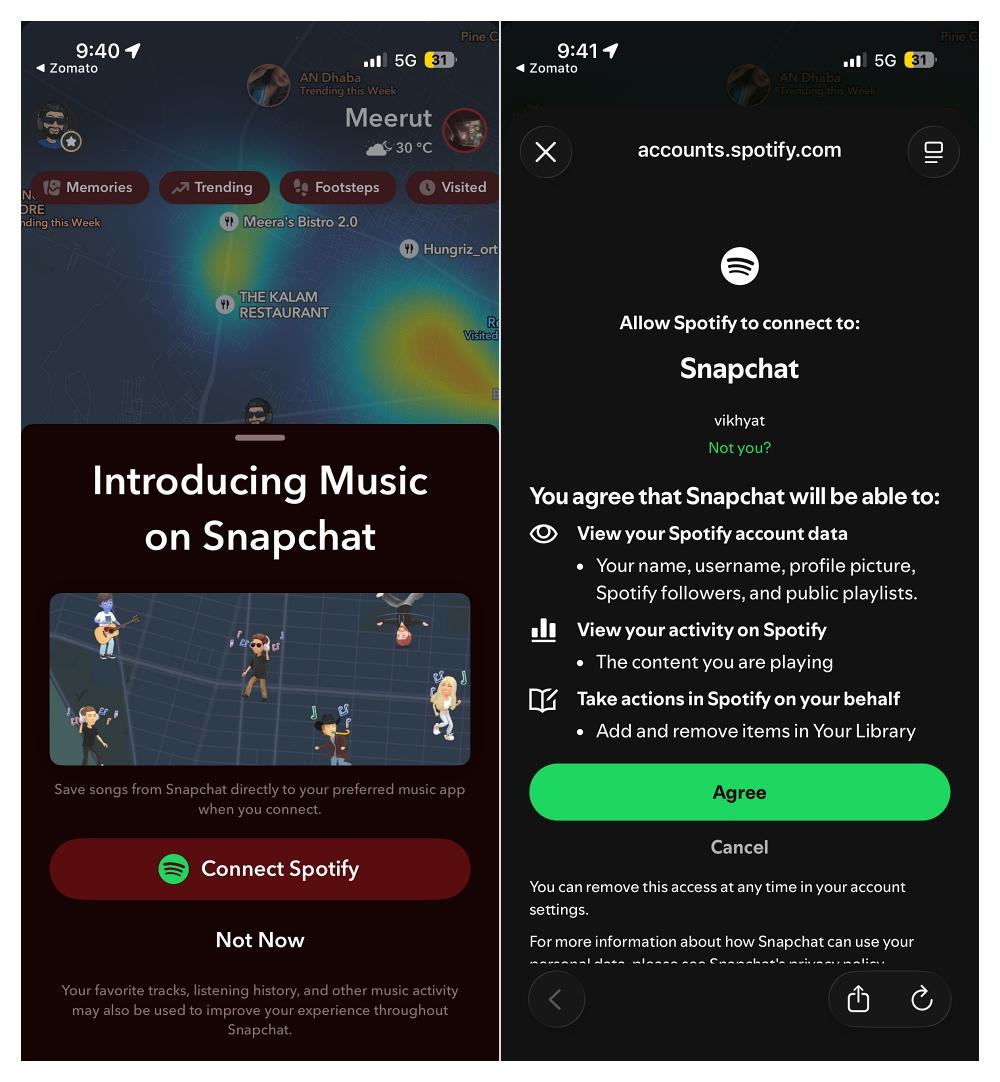
Once connected, Now Playing works automatically whenever you’re listening to Spotify.
You’re in control of who sees your music
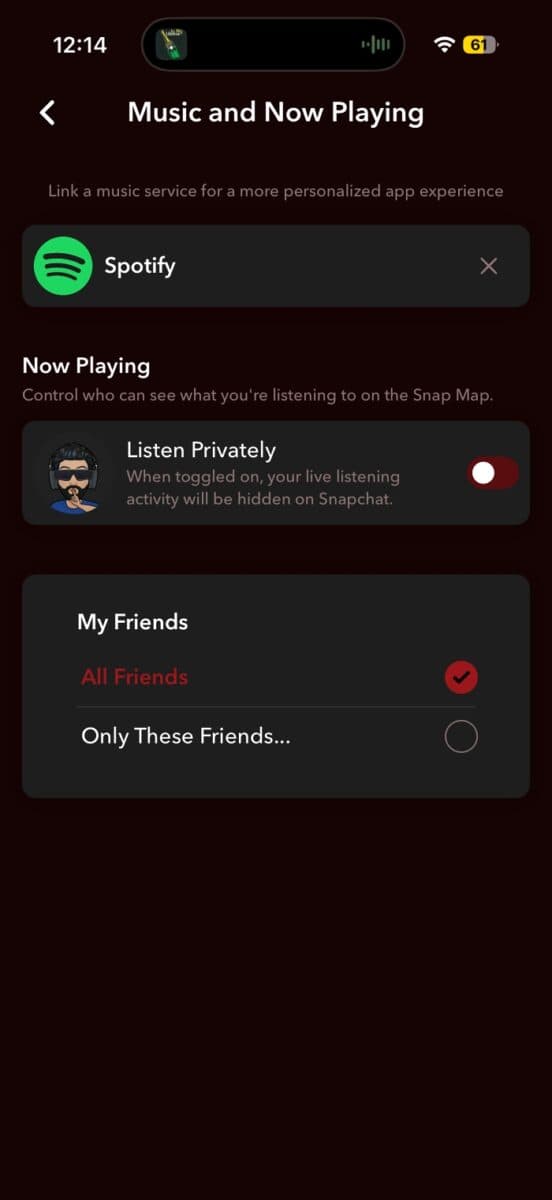
Now Playing uses the same audience settings as Snap Map, so there isn’t another privacy menu to configure.
You can choose who sees your listening activity:
- Friends
- Friends on the Map
- Selected Friends
- No One
You can change these settings at any time or turn off music sharing entirely.
Only the current song is visible
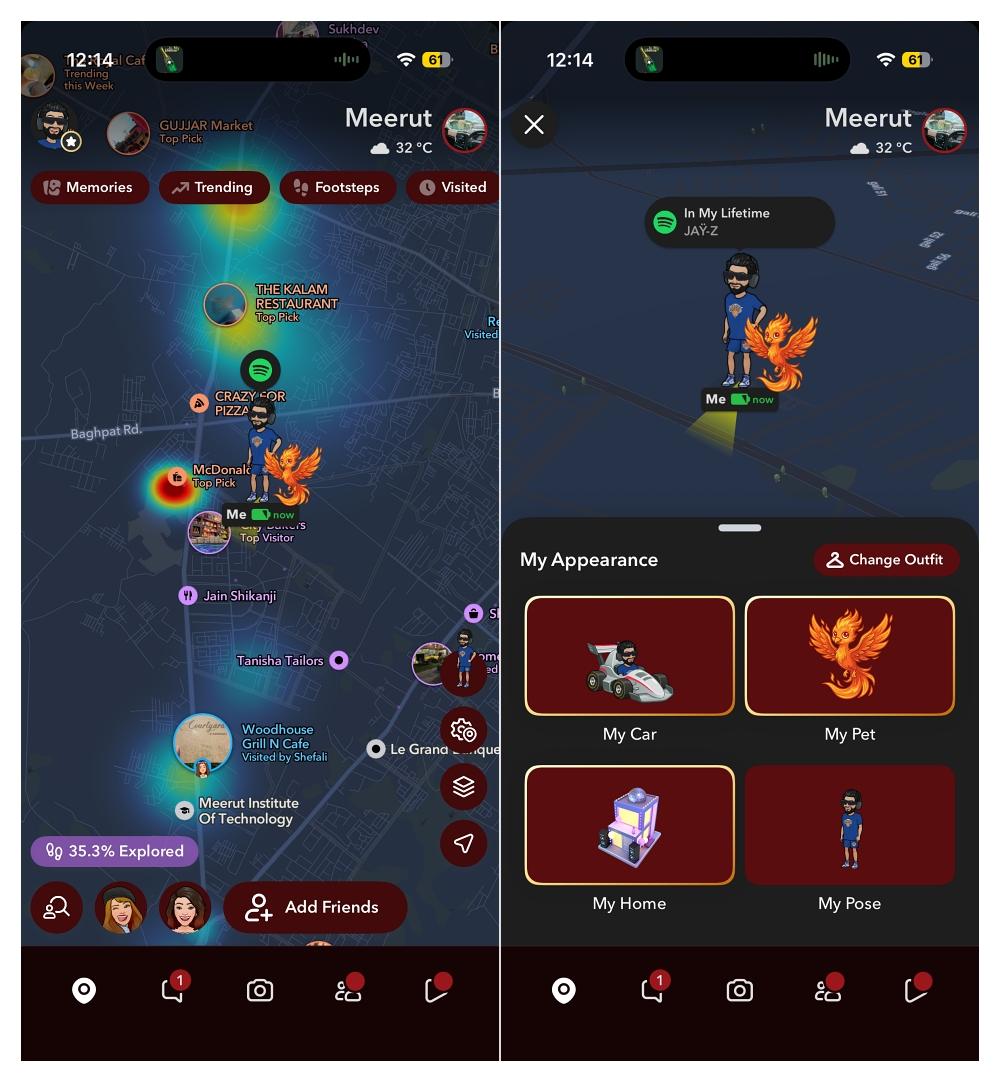
Snapchat only shares the track you’re currently listening to. Friends won’t be able to view your playlists, favorite artists, recently played songs, or listening history. If you don’t open Snapchat for about 24 hours, your music stops appearing on Snap Map until you become active again.
Snap Map is becoming more than a location-sharing tool
Snap Map has evolved well beyond sharing your location. It now brings together Stories, local places, events, recommendations, and live music sharing in one place. With Now Playing, friends can discover what you’re listening to in real time without leaving Snapchat. Spotify is the first supported streaming service, but Snap has hinted that additional platforms could join in the future.
Would you like to see Apple Music, YouTube Music, or other streaming services supported next? Let us know in the comments.
Don’t miss these related reads: