You may already know NotebookLM can become your second brain. I tested it using various research papers, PDFs, meeting notes, and blog post ideas and was pleasantly surprised by the summary, citations, and even podcast-like audio generation.
But after a few months, I realized something. NotebookLM is fantastic at helping me understand information. But it isn’t nearly as good at helping me build a long-term knowledge system. My work demanded better organization, better connections between ideas, more flexibility, and better privacy in some cases.
So I tried some alternatives to NotebookLM. These are the tools that actually earned a permanent spot in my workflow.
Why i started looking for NotebookLM alternatives
Don’t get me wrong, but I still think NotebookLM is one of Google’s best AI products. When I need to understand a 200-page PDF, summarize a whitepaper, or verify facts from multiple sources, it’s one of the first tools I open. The problem starts after that.
Once the research session ends, everything feels isolated inside individual notebooks. My thoughts and ideas are not interconnected to build a growing knowledge graph. Collaboration feels limited. And when it comes to turning research into articles and notes, I need to export everything somewhere else.
Eventually, I noticed a pattern. NotebookLM was becoming the first step of my workflow, but not the place where my work actually lived. That realization sent me searching for alternatives that focus less on document conversations and more on knowledge creation.
How i chose these NotebookLM alternatives
I wasn’t looking for another NotebookLM clone.
Instead, the evaluation was based on questions that strike me when working:
- Does it help me think better, not just summarize?
- Can I connect ideas across months of work?
- Is search fast and trustworthy?
- Can I use it every day instead of occasionally?
- Does AI feel like an assistant instead of a gimmick?
- Will I still enjoy using it six months from now?
Some of these tools beat NotebookLM in research, whereas others win in organization, collaboration, or creativity. None replaces NotebookLM completely, and that’s exactly the point.
7 best NotebookLM alternatives I’m actually using
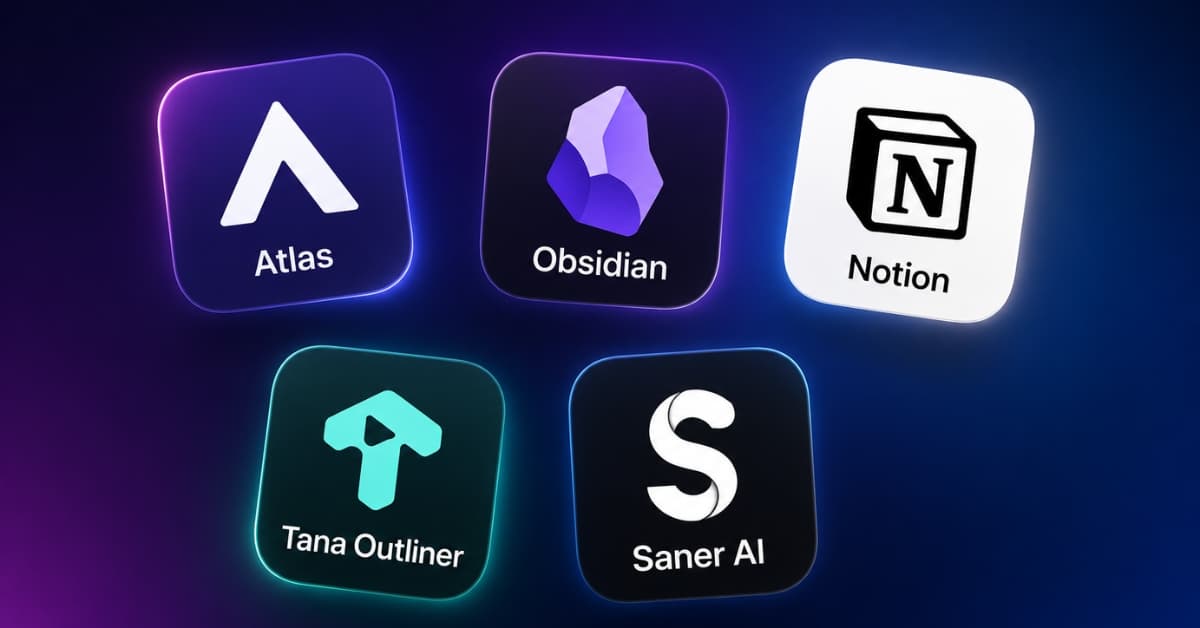
1. Atlas.org
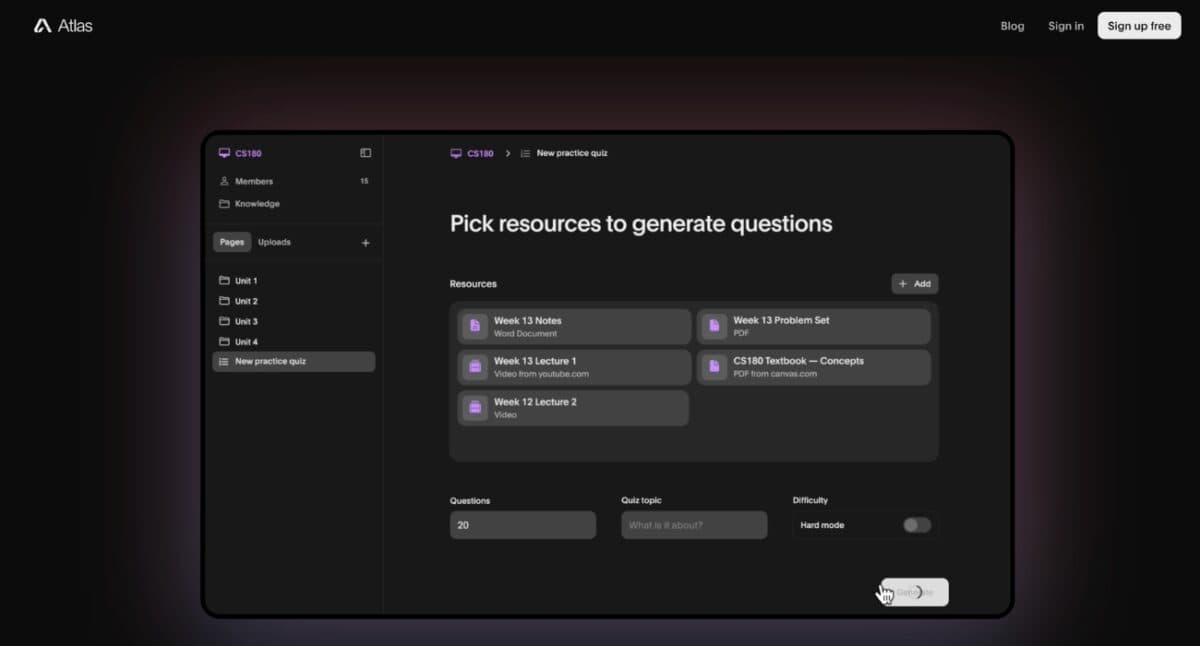
Atlas surprised me more than any other tool.
Instead of treating documents as isolated files, it helps me see relationships between sources I would’ve otherwise missed. Atlas gives you a chance to create a systematic knowledge base that gets bigger as you add more study material. That makes it feel more like a dedicated learning companion than a simple AI assistant.
Unlike NotebookLM, Atlas is a tool that will come in handy in case your routine includes taking classes, attending lectures, doing assignments, and preparing for exams. It offers a broader collection of AI study tools, including AI note-taking, quiz generation, flashcards, essay writing, homework help, and study guides in a single platform.
Key features
- Citation-backed research workflows
- Source-backed answers
- Knowledge maps
- Multi-document analysis
- Different space types for problem solving, writing, recording, and more
- Excellent for deep research
- Adapts to your learning styles and preferences
- You can share knowledge and insights from Atlas with others
- Smaller ecosystem than bigger AI platforms
- More research-focused than note-taking
Pricing: Currently free to use.
Best for: Students, educators, researchers, analysts, and anyone who wants an all-in-one AI study assistant rather than just a document Q&A tool.
2. Obsidian
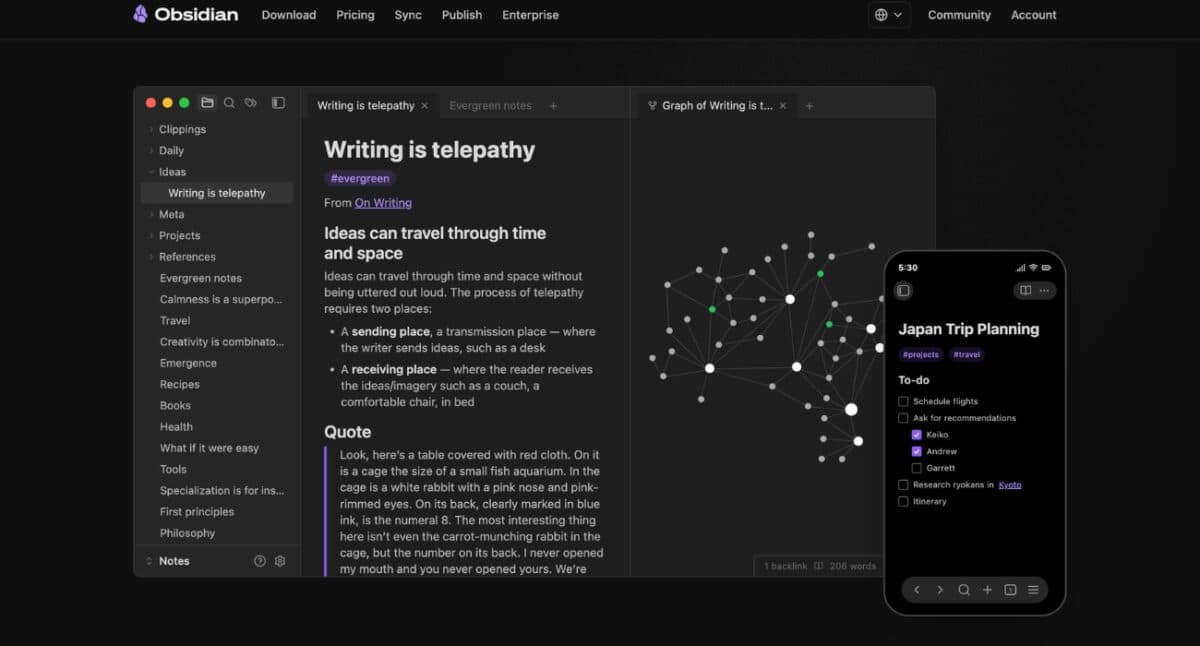
Obsidian completely changed how I think about note-taking.
It’s a powerful knowledge management tool that stores everything as local Markdown files, giving you complete ownership of your notes. The platform enabled me to link various ideas using internal links, backlinks, and a graph view, making it ideal for building a long-term “second brain” rather than just chatting with documents.
Unlike NotebookLM, Obsidian doesn’t automatically summarize sources. However, that’s also its biggest strength. You can customize it however you want by adding AI plugins that connect with models like ChatGPT, Claude, Gemini, or local LLMs. This gives you much more flexibility than NotebookLM if you’re willing to spend a little time setting up your workflow.
I especially like that my notes aren’t locked into a proprietary format. So, the files can be organized, backed up, synced, or even edited with other apps. If you regularly research, write technical documentation, or maintain a personal knowledge base, Obsidian offers far more control and scalability than NotebookLM.
Key features
- Local-first notes with graph view
- Bidirectional links
- Thousands of plugins for AI integrations
- Up to one year of version history
- Complete ownership of data
- Extremely customizable
- Excellent long-term knowledge base
- Learning curve
- Requires setup
Pricing: Free for personal use. No sign-up required. For advanced features like end-to-end encryption, syncing across devices, version history, etc., subscription starts at $4 per month.
Best for: Researchers, writers, developers, and power users who want a privacy-first local knowledge management system.
3. Notion
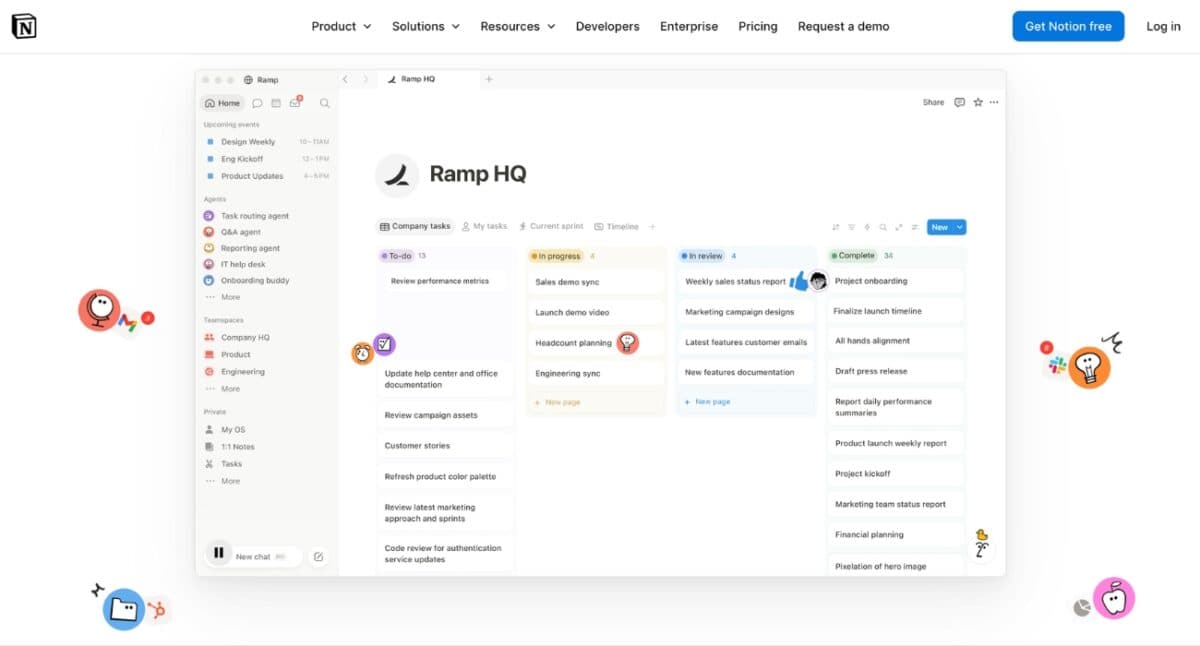
I resisted Notion for years because everyone seemed obsessed with it. Now I understand why. It’s where research becomes projects. Instead of scattered notes, you can have databases, writing pipelines, content calendars, and AI assistance living together. It’s a powerful productivity tool.
Notion AI is built directly into the workspace, so it can summarize documents, generate content, answer questions, extract action items, search across connected apps, and even analyze information from your workspace and the web. I like its custom agent building that integrates with other platforms to your data.
If you need one platform for productivity instead of having an AI research assistant for yourself, then Notion will be a good choice for you. It has a much broader feature set for everyday work, especially for team collaboration on docs, wikis, and databases.
Key features
- AI-powered writing assistant
- Research mode to create reports using your info across workspace and connected apps
- Meeting notes and AI summaries with automatic action items
- Real-time collaboration with shared workspaces, mentions, and comments
- Integrations with tools like Slack, GitHub, Google Drive, etc.
- Great all-in-one workspace
- Fantastic for teams
- Powerful templates
- Can become overly complex
- Gets slower with larger data
- Free plan only has trial Notion AI. The full set of AI features costs extra
Pricing: Free plan available with paid upgrades starting at $10 per month.
Best for: Content creators, researchers, freelancers, students, and teams looking for a unified workspace.
4. Tana Outliner
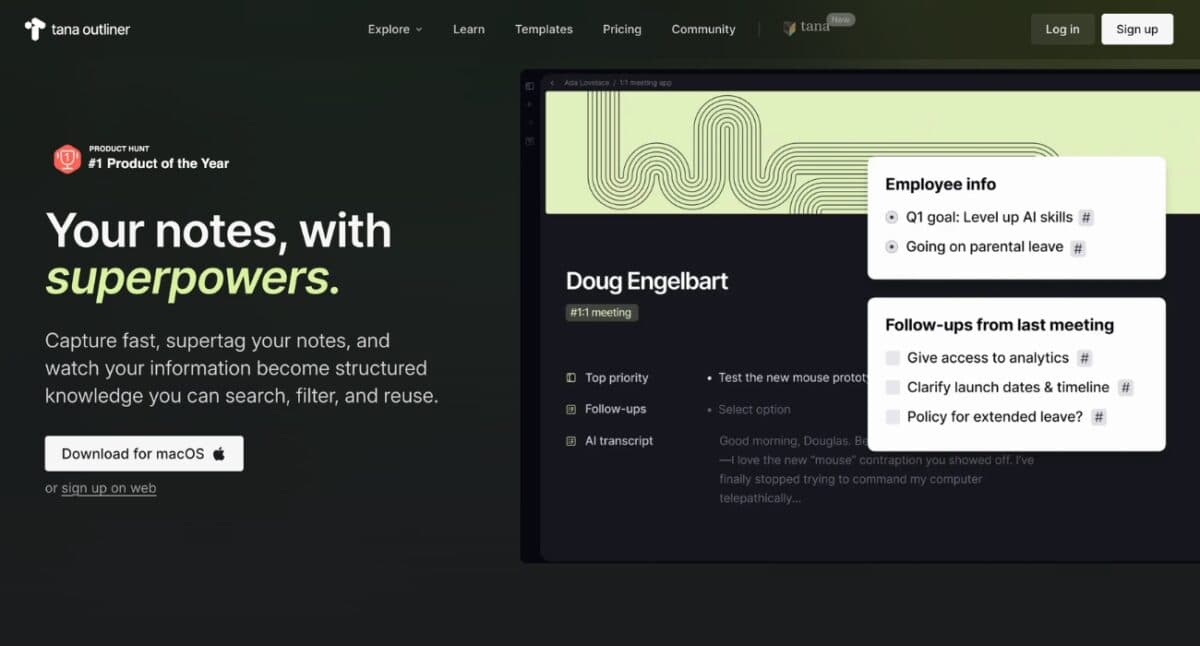
Tana is unlike anything I’ve used. Everything revolves around organized data rather than folders. With the help of Tana’s Supertags feature, I am able to immediately turn my regular notes into tasks, projects, meetings, strategies, or any kind of custom content I want without having to move anything around.
What I like most is that you can link everything to the knowledge graph for a highly personalized workspace. Another interesting feature is AI Meeting Notes. Tana can summarize and structure meeting discussions, turning conversations into organized notes, action items, and follow-up tasks so important ideas don’t get lost.
Together with an AI chat, voice transcription, and workflow automation features, this turns out to be an effective AI productivity tool and not just a note-taking application. This is great for researchers, founders, developers, writers, and anyone managing large amounts of information.
Key features
- AI note taker for capturing and organizing meetings, lectures, and ideas
- Daily notes, task management, and project planning in one workspace
- Workflow automation for repetitive tasks
- Multi-model AI support, including OpenAI, Anthropic, and Google models
- Extremely flexible
- Brilliant for connected thinking
- Excellent AI workflows
- Steep learning curve
- Not beginner-friendly
Pricing: Free tier with paid plans available from $8 per month.
Best for: Researchers, teams, developers, and professionals looking for an AI-powered knowledge management platform with advanced meeting notes and workflow automation.
5. Saner AI
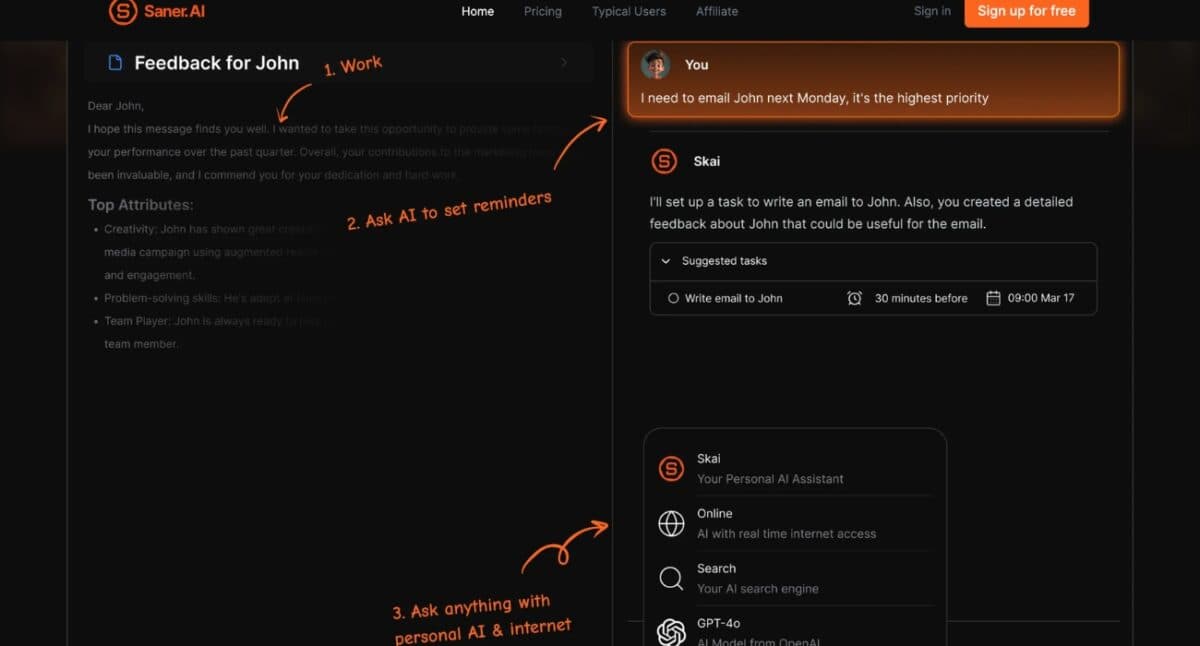
Saner AI impressed me because it doesn’t ask me to organize everything manually. Therefore, rather than having to classify my notes into different folders, I can now quickly save my thoughts, web pages, voice notes, emails, and other documents. Saner AI will automatically organize everything and make it searchable through natural language.
In particular, Saner.AI is tailored to decrease information overload and switching between contexts, which makes it perfect for busy professionals and people with ADHD. What I like most is that it combines notes, tasks, AI chat, and scheduling in one place. The built-in AI assistant, Skai, remembers the context of my notes and projects, making conversations feel personalized.
Key features
- Intuitive interface without information overload
- Automatic tag suggestions and smart note organization
- Semantic search that finds related information beyond keyword matching.
- Web clipper and Chrome extension for saving online content
- Get proactive suggestions for what you are working on and even solutions for your tasks
- Minimal maintenance
- Great search
- Easy to learn
- Smaller ecosystem
- Fewer customization options
Pricing: Free plan available. Starter pack starts at $6 per month.
Best for: ADHD workers, entrepreneurs, content creators, researchers, freelancers, and users looking for an AI-powered second brain without organizing information.
6. Open Notebook
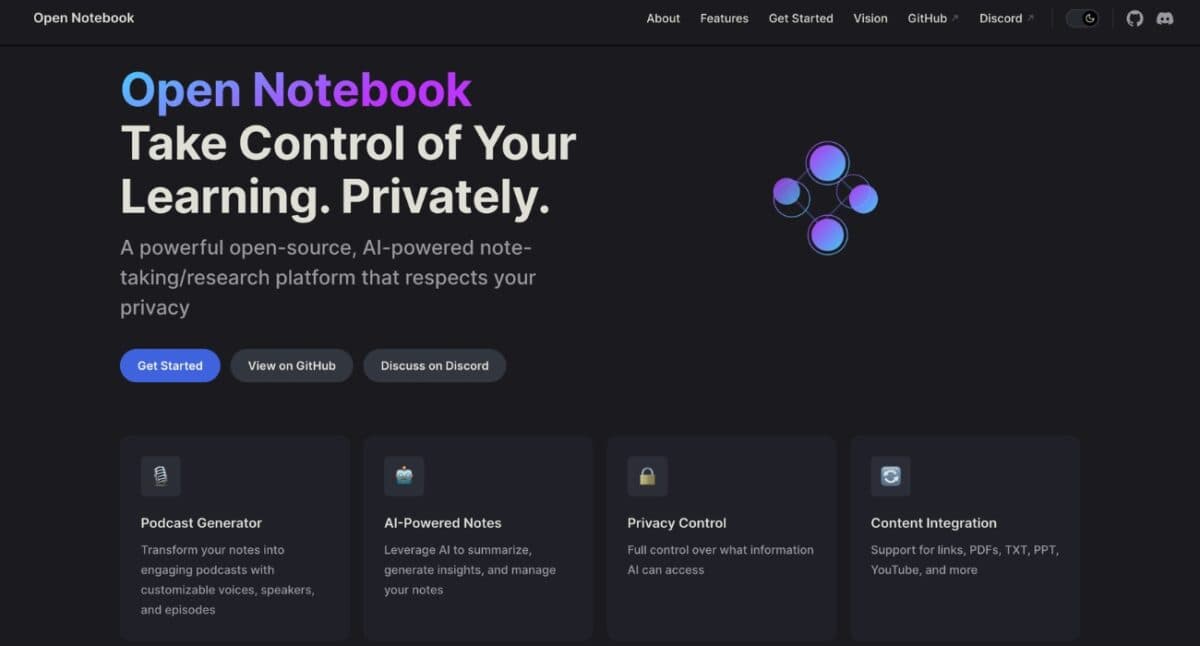
Open Notebook comes across as the closest alternative to an open-source version of NotebookLM. The workflow feels familiar: you create notebooks, upload PDFs, websites, YouTube videos, documents, and other research materials, then use AI to ask questions, generate summaries and insights, create podcasts, and organize your notes.
What stood out to me is that the platform offers control. I can self-host it, connect to any AI models, and avoid locking everything into Google’s ecosystem. Open Notebook supports providers like OpenAI, Anthropic, Gemini, OpenRouter, Vertex AI, and Ollama (local models).
Compared to NotebookLM, Open Notebook is the better choice if you want a privacy-first, open-source research platform. NotebookLM is more refined and user-friendly than Open Notebook, although the latter gives you more flexibility over AI workflow, supported models, and knowledge base.
Key features
- Open-source and self-hosted AI research platform
- AI-powered content transformations for summaries, reflections, and insights
- Generate podcasts from your notes with customizable voices
- Docker-based deployment with full local control over your data
- Save AI responses as editable notes
- Complete control
- No vendor lock-in
- Active community
- Technical setup required
- Less polished UX
Pricing: Free and open source.
Best for: This is the tool I’d recommend to developers, privacy-conscious users, or anyone who is looking for a free alternative to NotebookLM.
7. ElevenLabs
This might seem like an unusual pick. But after researching for hours every day, I don’t always want to read more. Sometimes I just want to listen.
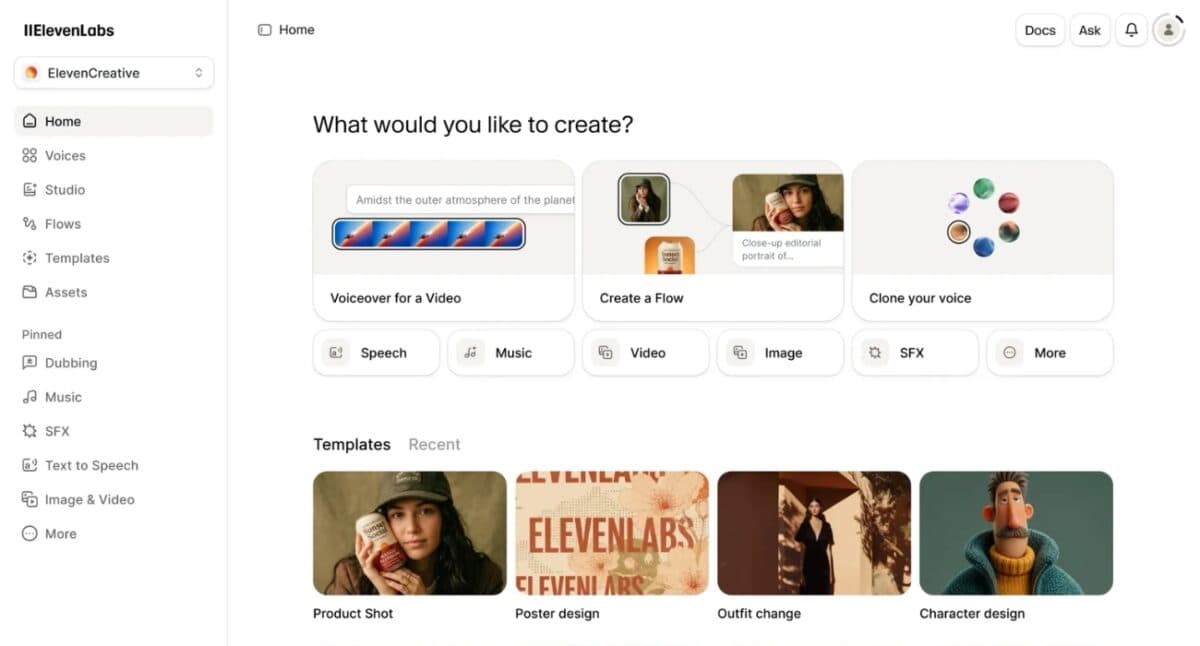
ElevenLabs lets you turn articles, PDFs, notes, scripts, and other text into incredibly natural-sounding speech, making it much easier to consume information while commuting, exercising, or multitasking. It also offers voice cloning, dubbing, speech-to-text, conversational AI agents, and an AI-powered reader for audiobooks and documents.
My favorite thing about it is the quality of the voices. Unlike a lot of other text-to-speech apps that have a robotic feel, ElevenLabs generates voices that have the right tone, pace, and pronunciation. You can use it to generate professional podcasts, research paper narrations, and YouTube voiceovers.
Key features
- AI-powered text-to-speech with natural, human-like voices.
- Supports 30+ languages with multilingual speech generation
- Export audio for podcasts, YouTube videos, courses, and presentations
- Conversational AI agents for voice-based applications
- Best AI voices available
- Saves reading time
- Excellent listening experience
- Not a research workspace
- Usage limits on free plan
Pricing: Free tier with paid subscriptions starting at $6 per month.
Best for: If you like AI-generated podcasts in NotebookLM, ElevenLabs is one of the best alternative tools available.
NotebookLM vs Alternatives: Quick comparison table
| Tool | Biggest Strength | Weakness | Best For |
|---|---|---|---|
| NotebookLM | Source-grounded research | Weak long-term knowledge management | Document analysis |
| Atlas | Research mapping | Smaller ecosystem | Students and researchers |
| Obsidian | Knowledge management | Learning curve | Privacy-conscious users |
| Notion | Collaboration | Can become cluttered | Teams |
| Tana | Structured thinking | Complex setup | Power users |
| Saner AI | Automatic organization | Fewer integrations | ADHDers |
| Open Notebook | Privacy | Technical setup | Developers |
| ElevenLabs | Audio learning | Not a note-taking app | Audio-first learners |
Which NotebookLM alternative should you choose?
After months of switching between these tools, here’s my advice.
- For researchers, Atlas is ideal.
- When you’re building a local personal knowledge base, go with Obsidian.
- If your entire team collaborates on projects, choose Notion.
- If you enjoy structured thinking, try Tana.
- If you hate organizing notes, go with Saner AI.
- When privacy matters most, pick Open Notebook.
- Do you consume more than you read? Use ElevenLabs.
Don’t chase the “best” AI tool. Pick the one that solves your biggest frustration.
Things I learned after switching away from NotebookLM
The biggest surprise wasn’t finding a better tool. It was realizing I didn’t need one. NotebookLM is excellent at one job. The mistake I made was expecting it to do every job.
Today, my workflow is split by purpose.
- NotebookLM helps me understand information.
- Obsidian stores everything worth remembering.
- Notion manages projects.
- Atlas handles deep research.
- ElevenLabs turns long documents into something I can consume while walking.
Ironically, replacing NotebookLM made me appreciate NotebookLM more. I stopped forcing it into workflows it wasn’t designed for, and started using it where it truly shines.
Final verdict
The NotebookLM remains one of the smartest AI research tools available today, especially if your workflow revolves around reading, summarizing, and asking questions about source material. But if you’re expecting it to become your permanent knowledge hub, you’ll probably hit the same wall I did.
The real upgrade wasn’t abandoning NotebookLM—it was building a workflow around it. If I could recommend just three tools, I’d pick Obsidian for long-term knowledge management, Atlas for serious research, and NotebookLM for understanding complex documents.
Which NotebookLM alternative are you going for? Share your opinion in the comments below!
You might also like: