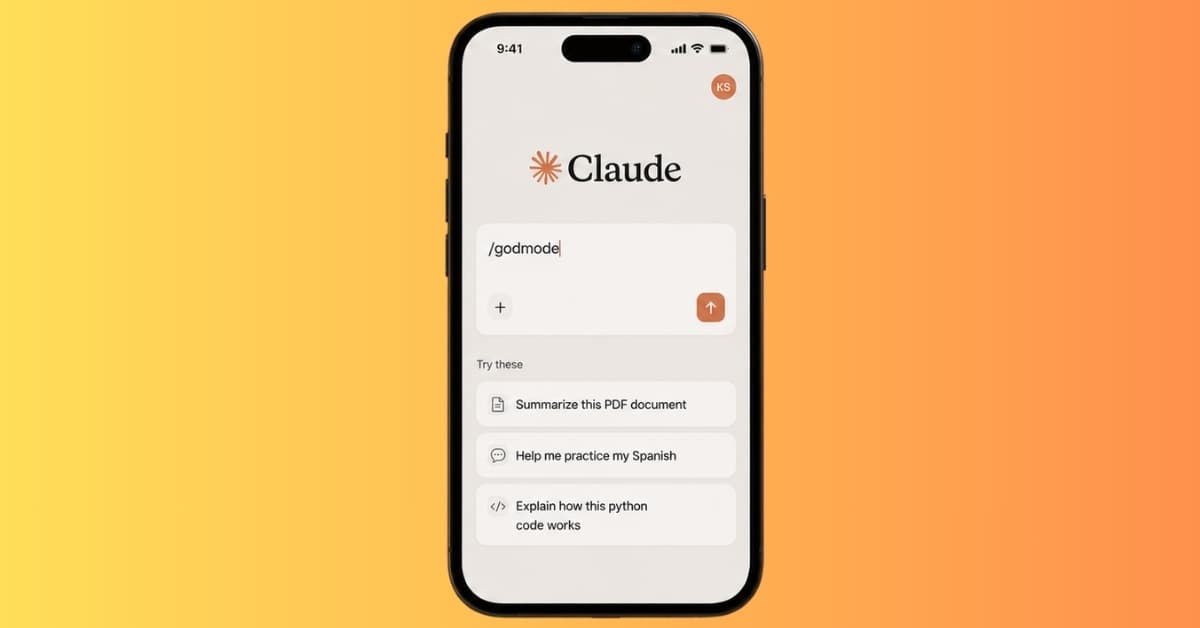
Claude has a default voice. But sometimes, you may need a more natural-sounding rewrite of your email, maybe a deep dive into a topic more than it normally does or even a concise info without all the yapping. You can force Claude to do actions with some secret commands.
These commands are short prompt signals like /ghost, /godmode, OODA, or L99. You place them before or after your prompt to change how Claude responds. Some make the answer shorter. Some make it deeper. Some push Claude into a teacher, reviewer, strategist, debugger, or editor role.
The important thing is that most of these are not official Claude.ai slash commands. Claude does not treat /ghost the way a terminal treats a real command. However, they work especially when paired with a good prompt.
Claude commands at a glance
Here is the quick list before we go deeper into each one.
| Command | What it tells Claude to do | Example use |
|---|---|---|
/ghost | Make the response more natural, concise, or less AI-sounding | Rewriting intros, emails, social posts, quick answers |
/godmode | Give a very detailed answer with edge cases and tradeoffs | Strategy docs, complete guides, complex planning |
L99 | Answer at a high expert level | Technical explainers, research summaries, advanced documentation |
OODA | Use Observe, Orient, Decide, Act to reason through a problem | Business decisions, product strategy, growth problems |
Artifacts | Create a separate interactive or visual output | Apps, dashboards, tools, prototypes, code previews |
/deep-research | Produce a broad, research-heavy analysis | Market research, serious comparisons, policy analysis |
/code-review | Review code for bugs, security, performance, and quality | Pull requests, production checks, refactoring prep |
/explain-eli5 or /eli5 | Explain a topic in simple beginner-friendly language | Learning, education, plain-English explainers |
/academic | Write in a formal research-style tone | Essays, reports, literature reviews |
/socratic | Teach through questions instead of giving the answer directly | Studying, interview prep, concept learning |
/debug | Walk through a problem step by step | Code errors, broken workflows, logic issues |
/refactor | Improve code without changing what it does | Readability, performance, maintainability |
/sprint | Move fast and prioritize practical output | MVPs, prototypes, quick coding drafts |
/mentor | Teach patiently with guidance and examples | Learning tools, coding concepts, workflows |
/critic | Challenge an idea and point out weak spots | Article drafts, startup ideas, product strategy |
/rubber-duck | Help you think through a problem with questions | Debugging, unclear logic, self-guided problem solving |
/legal | Make wording more precise and careful | Policies, terms, disclaimers, risk-heavy drafts |
/changelog | Turn notes into release-note format | App updates, GitHub releases, product changes |
/api-design | Design APIs with consistency and developer usability | REST APIs, SaaS backends, endpoint planning |
/product-spec | Turn an idea into a buildable product spec | MVP planning, feature specs, builder handoffs |
/security-audit | Look for security risks and weak points | Auth, databases, APIs, file uploads, admin panels |
/performance | Focus on speed, bottlenecks, and efficiency | Slow pages, APIs, queries, frontend issues |
How these Claude commands actually work
A real command performs a fixed action. Claude.ai prompt commands are looser than that. They work because Claude understands natural language instructions and tries to follow the pattern you give it.
For example, this prompt:
/ghost Rewrite this email so it sounds more natural.
really means:
“Claude, respond in a more natural, direct, less polished AI style.”
That is why the same command can behave slightly differently depending on the prompt, model version, and conversation context. /ghost may make one answer more human and another answer more minimal. /godmode may produce a great strategic breakdown for a clear business problem, but a bloated answer for a vague one.
The command helps, but the prompt still carries the work.
/ghost
/ghost is the command people usually use when Claude sounds too stiff. It pushes the answer toward a more natural, human, less corporate style.
Use it when you are writing content that needs to feel normal: a blog intro, email, LinkedIn post, short explanation, or rewrite. It is also useful when Claude starts adding too much structure, too many headings, or that polished “AI assistant” rhythm.
Example:
/ghost Rewrite this article intro in a natural, conversational tone.
You can make it more precise by adding the style you want:
/ghost Make this sound direct, human, and less polished. Keep the meaning the same.
/godmode
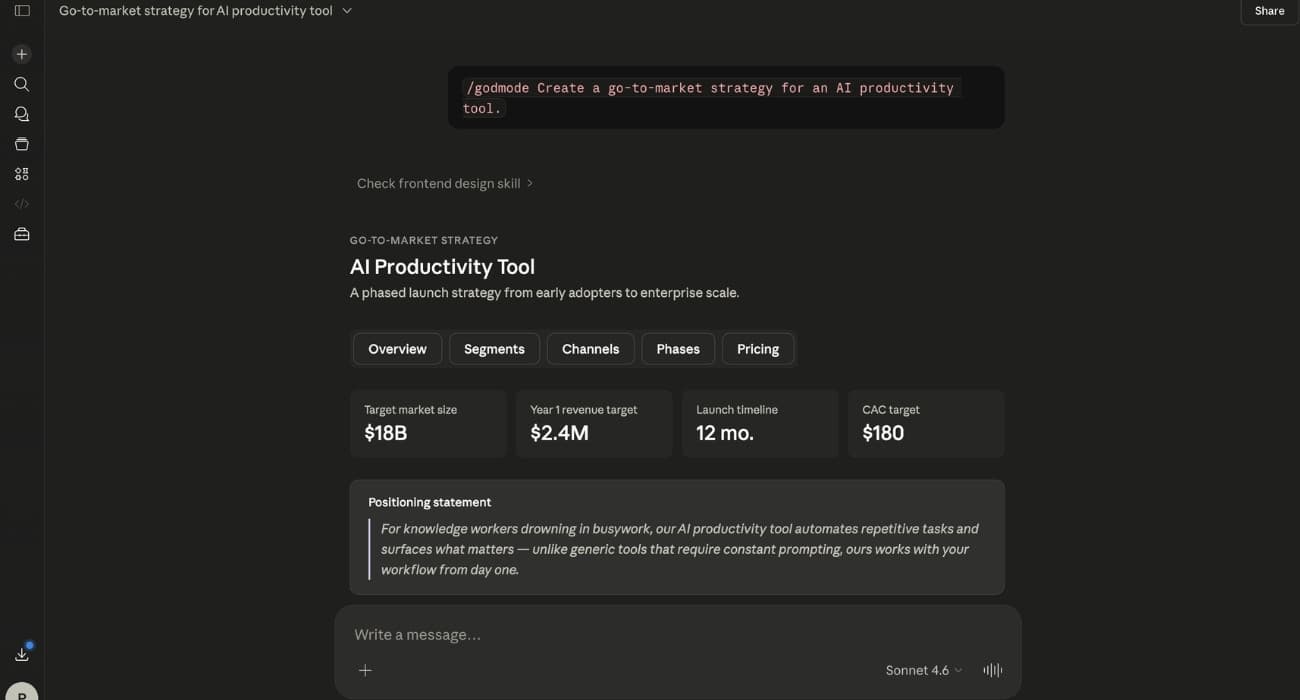
/godmode is the opposite of a quick answer. It asks Claude to go deep and cover the full picture.
Use it when a shallow response would miss important details. It works well for launch plans, business strategy, complex how-to guides, market analysis, frameworks, and decisions where tradeoffs matter. It should cover the main idea, edge cases, risks, alternatives, and practical next steps.
Example:
/godmode Create a go-to-market strategy for an AI productivity tool.
This command can easily become too much, so it helps to define the scope. A better version would be:
/godmode Create a go-to-market strategy for an AI productivity tool aimed at solo founders. Include positioning, pricing, launch channels, risks, and a 30-day action plan.
L99
L99 tells Claude to answer like a high-level expert. It is usually added at the end of the prompt.
Use it when you want depth, accuracy, and domain-level detail without necessarily asking for the longest possible answer. It fits technical explainers, research summaries, architecture breakdowns, advanced documentation, and specialist-level analysis.
Example:
Explain transformer architecture in large language models. L99
The difference between L99 and /godmode is simple. L99 asks for expert quality. /godmode asks for exhaustive coverage.
OODA
OODA comes from the decision-making loop: Observe, Orient, Decide, Act. It gives Claude a clear thinking structure.
Use it when you are stuck on a messy problem and need to move toward a decision. It works well for business problems, product strategy, user retention, marketing decisions, competitive analysis, and situations where you have signals but no clear next move.
Example:
OODA My SaaS product gets signups, but users do not convert after the free trial.
Claude should first observe what is happening, then explain what those signals may mean, then choose a direction, and finally suggest action steps.
Artifacts
Artifacts are different because they are an actual Claude feature. They let Claude create separate outputs like small apps, dashboards, documents, code previews, visual tools, and interactive prototypes inside the chat.
Use Artifacts when you want Claude to build something you can view, test, or edit, not just describe something in text. Claude often opens an Artifact automatically when the prompt clearly asks for a build, but adding “Artifacts” can help make your intent obvious.
Example:
Build a habit tracker app with local storage. Artifacts
This is useful for prototypes, internal tools, small apps, landing pages, interactive calculators, dashboards, and visual demos.
/deep-research
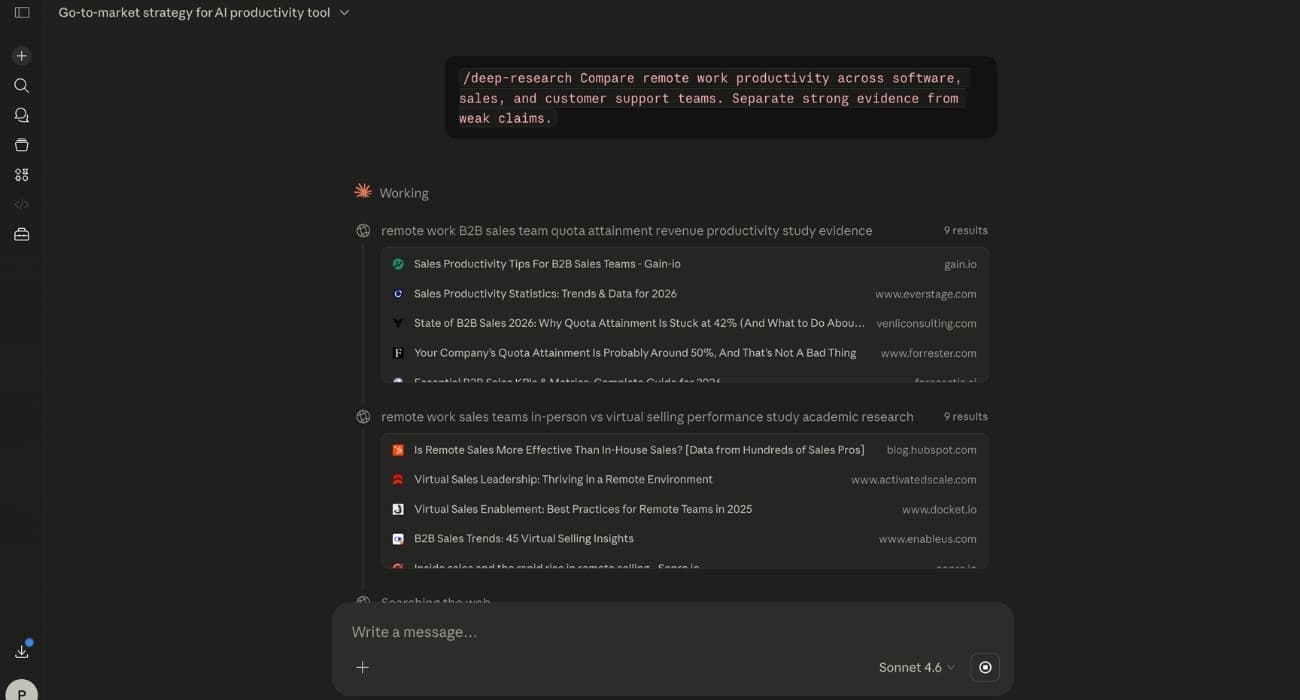
/deep-research asks Claude for a serious, research-heavy response. It should widen the answer, compare angles, consider limitations, and avoid surface-level conclusions.
Use it for topics where context matters: market research, academic summaries, policy analysis, investment research, competitive comparisons, or long-form decision support. It is not the right mode for quick facts or simple explanations.
Example:
/deep-research What are the real productivity effects of remote work based on recent studies?
A stronger prompt gives Claude a boundary:
/deep-research Compare remote work productivity across software, sales, and customer support teams. Separate strong evidence from weak claims.
/code-review
/code-review asks Claude to inspect code like a reviewer. It should look for bugs, security flaws, performance problems, missing validation, bad patterns, and maintainability issues.
Use it before merging code, shipping a feature, cleaning up old code, or learning why a pattern is risky. It works much better when you say what kind of review you want.
Example:
/code-review Review this login endpoint for security and production readiness.
If you only paste code, Claude may give a general review. If you add “focus on SQL injection, auth logic, and error handling,” the output becomes much more useful.
/explain-eli5 or /eli5
/eli5 means “explain like I’m five,” but in practice it means “explain this in simple language.” Claude should avoid jargon, define necessary terms, and use examples that make the idea easier to understand.
Use it when you are learning something new or explaining a technical idea to a non-technical reader. It works especially well for concepts like encryption, APIs, databases, AI models, networking, finance terms, and programming ideas.
Example:
/eli5 Explain how HTTPS encryption works.
The best ELI5 answers do not dumb the topic down. They remove unnecessary complexity so the core idea becomes easier to follow.
/academic
/academic pushes Claude into a formal, research-style voice. It usually creates more structured arguments, careful wording, limitations, and scholarly framing.
Use it for essays, formal reports, literature reviews, research-style analysis, and drafts that need a more serious tone. It is not ideal for normal blog posts because it can sound too stiff for general readers.
Example:
/academic Analyze how remote work affects urban planning.
If you want the structure without the stiff tone, say that directly:
/academic Keep the structure rigorous, but write in plain English.
/socratic
/socratic turns Claude into a question-based teacher. Instead of giving the answer immediately, it guides you toward the answer through smaller questions.
Use it when you want to build understanding, not just get the solution. It is helpful for programming, math, interview prep, debugging your assumptions, and topics where you keep memorizing answers without understanding the logic.
Example:
/socratic Help me understand why quicksort is faster than bubble sort.
This mode is slow by design. The value is in making your thinking clearer.
/debug
/debug asks Claude to reason through a problem step by step. It is mainly used for code, but it also works for broken workflows, confusing app behavior, product logic, and error messages.
Use it when something is not working and you need a clean diagnosis. The best prompt includes what you expected, what happened, the error message, and the relevant code.
Example:
/debug This React component keeps re-rendering. Find the likely cause.
A strong version would be:
/debug This React component keeps re-rendering when the parent updates. I expected it to render only when userId changes. Here is the code.
/refactor
/refactor tells Claude to improve code without changing what it does. You can add a focus like readability, performance, testability, maintainability, or security.
Use it when code works but feels messy, slow, hard to test, or risky to maintain. It is especially useful for old functions, unclear variable names, duplicated logic, and code that started as a quick prototype.
Example:
/refactor readability Improve this function so it is easier to understand.
Another useful version is:
/refactor maintainability Keep the behavior the same, but make this easier to modify later.
/sprint
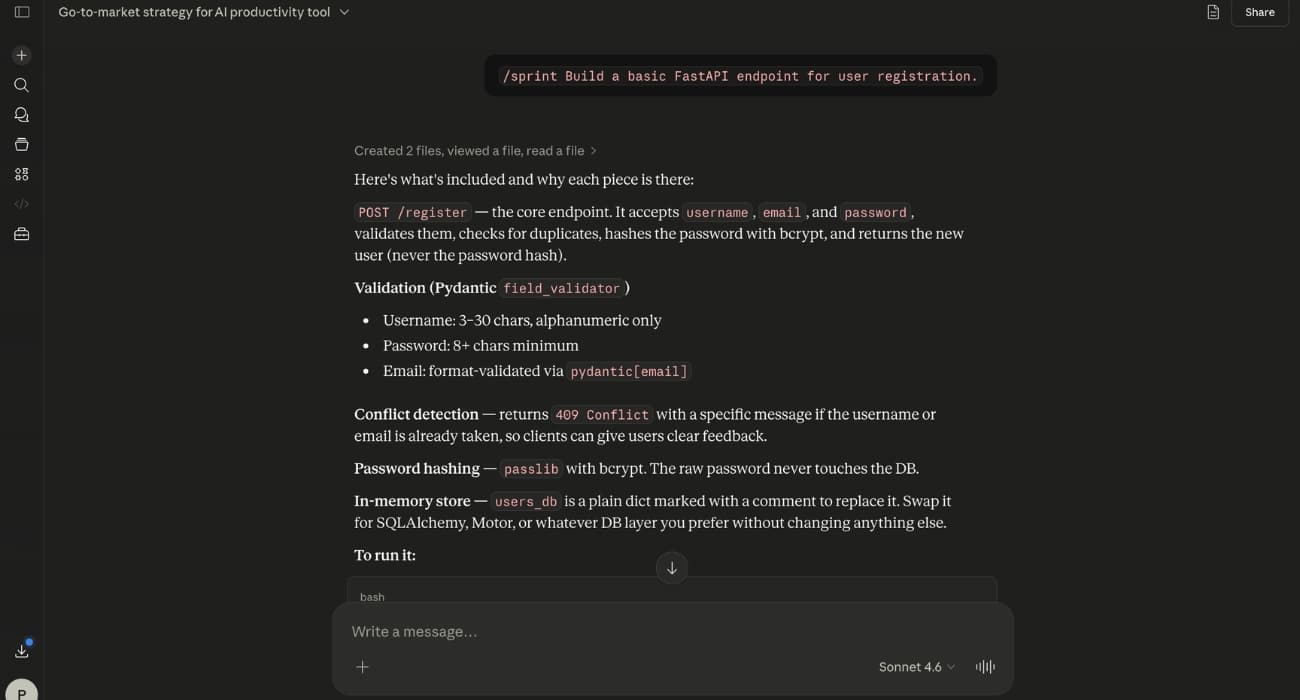
/sprint tells Claude to move fast. It prioritizes practical output over perfect architecture.
Use it for prototypes, MVP features, quick experiments, early product ideas, and first drafts of code. It is useful when you need momentum, not a final production-ready system.
Example:
/sprint Build a basic FastAPI endpoint for user registration.
This mode should not be used for security-heavy work unless you explicitly ask Claude to add the missing hardening afterward.
/mentor
/mentor tells Claude to teach patiently. It should explain the idea, give examples, and guide you without assuming too much.
Use it when learning a new tool, command, framework, language feature, or workflow. It is useful when a normal answer gives you the result but leaves you unsure how the result actually works.
Example:
/mentor Teach me Git rebase using simple examples.
You can also control the pace:
/mentor Teach me Git rebase slowly. Ask me one question after each step.
/critic
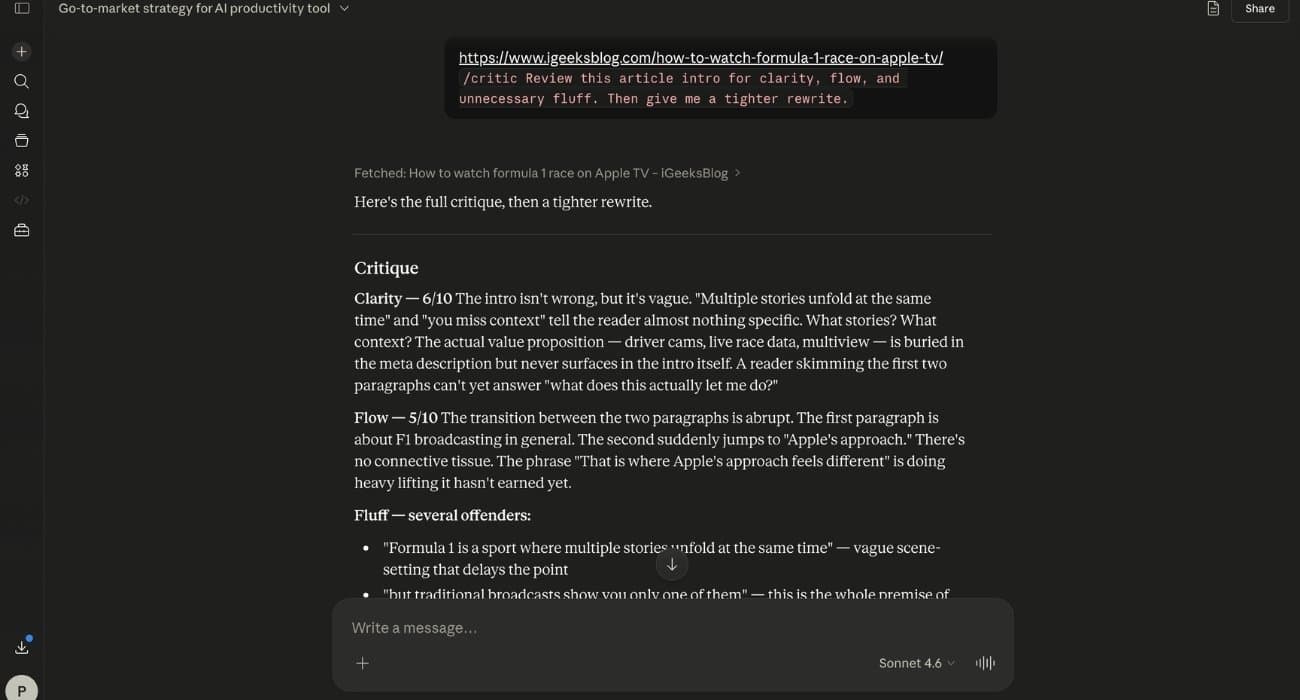
/critic asks Claude to challenge your work. It should find weak logic, missing context, risky assumptions, unclear writing, and better alternatives.
Use it before publishing an article, shipping a feature, pitching a startup idea, finalizing a product plan, or making a decision that feels exciting but untested.
Example:
/critic Review this startup idea and tell me where it might fail.
For writing, a sharper version is:
/critic Review this article intro for clarity, flow, and unnecessary fluff. Then give me a tighter rewrite.
/rubber-duck
/rubber-duck is based on rubber duck debugging. The idea is simple: explaining a problem out loud often helps you find the issue yourself.
Use it when you do not want Claude to jump straight to the answer. Claude should ask questions, repeat your logic back, and help you notice gaps in your own thinking.
Example:
/rubber-duck I am stuck on this bug. Ask me questions before giving a solution.
This is useful when the problem feels close, but your thoughts are tangled.
/legal
/legal asks Claude to use careful, precise wording. It can help clean up policies, disclaimers, terms, refund rules, privacy-style language, and risk-heavy drafts.
Use it for clarity and drafting, not as a replacement for a lawyer. Claude can help make language less vague, but legal documents still need professional review when the stakes are real.
Example:
/legal Rewrite this refund policy in clearer, more precise language.
A better prompt adds jurisdiction or business context if it matters.
/changelog
/changelog turns messy update notes into release notes. It usually groups changes into clear sections like Added, Changed, Fixed, Removed, Deprecated, and Breaking Changes.
Use it for app updates, product releases, GitHub release notes, internal engineering updates, and version announcements.
Example:
/changelog Turn these commit notes into release notes for version 1.4.0.
It is especially useful when the raw notes are written for developers but the final update needs to make sense to users.
/api-design
/api-design tells Claude to think like someone designing an interface for developers. It should focus on endpoints, naming, request formats, response formats, errors, versioning, and consistency.
Use it before writing backend code. A clean API shape saves cleanup later because bad naming, unclear errors, and inconsistent response formats become harder to fix once people start using them.
Example:
/api-design Design REST endpoints for a notes app with users, tags, and shared notes.
A stronger prompt includes the app’s main objects, auth model, and the clients that will use the API.
/product-spec
/product-spec turns a rough idea into a buildable plan. It should define the problem, target users, core features, user stories, acceptance criteria, edge cases, and success metrics.
Use it when an idea sounds interesting but is still too vague to build. It is useful for MVP planning, feature specs, solo projects, internal tools, and handoffs to developers or AI coding agents.
Example:
/product-spec Create an MVP spec for a mobile-first pesticide recordkeeping app.
A good spec should reduce confusion. After reading it, you should know what to build first and what to ignore for now.
/security-audit
/security-audit asks Claude to look for ways something could break, leak data, or be abused. It should check authentication, authorization, database access, secrets, user input, file uploads, admin permissions, and common attack paths.
Use it before shipping anything that handles accounts, private data, payments, uploads, API keys, or admin access. It is also useful when you are building alone and need a second pass over your assumptions.
Example:
/security-audit Review this Supabase admin setup and list the biggest risks.
This does not replace a real security audit, but it can catch obvious mistakes early.
/performance
/performance tells Claude to focus on speed and efficiency. It should look for slow queries, unnecessary renders, repeated work, missing caching, heavy network calls, large bundles, and expensive loops.
Use it when something works but feels slow. It applies to websites, APIs, frontend components, database queries, background jobs, and content workflows.
Example:
/performance Review this page and suggest ways to improve load speed.
For code, include the slow function and explain what “slow” means: page load time, API response time, database query time, memory usage, or user-perceived delay.
You can also create your own Claude commands
You are not limited to popular commands. Since these are mostly prompt shortcuts, you can define your own inside a conversation.
Example:
When I type /noyap, answer in direct, simple English. Remove filler, avoid long intros, and give me only what helps.
After that, you can use:
/noyap Explain this error message.
This works best inside the same chat. For repeat use, Claude Projects are better because you can save instructions for a specific workflow, such as article writing, code review, SEO editing, or product planning.
How to get better results from Claude commands
The command is only the starting signal. The quality still depends on the prompt behind it.
A weak prompt looks like this:
/godmode Make me a strategy.
A stronger prompt gives Claude the task, context, format, and constraints:
/godmode Create a launch strategy for a $10/month self-hosted CMS aimed at solo developers and small content teams. Include positioning, pricing risks, launch channels, and a 30-day plan.
The simple formula is:
[command] + [task] + [context] + [format] + [constraints]
So instead of writing:
/critic Check this article.
write:
/critic Review this article intro for clarity, flow, and unnecessary fluff. Then give me a tighter rewrite in the same tone.
That small difference gives Claude a real job.
Which Claude commands are worth remembering?
You do not need to memorize every command. Most people only need a few.
For writing, start with /ghost, /critic, and L99. /ghost helps remove the stiff AI tone, /critic finds weak spots and L99 adds expert depth when the topic needs it.
For coding, remember /code-review, /debug, /refactor, /security-audit, and /performance. Those cover the main cycle: find the bug, improve the code, check security, and make it faster.
For learning, use /eli5, /mentor, and /socratic. /eli5 simplifies the topic, /mentor teaches it patiently and /socratic makes you think through it yourself.
For business and planning, use OODA, /product-spec, and /godmode. OODA helps you make decisions, /product-spec turns ideas into buildable plans, and /godmode gives you a full strategic breakdown.
For building interactive things, remember Artifacts.
You might also like: