Google Photos is hard to leave because it actually works so seamlessly. Automatic backups, facial recognition, location search, albums, memories, a clean timeline, it does all of it without asking you to think about it. The bar for a real alternative is genuinely high.
But if you care about privacy, want better pricing, or want to own your library outright, the switch is worth making. Google can use your photos to train its AI models, and for a lot of people, that’s where the line is.
So what exactly are the alternatives? Well, there are many actually, and once I started using them, it made no sense to keep using Google Photos. After trying the real options, my answer is simple: Ente Photos is the easiest recommendation for most people. Immich is the one I am choosing.
The actual Google Photos alternatives worth checking
I kept this list to services that behave like photo libraries: backup, browsing, search, albums, and sharing. Anything that couldn’t cover those basics didn’t make the cut.
| Service | Use it if | What you should know |
|---|---|---|
| iCloud Photos | You use only iPhone, iPad, and Mac | It is excellent inside Apple’s ecosystem, but Android access is web-only. iCloud+ starts at $0.99/month for 50GB in the US. |
| Amazon Photos | You already have Prime and mostly shoot photos | Prime includes unlimited full-resolution photo storage, but only 5GB video storage. That limit matters fast. |
| Mylio Photos | You want a local-first photo manager | Your library lives on your devices and drives. Great for control, but less like Google Photos for simple backup and sharing. |
| PhotoPrism | You want to organize a self-hosted archive | Strong search, maps, albums, and facial recognition, but phone backup depends on another tool like PhotoSync. |
| Synology Photos | You already own a Synology NAS | Good phone backup and library features, but tied to Synology hardware. |
| Ente Photos | You want the easiest private switch | End-to-end encrypted, open-source apps, cross-platform, 10GB free, paid plans from $2.49/month for 50GB. |
| Immich | You want to self-host a Google Photos-style library | Open source, mobile backup, sharing, albums, ML search, and your own storage. You maintain the server. |
That table is enough to cut most options.
iCloud Photos is great if your entire photo life is Apple. Mine is not. I use an iPhone and a Mac, but also an Android tablet, and I need something that works across all of them. If you are fully in the Apple ecosystem, you can transfer Google Photos to iCloud Photos directly.
Amazon Photos is a decent Prime perk, but the 5GB video limit makes it weak as a primary library. Photos-only households might get away with it. Anyone who shoots video will hit that wall fast.
Mylio is a different category entirely; it is a local photo manager, not a backup app. Worth knowing about, but not what most people switching from Google Photos actually want.
Synology Photos is solid if you already own a Synology NAS. I would not buy into that hardware ecosystem just for photo storage.
That leaves three options worth a closer look: Ente Photos, PhotoPrism, and Immich.
1. Ente Photos is the easiest switch
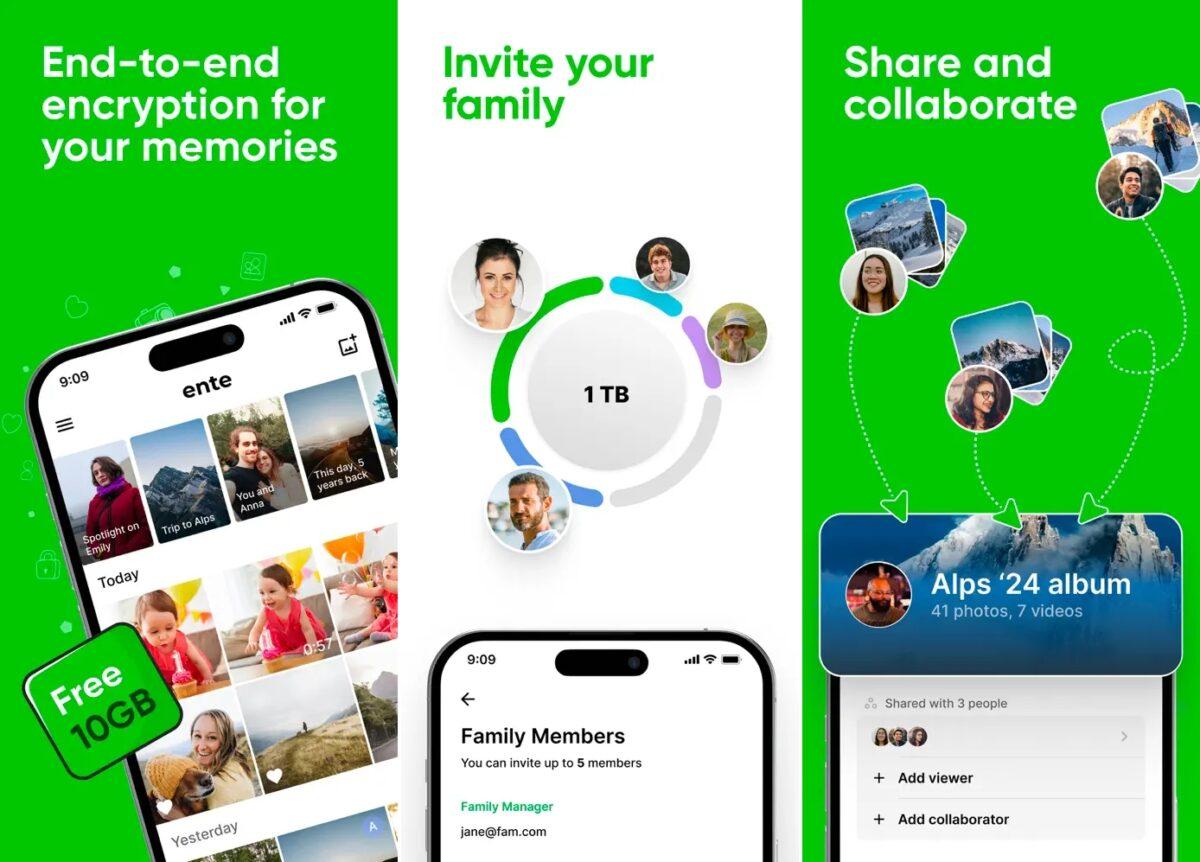
Ente is what I would recommend to someone who wants to leave Google Photos without learning self-hosting.
It covers the basics cleanly: apps for iPhone, iPad, Android, Mac, Windows, Linux, and the web; automatic backup; albums; sharing; public links; and search. The UI is close enough to Google Photos that switching does not feel like relearning a tool.
The bigger deal is privacy. Most cloud photo services can read your photos. Ente cannot — everything is end-to-end encrypted, including metadata. That is a meaningful difference if privacy is why you are leaving Google in the first place.
The one area where Ente falls short of Google Photos is facial recognition. It misses more photos when grouping faces, which makes sense; the processing happens on your device instead of Google’s infrastructure. It works, but it is not as accurate.
Pricing is also easy to understand. You get 10GB free. Monthly plans currently start at 50GB for $2.49, then 200GB for $4.99, 1TB for $9.99, and 2TB for $19.99.
This is the right pick if you want privacy, a polished app, and no server to maintain. You still pay for storage, but you hand off all the maintenance responsibility.
Get started with Ente Photos.
2. PhotoPrism works, but it is not smooth enough
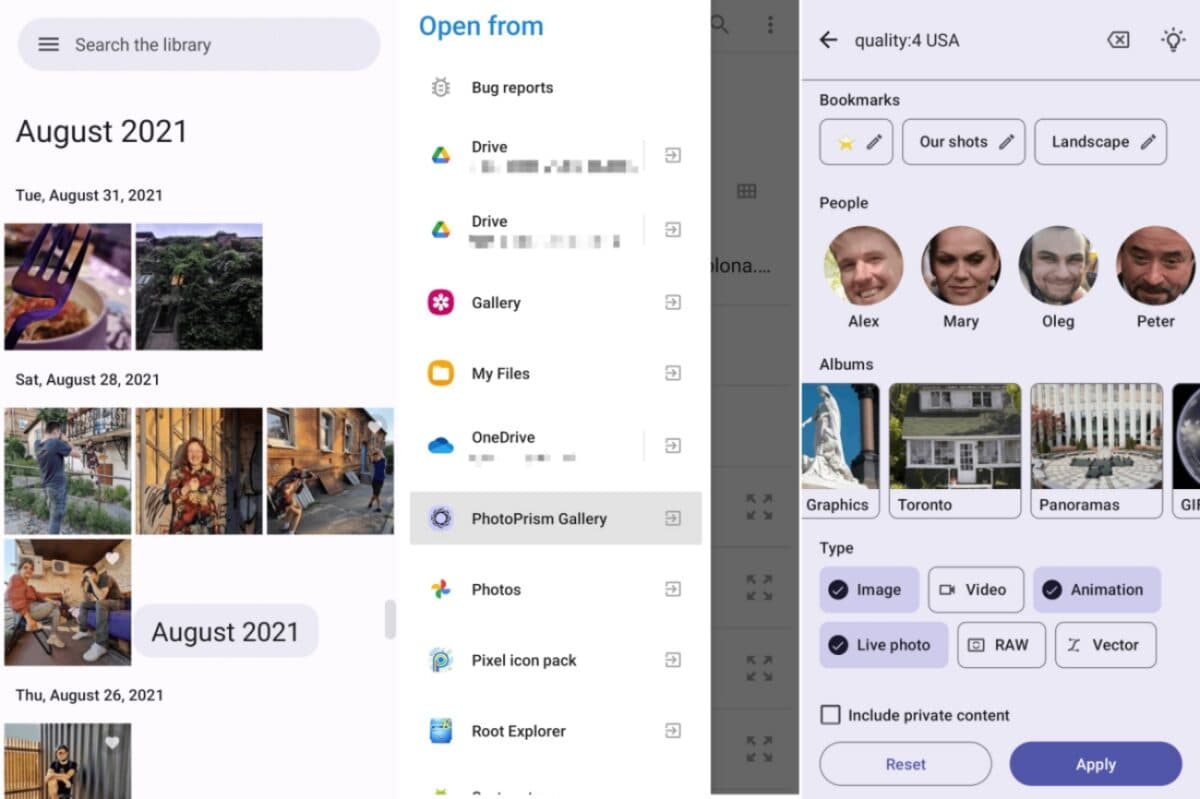
PhotoPrism is the self-hosted option that looked the most promising before I settled on Immich.
For organizing a large library, it is genuinely strong. The web app gives you search filters, maps, albums, archive tools, and facial recognition. If you are pulling years of scattered photos into one private place, PhotoPrism can handle it.
The issue starts with the mobile. PhotoPrism does not handle phone backup itself. It recommends PhotoSync, a separate app, for backing up over WebDAV. Then, for browsing your library on Android, you need another app called Gallery for PhotoPrism. iPhone users are mostly stuck with the web app.
So the full setup looks like this: PhotoSync handles backup, PhotoPrism manages the library, Gallery for PhotoPrism handles mobile browsing on Android. The pieces connect, but they do not feel like one product. For a daily photo app that is supposed to replace Google Photos, that friction adds up.
The web app is excellent. The overall experience is not cohesive enough for me. If your use case is archiving rather than active daily use, PhotoPrism is worth a serious look. If you want something closer to the Google Photos experience, keep reading.
Get started with PhotoPrism.
3. Immich is the one I am moving to
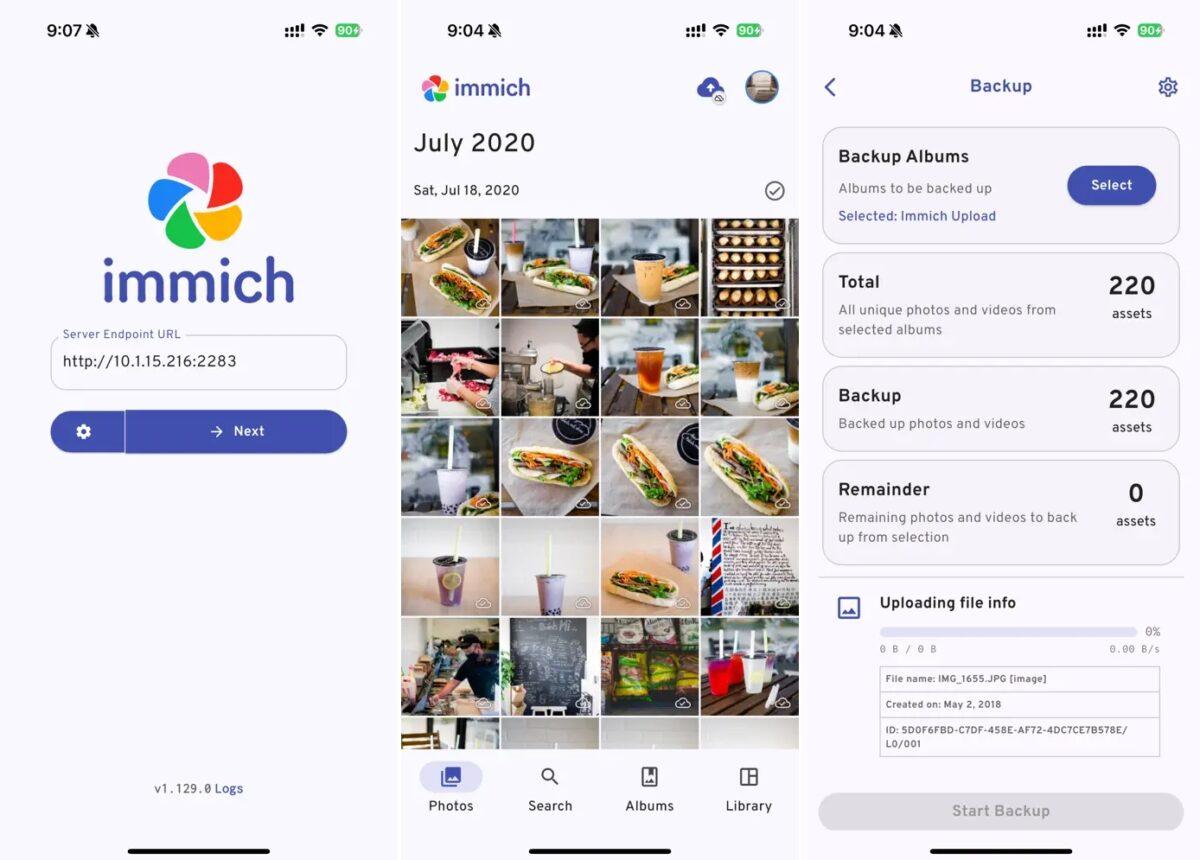
Immich is the closest thing I found to Google Photos that I can run myself.
It has the features I actually needed: iPhone and Android backup, selected album backup, duplicate detection, Wi-Fi-only upload settings, timeline browsing, albums, map view, memories, public links, partner sharing, and machine-learning features like search and facial recognition. Immich’s search and facial recognition are a step ahead of Ente’s, though neither reaches Google’s level of accuracy.
The reason Immich beat PhotoPrism for me is mobile backup. It is part of the core app, not something I have to bolt on. My phone backs up to my server, and the library is immediately usable.
The reason Immich beat Ente for me is control. Ente is easier, but it is still a hosted storage service unless you self-host it. Immich is built around the idea that my server is the home of the library.
It is also open source under AGPLv3. Immich has optional purchases: $25 for an individual license or $100 for a server license. Those purchases support development and do not unlock extra features. Your real cost is still storage, server hosting, and backups.
That last part is important. Immich is not “free Google Photos.” It is a trade. You save on a photo-storage subscription only if you already have the server setup or actually want to maintain one.
For me, that trade is worth it. I already have the VPS, I want control of the library, and I am comfortable being responsible for backups. If that sentence sounds annoying to you, use Ente instead.
Before moving your full library, keep a separate local copy. If your photos are on an iPhone, this guide to transferring photos from an iPhone to an external drive is a useful safety step.
Get started with Immich.
My final pick
Use Ente Photos: if you want the easiest private Google Photos replacement.
Use PhotoPrism: if you want a strong self-hosted archive and do not mind handling phone backup separately.
Use Immich: if you want to self-host your photo library and are ready to maintain it properly.
That is where I landed. Ente is the one I would recommend to most people. Immich is the one I am moving to.
You might also like: