`,d=document.createRange().createContextualFragment(i);a.append(d)}}else c.utils.log("CUSTOM APTAG INSERTION ON TRAILING ARTICLE: No Para Tags found")}else c.utils.log("CUSTOM APTAG INSERTION ON TRAILING ARTICLE: No new article node found")}),t=document.querySelector(".cs-nextpost-inner");t?e.observe(t,{childList:!0}):c.utils.log("CUSTOM APTAG INSERTION ON TRAILING ARTICLE: Xpath to observe for new articles not found")}catch(e){c.utils.log("CUSTOM APTAG INSERTION ON TRAILING ARTICLE: "+e.message),c.err.push({msg:"Unable to insert apTag on trailing post",error:e})}})(),(()=>{var n=!1;window.googletag=window.googletag||{},window.googletag.cmd=window.googletag.cmd||[],window.googletag.cmd.push(function(){window.googletag.pubads().addEventListener("slotRequested",function(e){var t;n||document.querySelector("[data-orig-id='5becda5f-7cdb-4c3c-94aa-2d23ee675416']")&&(n=!0,(t=document.createElement("style")).type="text/css",t.innerHTML="[data-orig-id='5becda5f-7cdb-4c3c-94aa-2d23ee675416']{height: 50px; text-align: center; margin: 0px auto !important; width: 320px; overflow: hidden; display: block;}",document.head.appendChild(t)),"/103512698/22052883295"==e.slot.getAdUnitPath()&&((t=document.getElementById(e.slot.getSlotElementId())).parentElement.parentElement.firstElementChild.innerText="Ad",t.parentElement.parentElement.firstElementChild.style.fontSize="7px")})})})(),setTimeout(()=>{document.querySelectorAll("._ap_apex_ad:not([data-section='b575195f-6c1f-4637-8ce5-86413a031e04'],[data-section='91d948b8-aec9-4580-aadb-13a5267c27d4'],[data-section='b9a9cd69-4e1e-4665-b667-e100b7d3ef5d'],[data-section='3e544ba0-f287-43fb-b0c3-c664c5fd5451'])").forEach(e=>{let t=e.style.height;var n;t&&(n=+t.match(/\d+/)[0]+27,t=n+"px",e.style.height=t)})},1e4),(()=>{window._apPbJs=window._apPbJs||{},window._apPbJs.que=window._apPbJs.que||[];var e=window.adpushup.utils.getQueryParams().enabledBidders;if(e){let d=e.split(",");window._apPbJs.que.push(function(){window._apPbJs.onEvent("addAdUnits",function(){for(var e=[],t=0;t{var e,t;"/how-to-set-or-change-passcode-on-apple-watch/"==window.location.pathname&&(e=document.createElement("script"),t=`https://cdn.adpushup.com/${window.adpushup.config.siteId}/linkPreview.js`,e.src=t,document.body.append(e))})(),(()=>{let o=window.adpushup||{};if(o.utils&&o.config&&o.config.innovativeAds){let n=null;o.config.innovativeAds=o.config.innovativeAds.filter(e=>"2cfc5129-0685-4dae-b0a8-35ae2664664d"!==e.id||(n=e,!1)),document.addEventListener("scroll",((e,t)=>{let n;return function(){clearTimeout(n),n=setTimeout(e,t)}})(function(){var e,t=document.getElementById("fb8115d8-3fd1-4053-a73a-213c33a9eba4");t&&n&&(e=document.getElementById(""+n.id),t=o.utils.checkElementInViewPercent(t),e?e.parentNode.style.display=t?"none":"block":t||o.processInnovativeAds([n]))},100))}})(),(()=>{let n=window.adpushup;n.que.push(function(){try{var e,t=(n.config.innovativeAds||[]).find(e=>e.formatData&&"stickyBottom"===e.formatData.format);t&&t.networkData&&(e=`#bg-sticky-${t.networkData.dfpAdunit} {
z-index: 10000 !important;
}`,n.utils.injectCSSOnPage(e))}catch(e){n.err&&n.err.push({msg:"Error in applying styles to sticky bottom tag",error:e})}})})(),(()=>{let c=window.adpushup,u={MOBILE:{divStyle:"height: 24px; cursor: pointer; position: absolute; left: 0px; top:2px;",width:"16",height:"16"},DESKTOP:{divStyle:"height: 24px; cursor: pointer; position: absolute; left: 5px; top:50%; transform: translateY(-50%)",width:"24",height:"24"}},p=[],g=new Map;function t(e){try{var t,n,o=c.config.platform,a=e.slot.getSlotElementId();g.get(a)||(g.set(a,!0),l=a,p.find(e=>e.networkData.dfpAdunit===l)&&(t=document.getElementById(a),n=(e=>{var t=document.createElement("div"),{height:e,width:n,divStyle:o}=u[e];return t.setAttribute("style",o),(o=document.createElementNS("http://www.w3.org/2000/svg","svg")).setAttribute("xmlns","http://www.w3.org/2000/svg"),o.setAttribute("width",n),o.setAttribute("height",e),o.setAttribute("viewBox","0,0,48,48"),o.setAttribute("fill-opacity","0.5"),o.setAttribute("fill","#000000"),o.setAttribute("style","mix-blend-mode: normal"),(n=document.createElementNS("http://www.w3.org/2000/svg","path")).setAttribute("d","M9.15625,6.3125l-2.84375,2.84375l15.84375,15.84375l-15.9375,15.96875l2.8125,2.8125l15.96875,-15.9375l15.9375,15.9375l2.84375,-2.84375l-15.9375,-15.9375l15.84375,-15.84375l-2.84375,-2.84375l-15.84375,15.84375z"),o.appendChild(n),t.appendChild(o),t})(o),d=n,(s=(r=t).parentElement)&&s.insertBefore(d,r),i=t,n.addEventListener("click",()=>{var e=i.parentElement;e&&e.remove()})))}catch(e){c.err&&c.err.push({msg:"Error in handleslotRenderEnded in addCloseButtonOnBottomStickyAdUnit (beforeJs)",error:e})}var i,d,r,s,l}c.que.push(function(){try{e=c.config.innovativeAds||[],p=e.filter(e=>e.formatData&&"stickyBottom"===e.formatData.format);if(p.length){let e=window.googletag||{};e.cmd=e.cmd||[],e.cmd.push(function(){e.pubads().addEventListener("slotRenderEnded",t)})}}catch(e){c.err&&c.err.push({msg:"Error in adding close button on bottom sticky (beforeJs)",error:e})}var e})})();
Skip to content
Explore with AI:
Video Player is loading.
Pause Next Current Time 0:00
Duration 5:27
Seek to live, currently behind live LIVE Remaining Time - 5:27
Fullscreen Beginning of dialog window. Escape will cancel and close the window.
Text Color White Black Red Green Blue Yellow Magenta Cyan Transparency Opaque Semi-Transparent Background Color Black White Red Green Blue Yellow Magenta Cyan Transparency Opaque Semi-Transparent Transparent Window Color Black White Red Green Blue Yellow Magenta Cyan Transparency Transparent Semi-Transparent Opaque
Font Size 50% 75% 100% 125% 150% 175% 200% 300% 400% Text Edge Style None Raised Depressed Uniform Dropshadow Font Family Proportional Sans-Serif Monospace Sans-Serif Proportional Serif Monospace Serif Casual Script Small Caps Reset restore all settings to the default values Done
Close Modal Dialog End of dialog window.
Backward Skip 10s Play Video Pause Video Forward Skip 10s
Are you bored of the iPhone’s default ringtone? Here’s the good news: you can make a voice memo ringtone on your iPhone without using a computer. So, use your child’s voice or set your partner’s funny voice note as a ringtone. Here’s a quick guide on how to do it.
How to turn a voice memo into a ringtone on iPhone
Open the Voice Memos app.
Select the recording you want to use as your ringtone. You can also record a new one and use it for your ringtone.
Tap the three dots and tap Save to Files → Save .
Next, download and open the GarageBand app on your iPhone.
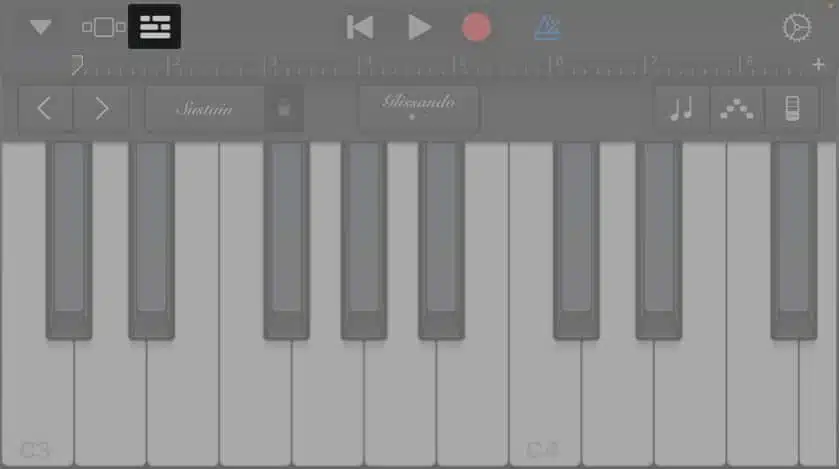
Select the preferred instrument → Tap the Project button.
Now, hit the loop button and select Files .
Tap Browse items from the Files app → Select the recording you saved.
Now, drag and drop the recording as the second track on the timeline.
Tap the metronome button to disable the metronome.
Now, trim the recording if it exceeds 40 seconds .
Tap the downward arrow and select My Songs.
Long-press the soundtrack from the GarageBand Recents and select Share .
Next, tap Ringtone and tap Export at the screen’s top right.
Select Use sound as and set it as Standard Ringtone .
Video: How to set voice memo as a ringtone on your iPhone
Wrapping up…
Using the steps mentioned above, you can easily turn a voice memo into a ringtone on an iPhone without using a computer. Additionally, you can also assign it to a specific contact or set it as your text tone.
Drop a comment below if you have any other cool iPhone tricks.
Your Complete iOS 26 Playbook:
Get our exclusive Ultimate iOS 26 Guide 📚 — absolutely FREE when you sign up for our newsletter below.
FAQs
How can I set a song as a ringtone?
I recorded my voice memo, but how do I set it as a ringtone?
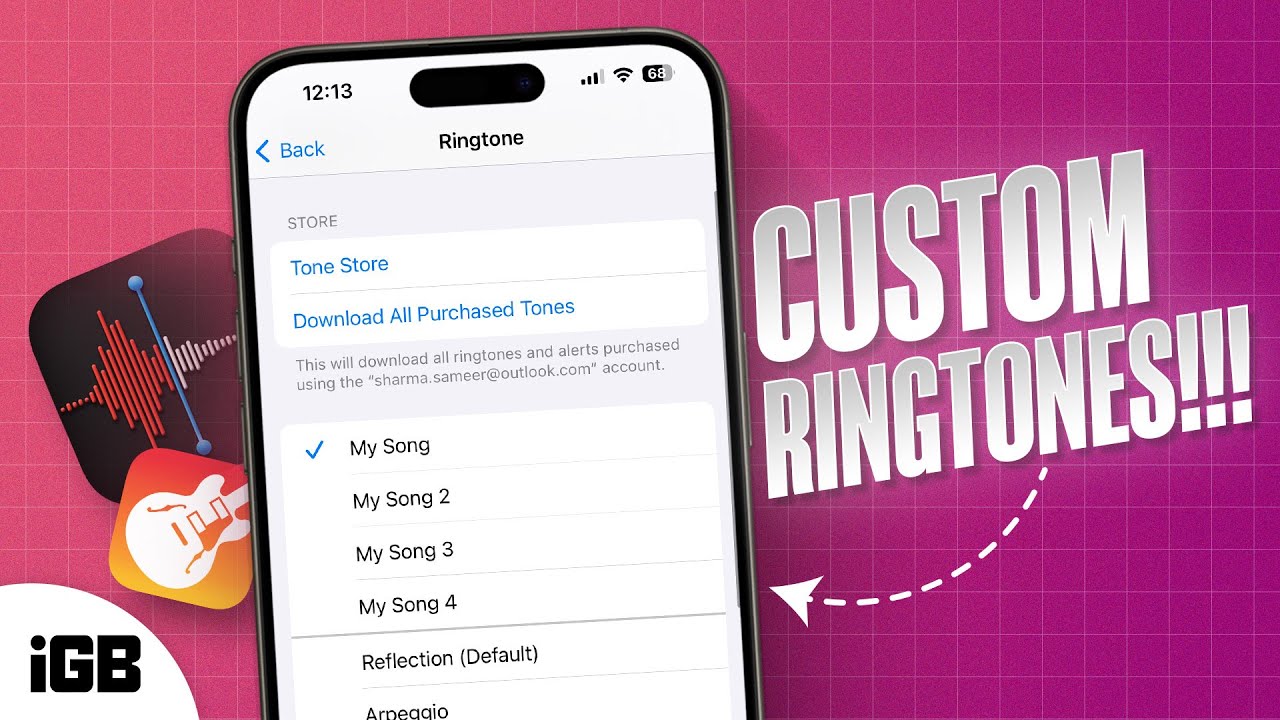
After you’ve recorded your voice memo and edited it in GarageBand, head to Settings → Sounds & Haptics → Ringtone and select your recording.
Also read:

Abhinav
I have been a tech enthusiast for as long as I can remember. I enjoy explaining tech to the internet and doing this since I was old enough to understand mathematics. At iGeeksBlog, I will be guiding the internet in solving some common issues with their iPhone, iPad, Mac, AirPods, and Apple Watch. When not writing, you can find me preparing for my debut standup show or roaming around with my camera in the whole city.
Articles: 21
FaceTime Like a Pro:
Get our exclusive Ultimate FaceTime Guide 📚 — absolutely FREE when you sign up for our newsletter below.