
Best Apple Watch Apps to Download Right Now
iGeeksBlog is supported by its readers. When you buy through links on our site, we may earn an affiliate commission. This doesn't affect our editorial independence.
Turn your Apple Watch into a powerful daily companion with these must-try apps for productivity, health, and entertainment.
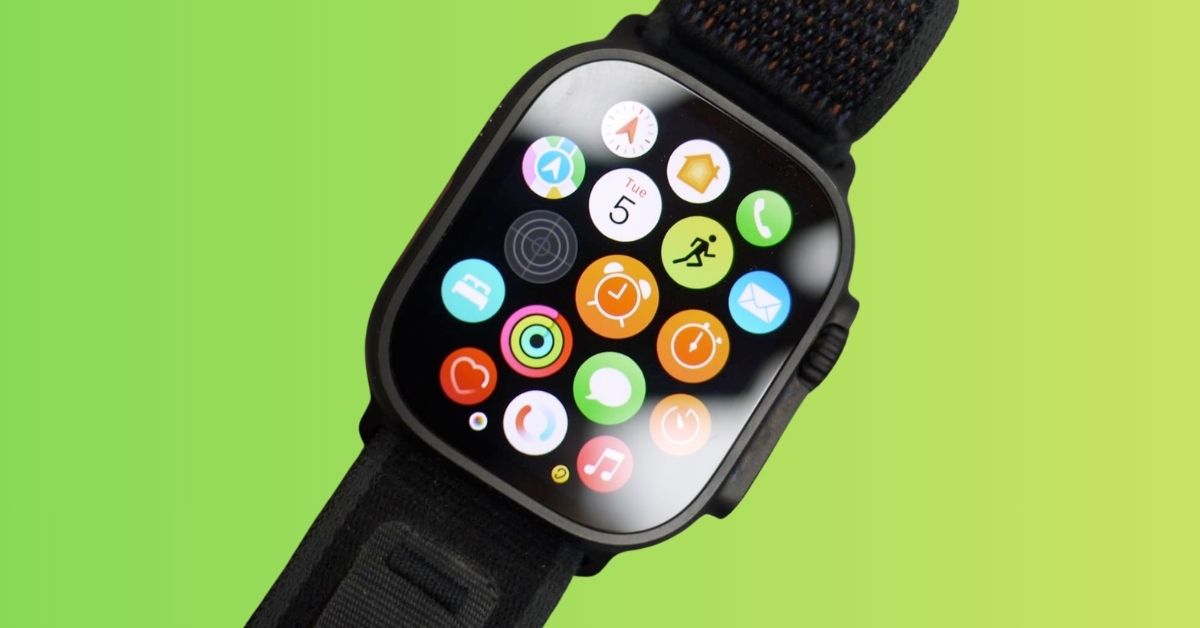
Your Apple Watch can do a lot more than show notifications and track steps. With the right apps, it can help you plan your day, stay healthy, manage stress, listen to music, navigate your city, and even boost productivity without pulling out your phone.
The Apple Watch app ecosystem has grown rapidly over the years, and many apps are now designed specifically for quick, on-the-go interactions. In this article, we’ll explore some of the best Apple Watch apps worth trying in 2026 to boost your daily convenience.
12 Must-Have Apps for Apple Watch Users
Here I’ve listed essential apps from several different categories like health, fitness, productivity, entertainment, and more.
1. Structured – Daily Planner
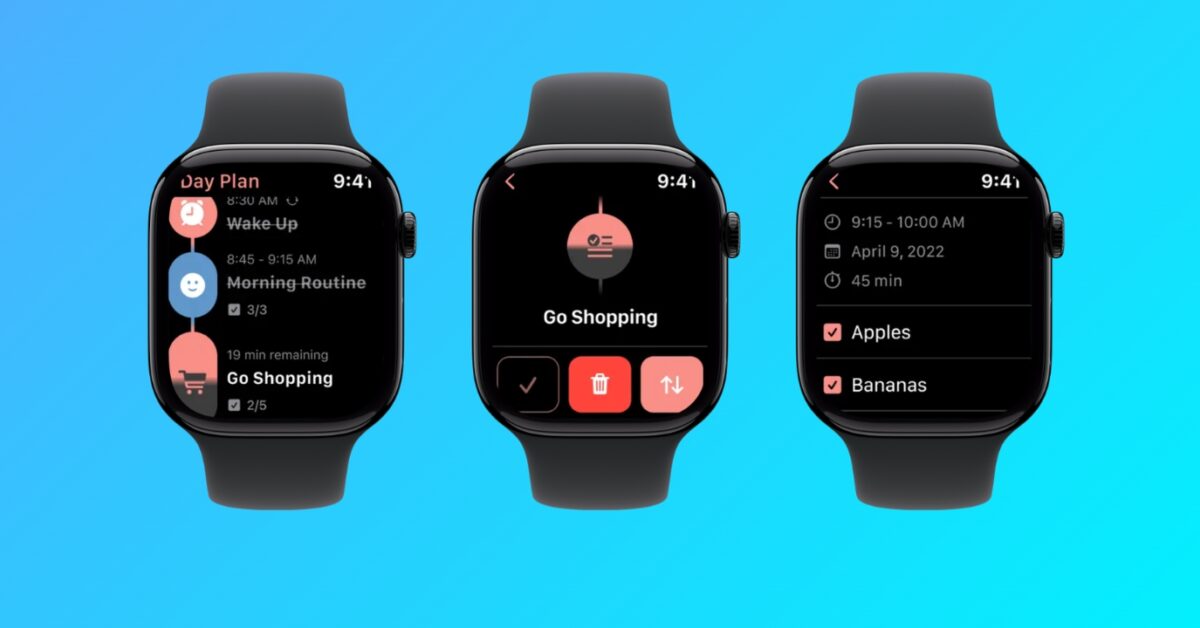
Structured is one of the best productivity apps available for Apple Watch users who want their day organized clearly. It has a clean interface and smooth performance.
The app turns your daily schedule into a visual timeline, making it easy to see upcoming tasks directly from your wrist. Instead of checking your phone constantly, you can quickly glance at your watch to stay on track.
The Apple Watch version works beautifully with reminders and calendar events. You can mark tasks complete and stay focused throughout the day. Overall, Structured is especially useful for students, remote workers, busy professionals, and people managing multiple tasks daily.
2. CARROT Weather
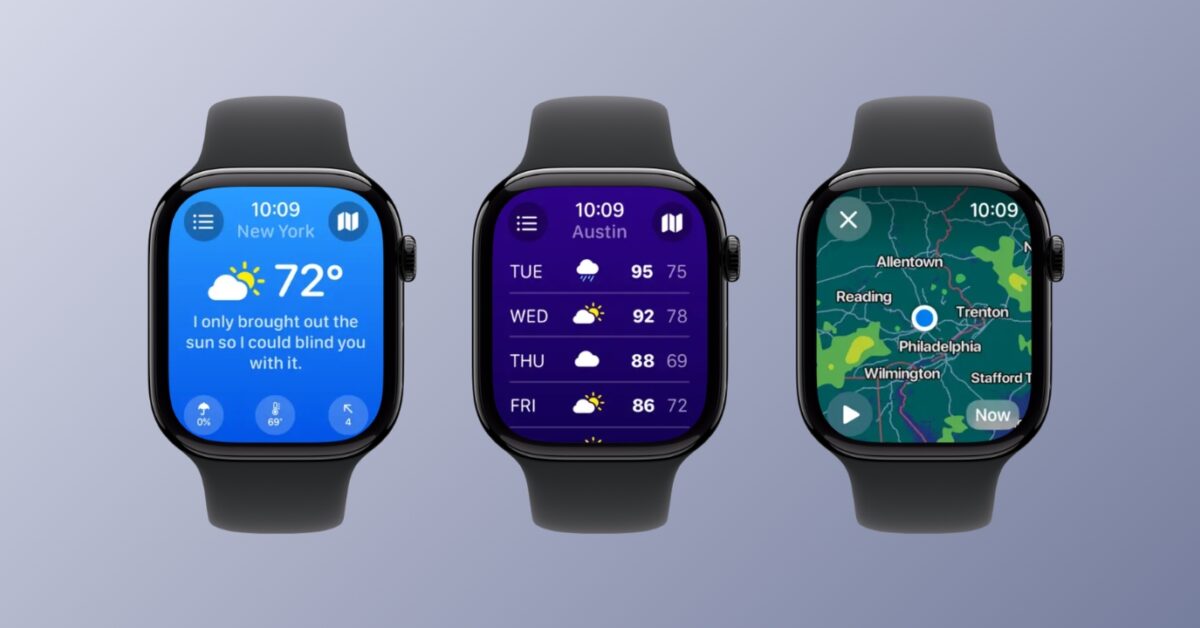
CARROT Weather is one of the most polished weather apps available on Apple Watch. If you are a frequent traveler, outdoor worker, or daily commuter, you must have it.
It provides hyper-accurate forecasts, live radar, and customizable complications. The Apple Watch version loads quickly and shows essential weather details like temperature, rain alerts, and hourly forecasts on its complication.
What makes CARROT Weather stand out is its personality-driven design and sarcastic notifications combined with powerful weather data sources.
3. SmartGym: Gym & Home Workouts
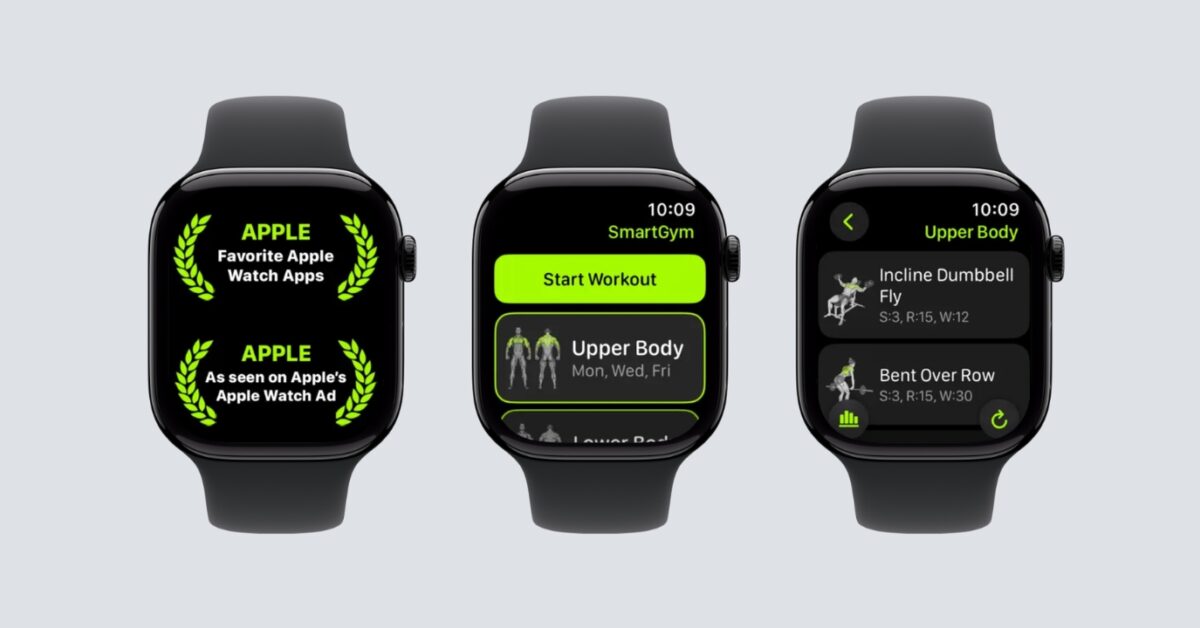
SmartGym is perfect for people who work out at home or in the gym. This standalone Apple Watch app guides you through workouts with animations, timers, and progress tracking without needing your phone.
You can create your entire workout routine right on your wrist and use Siri for voice commands. The app automatically syncs health data with Apple Health and completes your Activity Rings.
Note:
If you prefer outdoor fitness tracking, Strava is an excellent alternative. It’s widely used for running, cycling, and walking, with strong community features and performance tracking.
4. Pillow: Sleep Tracker
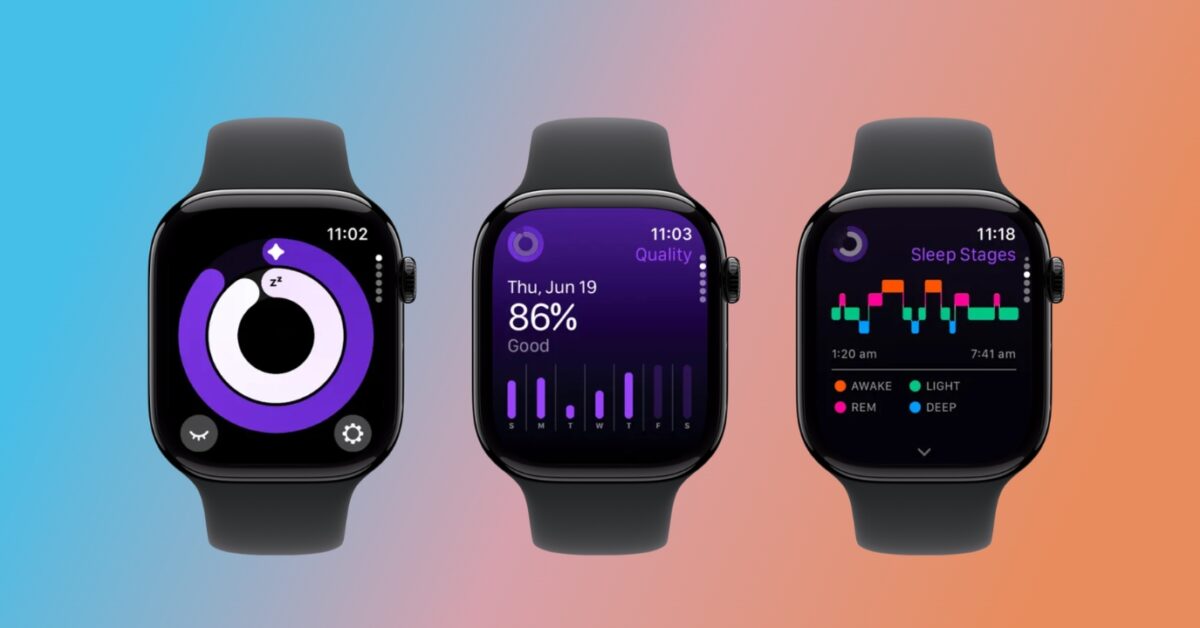
Sleep tracking is one of the most popular Apple Watch use cases.
Pillow Sleep Tracker provides detailed sleep analysis, heart rate monitoring, and sleep cycle tracking. The Apple Watch automatically records sleep data without requiring manual input. You can use the complication to view your heart rate analysis and last night’s report.
For users who want deeper insights, AutoSleep is a powerful paid alternative. It offers advanced sleep readiness tracking and highly detailed reports.
5. Water Tracker By WaterMinder
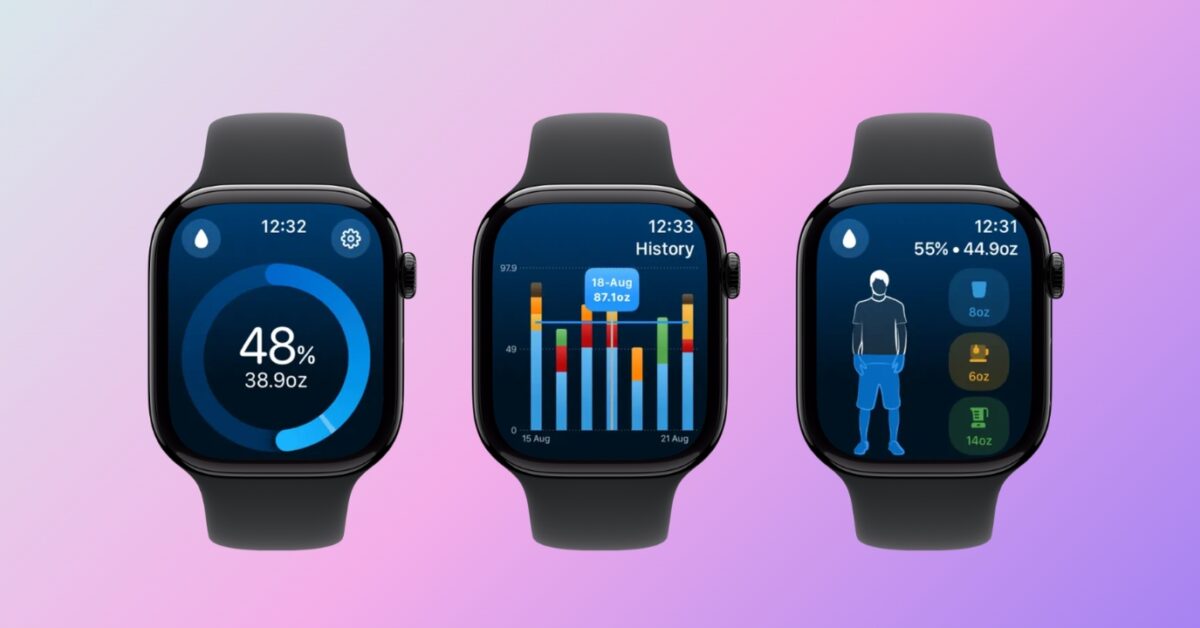
WaterMinder helps users stay hydrated throughout the day, something many people forget during busy schedules.
It is a standalone Apple Watch app that makes logging water intake quick and simple. You can add water and other drink consumption with just a few taps and receive reminders when hydration is low.
This small habit-building app becomes surprisingly useful over time.
6. Focus — Timer for Productivity
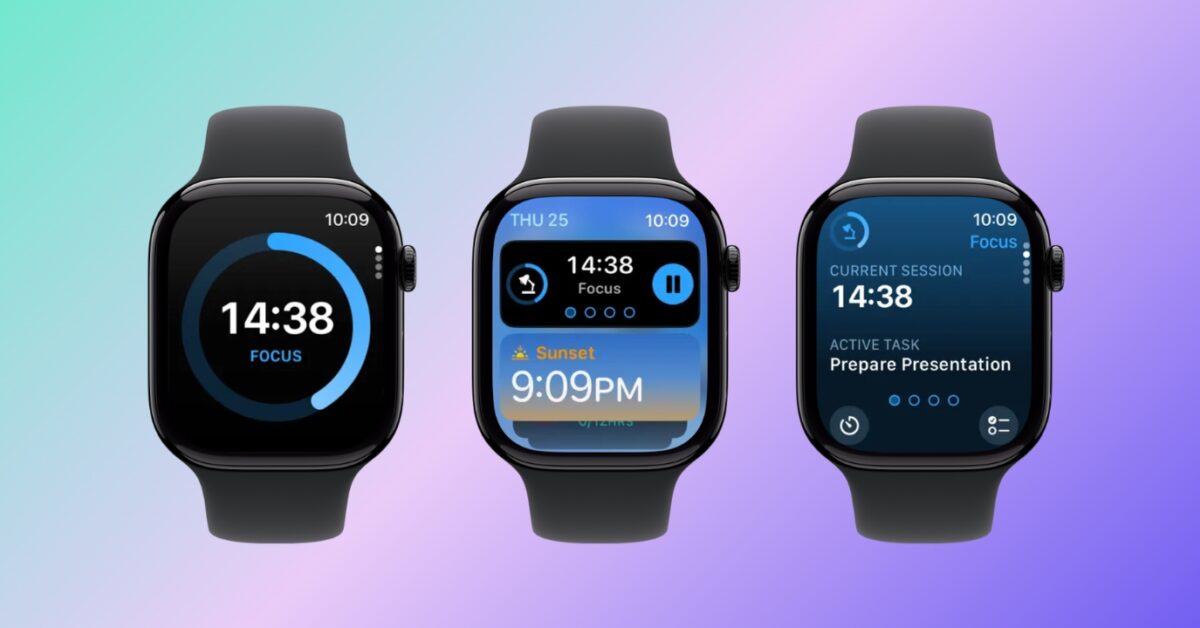
Focus is a Pomodoro-style timer designed for deep work sessions.
On Apple Watch, it becomes a distraction-free, independent productivity companion. You can start focus sessions, track progress, and receive gentle reminders directly from your wrist.
This is especially useful for studying, writing, coding, and remote work. Because you don’t need to look at your phone, it helps maintain concentration. Moreover, the iCloud sync helps your sessions and tasks stay up-to-date across your Apple devices.
7. StressWatch: AI Stress Monitor
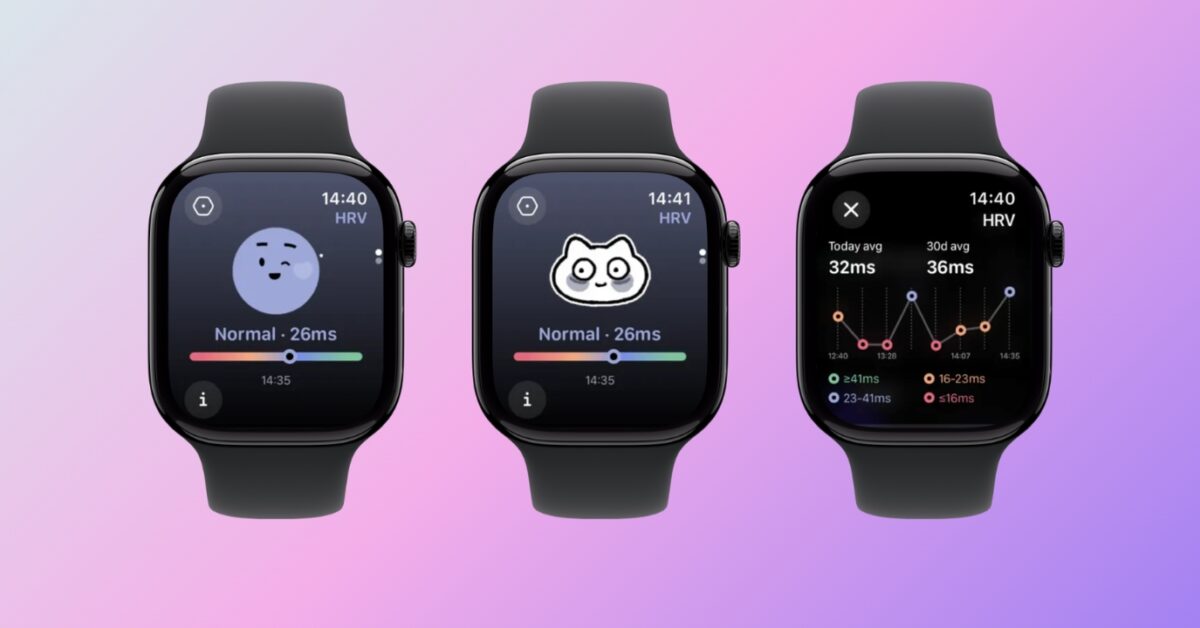
StressWatch uses Apple Watch Resting Heart Rate and Heart Rate Variability data to estimate stress levels throughout the day.
The app quietly monitors your body signals and alerts you when stress levels rise. Over time, it builds trends and helps users understand how daily habits affect mental health. I liked its cute watch faces that visually show your stress level.
In 2026, wellness apps like StressWatch are becoming essential tools for maintaining balance in busy lives.
Also read: Best Heart Rate Monitor Apps for Apple Watch
8. Spotify: Music and Podcasts
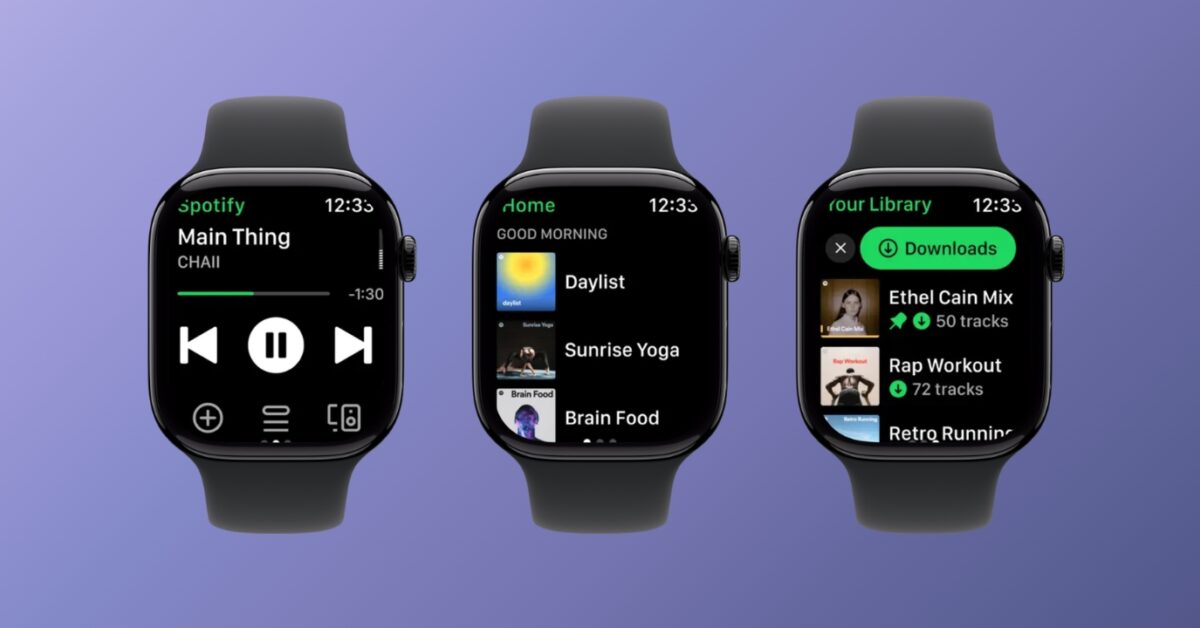
Spotify remains one of the most essential Apple Watch apps. It has over 100 million songs and 6 million podcast titles. What makes it stand out is the hyper-personalized recommendations and curated playlists.
You can:
- Control playback
- Download music offline
- Stream music directly from Apple Watch
- Listen during workouts without a phone
For audiobook and podcast listeners, Audible is a strong alternative with a better listening-focused interface.
Both apps make the Apple Watch a powerful standalone audio device.
9. Shazam: Find Music & Concerts
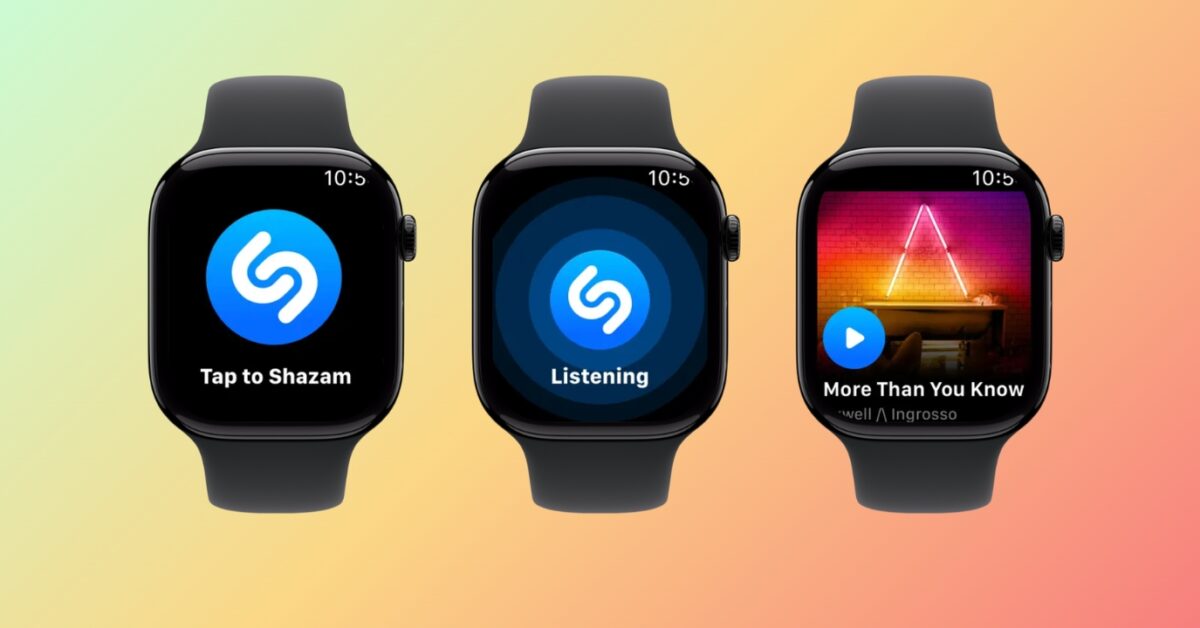
Shazam is perfect for identifying songs instantly from your wrist. When you hear music in a café, car, or movie, you can tap the Apple Watch to identify the track within seconds, even offline. You will also get song recommendations similar to the found songs.
The Apple Watch integration is fast, simple, and incredibly useful in everyday life.
10. WristTube for YouTube
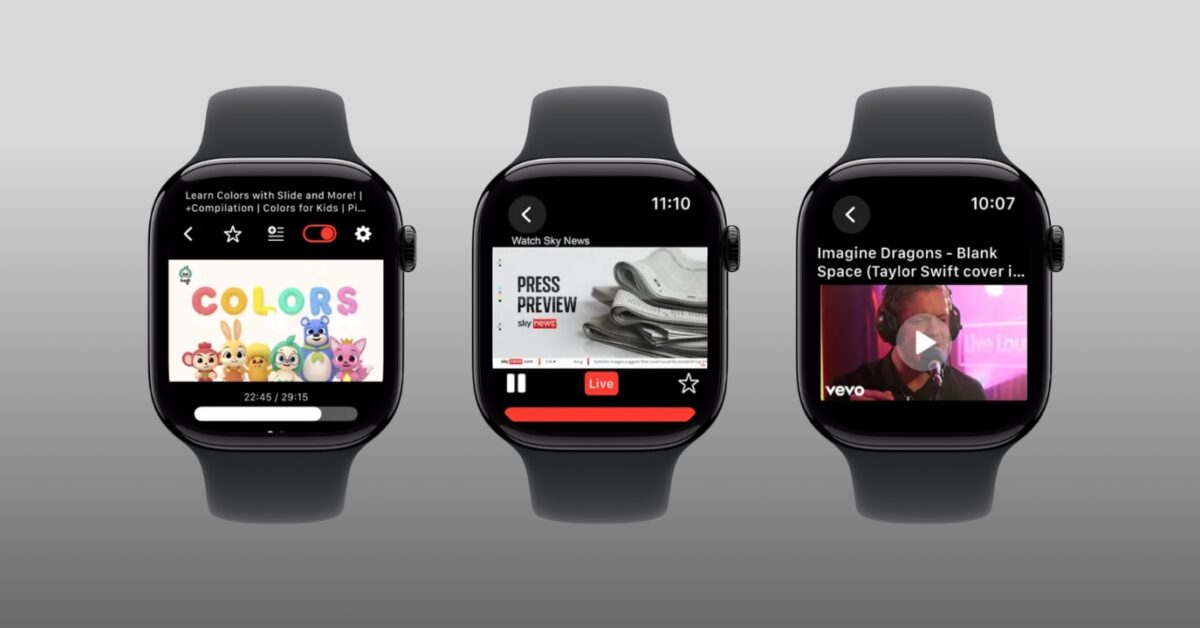
WristTube is one of the most interesting Apple Watch apps released recently.
It allows users to watch YouTube videos directly on Apple Watch. You can even search for videos, find your subscriptions and playlists, browse trending videos, and control playback quality and speed. While it’s not meant for long viewing sessions, it’s surprisingly useful for quick clips or learning moments.
11. Citymapper: All Live Transit
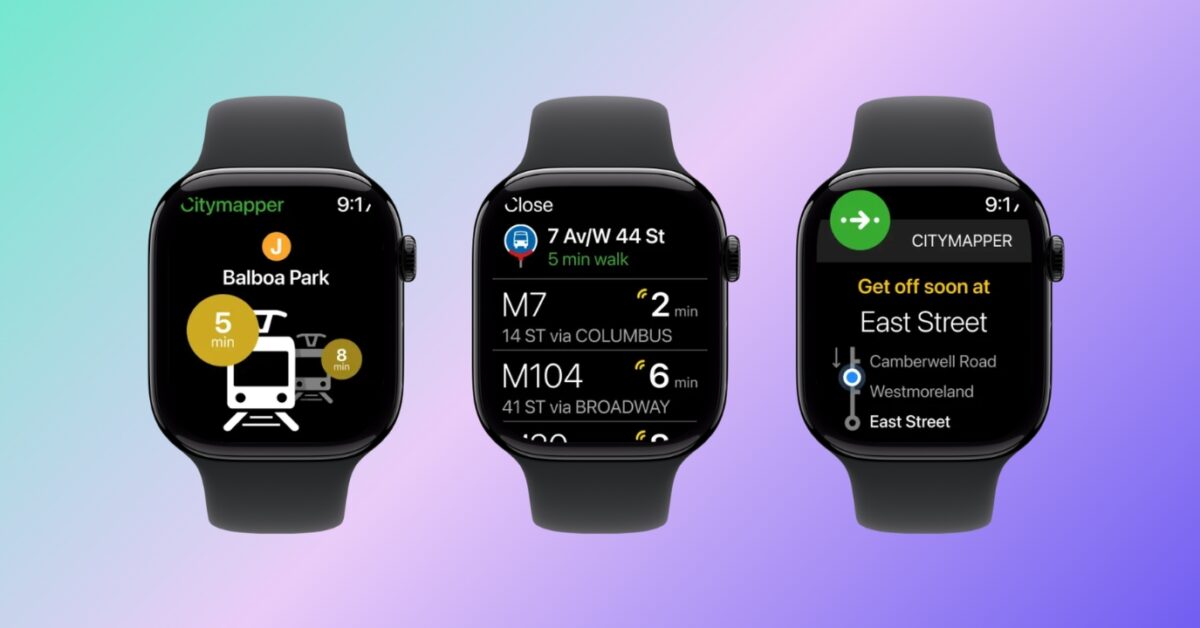
Citymapper is essential for navigating public transportation in major cities. It use open data from transit agencies to show and compare ride pricing. You can even save your go-to stops and stations for quick trip planning.
The Apple Watch app provides:
- Live transit directions
- Step-by-step navigation
- Time-to-destination updates
- Vibration alerts for stops
For commuters and travelers, this navigation app can replace constantly checking a phone.
12. ProCamera. Professional Camera
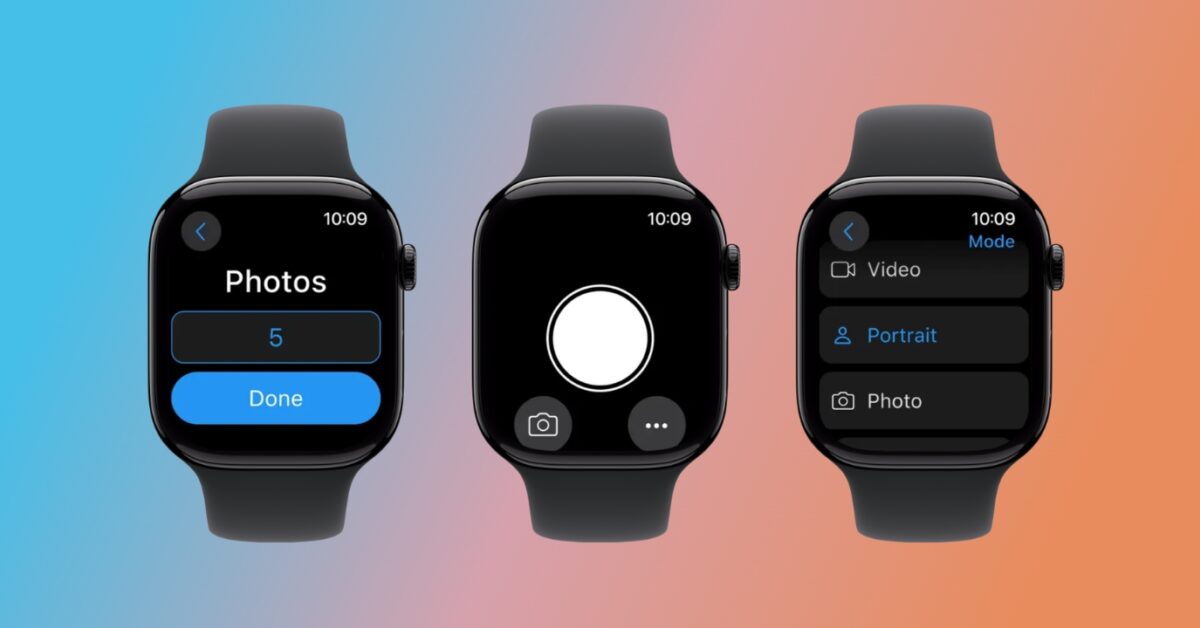
ProCamera turns the Apple Watch into a remote camera control for iPhone photography.
You can preview shots, trigger the shutter, adjust framing, and take group photos remotely. It’s especially useful for travel photography and tripod shots.
How to Choose the Right Apple Watch Apps
Choosing Apple Watch apps is different from choosing iPhone apps because screen size, speed, and battery usage matter more.
- Battery efficiency: Apps that constantly run in the background can drain the battery quickly. Choose apps optimized specifically for Apple Watch.
- Watch interface: The best Apple Watch apps are simple and glanceable. If an app feels like a squeezed-down phone interface, it won’t be enjoyable to use.
- Notification usefulness: Good Apple Watch apps send meaningful notifications, not distractions. The goal is convenience, not interruption.
- Privacy considerations: Health, sleep, and stress apps collect personal data. Always review permissions and privacy policies before installing.
Tips to Get the Most Out of Apple Watch Apps
- Keep only the apps you actually use on your watch. Too many apps can slow navigation and clutter the interface.
- Use complications wisely. Adding frequently used apps to your watch face saves time every day.
- Allow background updates only for essential apps like fitness, reminders, and health tracking.
- Regularly review notification settings to keep your Apple Watch helpful instead of distracting.
- Finally, update apps frequently to ensure compatibility with the latest watchOS features.
Final Thoughts
In 2026, Apple Watch apps are more powerful, smarter, and more independent than ever. The best apps don’t just add features; they make daily life easier, healthier, and more organized.
From productivity tools like Structured and Focus to health apps like Pillow and StressWatch, the Apple Watch can become a true personal assistant when equipped with the right apps.
Start with a few essential apps, explore what fits your lifestyle, and gradually build a collection that truly improves how you use your Apple Watch.
Frequently Asked Questions
Topics

Written by
Ava BiswasAva is a die-hard Apple aficionado and seasoned writer with a knack for breaking down complex tech concepts into easily digestible content. Having honed her writing and editing skills over 4 years at renowned media houses like TechBurner, Ava crafts informative and engaging articles including troubleshooting guides, product reviews, editorials at iGeeksBlog. When not typing, you can find her exploring the latest Apple releases or pondering the future of tech innovation.
View all posts →More from Apps
Today’s Apps Gone Free on The App Store
Snag top paid apps now FREE on the App Store: Games, tools, and more! Hurry before the deals disappear!
 Dhvanesh AdhiyaFebruary 27, 2026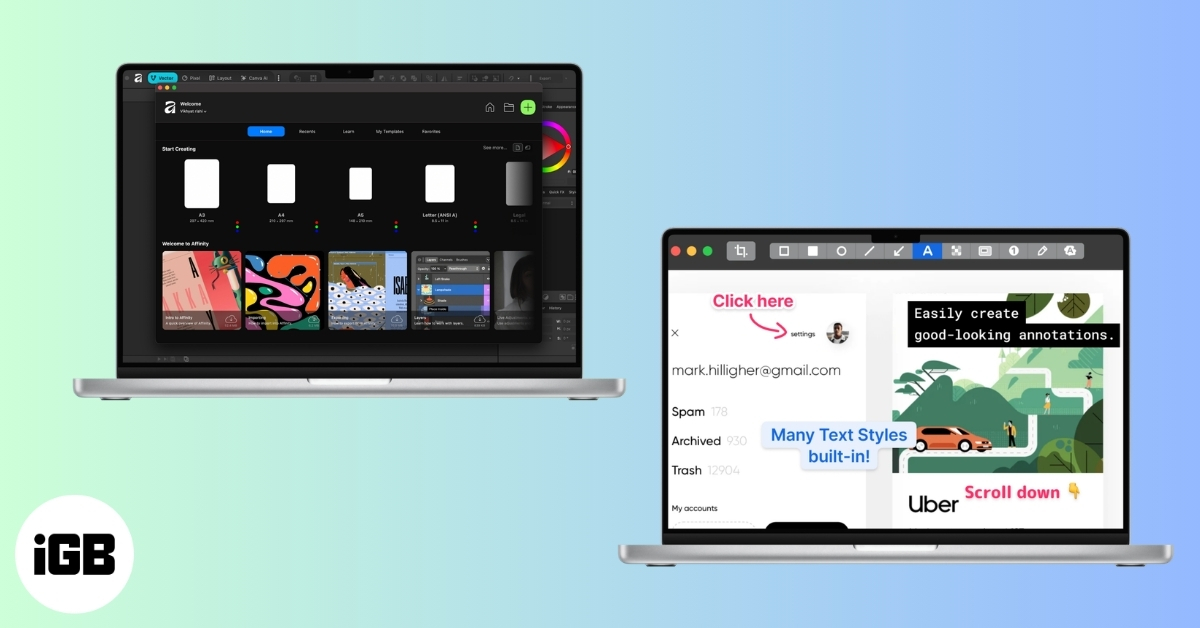
Best Mac Apps You Should Install in 2026
Upgrade your macOS experience with the best Mac apps. Explore our top picks for productivity, organization, and creativity. Enhance your workflow now!
 VikhyatFebruary 27, 2026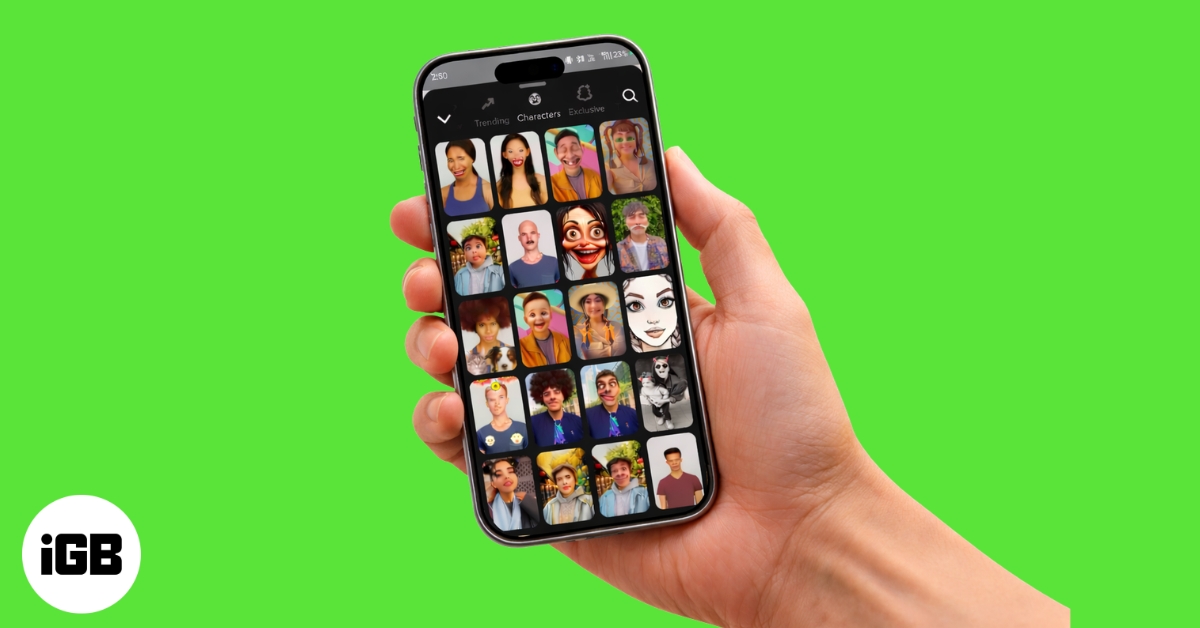
Best Snapchat Filters and Lenses to Make Your Snaps Stand Out
From trending AR lenses to timeless face filters, these Snapchat effects will help your snaps grab attention and stand out in any chat or Story.
VikhyatFebruary 27, 2026