The Health app has always been one of the most useful apps on the iPhone, but iOS 27 makes it feel a lot more personal. This year’s update focuses heavily on women’s health, nutrition tracking, and overall data accuracy.
From new perimenopause and menopause tracking tools to smarter food logging with Visual Intelligence, Apple is set to make a real difference in everyday life. Here’s everything new in the Health app with iOS 27 and how these updates can help you get more value from your health and fitness data.
What’s new in the Health app with iOS 27?
Here, I have listed all the health and fitness features coming to the iPhone this fall.
1. New perimenopause and menopause tracking features
If there’s one feature that defines Apple’s health strategy in iOS 27, it’s this. The Health app now includes dedicated perimenopause and menopause tracking tools, giving users a way to log symptoms, monitor changes, and better understand what is often a confusing stage of life.
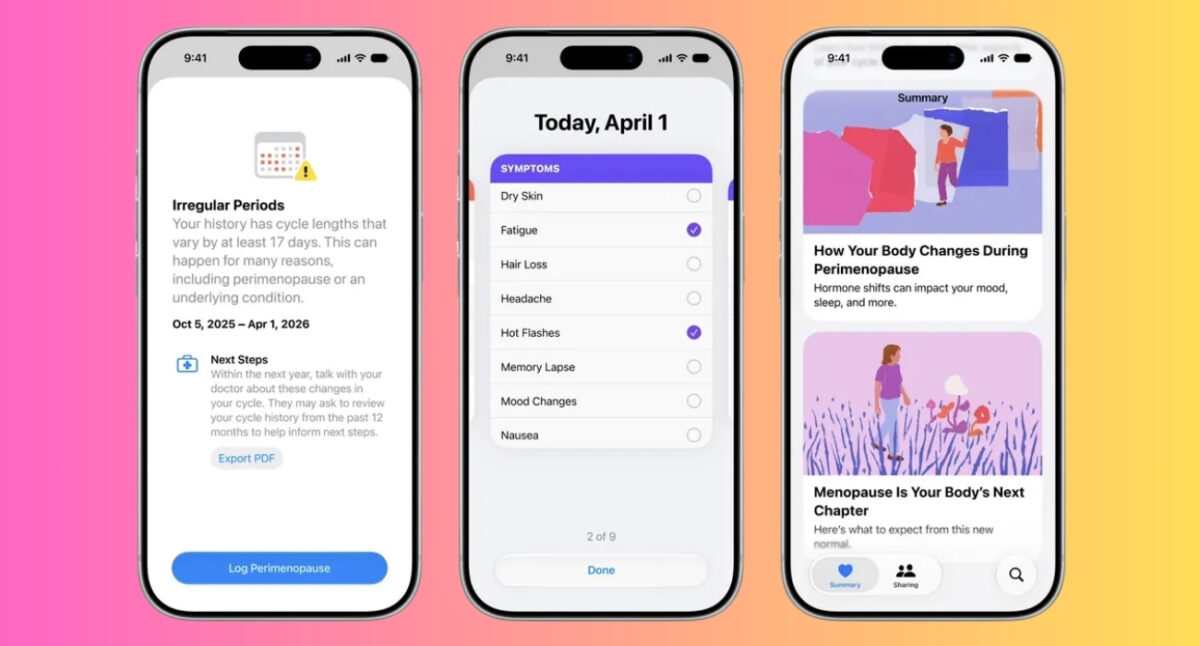
Users can track symptoms such as:
- Hot flashes
- Night sweats
- Mood changes
- Sleep disturbances
- Brain fog
- Dry skin
- Hair loss
- Headaches
- Other menopause-related symptoms
This feature is a part of expanded Cycle Tracking. As you log your period, the app will learn your menstrual patterns and send notifications about any detected irregularities that may indicate perimenopause or an underlying medical condition. There’s also a new Strong Through Menopause program on Fitness+.
This matters because perimenopause can begin years before menopause itself, and many women spend a long time trying to understand why they’re suddenly experiencing sleep issues, irregular cycles, fatigue, or mood changes.
I think this is arguably the most important Health app update Apple has released in years. Menopause affects hundreds of millions of people and remains one of the most underserved areas in digital health. Apple deserves credit for addressing it directly rather than treating it as a niche feature.
2. Enhanced cycle tracking in iOS 27
Cycle Tracking is also becoming smarter. Apple says the feature can now better identify long-term changes in cycle patterns and provide additional insights that may help users understand hormonal transitions. Also, there will be educational resources for easier understanding.
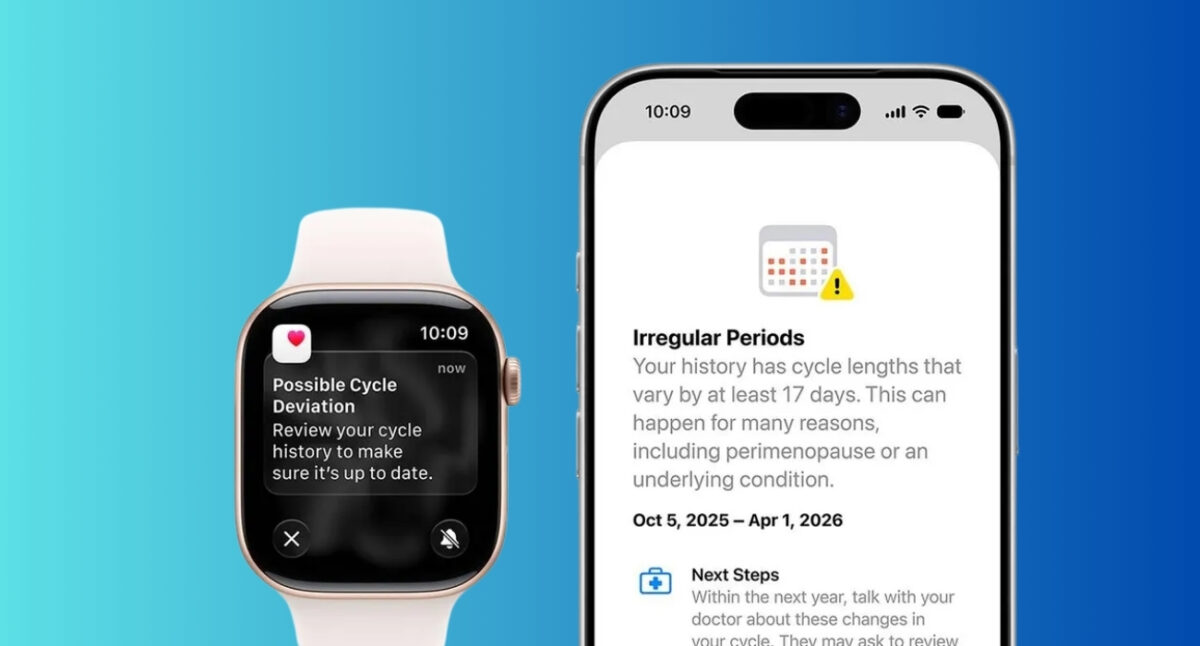
Rather than simply predicting future periods, the system focuses more on recognizing trends over time. This shift reflects a broader change in Apple’s health philosophy.
3. Nutrition tracking improves with Visual Intelligence
Nutrition tracking is getting a welcome upgrade thanks to Apple’s enhanced Visual Intelligence capabilities.
Now, you can use your camera app to use Siri AI to learn more about a meal. After you take a picture of the meal or food packet, it will analyze its contents to determine how processed it is and what nutrients it may include, such as fiber and protein. You will see a nutritional value ranking between very low and very high.
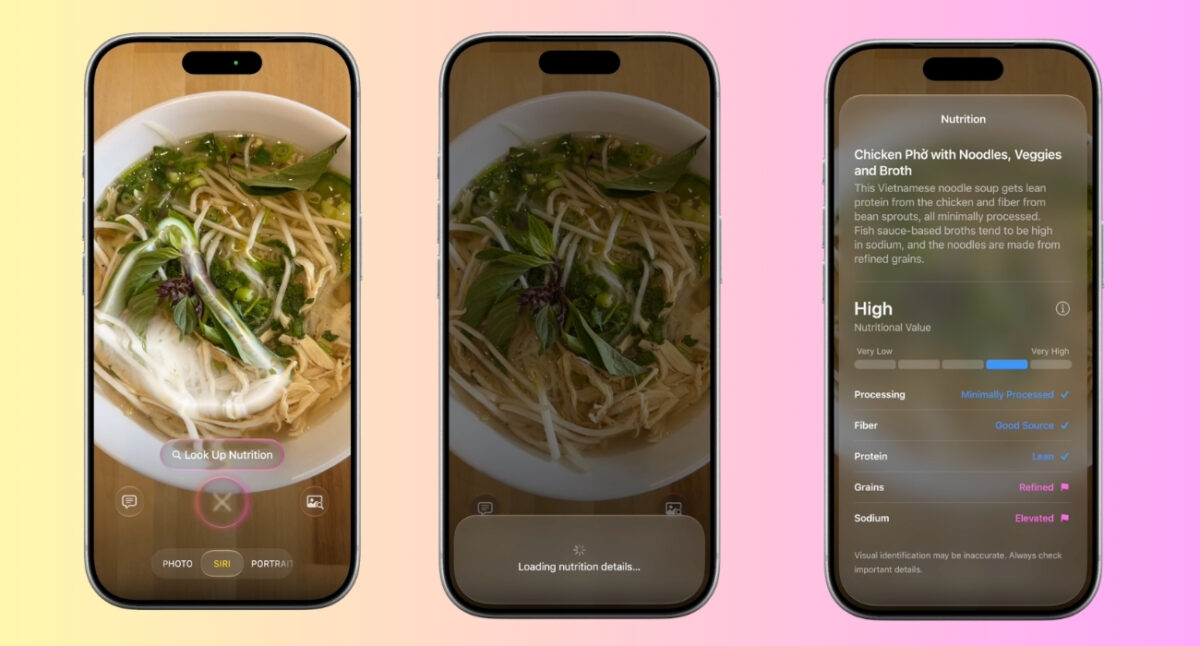
So, nutritional information can be captured more quickly and with less manual entry. This sounds insignificant, but anyone who has experienced logging meals consistently knows how annoying food tracking can become after a few days.
Note:
Nutritional tracking does not provide any precise calorie counts, and these details will not be recorded in the Health app.
4. Child safety features expand to Health
iOS 27 also expands Apple’s broader child safety initiatives into health-related experiences.
The goal is to create age-appropriate experiences and limit screen time for the better mental health of younger users.
While these additions aren’t as headline-grabbing as the menopause features, they reinforce Apple’s ongoing emphasis on family-focused health and wellness tools.
5. Faster data and step count syncing
One of the less exciting but surprisingly important improvements is faster health data syncing. Your activity information and other health metrics now update more quickly across Apple devices. Moreover, step counts now sync to both the Health and Fitness apps.
Health apps only feel useful when the information is current. Delayed data can make activity tracking feel unreliable, especially for users who frequently switch between devices.
6. Route and distance accuracy
Apple is also improving workout tracking accuracy in iOS 27, particularly for route maps and treadmill workouts.
After outdoor walks, runs, and cycling sessions, the route maps that appear in the Fitness app are now more accurate. While this isn’t a flashy new feature, it’s a welcome improvement for anyone who regularly reviews workout routes or tracks progress over time.
Additionally, distance calculations during treadmill workouts are improved. In previous versions, treadmill distances could sometimes feel slightly off compared to the machine’s readings.
Health app design changes in iOS 27
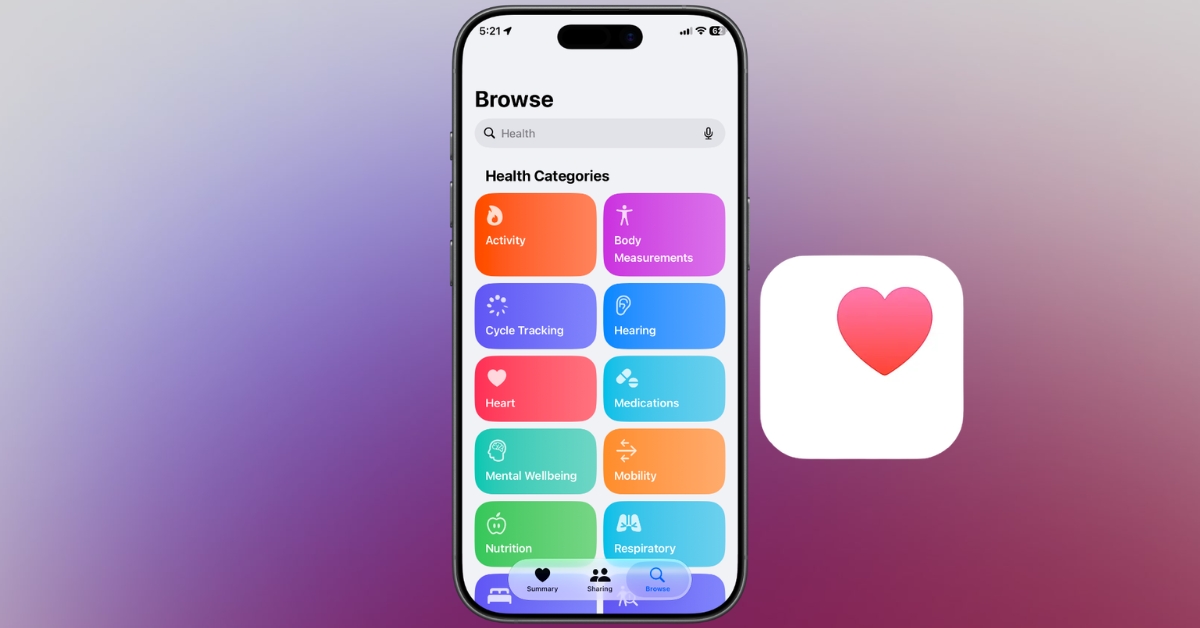
Along with the feature updates, Apple has made one noticeable design change in the Health app that makes the experience feel more approachable and less overwhelming, especially for users who don’t open the app every day.
Now there are color-coded cards used for each category in the Browse section, rather than a simple list view. Thus, you will not have difficulties finding activity, heart rate, sleep, nutrition, and mental well-being data anymore.
GymKit comes to iPhone
One of the most practical fitness upgrades in iOS 27 is the expansion of GymKit to the iPhone.
Previously, GymKit was primarily an Apple Watch feature that allowed users to connect compatible gym equipment, such as treadmills, stationary bikes, and ellipticals, for more accurate workout tracking. With iOS 27, iPhone users can now take advantage of GymKit without needing an Apple Watch.
Once connected, the iPhone can sync workout metrics directly from compatible exercise machines, including:
- Calories burned
- Distance covered
- Speed
- Incline
- Pace
This may sound like a small change, but it removes one of the biggest barriers to using GymKit. People without an Apple Watch will no longer be deprived of the convenience of workout tracking.
Apple is also expanding the experience for users with AirPods Pro 3. Through the enhanced GymKit integration, AirPods Pro 3 can provide heart rate data that syncs with the iPhone while users listen to music, podcasts, or workout content during exercise.
You may like: What is the Hide Location feature in iOS 27?
Which devices support the new Health features?
The new Health app features are available with iOS 27 on supported iPhone models.
The advanced nutrition tracking needs an iPhone 15 Pro and later for Visual Intelligence support.
Apple Watch users will get the most complete experience, especially when using the updated health tracking, activity monitoring, and Cycle Tracking features in watchOS 27.
Health is becoming more comprehensive!
The Health app in iOS 27 isn’t trying to reinvent digital health overnight. Instead, Apple is focusing on making health tracking more useful, more personal, and more relevant to real life.
The standout addition is unquestionably the new perimenopause and menopause support. It addresses a major gap in both healthcare and technology, and signals where Apple’s health ambitions are headed next.
Add in smarter cycle tracking, easier nutrition logging, improved syncing, and better fitness accuracy, and the Health app becomes far more than a place to store data.
For years, Apple’s Health app was a powerful dashboard. With iOS 27, it’s starting to become a genuine health companion.
Must read: