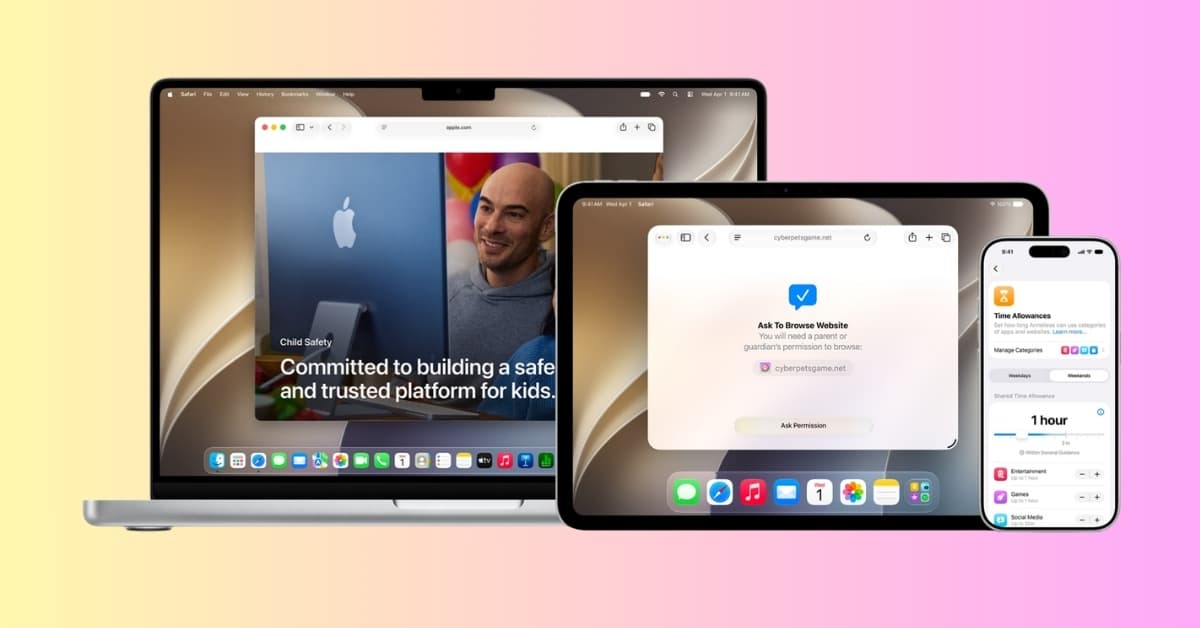
For years, parental controls have felt like digital duct tape. Using Family Sharing, parents could set a few restrictions, limit screen time, and hope for the best. Meanwhile, kids were navigating an internet that has become faster, smarter, more addictive, and in many cases, more dangerous.
With iOS 27, Apple has expanded parental controls beyond simple screen-time limits. The new system lets parents manage app and website access, set flexible schedules and category-based time allowances, control who children can communicate with, and add approval steps before children visit new websites or connect with new contacts.
Here’s everything you need to know about the new child safety features in iOS 27.
The real problem was never screen time
The debate around kids and technology has been stuck in the wrong place for years. Parents have been obsessing over how many hours children spend on devices while ignoring a more important question: What are they actually doing during those hours?
A child might spend an hour on a homework app and another hour on a social platform. Treating both activities as identical simply because they consume the same amount of time doesn’t give parents much useful context.
iOS 27’s new controls reflect this by adding category-based allowances, schedules, website approvals, and communication controls alongside traditional Screen Time.
Ask to Browse adds approval before new websites
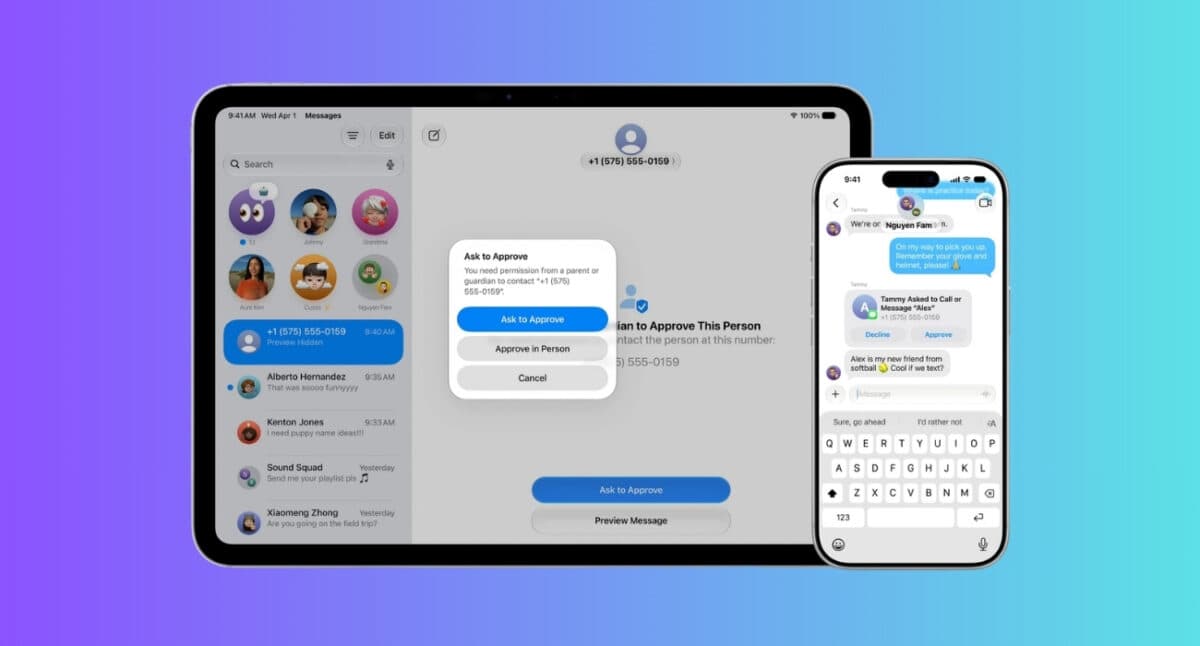
The standout feature in iOS 27 is called Ask to Browse. Instead of allowing unrestricted web access, children must request permission before visiting new websites in Safari. Parents receive the request in Messages and decide whether the site should be accessible.
Apple says Ask to Browse is turned on by default for Child Accounts under 13. Parents can also pre-approve websites.
Some people will immediately call this overprotective. They’re wrong. Nowadays children aren’t just stumbling onto inappropriate websites anymore. They’re encountering AI-generated content, manipulative recommendation systems, misinformation, scams, extremist content, and communities designed to keep them engaged at any cost.
Giving an 11-year-old unrestricted access is risky. Ask to Browse introduces friction. And sometimes friction is exactly what safety looks like. However, for children who are ready for broader browsing, Limit Adult Websites provides a less restrictive alternative that filters adult content.
Apple is moving from reactive parenting to preventive parenting
Most parental controls activate after something has already gone wrong, such as:
- The child installs the wrong app.
- A stranger sends a message.
- An inappropriate image arrives.
Parents discover the issue later.
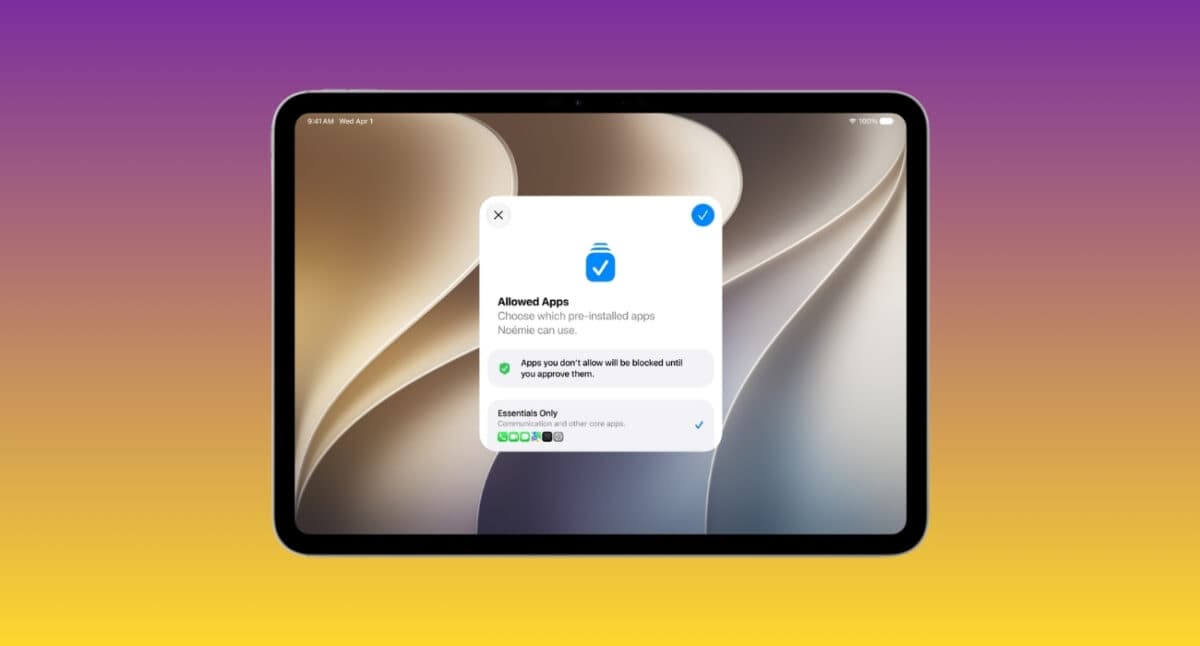
Apple is trying to flip that model. iOS 27 has redesigned the initial child-account setup experience. Parents can choose only the essential system apps, use a recommended set, or select the apps they consider appropriate. Apps can then be added over time as the child is ready for more access.
This works alongside Ask to Buy, which still lets parents approve eligible app downloads, purchases, and in-app purchases.
You may like: What is the Hide Location feature in iOS 27?
Time Allowances are smarter than traditional app limits
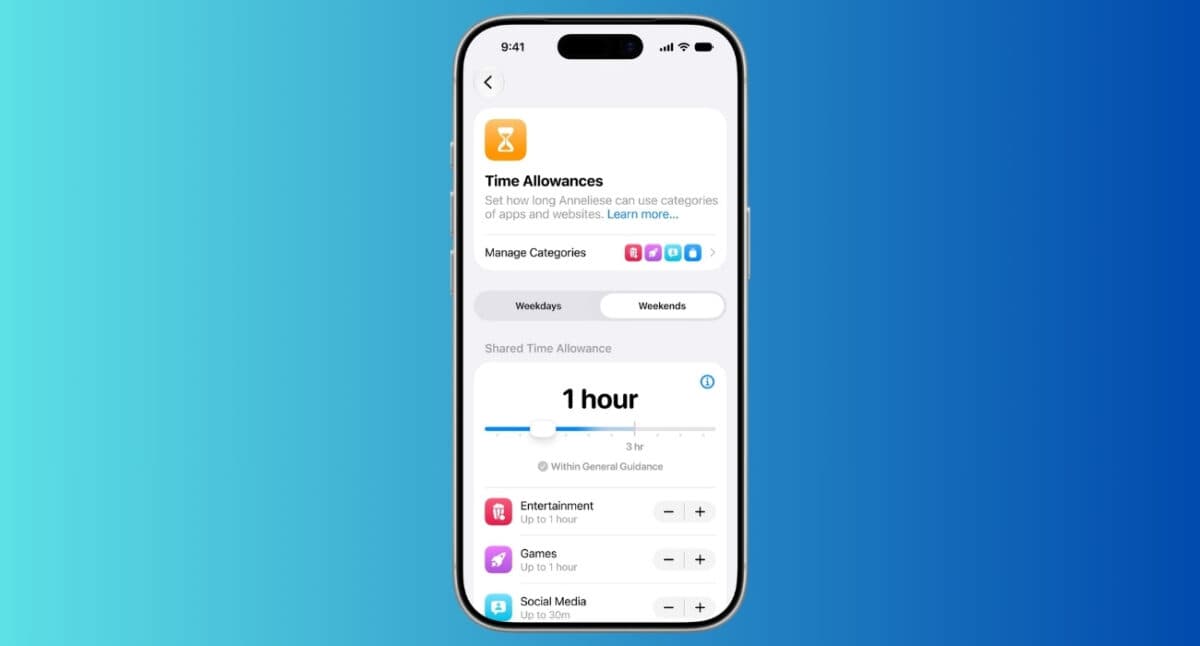
Parents have long had the option to block apps after a certain amount of usage. The problem? Real life doesn’t work that neatly. Sometimes a child genuinely needs more time for homework, communication, or creative projects.
Apple’s new Time Allowance system lets parents control the time their kids spend in apps across categories, including Entertainment, Games, and Social Media. It will show limits suggested by experts based on your child’s age. They can also grant additional app access when needed without dismantling their entire Screen Time setup.
Along with it, iOS 27 introduces Screen Time Schedules to manage which apps are available during periods such as Before School, School, and After School, and lets you create different routines for weekdays and weekends.
Parents can also allow certain apps and contacts at all times, so important communication or other selected services remain available even when a category allowance has been reached.
Communication Safety now covers gore and violent content
One of the most significant updates is Apple’s expansion of Communication Safety. The system already helped detect and intervene when sensitive and explicit images were shared.
Now, it can blur images and videos containing detected gore or violent content in Messages and FaceTime for users under 18. The child encounters a safety intervention before viewing that potentially disturbing material.
That’s a bigger deal than it sounds. The modern internet isn’t just exposing children to sexual content. Violence has become normalized across social platforms, messaging apps, and viral content feeds.
iOS 27 also lets parents manage contacts for Phone, Messages, and FaceTime. A parent can require permission before a child connects with someone new, and the approval request can be reviewed from the parent’s device.
The redesigned Screen Time puts controls closer to the surface
Let’s be honest. Screen Time for the child’s account was basic. The data was there, but the insights weren’t.
Apple has redesigned the parental Screen Time experience to provide an at-a-glance view of a child’s device usage and most-used apps. Parents can use quick actions to adjust access in the moment instead of digging through multiple settings screens.
For example, parents can quickly pause or change access during meals, outdoor activities, or other periods when they want the device to take a back seat.
More requests can now arrive directly in Messages
The new approval workflow brings several child requests into one place. Depending on the settings, a child can request a new app or purchase, access to a new Safari website, additional device time, or permission to communicate with a new contact. Parents can approve or decline eligible requests from Messages or directly on the child’s device.
What parents should take away
iOS 27 doesn’t replace conversations, trust, or active parenting, but it gives families considerably more control over the digital environment around a child. Apple’s latest child safety features go beyond simply counting minutes by adding controls for websites, apps, schedules, app categories, communication, and sensitive content.
The most useful change for many families is the ability to start with a narrower set of apps and websites and gradually expand access. Parents can also make one-off approvals without completely changing the underlying setup.
If you’re setting up these controls now, update every device in the Family Sharing group to the latest iOS 27, iPadOS 27, macOS 27, watchOS 27, and visionOS 27, where applicable. Then review the child’s allowed apps and websites, communication contacts, Time Allowances, and daily schedules.
You can even get help from Apple’s dedicated Child Safety website.