At first glance, the Reminders app doesn’t look much different in iOS 27. After spending some time using it, though, I realized Apple focused on improving everyday workflows instead of redesigning the app. Creating reminders feels faster, grocery lists are smarter, Siri understands tasks more naturally, and Shortcuts has become far more capable.
None of these changes are revolutionary on their own, but together they make Reminders much more useful for managing everyday tasks. Here’s everything new in the Reminders app in iOS 27.
Create reminders using natural language
The biggest improvement in iOS 27 is natural language support.
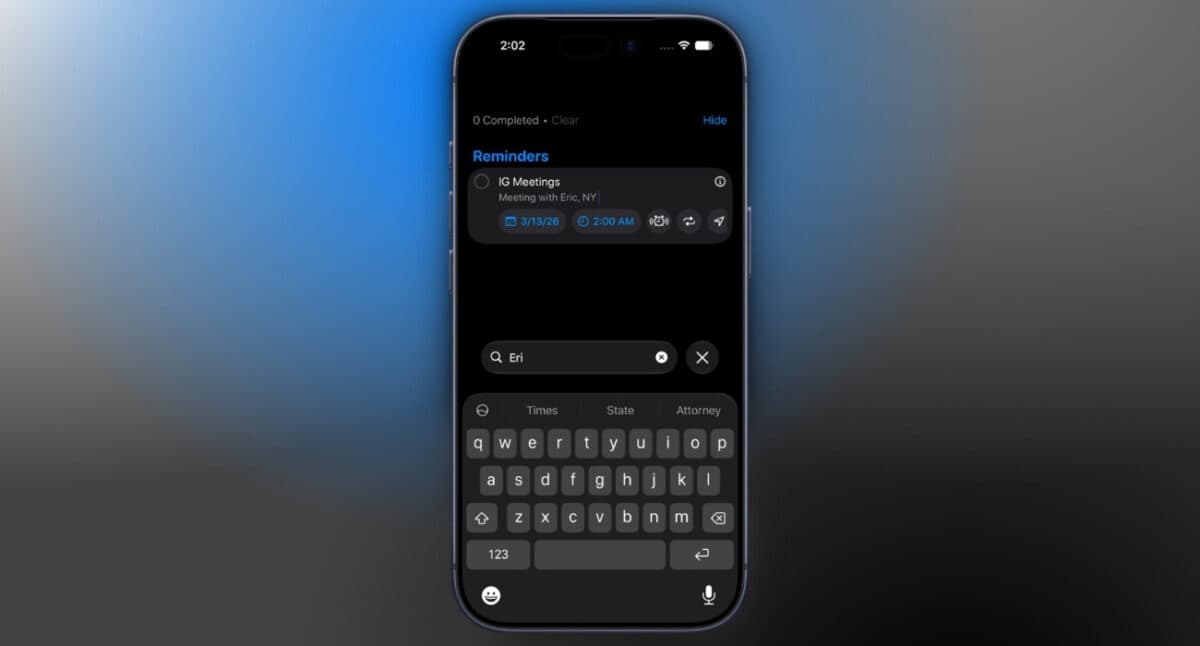
Instead of manually selecting a date and time for every reminder, you can simply type something like, “Pick up groceries tomorrow at 6 PM,” and Reminders automatically detects the date and time as you type.
If something isn’t recognized automatically, the app displays suggestions above the keyboard, allowing you to confirm the details with a single tap.
During my testing, the feature worked well most of the time. Occasionally, I had to confirm the suggested date before saving the reminder.
Even so, creating reminders now feels much faster than before, especially if you’re constantly adding tasks throughout the day.
Redesigned reminder creation
Natural language support also changes how the reminder creation screen works. Apple has removed the toolbar that previously appeared at the bottom of the screen while creating a reminder. Instead, options like attachments, flags, tags, priorities, and other reminder settings now live inside the Details menu.
After using it for a while, I actually prefer the new layout. It feels cleaner and keeps the focus on quickly capturing a task instead of presenting every option upfront.
Improved grocery lists
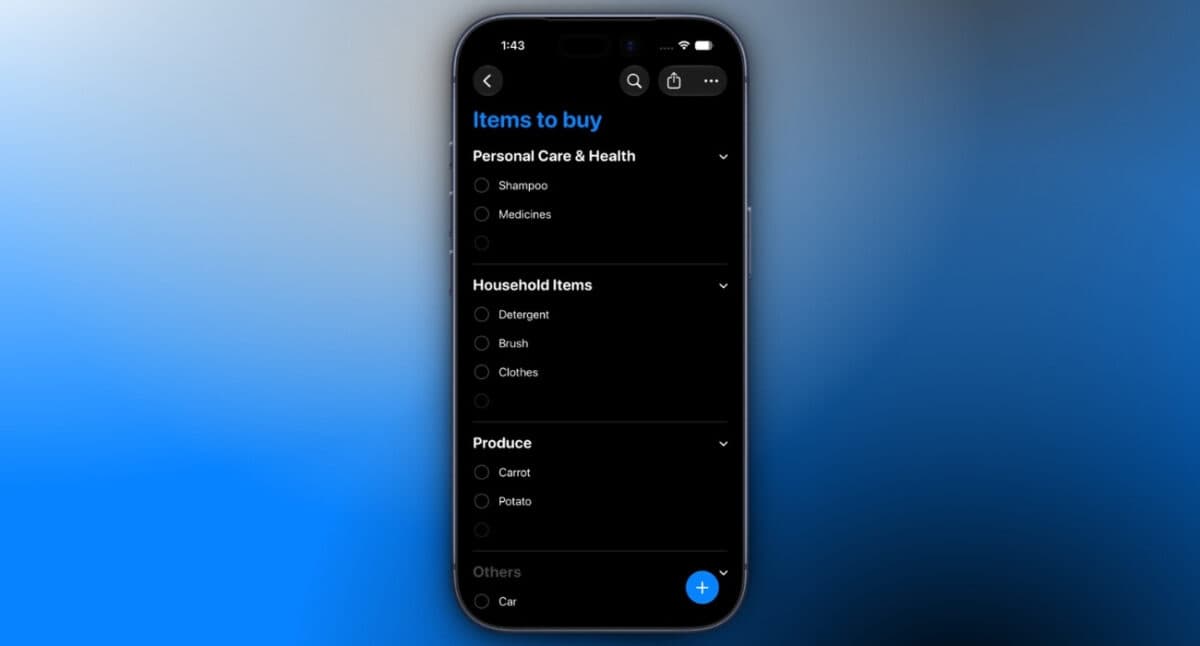
Apple has also refined grocery lists, one of the app’s most practical features.
Shopping items are now categorized more accurately, making larger grocery lists easier to browse while you’re at the store. Apple has also expanded automatic grocery categorization to more languages, allowing users in additional regions to benefit from the feature.
It’s not a headline feature, but anyone who relies on Reminders for weekly shopping will probably notice the improvement.
New Shortcuts actions
The Shortcuts app receives several useful additions for Reminders in iOS 27, making automation much more flexible.
You can now create or delete reminder groups, lists, and sections directly from a Shortcut. Apple has also introduced a new Get What’s On Screen action that works with Reminders, opening the door to more advanced automations involving on-screen content and reminder management.
If you’re someone who already builds productivity workflows with Shortcuts, these additions provide much more flexibility than previous versions.
Siri AI integration
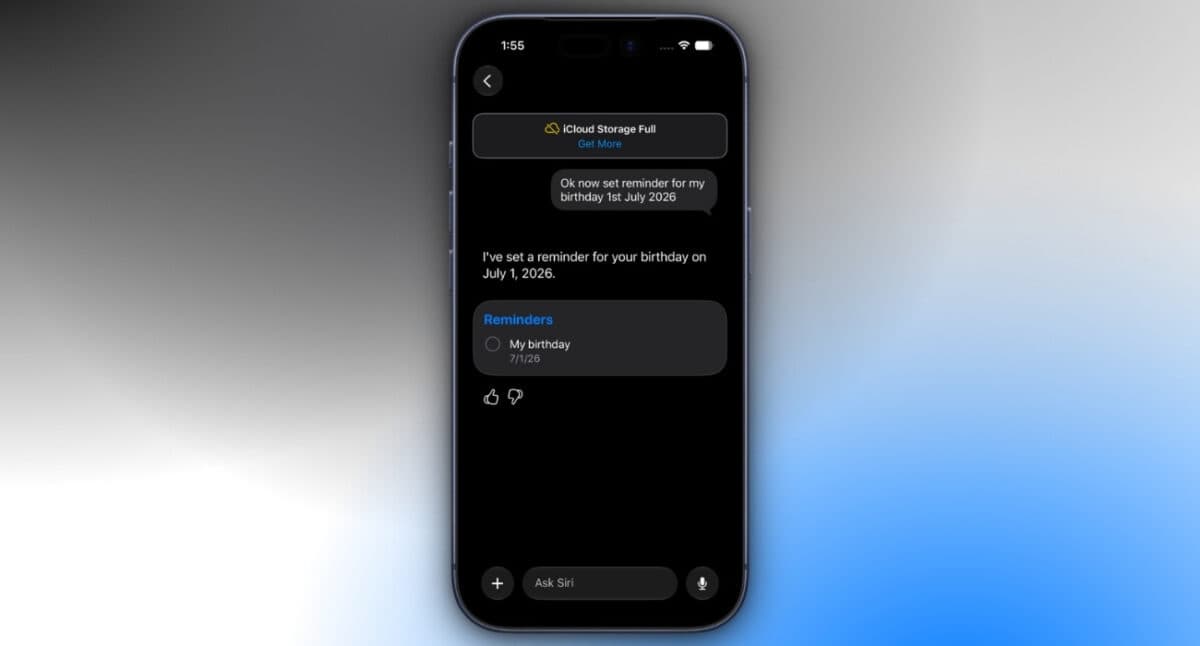
Siri is also becoming much better at handling reminders thanks to Apple Intelligence.
Instead of relying on rigid commands, you can simply describe what you need in natural language. Siri understands dates, times, locations, recurring schedules, and task details much more naturally than before.
It can also create reminders using information found in apps like Mail and Messages, while searching your existing reminders just as easily.
For me, this is where Apple Intelligence feels genuinely useful. Instead of acting like a voice shortcut, Siri finally behaves more like a capable personal assistant.
Apple Intelligence requirements
Many of the biggest upgrades in the Reminders app rely on Apple Intelligence.
Features such as natural language reminder creation and enhanced Siri integration require an iPhone 15 Pro, iPhone 15 Pro Max, or a newer supported iPhone.
If your device supports iOS 27 but doesn’t support Apple Intelligence, you’ll still receive the updated Reminders app. However, these AI-powered features won’t be available.
Is the Reminders app better in iOS 27?
After using the new features, I don’t think Apple needed to redesign Reminders. The app was already simple to navigate. What it really needed was to reduce the number of steps required to capture and organize tasks.
Natural language input makes creating reminders noticeably faster, grocery lists feel smarter, Shortcuts becomes far more powerful, and Siri is finally useful for managing everyday tasks.
They’re relatively small improvements individually, but together they make Reminders feel more polished and much more capable than before.
If you already rely on Apple’s productivity apps, this is one of those updates you’ll appreciate every single day.
What’s your favorite new Reminders feature in iOS 27? Let us know in the comments below.
Related articles worth reading: