Most of us use Telegram just like another messaging app. However, with the new features launched, I started digging deeper and tweaking things to fit how I actually communicate. Once I did, Telegram quietly became one of the most powerful apps on my phone. Not because of fancy features, but because of some nifty hacks that address real-life pain points.
Here are all the Telegram features combined with smart tricks I keep coming back to.
Table of Contents
- 1. I replaced "typing replies" with Scheduled Messages
- 2. I stopped losing important stuff with Saved Messages
- 3. Chat Folders turned chaos into structure
- 4. Secret Chats are actually worth using (in specific cases)
- 5. Telegram Bots replaced 3–4 apps for me
- 6. Auto-delete messages keep chats clean without thinking
- 7. AI Summaries replaced my "scrolling habit"
- 8. Member Tags fixed group chaos for me
- 9. Edit sent messages to fix typos
- 10. Send GIFs and YouTube videos more easily
- 11. Hide your images with spoilers
- 12. I didn’t expect built-in video editing to be useful
- 13. Customize Telegram appearance
- Continue exploring Telegram!
1. I replaced “typing replies” with Scheduled Messages
There are times when I know I need to reply… just not right now. Instead of leaving chats unread (and forgetting later), you can:
- Open the chat, type your text, and long-press the send button.
- Now, select Schedule Message,
- Simply set a date and time as you wish.
- Telegram also lets you schedule recurring messages with the Repeat option.
- Tap Send on [date and time].
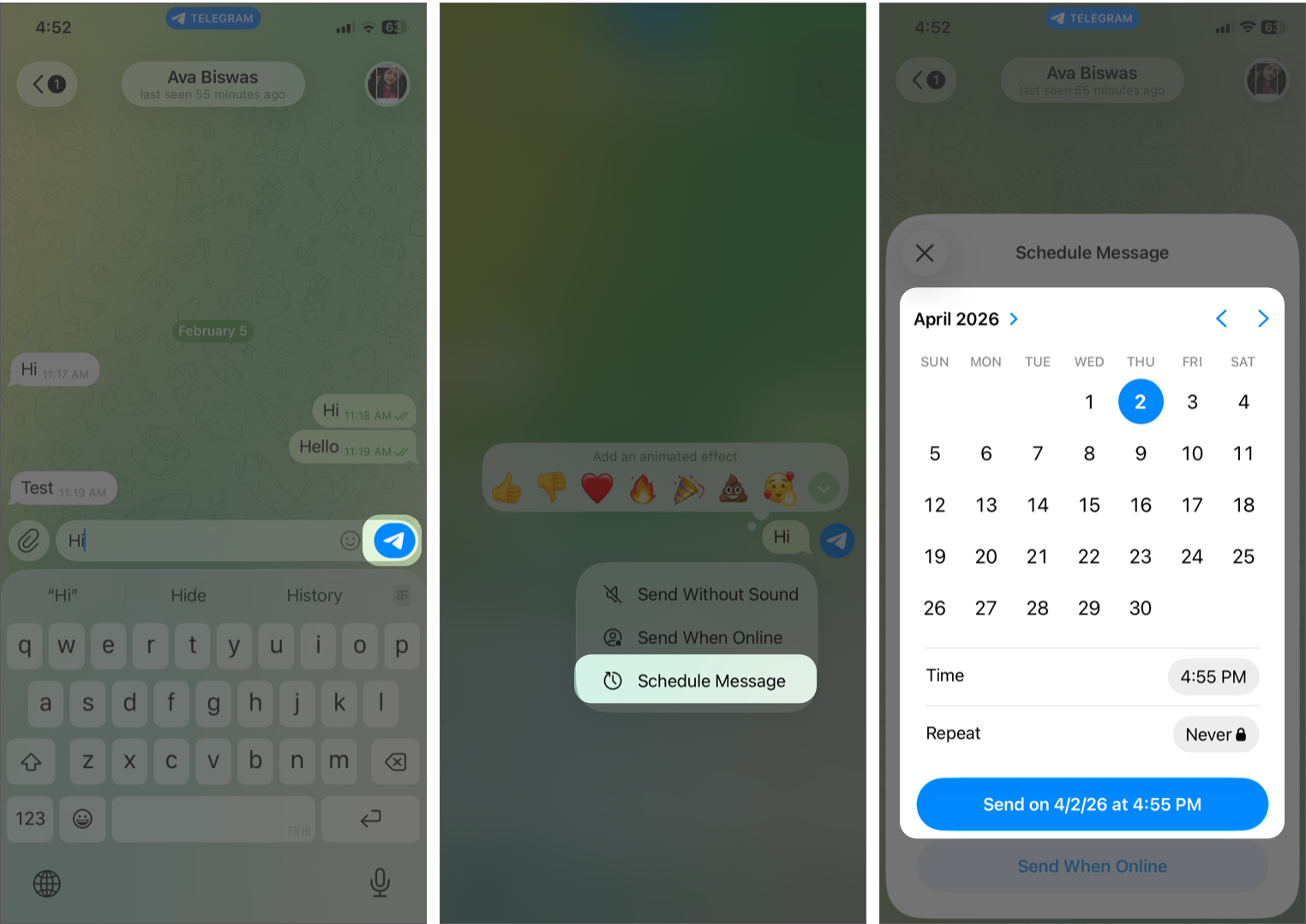
Telegram will send the message at the right time. You can also tap the clock icon next to the text box to see your scheduled messages. From there, you may edit the text, reschedule, or delete the message.
I use this for:
- Replying to work chats the next morning
- Sending birthday wishes at midnight automatically
- Following up without looking desperate
You can schedule messages even in Saved Messages (self chat) as a reminder.
2. I stopped losing important stuff with Saved Messages
I used to rely on notes apps, screenshots, and random bookmarks. Now I dump everything into Saved Messages, including links, messages, files, and even voice notes to myself. It works like a personal cloud.
- In the Telegram app, tap the search box at the top.
- Now, type saved and select Saved Messages.
- Here, you can text yourself or forward messages.
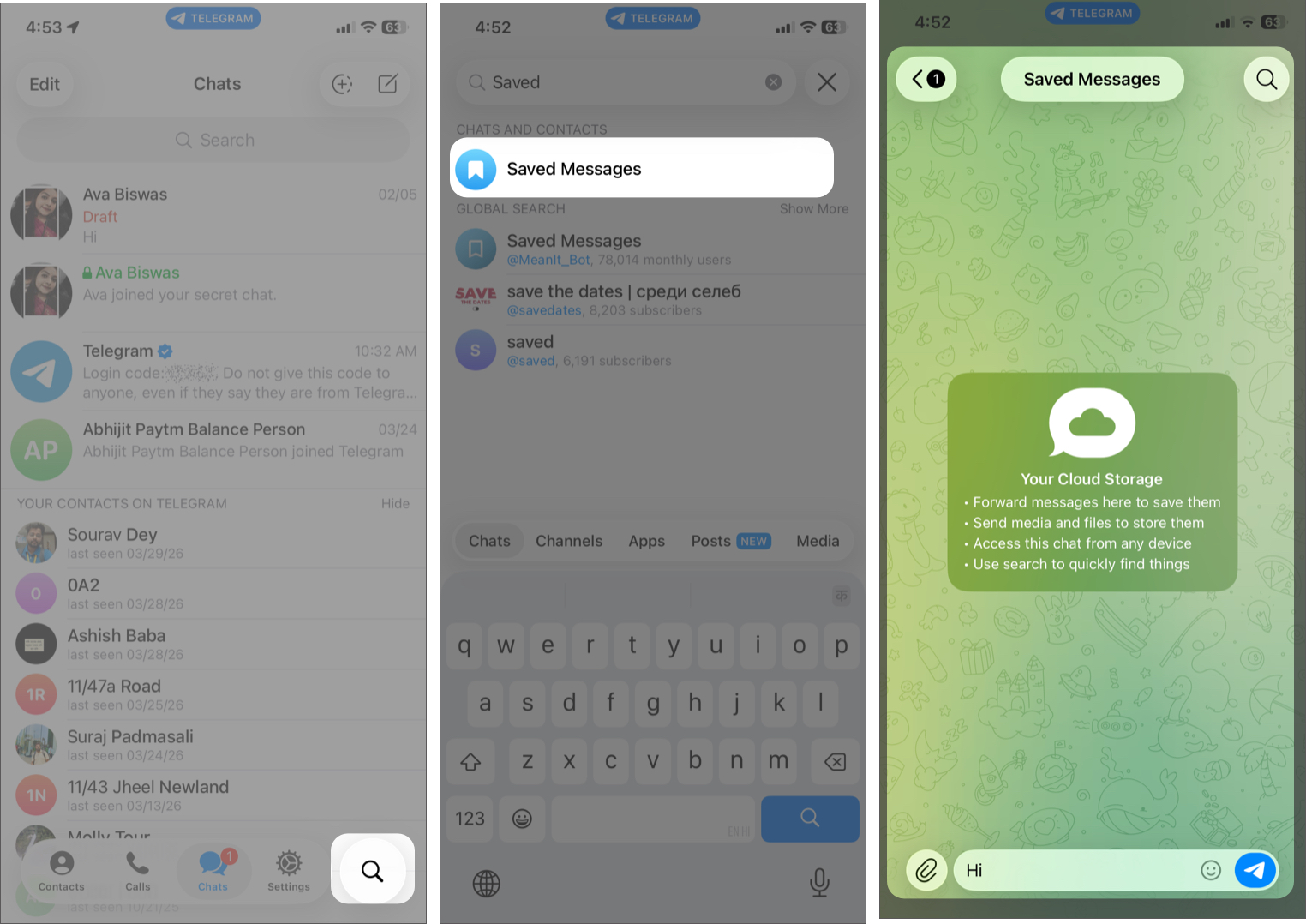
What makes it powerful is search. You can find anything by entering a keyword.
3. Chat Folders turned chaos into structure
At one point, my Telegram chat list became messy, groups, channels, and DMs all mixed. Chat folders can fix that completely.
I created folders for work, friends, and anime channels so that I can swipe between chat lists instead of scrolling endlessly.
- Go to the Settings tab in Telegram and select Chat Folders.
- Tap Create a Folder.
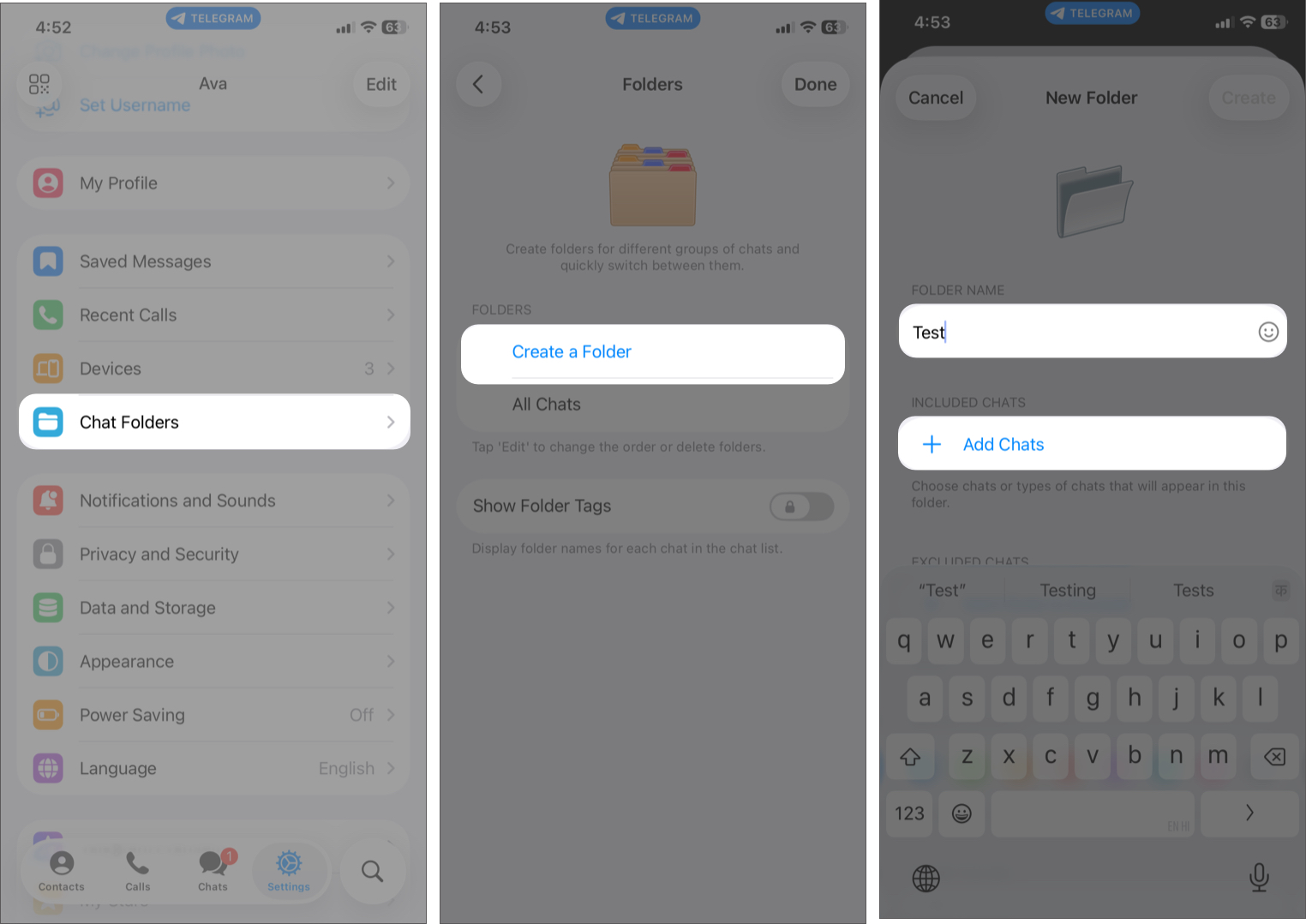
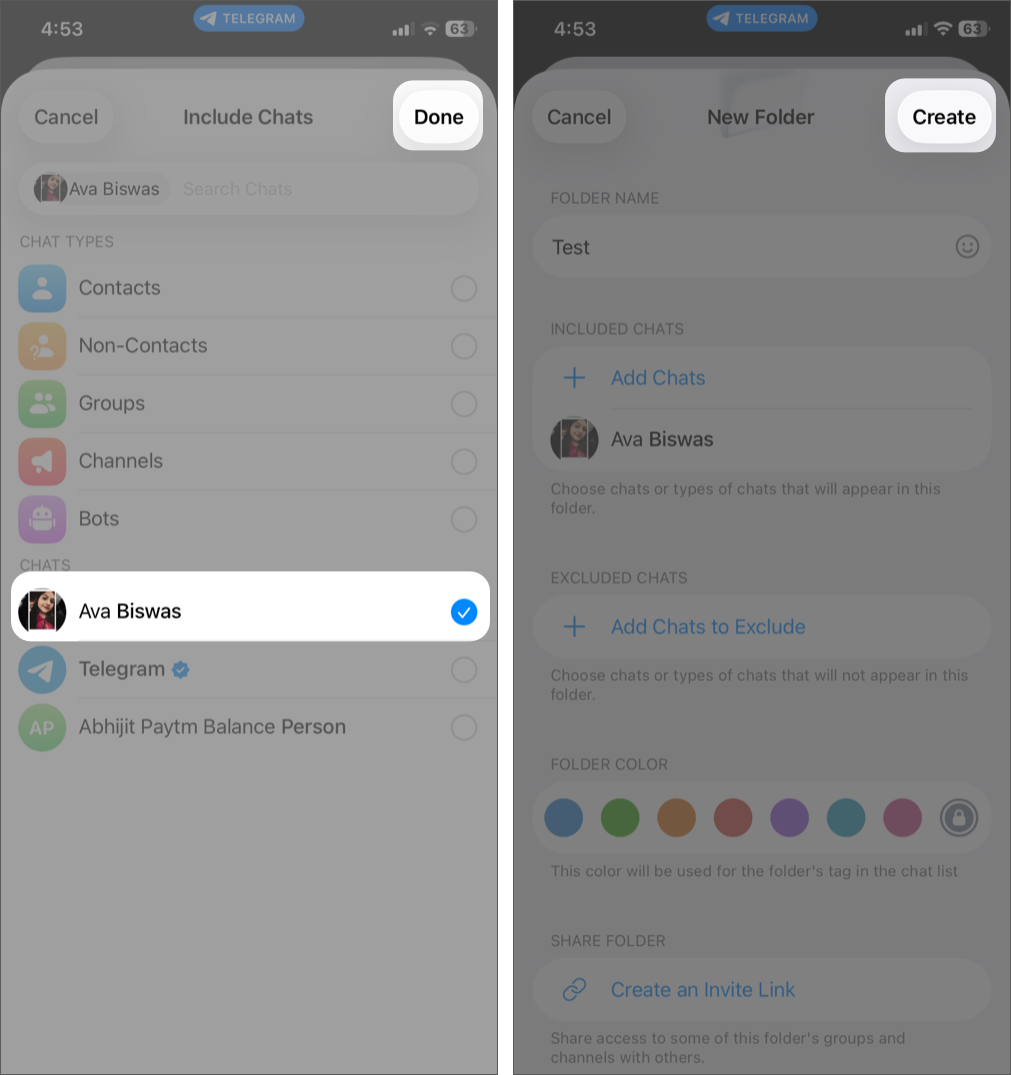
- Type the folder name and include contacts from Add Chats. For automatic sorting, you can select chat types like Bots, Channels, or Non-Contacts to be included or excluded.
- Now, hit Create.

4. Secret Chats are actually worth using (in specific cases)
I ignored Secret Chats for a long time. However, after using them, I realized they work well for sensitive conversations, sharing private information, and temporary chats.
The encryption, self-destructing messages, forwarding limitations, and lack of server storage make it feel like a different class of messaging.
To use it:
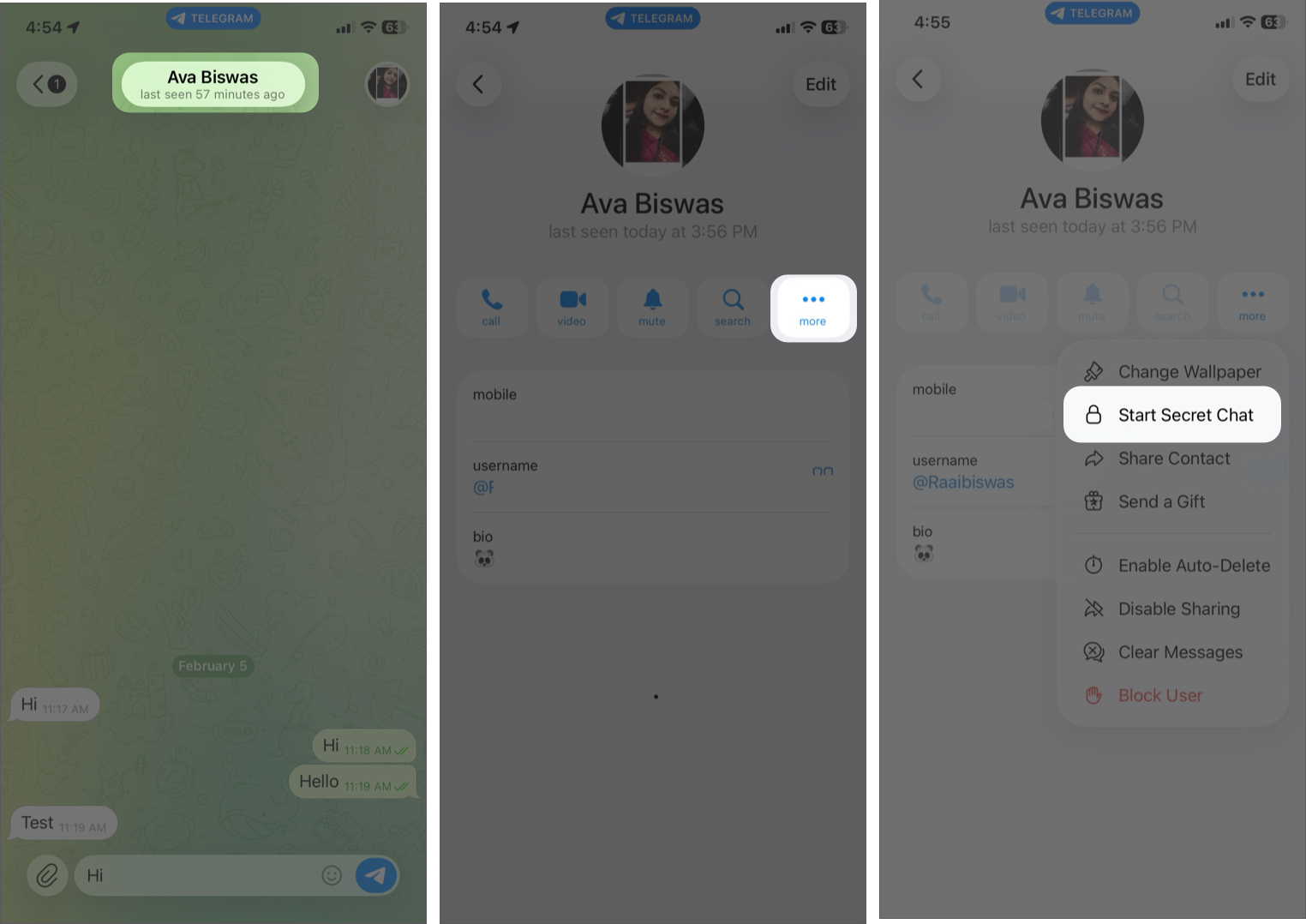
- Open the chat of the contact and tap on their name at the top.
- Now, tap the more and select Start Secret Chat.

5. Telegram Bots replaced 3–4 apps for me
This is where Telegram becomes more than just messaging.
I use bots for:
- File conversion
- Reminders
- Downloading media
- Quick utilities
Instead of installing separate apps, I just interact with a bot inside Telegram. However, not all bots are reliable. Once you find good ones, stick with them.
6. Auto-delete messages keep chats clean without thinking
This is one of those “set once and forget” features.
I turned it on (from chat details > more > Enable Auto-Delete > select 1 week or 1 month) for:
- Active groups
- Meme chats
- Temporary discussions
This helps keep conversations clean without manually deleting anything.
7. AI Summaries replaced my “scrolling habit”
Telegram auto-generates AI summaries for long channel posts and articles, so you don’t have to read everything but still get the key points in seconds.
- Open a chat with a long message.
- Tap the collapse button at the top of the message.
- You will see an AI Summary label on top of the message.
How I use it:
- Skimming long tech/news channels in seconds
- Catching up on missed posts without scrolling endlessly
- Quickly deciding what’s worth reading fully
It feels like having ChatGPT inside Telegram without leaving the app.
8. Member Tags fixed group chaos for me
If you’re part of large groups, this is a lifesaver. Telegram introduced member tags to help assign roles or identities within a group.
With this, you can:
- Label admins, clients, or teammates
- Quickly identify who does what
- Reduce confusion in large discussions
Groups feel more structured when people have context attached to them. Admins can also control who can assign tags.
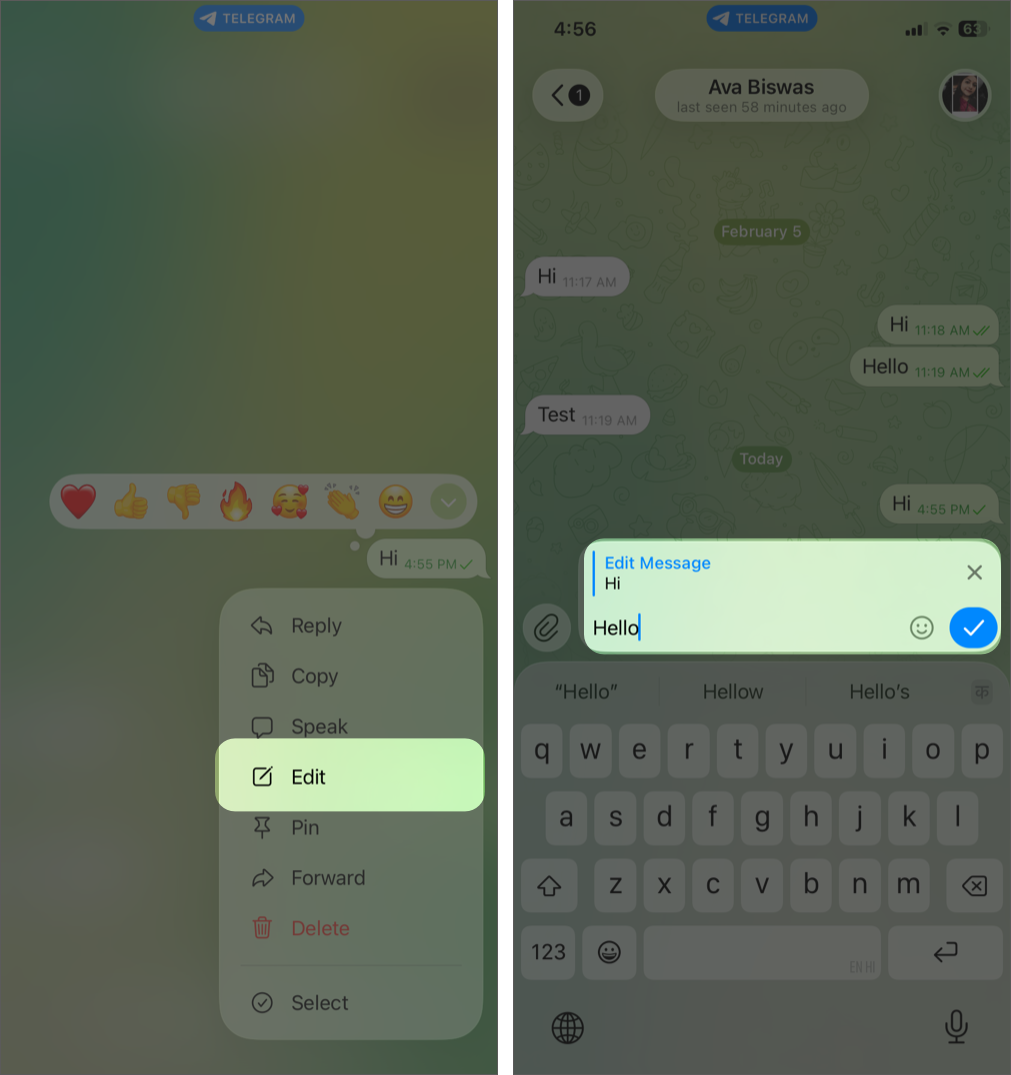
9. Edit sent messages to fix typos
If you tend to make typos, just like me, this is incredibly useful.
You can edit your sent messages any number of times. Unlike other apps, there’s no strict limit on when you can edit, even messages sent long ago.
- Locate the chat that contains the message you want to edit.
- Press and hold the message and select Edit from the pop-up.
- Make changes and tap the check icon to confirm.

10. Send GIFs and YouTube videos more easily
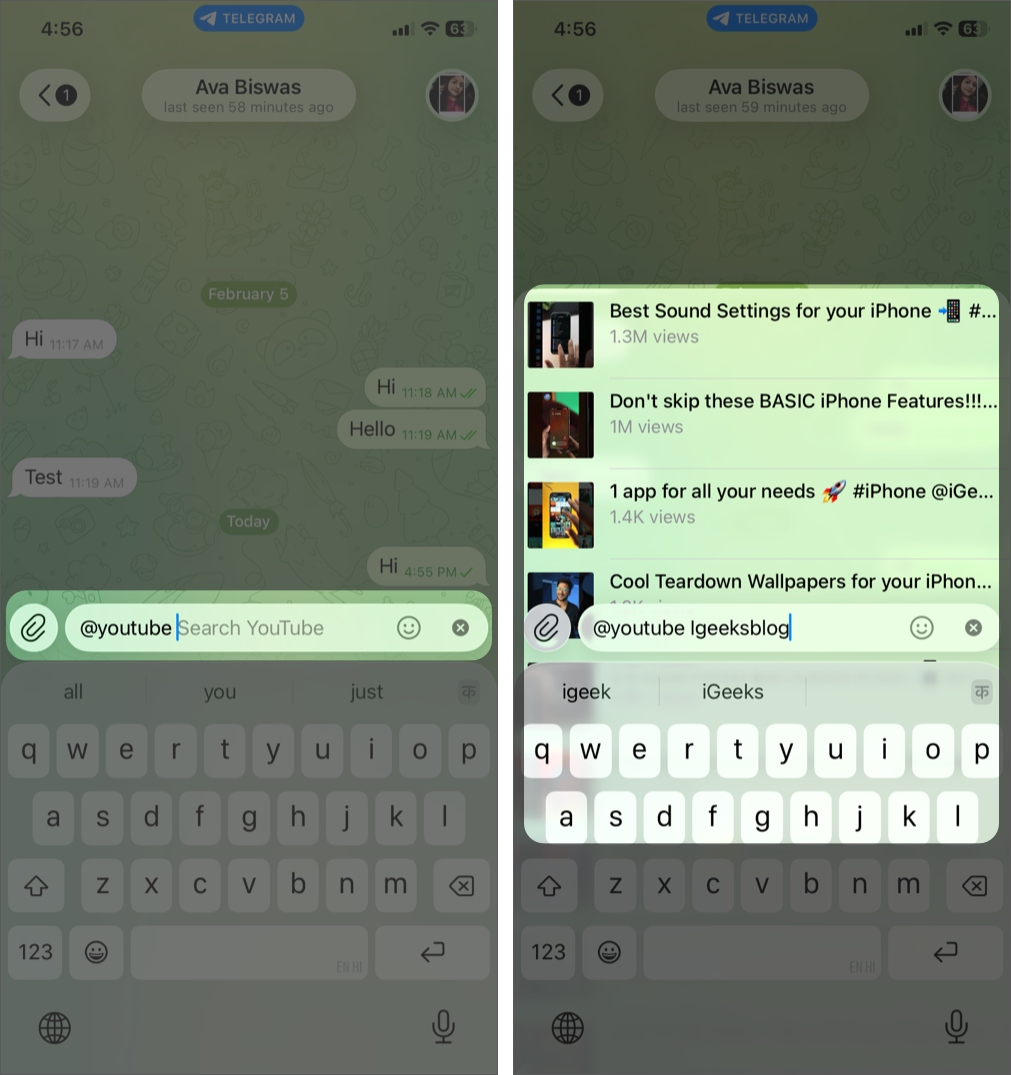
Telegram allows you to share GIFs and YouTube videos directly within the app.
To share:
- Simply go to the chat where you want to send it.
- Type either @gif or @youtube, depending on what you want to share, followed by your search query.
- For example, if you wish to share a video from iGeeksBlog’s YouTube channel, just type @youtube iGeeksBlog and give it a few seconds.

11. Hide your images with spoilers
Want to add a surprise element to your chats?
Select the image you want to send → Tap the three-dot icon → Choose Hide With Spoiler.
12. I didn’t expect built-in video editing to be useful
Telegram lets you edit videos before sending.
To use it:
- Simply navigate to a chat and tap the attachment icon.
- Select the desired video. Customize it according to your preferences.
- Press the send button.
13. Customize Telegram appearance
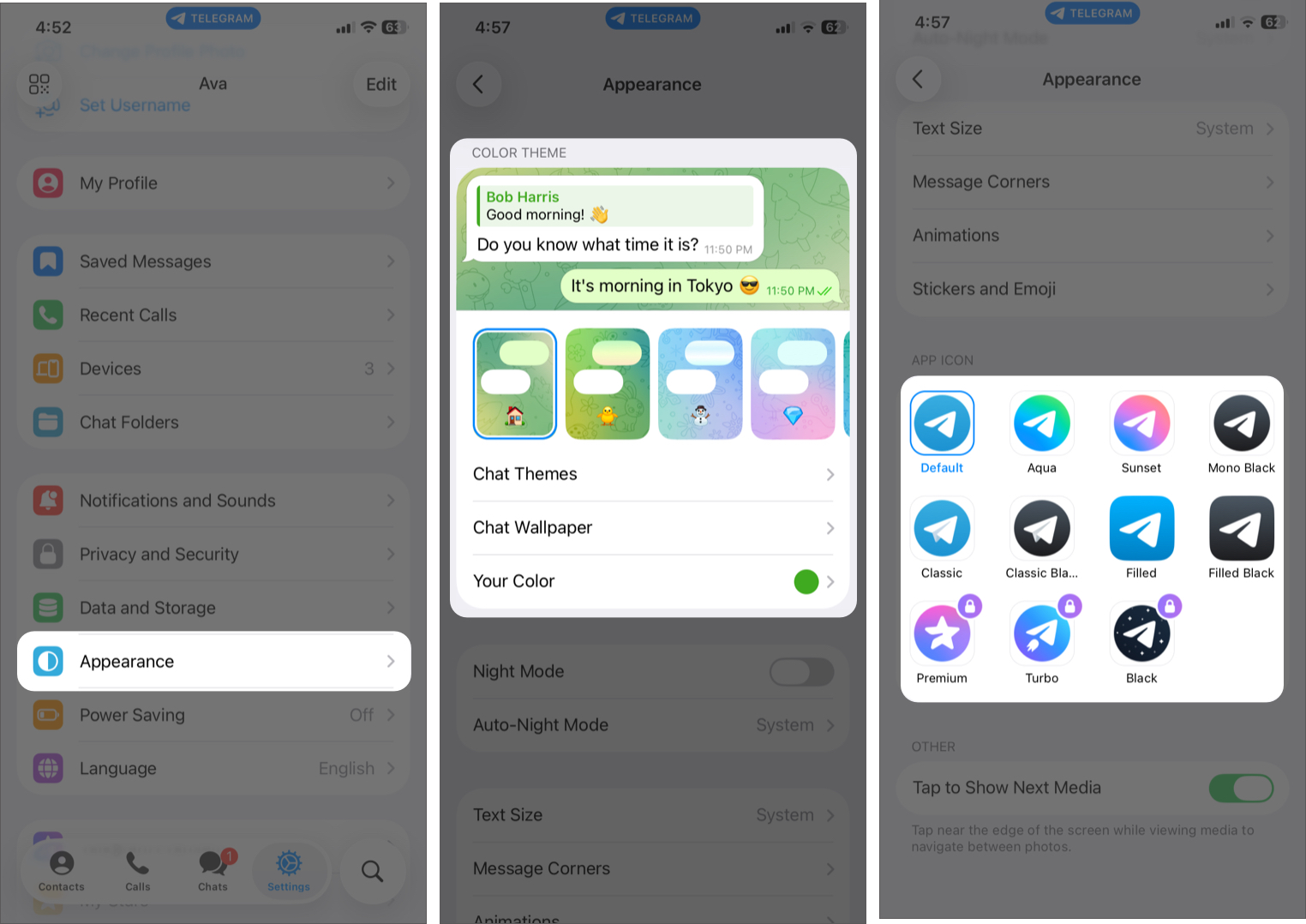
I’ve been using this to make Telegram feel more personal.
- Open the app.
- Navigate to the Settings tab and select Appearance.
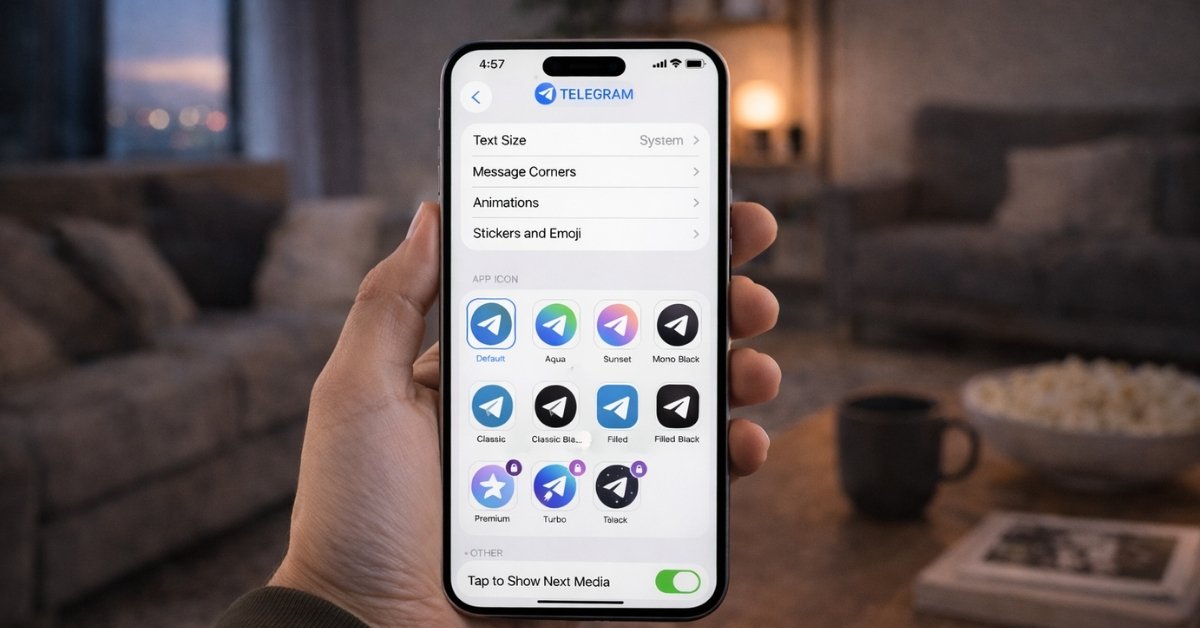
- Here, you can enable Night Mode, change themes, wallpapers, and even the app icon.

Continue exploring Telegram!
After using all these, one thing became clear to me: Telegram isn’t about one killer feature. It’s about small, thoughtful tools that work together. Most of them are hidden behind long-press menus, subtle settings, or Telegram Premium features, which is why many users never notice them.
Which feature do you use the most on Telegram? Let me know in the comments!
You might also like: