
Most backup apps sell the software and cloud space as one package. MSP360 Backup lets you choose where your data goes, including Amazon S3, Backblaze B2, Wasabi, Microsoft Azure, Google Cloud, a NAS, or a local drive.
That freedom is the reason to use MSP360 Cloud Backup software. It is also the catch. You get more control over storage, security, and cost, but setup takes more thought than signing into a service such as Backblaze and letting it run.
MSP360 Cloud Backup review at a glance
MSP360 works best for people and small teams that already have cloud storage in mind or want to avoid tying years of backups to one provider. Mac users get capable file backup, while Windows users can add full-system images and bare-metal recovery.
| Rating | 4.2 out of 5 |
|---|---|
| Best for | Flexible local and cloud backup software with user-controlled storage |
| Price | Free for personal use; Pro starts at $19.99 per computer each year, plus storage |
| Works on | Windows, macOS, Linux, servers, and virtual machines, depending on edition |
- Works with a wide choice of cloud and local storage
- Useful free edition for personal computers
- Detailed schedules, retention rules, versioning, and file restore
- Paid plans add encryption, compression, and immutable backups
- Managed Backup can control many computers from one web console
- Cloud storage is billed separately
- Setup is less friendly than an all-in-one backup subscription
- macOS and Linux support file backup only
- The free Mac edition has no client-side encryption or compression
- Product editions and storage costs take time to compare
A guided setup with one extra job
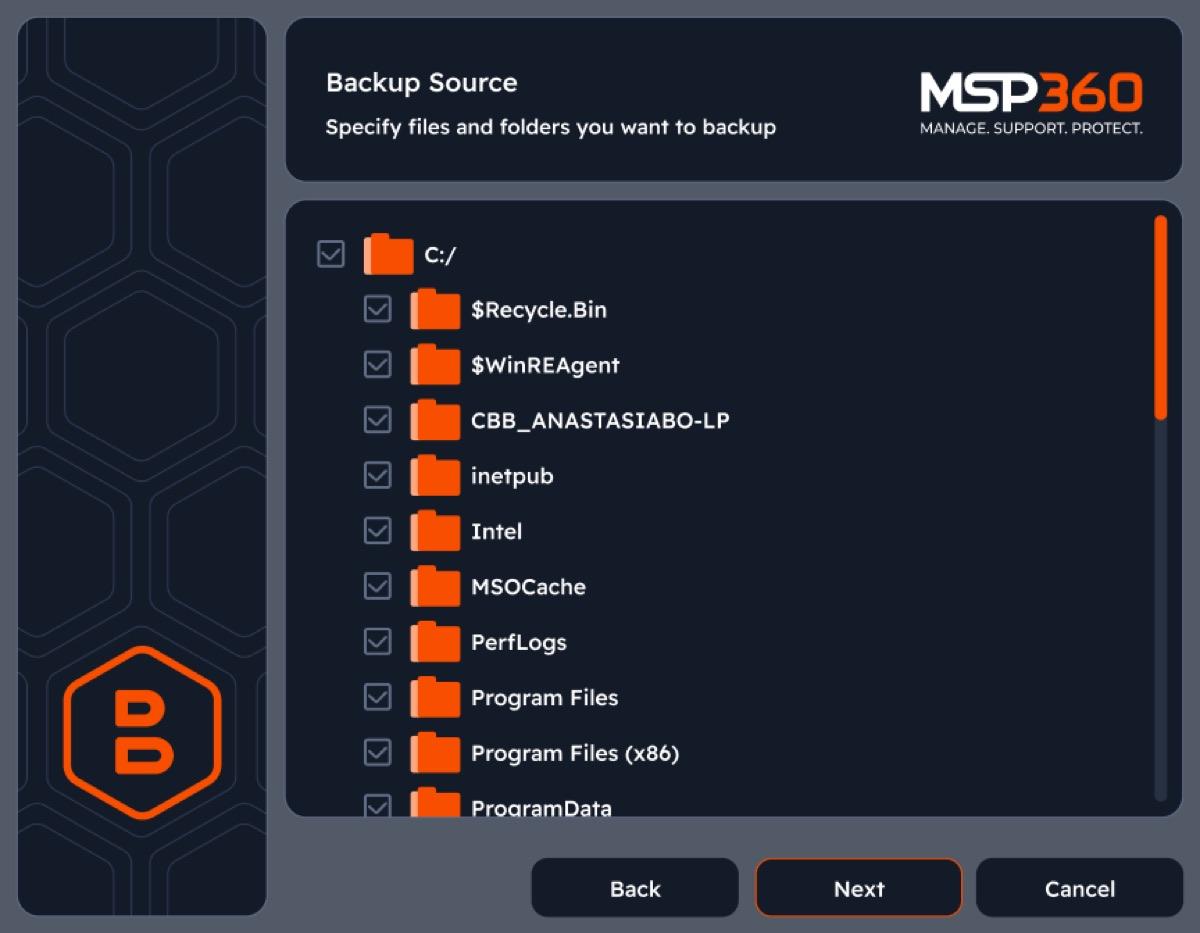
MSP360 organises backup around plans. You add a storage destination, choose the files or drives to protect, set a schedule and retention policy, then save the plan. The wizard breaks those decisions into manageable screens instead of dropping every option into one settings window.
The extra job is connecting storage. A local drive is straightforward, but cloud backup may require an account, bucket, region, and access credentials from the storage provider. That is normal for IT tools. It feels like work if you expected one email sign-in and an unlimited storage button.
Once the first plan is ready, MSP360 becomes much less demanding. It can run backups on a schedule, resume missed jobs, send email reports, keep older file versions, and remove old restore points according to your retention rules.
Storage choice is MSP360’s strongest feature
MSP360 supports major providers such as Amazon S3, Microsoft Azure, Backblaze B2, Google Cloud, IDrive e2, Wasabi, MinIO, Impossible Cloud, and other S3-compatible services. It can also write to external drives, network shares, and NAS storage.
This is more useful than a long compatibility list suggests. You can keep a fast local copy for quick restores and a cloud copy away from your computer. You can also move to a provider whose price, region, or retention rules suit you better without changing backup software.
The downside is a less predictable bill. MSP360’s license does not include cloud capacity. The storage provider may charge for stored data, requests, retrieval, and downloads. Cheap archive tiers look attractive until you need a large restore quickly, so check recovery fees and waiting periods before choosing one.
If you mainly want files synced across devices, a regular cloud storage service for Mac will be easier. MSP360 is for versioned backup and recovery, not everyday file sharing.
Mac backup is useful but file-only
The platform difference matters more than the feature count. On Windows, MSP360 Cloud Backup software can back up selected files or create an image of the system, including the operating system, apps, settings, and data. Eligible Windows editions can restore that image to a repaired computer, new hardware, or a virtual machine.
On macOS and Linux, MSP360 backs up files and folders only. You can protect Documents, Photos libraries, project folders, external drives, and selected network data, but you cannot create a bootable or full-system Mac image with it.
That makes MSP360 a companion to Time Machine rather than a replacement. Time Machine remains the simpler way to back up an entire Mac to an external drive. MSP360 earns its place when you want selected files copied to cloud storage you control, with more precise schedules and retention.
The current Mac app supports Intel and Apple silicon. The native Apple silicon build requires macOS 13 Ventura or later and 8 GB RAM. The Intel build supports macOS 10.12 or later, with 4 GB RAM as the minimum.
Security is strong when you configure it properly
MSP360 Pro can encrypt backup data before it leaves the computer with AES-128, AES-192, or AES-256 encryption. This client-side approach matters because the storage provider receives encrypted data rather than the original files.
Keep the encryption password somewhere safe. MSP360 does not store it, and there is no reset link that can unlock an encrypted backup. Lose the password and the backup is useless.
Paid editions also support Object Lock with compatible Amazon S3, Wasabi, and Backblaze B2 storage. Object Lock keeps backup data from being changed or deleted during a chosen period, which gives ransomware less opportunity to damage the recovery copy.
The free edition is less reassuring on Mac. It has versioning and the storage provider’s own transport security, but the Mac edition comparison shows that client-side encryption and compression require Pro. Free is fine for a local test or low-risk files. I would pay for Pro before sending private documents or family photos to third-party cloud storage.
Scheduling and restores offer real control
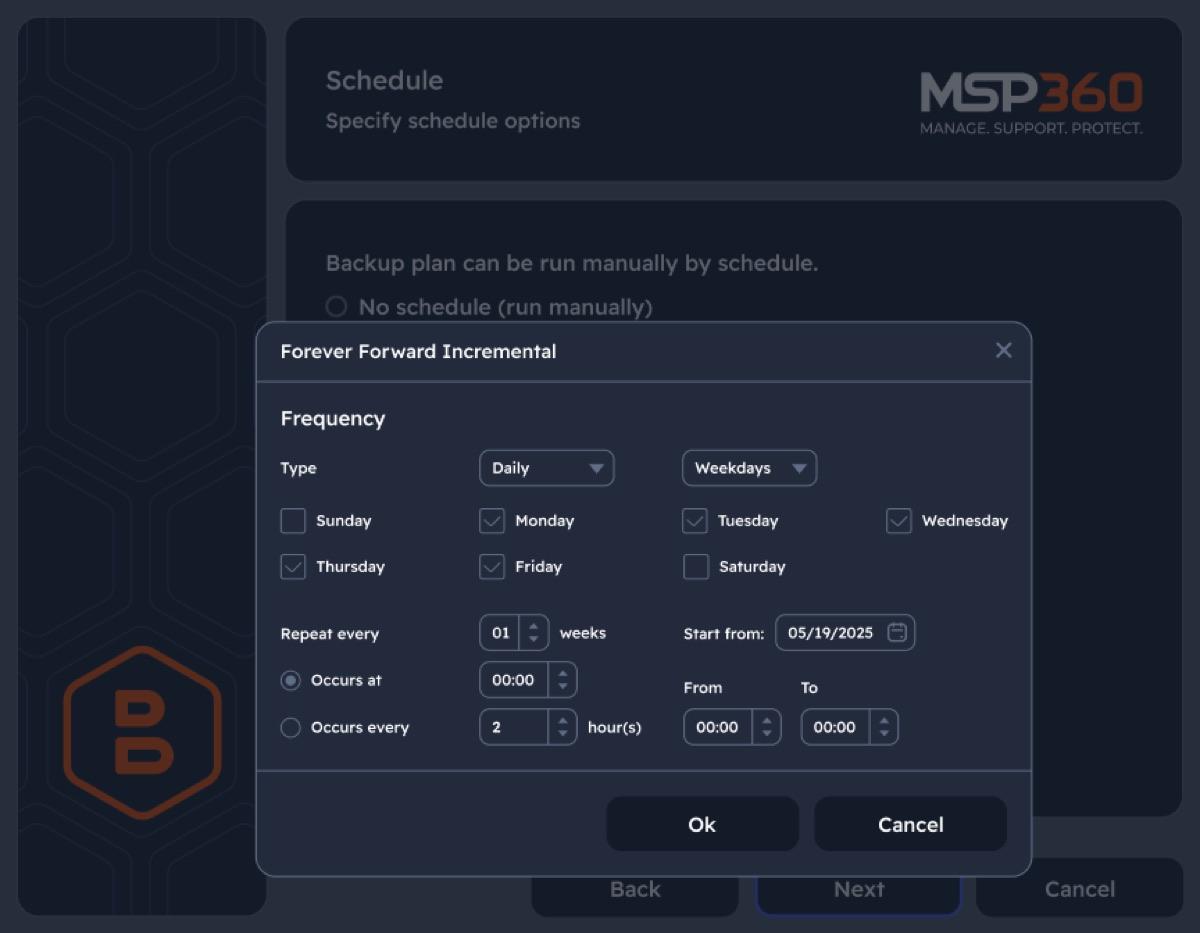
Backup plans can run manually, once at a set time, or on a recurring schedule. You can filter file types, skip folders, limit bandwidth, keep a set number of versions, retain backups for a chosen period, and receive an email when a job finishes or fails.
The restore wizard mirrors the backup process. Choose the storage account and backup plan, select a restore point, pick the files, then restore them to their original location or another folder. You can recover the latest copy or go back to an older version before a bad edit, deletion, or corruption.
This part is practical, but it deserves a test before you trust it. Run a small backup, delete or move a harmless file, and restore it to a temporary folder. A green backup report proves that data was uploaded. A successful restore proves that you can get it back.
Large restores still depend on the storage provider and your connection. A local drive will usually be faster than cloud storage, while archive tiers may take hours to prepare data and charge a retrieval fee.
MSP360 Free, Pro, or Managed Backup?
The three editions suit different levels of control. The current prices below cover the software license. Cloud storage costs are separate.
| Edition | Current price | Best for |
|---|---|---|
| Free | Free | Personal, non-domain computers with up to 5 TB of protected data |
| Pro for macOS or Linux Personal | $19.99 per computer each year | Encrypted, compressed file backup managed on one computer |
| Pro for Windows Desktop | $29.99 per computer each year | Local management with file and image-based Windows backup |
| Managed Backup | Quote-based | Businesses and MSPs managing several computers from one web console |
The Free edition is generous. It has no time limit, supports local and cloud destinations, allows one network share, and protects up to 5 TB. Start there if you want to understand the workflow before paying.
MSP360 Pro pricing is low for the backup software itself. Pro is the better choice for cloud backups of private files because it adds encryption and compression. Each license covers one computer, though, so the savings shrink as you add devices.
Managed Backup is for a different problem. It adds central monitoring, alerts, remote administration, and a web console for multiple endpoints. A small company with five or more computers should compare it with buying and checking several standalone Pro licenses. A home user does not need it.
Who should skip MSP360 Backup?
Skip MSP360 if you want one subscription with storage included and almost no setup. An all-in-one service will be easier to understand, even if it gives you less control. The best Mac backup software includes simpler options for continuous personal backup.
Mac users who want full-system recovery should also keep Time Machine or another disk-level Mac tool. MSP360 protects Mac files well, but it cannot rebuild the entire Mac from an image.
It is also a poor fit if you do not want to learn how your storage provider charges for retrieval and downloads. The lowest price per terabyte is not always the cheapest backup once recovery begins.
Is MSP360 Backup worth it?
Yes, if storage control matters more to you than a one-click setup. MSP360 combines local backup, broad cloud support, flexible schedules, version recovery, encryption, and immutable storage without forcing your data into one company’s cloud.
The Free edition is a good way to test the workflow. Pro is worth the modest annual cost for encryption and compression, especially on a Mac. Managed Backup makes sense only when several computers need central oversight.
The rough edge is not the backup engine. It is the buying decision. You must choose an edition, a storage provider, a storage class, and a sensible retention policy. Get those choices right, and MSP360 is a capable backup tool that can grow from one computer to a managed fleet.
Verdict: 4.2/5. MSP360 Backup offers excellent storage freedom and detailed recovery controls at a fair software price. Separate cloud billing, a more technical setup, and file-only Mac backup keep it from being the easiest recommendation for everyone.