Saving one online video is easy enough. Keeping high-quality videos, playlists, subtitles, and audio organised is where browser tools start to feel clumsy. 4K Video Downloader Plus moves the whole job into a desktop app, with more control and fewer questionable download buttons.
It is available for Mac, Windows, and Linux, and the permanent free version covers occasional downloads. Unlike a platform-specific tool, it combines video, audio, subtitle, playlist, and file-management options in one place.
You can download 4K Video Downloader Plus for free and upgrade only if its daily limits or premium feature restrictions get in your way.
4K Video Downloader Plus review: Pros, cons, and key details
4K Video Downloader Plus suits people who save online videos regularly and care about file quality, formats, subtitles, or larger collections. It offers much more control than a basic web downloader while keeping the first download approachable.
| Rating | 4.5 out of 5 |
|---|---|
| Best for | Saving and organising online videos, audio, playlists, and subtitles |
| Price | Free Starter tier; premium plans start at $15 per year |
| Works on | macOS, Windows, and Linux |
- Clean interface with a quick copy-and-paste workflow
- Downloads in resolutions up to 4K and 8K when available
- Useful format, audio, subtitle, playlist, and channel controls
- Smart Mode removes repetitive setup
- Permanent free tier is enough for occasional use
- Free downloads have daily quantity limits
- AI processing, automatic subscriptions, and other advanced tools require higher plans
- Supported-site reliability can change when platforms update
4K Video Downloader Plus interface and download experience
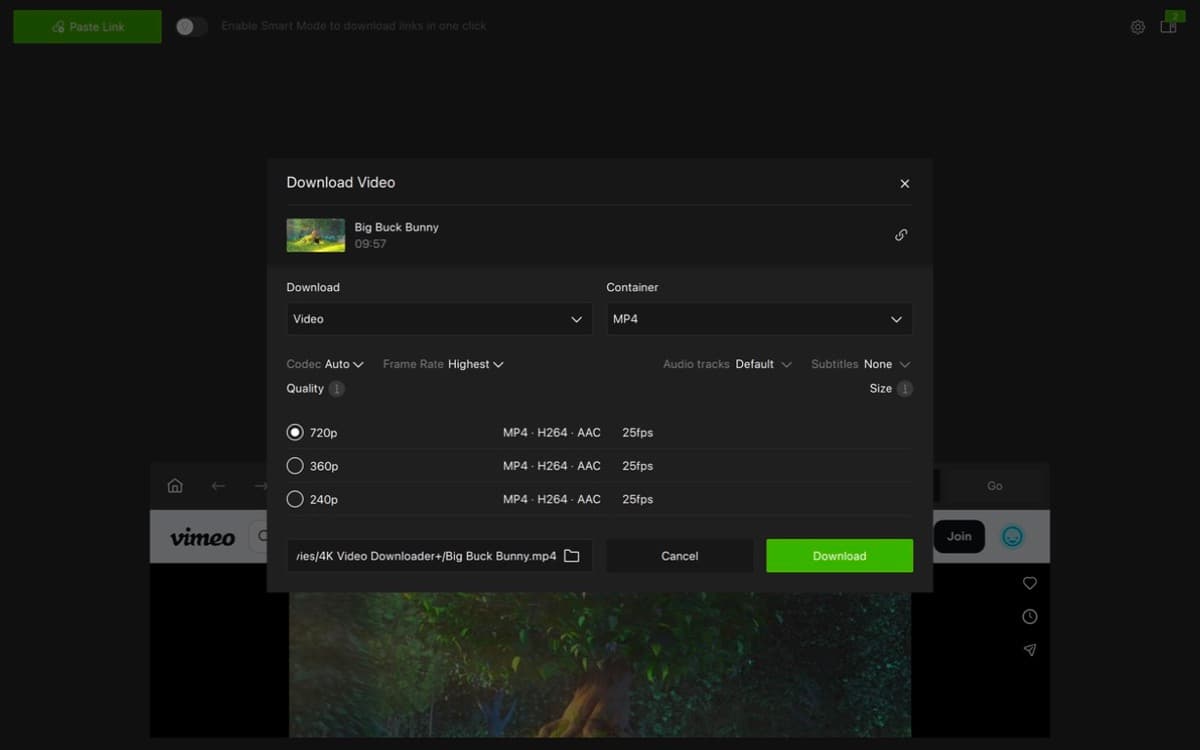
The main window revolves around one obvious action: copy a video link and select Paste Link. The app analyses it, presents the available quality and format choices, and lets you choose where the file should go. It is a familiar workflow, but putting it inside a proper desktop app makes it feel safer and more predictable than jumping between web downloaders.
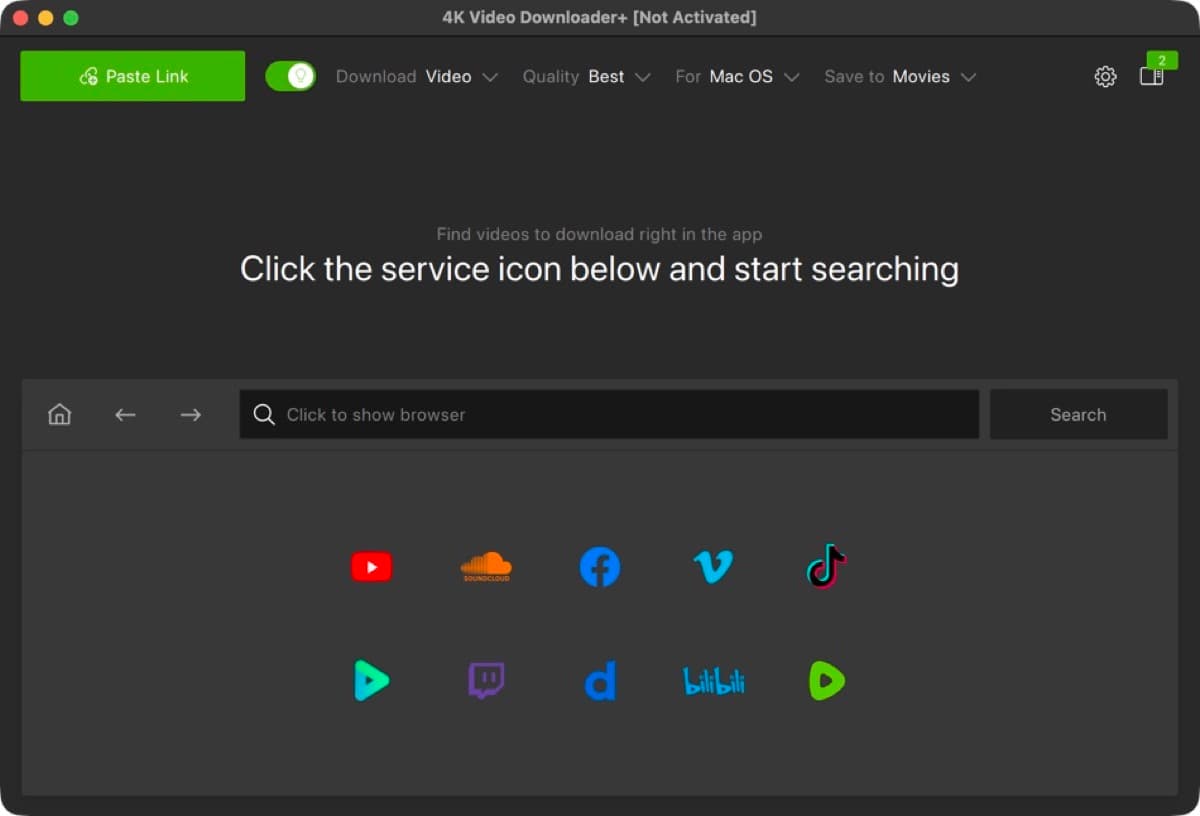
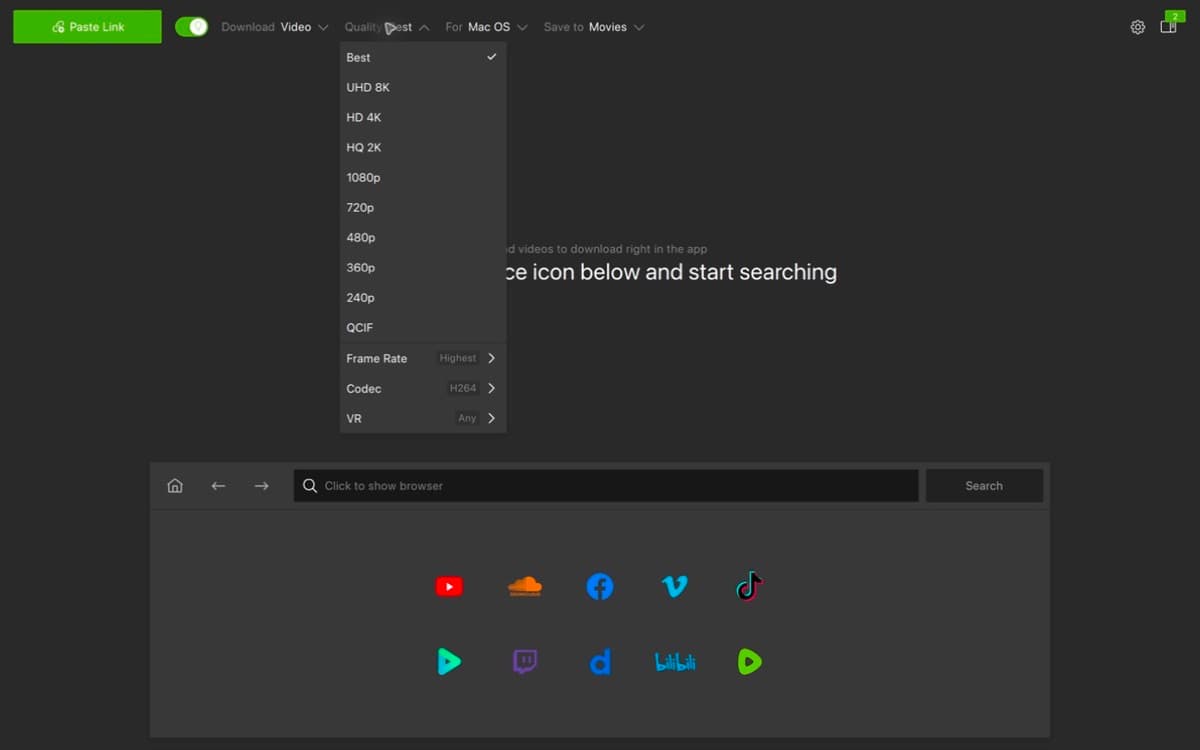
The interface does not force every setting into view. A casual user can accept the recommended options and move on, while someone building an offline collection can choose the resolution, format, audio track, subtitles, frame rate, and destination folder.
Supported websites, video quality, and file formats
4K Video Downloader Plus handles media from services such as YouTube, X (Twitter), Instagram, TikTok, Facebook, Vimeo, Twitch, SoundCloud, and more. This broad coverage is useful if your saved media comes from several sites rather than one streaming platform.
4K Video Downloader Plus can save videos in MP4 or MKV at resolutions ranging from standard HD to 4K and 8K. The source still sets the limit; a 1080p upload will not become 4K, but the app preserves the best quality that is actually available.
It also covers the details that become important after the first few downloads:
- Audio-only downloads: Extract audio as MP3, M4A, or OGG instead of keeping the full video.
- Subtitles: Save available subtitles as SRT files, including multiple languages where provided.
- Playlists and channels: Queue larger collections instead of feeding the app one link at a time.
- Multiple audio tracks: Keep original or dubbed tracks when the source provides them.
- Special video formats: Download supported 3D and 360-degree videos for offline playback.
What are the best features of 4K Video Downloader Plus?
Choosing the same format, resolution, subtitle language, and folder for every file gets old fast. Smart Mode lets you save those preferences once and apply them automatically to future downloads.
Smart Mode is the feature worth turning on first. Set MP4, your preferred quality, and a destination folder, and later downloads can start with little more than a pasted link.
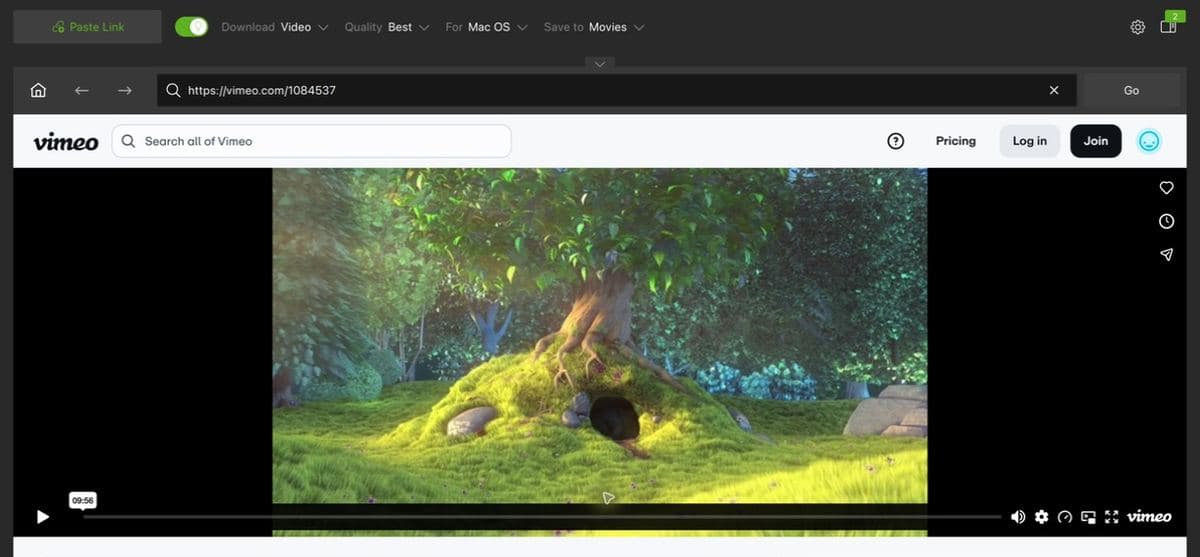
The built-in browser lets you find media and start downloads without constantly switching between the app and a separate browser. Eligible paid plans also let you sign in to supported services for private or protected media that your account already has permission to view.
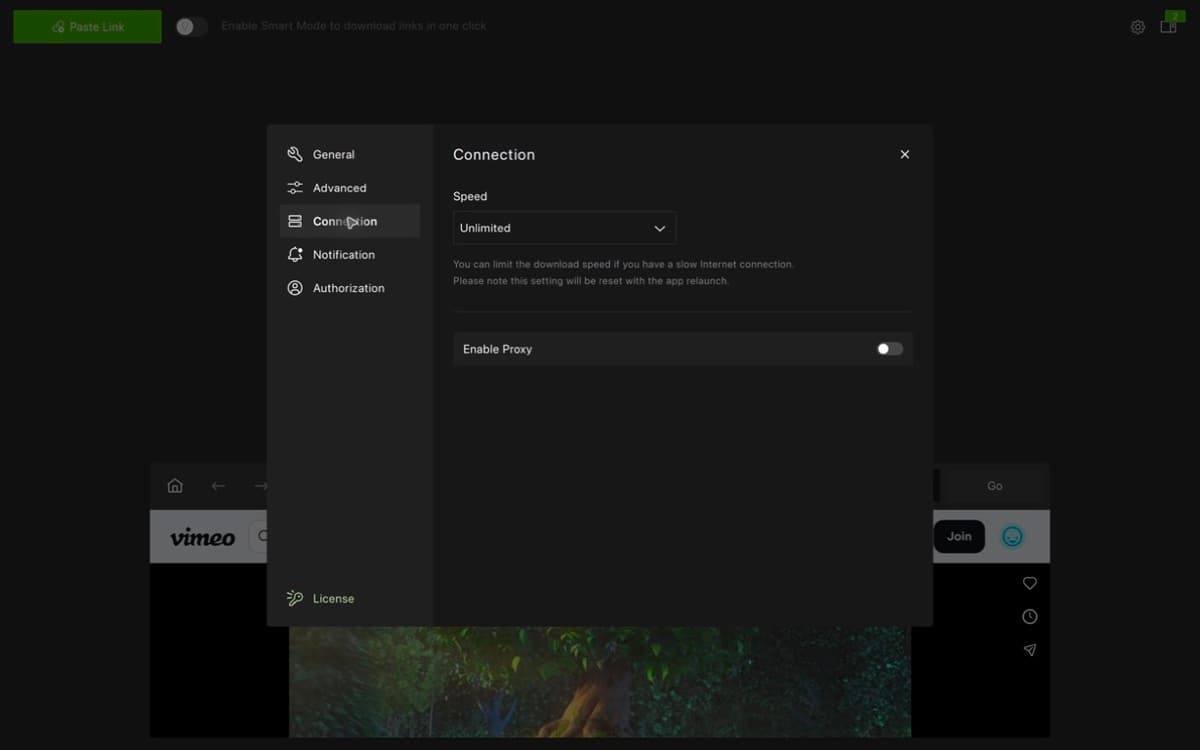
Users who follow regularly updated channels or playlists can subscribe to them in the app and automatically save new uploads. The built-in proxy can also help when a supported service is blocked by a network or unavailable in a region. These features require an appropriate premium plan, and availability and local rules still apply.
Version 26.1 also added AI audio processing. From the same workspace, Pro users can remove background noise or echo, isolate vocals or speech, and strip music from a downloaded file. These tools will not replace a full audio editor, but they are handy for cleaning up an interview, preparing a voice track, or making a quick karaoke version.
Download performance and file management
Download speed depends on the source website, resolution, connection, and file size. The practical performance advantage comes from the workflow: the app analyses links, queues downloads, and keeps completed files in one manageable list.
You can sort and filter downloads, control individual items or groups, and import or export download records. This matters once you move beyond occasional clips and start handling playlists, courses, reference videos, or several audio files at once.
Skip 8K unless you genuinely need it because the files can consume storage surprisingly quickly. Platform support can also break temporarily when video services change how they deliver or protect media, so keeping the app updated is important.
4K Video Downloader Plus free vs paid plans
The Starter tier is permanently free, with no payment details or short trial countdown. Its main restriction is a daily quantity limit, making it best for occasional use rather than large libraries.
The current premium options are straightforward:
| Plan | Current price | Best for |
|---|---|---|
| Starter | Free | Occasional individual downloads |
| Lite | $15 per year | One user who wants the main features without daily limits |
| Personal | $25 lifetime | Regular personal use across up to three computers |
| Pro | $45 lifetime | AI tools, more simultaneous downloads, automatic subscriptions, and commercial use |
Prices and promotions can change, so check the final purchase page before paying. For most people, the free plan is the right starting point. Personal offers better long-term value once the daily limits become annoying, while Pro makes sense only if you need its automation, AI processing, or commercial license.
The current desktop release requires macOS 12 or later, Windows 11 or later, or 64-bit Ubuntu 22.04 with GNOME or later. Native Apple Silicon and Intel installers are available for Mac.
Is 4K Video Downloader Plus worth it?
Yes, if saving online media is something you do regularly. 4K Video Downloader Plus brings quality controls, audio extraction, subtitles, playlists, repeat-download presets, and file management into one clean desktop app. It feels like a proper utility rather than a website you visit only when every other option fails.
Occasional users should stay with the free tier. You can use it to download YouTube videos one at a time, download full playlists, save a Facebook video, or extract Instagram Reel audio. The desktop app earns its place when you want consistent quality, repeatable settings, and organised downloads.
The main limitation is outside the app’s control: video platforms change frequently, and support can occasionally break until an update arrives. You should also download only content you own, have permission to save, or are otherwise authorised to use.
Verdict: 4.5/5.
4K Video Downloader Plus combines a friendly interface with enough depth for demanding downloads. The free version is genuinely useful, and the paid plans add convenience without turning the basic experience into a demo.