I use CarPlay almost every time I drive, mostly for navigation, music, and quickly handling things without picking up my iPhone. After updating to iOS 27, I tried the new CarPlay features, and most changes focus on making these everyday actions easier.
From smarter Siri controls to better media playback and improved navigation, here are the iOS 27 CarPlay features that actually made a difference while driving.
Video apps on CarPlay
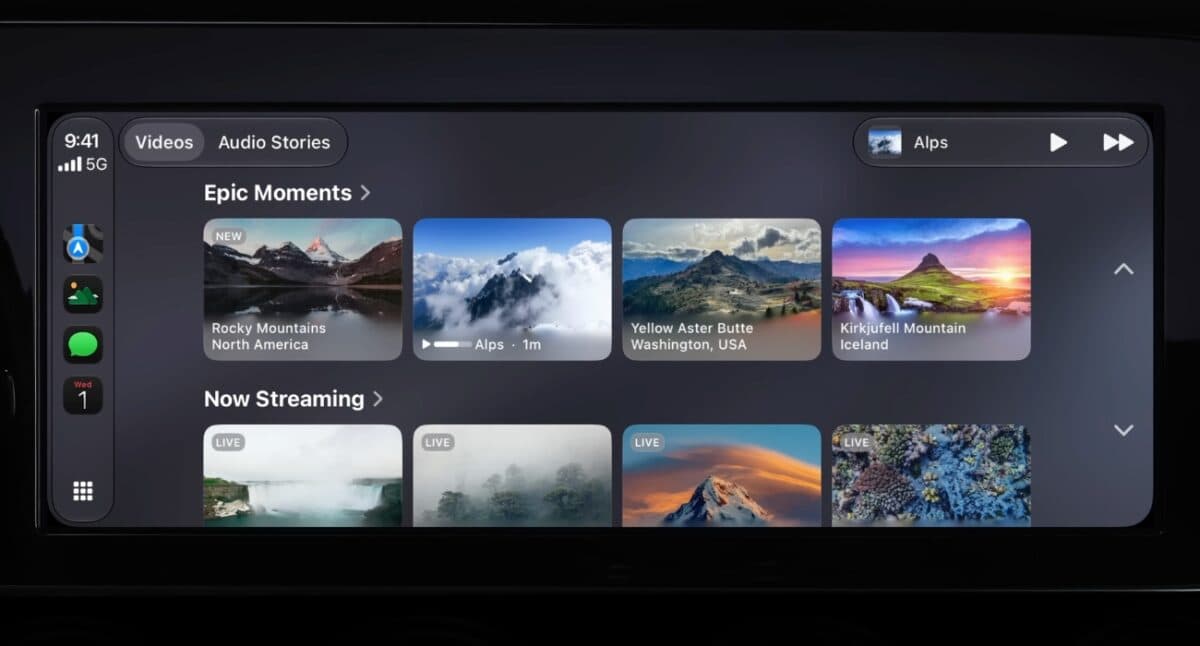
Video app support was the feature I was most curious about after installing iOS 27, but it isn’t something you can actually use yet. Apple has added support for video apps in CarPlay, but car manufacturers still need to enable it before it reaches vehicles. Once available, you’ll be able to browse and watch videos on your car’s display while parked. If you start driving, playback will automatically switch to audio for safety.
Apple is also allowing compatible iPhone apps to stream content to the car’s display using AirPlay, though that feature will also depend on vehicle support.
Siri AI integration
I’d already spent some time using Siri AI in iOS 27, so I knew what to expect when Apple brought it to CarPlay. The experience feels much like Siri AI on the iPhone. You can ask follow-up questions, complete tasks, and continue conversations without reaching for your phone. Conversations also sync with the Siri app on your iPhone, so you can pick them up later.
Improved Now Playing controls
The updated Now Playing screen makes media controls much more convenient to access. Instead of switching back to the playback screen, a persistent mini-player stays visible across supported audio and media apps with album artwork and playback controls. Apple has also added a progress bar, making it easier to jump to a specific part of a song, podcast, or audiobook.
New wallpapers
iOS 27 also brings new wallpapers designed specifically for CarPlay. There are 14 options with different wave-style designs and colors.
Along with that, CarPlay gets larger content thumbnails and Apple’s new Liquid Glass-style icons, giving apps like Maps and Weather a refreshed look.
Better route data sharing
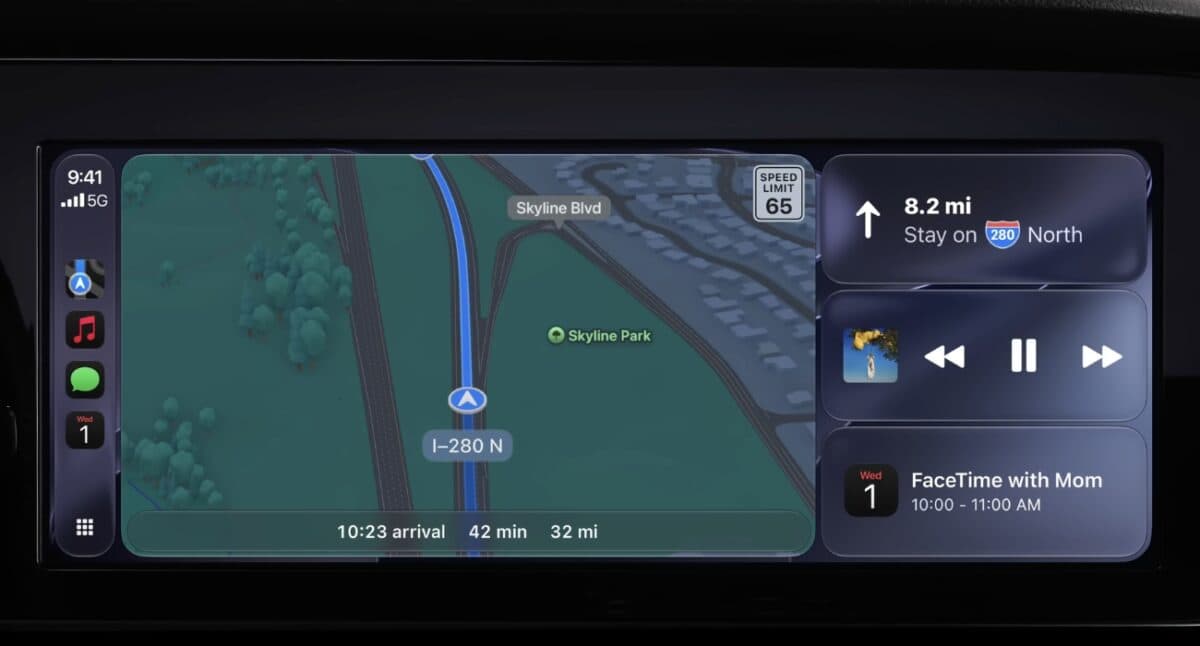
This feature will matter most if you drive an electric vehicle. Navigation apps like Apple Maps and Google Maps can now share route data with compatible vehicles, allowing the car to compare your planned route with its remaining battery range. If charging is needed before reaching the destination, the vehicle can suggest charging stops automatically.
Improved wireless CarPlay reliability
Wireless CarPlay already makes getting into the car more convenient, so improvements to reliability are always welcome. Apple says iOS 27 delivers a more stable wireless connection, along with better GPS accuracy and heading detection, which should help navigation stay more accurate throughout a drive.
Voice control support for more apps
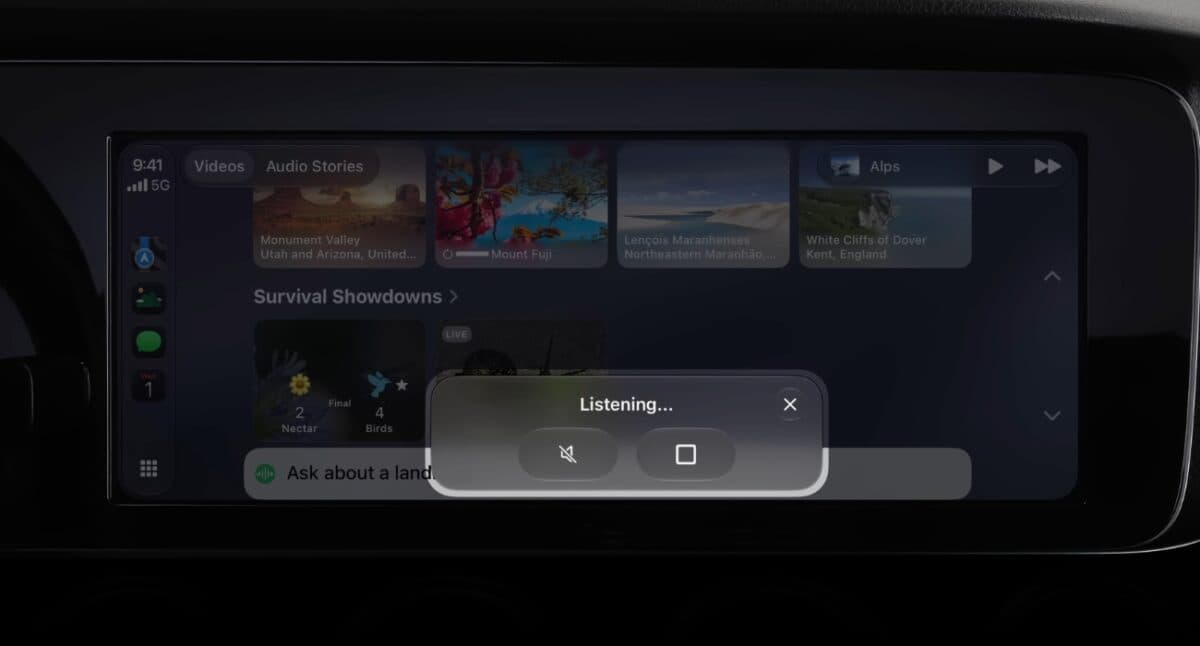
Most CarPlay apps still require at least a few touches on the display, but Apple wants that to change. With iOS 27, every CarPlay app category can support voice controls through a new voice control template, making it easier for developers to build hands-free experiences into their apps.
Natural language search in Apple Maps
Giving directions should feel less robotic with iOS 27. Apple Maps can now understand more natural navigation requests through Siri, so asking to avoid toll roads or highways should work the way you’d expect instead of relying on specific voice commands.
iOS 27 CarPlay compatibility
The new CarPlay features require an iPhone running iOS 27. Siri AI also requires Apple Intelligence, which is available on the iPhone 15 Pro and newer models.
Summing up…
iOS 27 doesn’t completely change CarPlay, and it doesn’t need to. Most of the additions solve small frustrations or make existing features better. A few upgrades still depend on car manufacturers, but the changes that are already available make this an update I’m happy to keep using.
Which iOS 27 CarPlay feature are you most excited to use? Let us know in the comments.
Related articles worth reading: