FaceTime Like a Pro
Get our exclusive Ultimate FaceTime Guide 📚 — absolutely FREE when you sign up for our newsletter below.

FaceTime Like a Pro
Get our exclusive Ultimate FaceTime Guide 📚 — absolutely FREE when you sign up for our newsletter below.


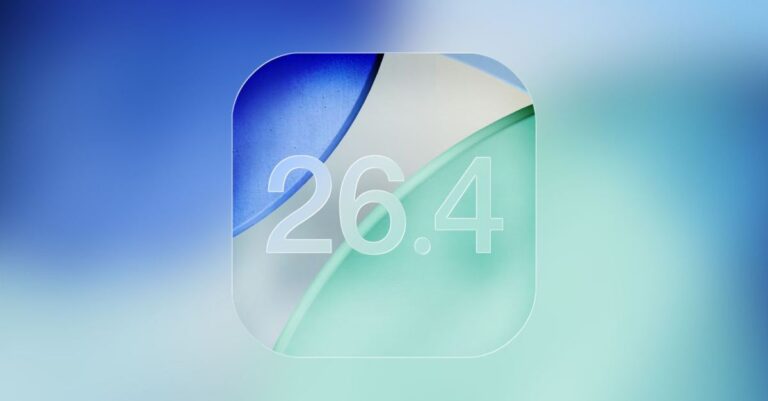
iOS 26 adoption remains unusually low months after release, with many users sticking to iOS 18 due to design concerns, stability issues, and a lack of urgency to upgrade.
 ByVikhyat


Months after iOS 26 was made available to the public, its adoption rate remains unusually low among iPhone users, according to third-party analytics. Data from StatCounter, as shared by Cult of Mac, indicates that many iPhone users are sticking with older iOS versions rather than upgrading.
StatCounter’s January 2026 data reveals that a mere 15-16% of active iPhones have upgraded to any version of iOS 26. The numbers break down to approximately 10.6% for iOS 26.1 and about 4.65% for iOS 26.2, while the original iOS 26.0 barely registers with just over 1%.
When compared to prior versions, the disparity is clear. More than 60% of tracked iPhones are still running on iOS 18, with minor updates like iOS 18.6 and 18.7 comprising the majority. Historically, at this same point post-release, adoption rates for iOS 18, iOS 17, and iOS 16 hovered between the 50-60% mark, underscoring just how much of an anomaly the adoption of iOS 26 is.
Several factors seem to be behind this reticence to upgrade to iOS 26. Chief among them is Liquid Glass, Apple’s extensive visual redesign that introduces features like translucent layers, blurred backgrounds, and effects based on depth throughout the system. Although visually striking, the redesign has sparked a wave of criticism, with users citing issues like reduced readability, visual clutter, and unnecessary complexity.
Additionally, Apple’s current approach to software support plays a significant role. Users can comfortably remain on iOS 18 while still receiving security updates, which notably lessens the urgency to upgrade. Many users now prioritize stability and familiarity over new features.
Public sentiment has also been affected by critiques from those who did upgrade to iOS 26, especially on platforms like Reddit and X (which was previously known as Twitter). A common theme among these users is dissatisfaction over Apple’s decision to stop signing older iOS 18 builds, effectively preventing downgrades. This has only fueled criticism, particularly from users discontent with battery drain and user interface changes in core apps.
Changes in apps like Phone, Camera, and Messages are being described by some as downgrades rather than enhancements. These updates, which were meant to refine workflows, are perceived instead as disruptive, dissuading users who are already hesitant to install the latest update.
Together, these reactions hint at why the uptake of iOS 26 is notably sluggish, impeded by design controversies, limited ability to downgrade, and a heightened preference for stability over visual experimentation.
The low adoption rate of iOS 26 reflects not just a fleeting decline but possibly a shift in user priorities. Liquid Glass is undeniably bold, but its effect on readability and daily workflows has marked a clear division among users. Furthermore, those who upgraded only to find themselves dissatisfied face a difficult path forward, with frustrations cascading across social networks. Consequently, many cautious users are deciding to skip the update completely.
In our view, iOS 26 divides opinion more than it outright fails. Until the user interface concerns are addressed and user confidence is rebuilt, iOS 18 is likely to remain the more appealing choice for many.
What are your thoughts on why users are hesitant to update to iOS 26? We’d love to hear from you, so share your insights in the comments.