Beginning from April 28, 2026, Fortnite has taken a major step towards addressing the concerns around its d4vd cosmetics, which emerged after the singer was charged by a US court in the brutal murder of a 14-year-old girl. Precisely, the game now allows self-service refunds for d4vd-related emotes and jam tracks in exchange for V-Bucks. Prior to this date, users had to go through the time-consuming process of contacting Epic Games support in order to return these items.
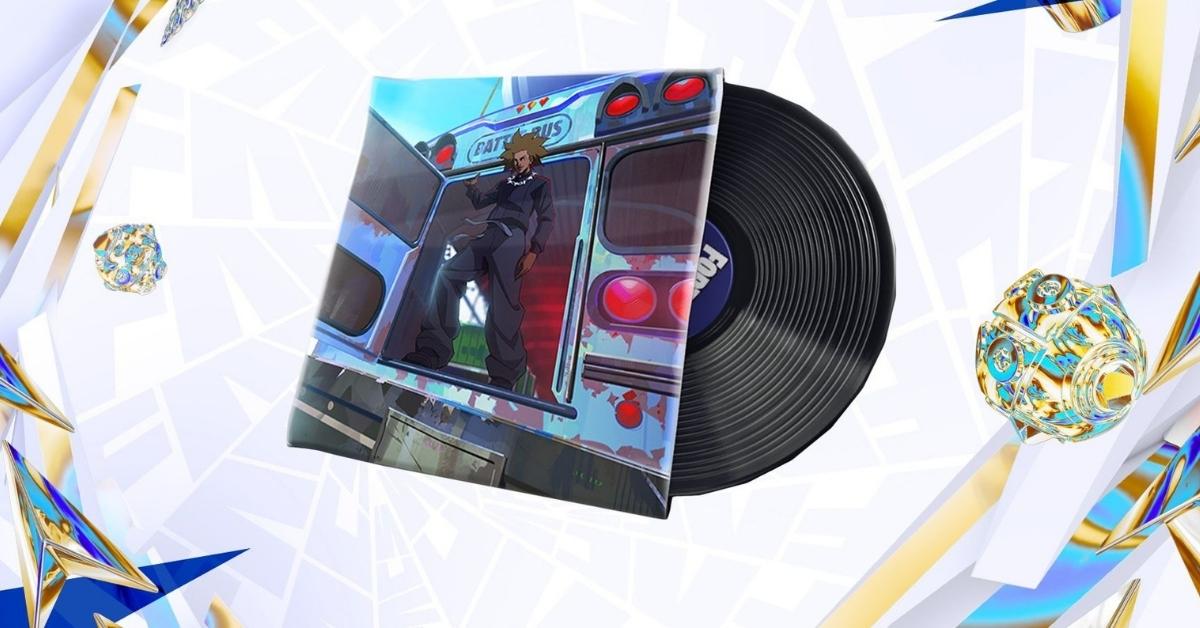
The Fortnite emotes eligible per this refund policy are the “Feel It” and “Trophy Drop” emotes, released in 2024 and 2025, respectively. On the flipside, there are two jam tracks, namely “What Are You Waiting For” and “Locked & Loaded” that fall under this category.
However, it’s worth noting that certain items from “d4vd’s Locker Bundle” (released in April 2025) are not considered here, as that bundle also contained existing Fortnite skins and other cosmetics, which were only picked to be included by the 21-year-old singer and were not directly linked with him.
If you own any of the eligible items in Epic’s highly popular shooter title and want to get a refund for the same using the self-service method, simply follow the steps below.
Steps to refund d4vd Cosmetics in Fortnite
- Open Fortnite and click on the profile icon at the top-right corner.
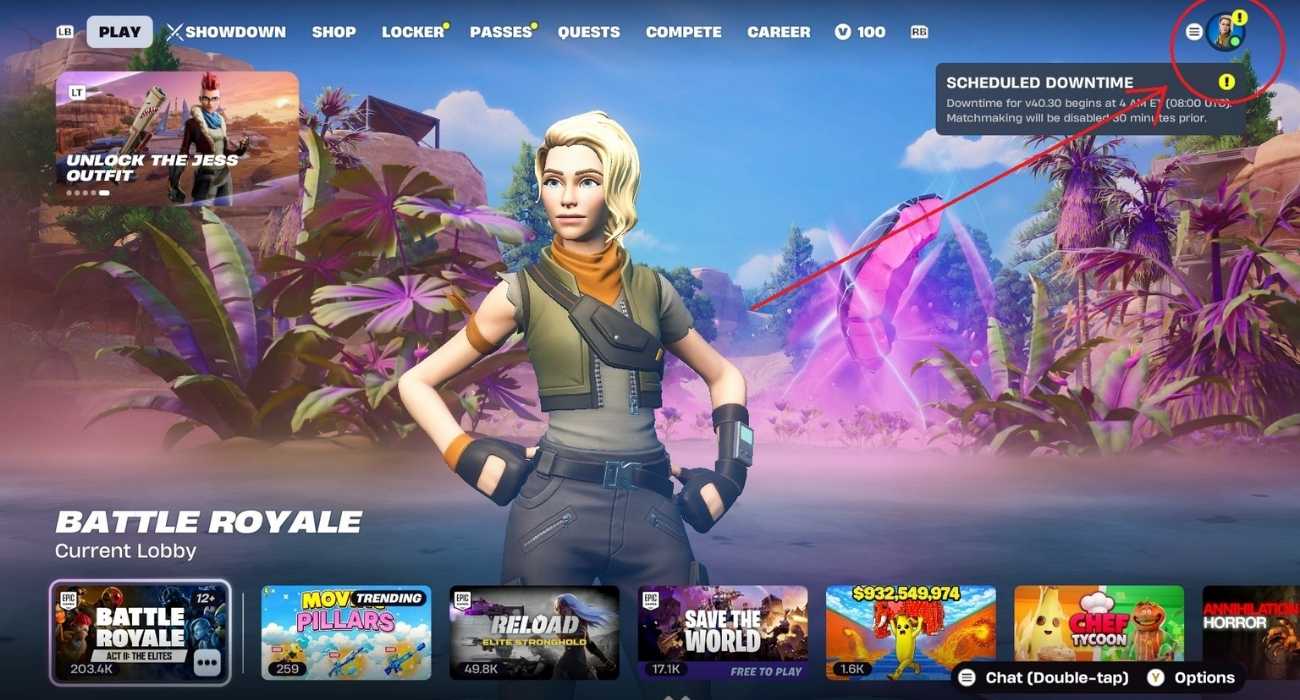
- Go to the Menu tab.
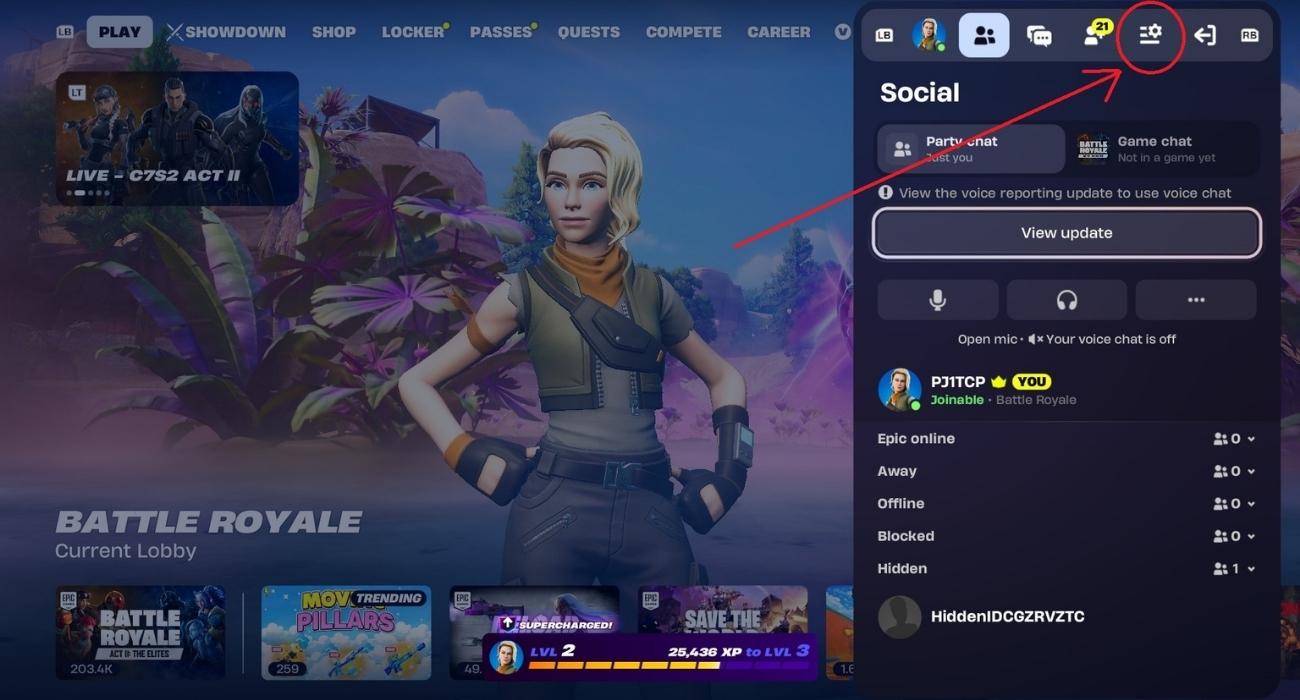
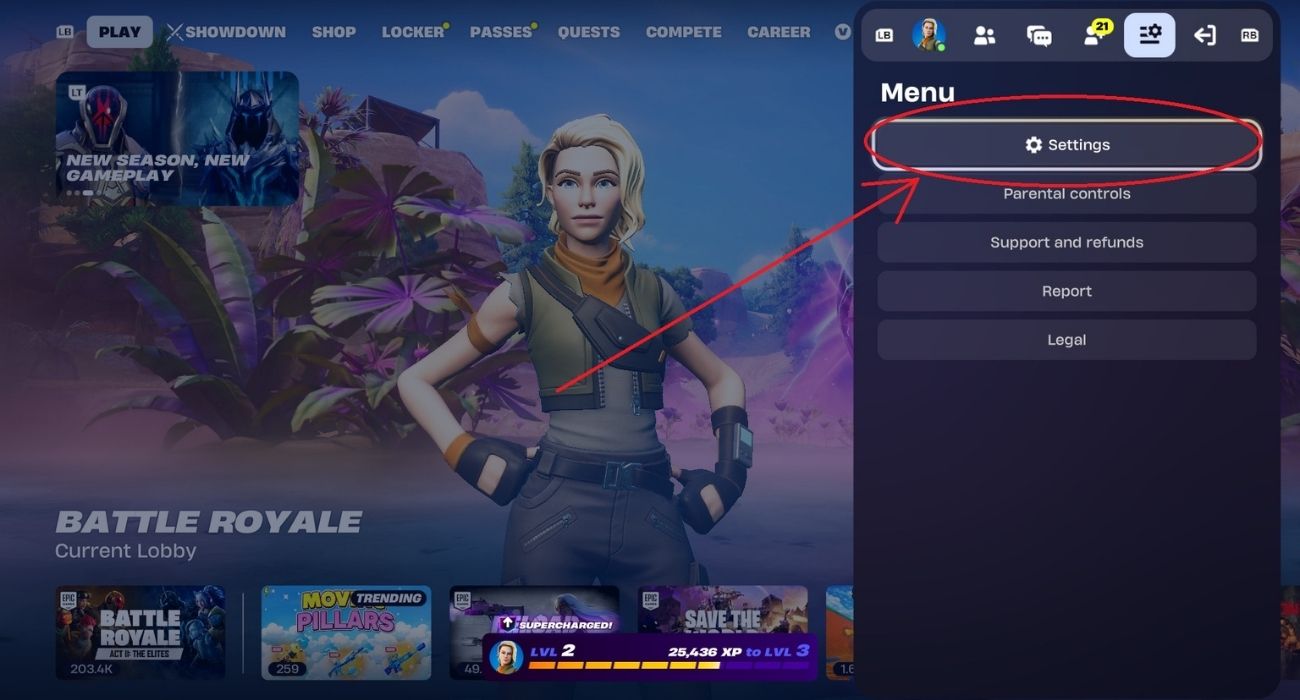
- Select “Settings”.
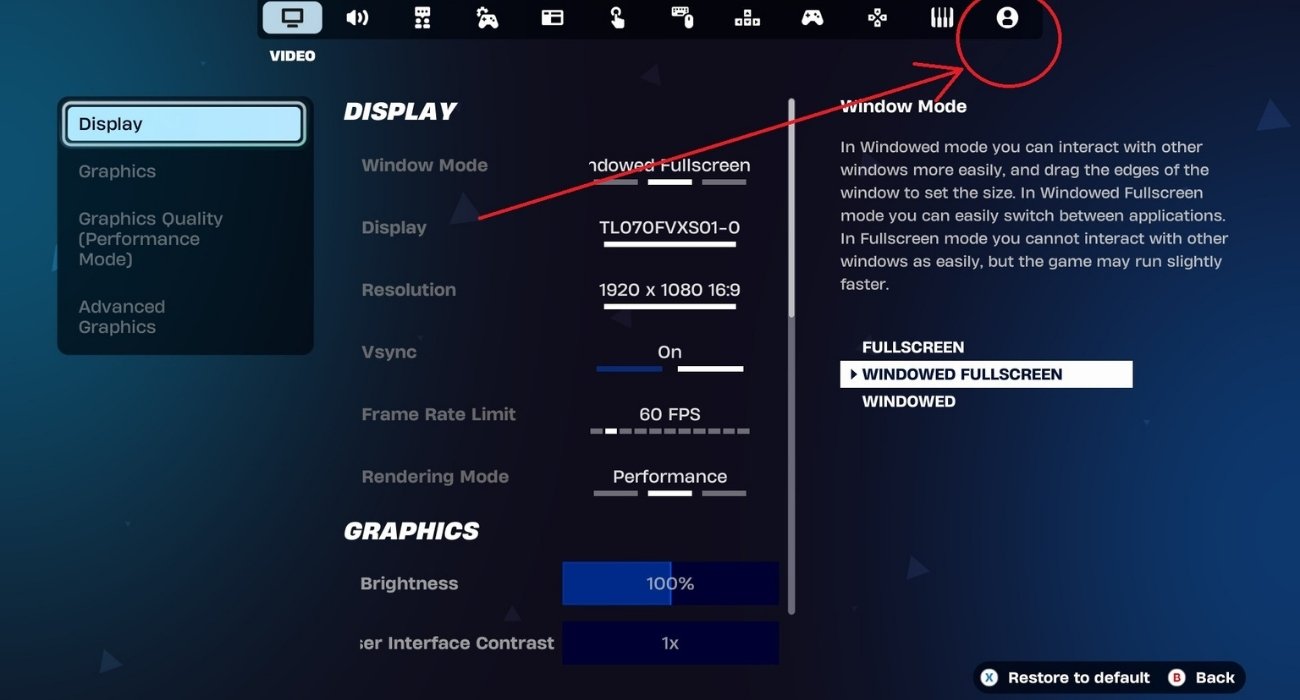
- Go to the Account and Privacy tab.
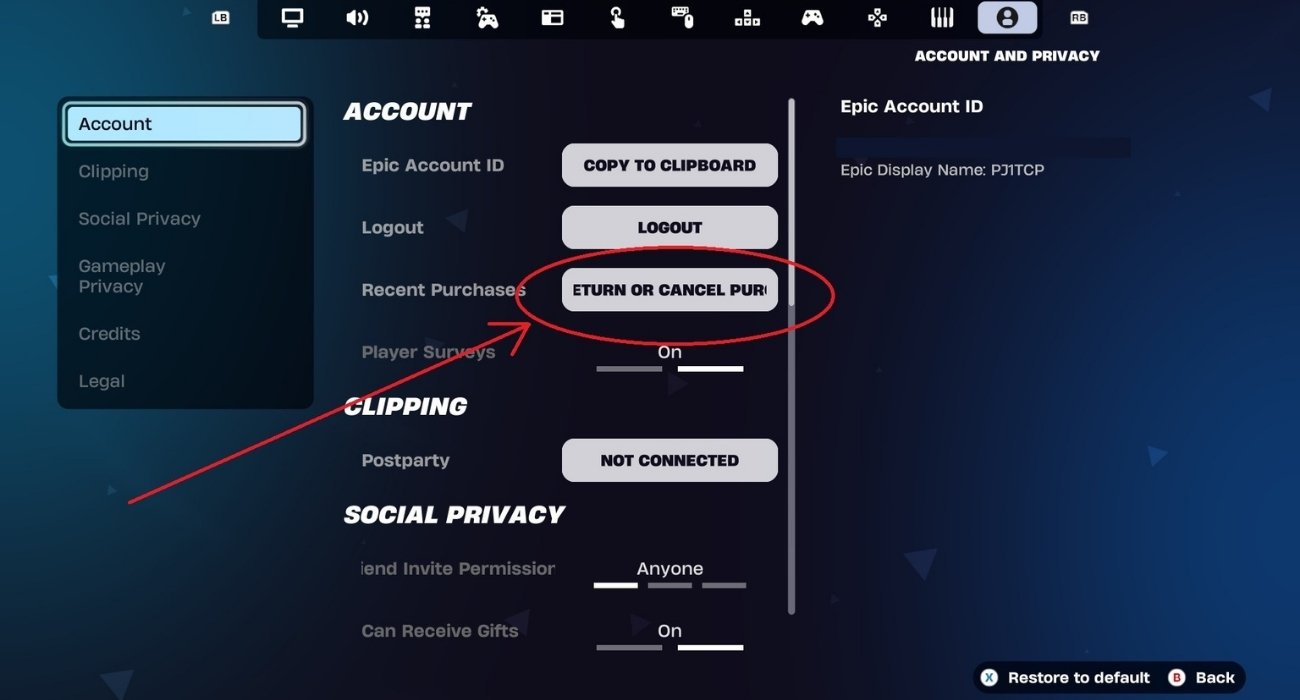
- Under the Account section, select the “Return or Cancel Purchase” option.
- On the next screen, select the item you want to return.
Finally, confirm your decision. Once that’s done, the corresponding V-Bucks will be reflected on your screen.
You may Like: Beginner’s guide for Fortnite Save The World
Future changes to Fortnite’s d4vd items
Apart from the above, Epic Games has also announced a forthcoming change to d4vd emotes in Fortnite. Starting from May 14, with the 40.40 update, “Feel It” and “Trophy Drop” emotes will join the list of confrontational emotes, which you can easily disable from the game’s settings.
On May 14 (40.40 update), the Feel It and Trophy Drop Emotes will be added to the Confrontational Emotes list so you can choose not to see them. Details on this setting as a reminder here: https://t.co/i0R4KxYQyD
— Fortnite Status (@FortniteStatus)
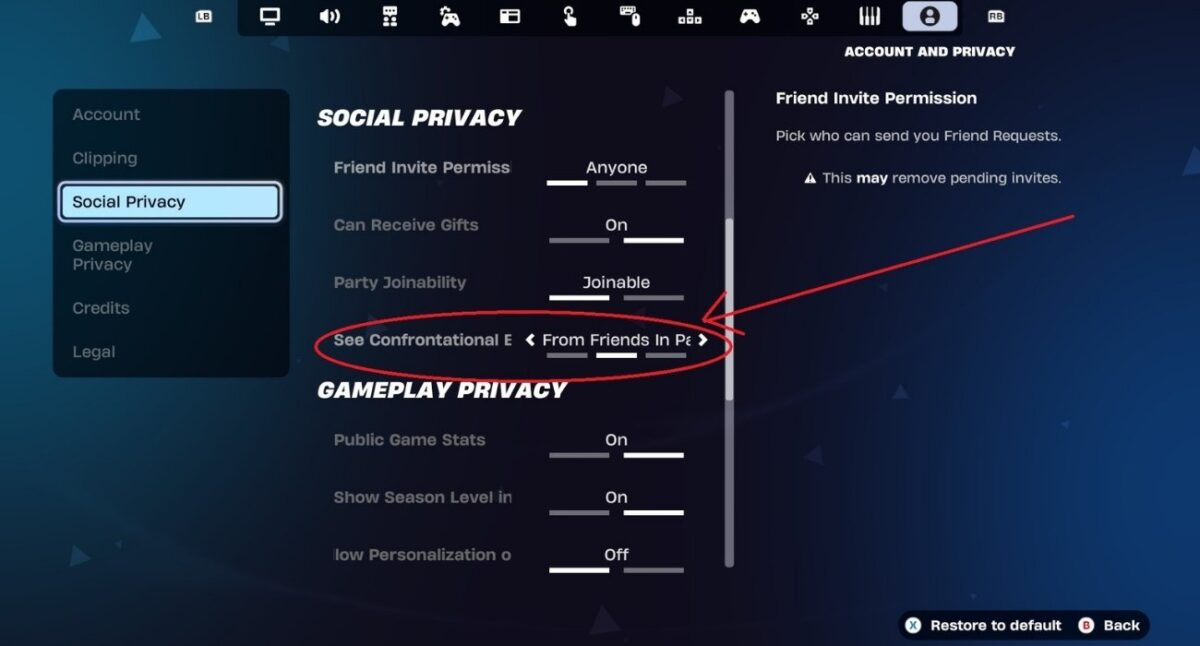
To do this, you can visit the Account and Privacy tab, go to the Social Privacy section, and use the “See Confrontational Emotes” toggle to choose either “From anyone”, “From friends in party”, or “Never.” By default, this is set to “From friends in party.” Some popular emotes, such as the “Take the L” emote, make up the existing bunch of confrontational emotes.
FAQs
There are two emotes, “Feel It” and “Trophy Drop”, and two jam tracks, “What Are You Waiting For” and “Locked & Loaded” that comprise d4vd cosmetics available in the game.
Yes, you can simply refund these in-game items and get V-Bucks in their place.
Fortnite players have been refunding d4vd cosmetics primarily because of the American singer’s arrest in the gruesome murder of a teenage girl.
Only the “Feel It” emote and the “What Are You Waiting For” jam track in “d4vd’s Locker Bundle” pack can be refunded. Other items are ineligible because they are not linked directly to the singer and existed before the bundle was created.
You may like to read: