
There is little doubt that Fortnite is a highly competitive game, in which each action can be the difference between a Victory Royale and a loss. That’s a big reason why, in an ocean of competitive online games, ranging from PUBG to Overwatch, Fortnite is still considered to be arguably the most challenging and one that requires the most skill.
From knowing when to build which structure to mastering each firearm, there are quite a few boxes you must check to consistently grind out great results in the game. If you’re struggling in the game and are not sure where you need to improve, certain online resources can help you monitor your stats to improve in Fortnite. These are called Fortnite trackers, and here we have a list of the best ones available in 2026.
What you should know before using Fortnite Tracker tools
Before we move on to talking about the best Fortnite tracker tools, there is something users, especially newcomers, must know. The following web utilities work by sourcing players’ stats from the official Epic Games API and, hence, are generally safe to use with the game. In other words, there is no real risk of any account ban or adverse action from the devs for using these Fortnite tracker websites.
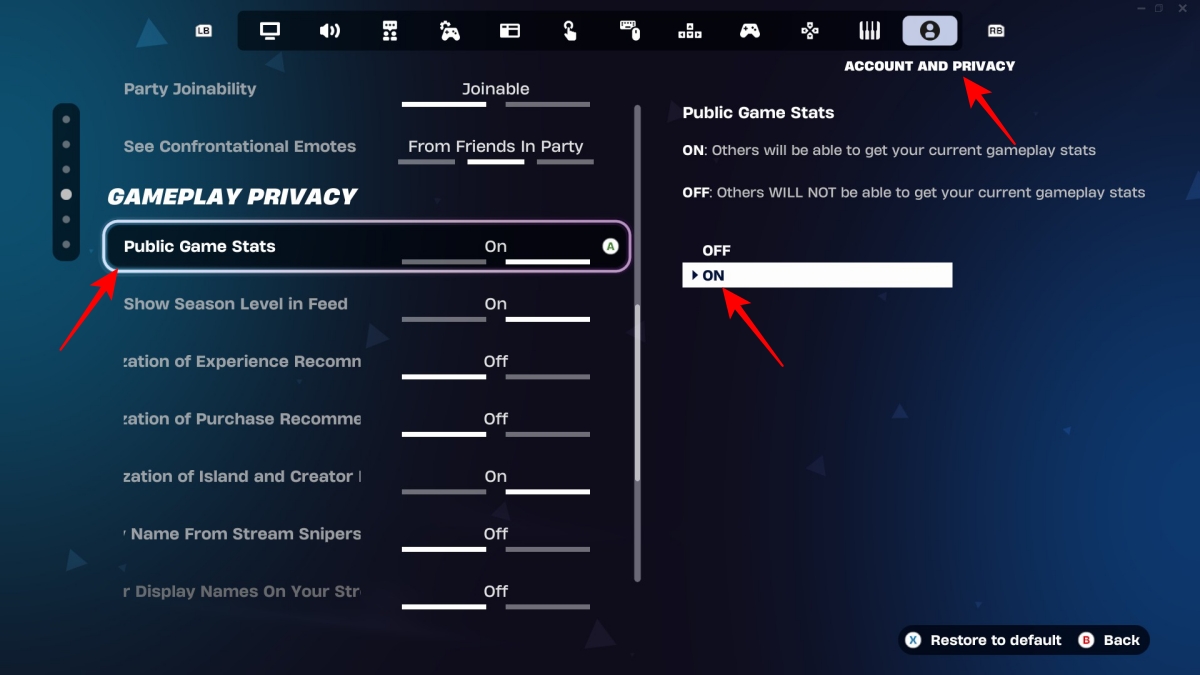
Also, since these services rely on your public Fortnite data, you must ensure that the corresponding in-game setting has been enabled. With Fortnite open, just click on the profile icon (top-right) to open the side-bar, then go to the Menu tab, select the Settings option, select the Account and Privacy tab under the Gameplay Privacy section, and set the Public Game Stats toggle to “On.”
Best Fortnite tracker sites
1. Fortnite Tracker
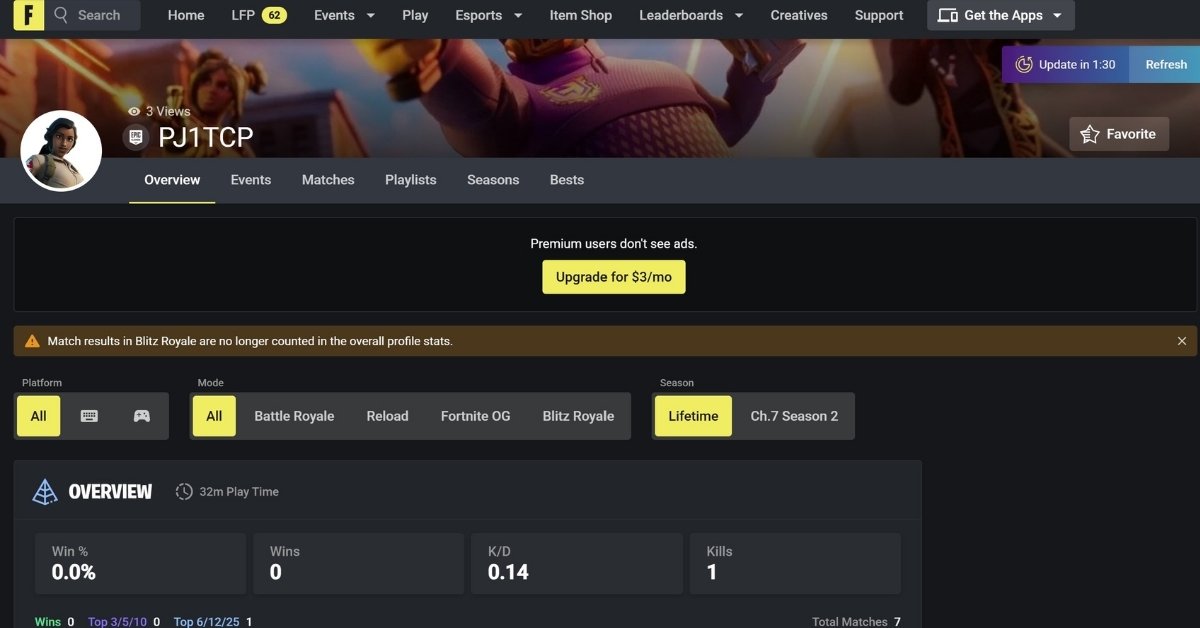
Fortnitetracker.com is the go-to stats aggregator if you want the most detailed info about your online Fortnite sessions. Among the various stats reported by fortnitetracker.com are primary stats, such as win percentage, K/D ratio, and number of Top 3 finishes, as well as miscellaneous ones, including kills per match and number of players outlived in any specific match. I personally liked its variety of data and intuitive layout.
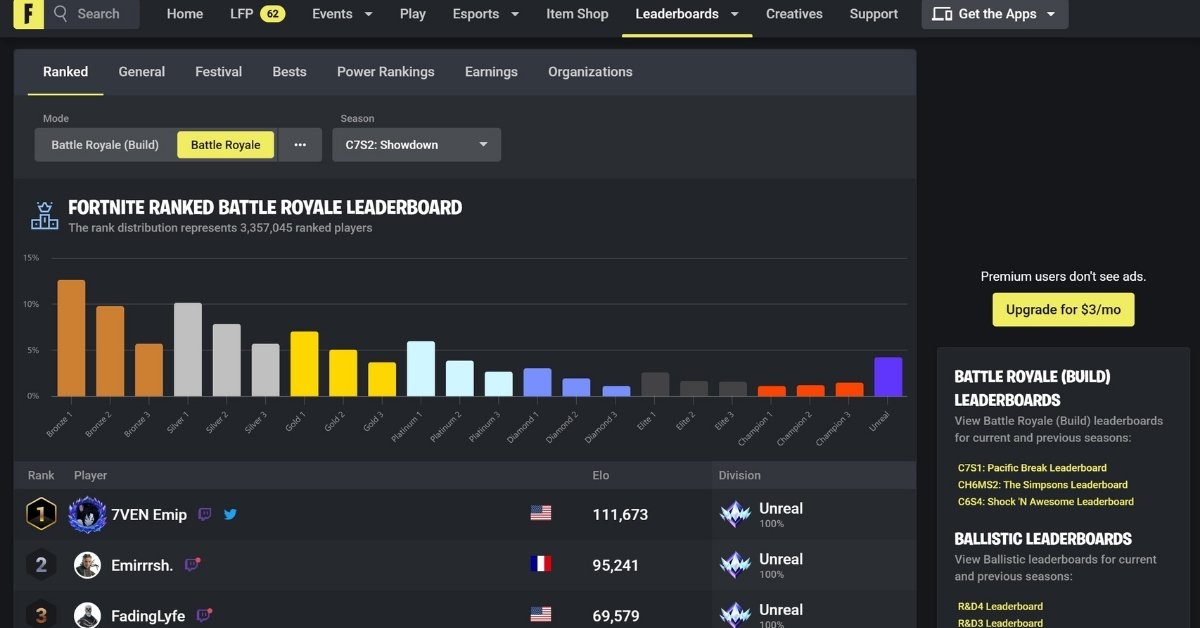
Besides those stats, you may also check out the leaderboard, featuring top Fortnite players, and sift through these results using various filters. The site also has its own rating system called Tracker Rating that gives players a stronger idea of where they stand among other players of the game.
Besides the usual practice of entering a display name to view stats, you also get the option to skip that by logging in to the tracker site by linking it with your Epic Games Store account.
- Highly detailed profile and highly customizable leaderboard stats
- Account integration with Epic Games Store
- Tracker rating provides extra insight
- Also available as an app for iOS, Android, and Windows.
- Ad-supported for free users. Requires a $3/month subscription for ad-free usage.
2. Fortnite.GG
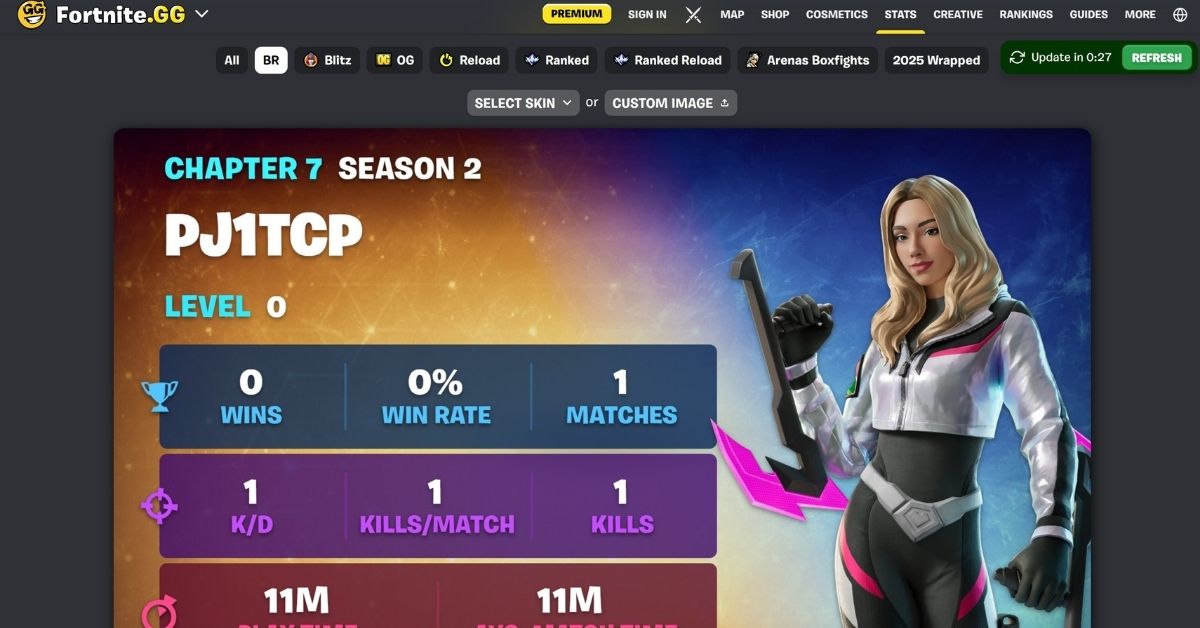
If too many stats give you information overload, you should visit fortnite.gg/stats for a simpler factsheet of your Fortnite adventures. This resource only highlights your main stats, such as win rate (percentage), K/D ratio, total playtime during the season, and average match time.
Interestingly, you can download your stat card and even personalize the avatar that appears on it, either by picking one of the given skins or by uploading a custom image. This is one feature that I think makes fortnite.gg stand out from other trackers.
On the other hand, you may also keep an eye on the leaderboard, which is also restricted to basic stats such as total wins, kills, and playing time accumulated throughout the season.
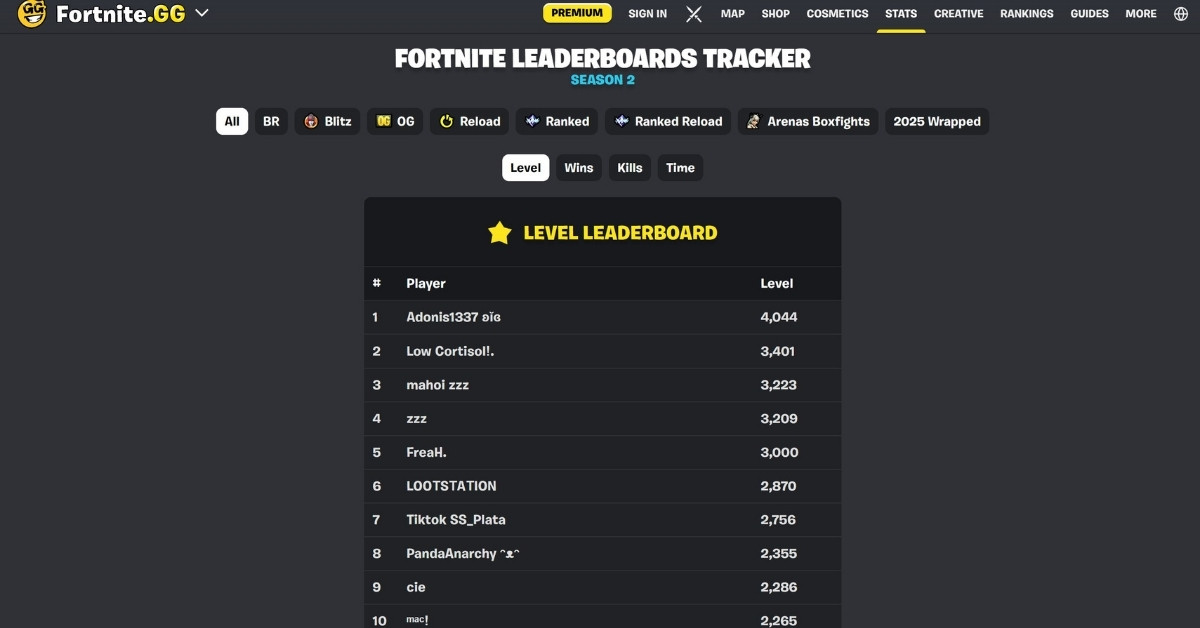
Since fortnite.gg is more than just a stats tracker for Epic’s online multiplayer game, you can also check out other useful sections, such as detailed maps and in-game cosmetics data.
- Visually pleasing and customizable stats card
- Simple and straightforward layout.
- Lacks some useful finer stats, such as number of kills in a specific match.
- Can’t see stats from previous seasons
3. Player Auctions
Although Player Auctions is primarily a website for trading in-game items, it also houses a handy Fortnite tracker. When it comes to level of depth in the stats, this falls somewhere in between the previous two entries on this list.
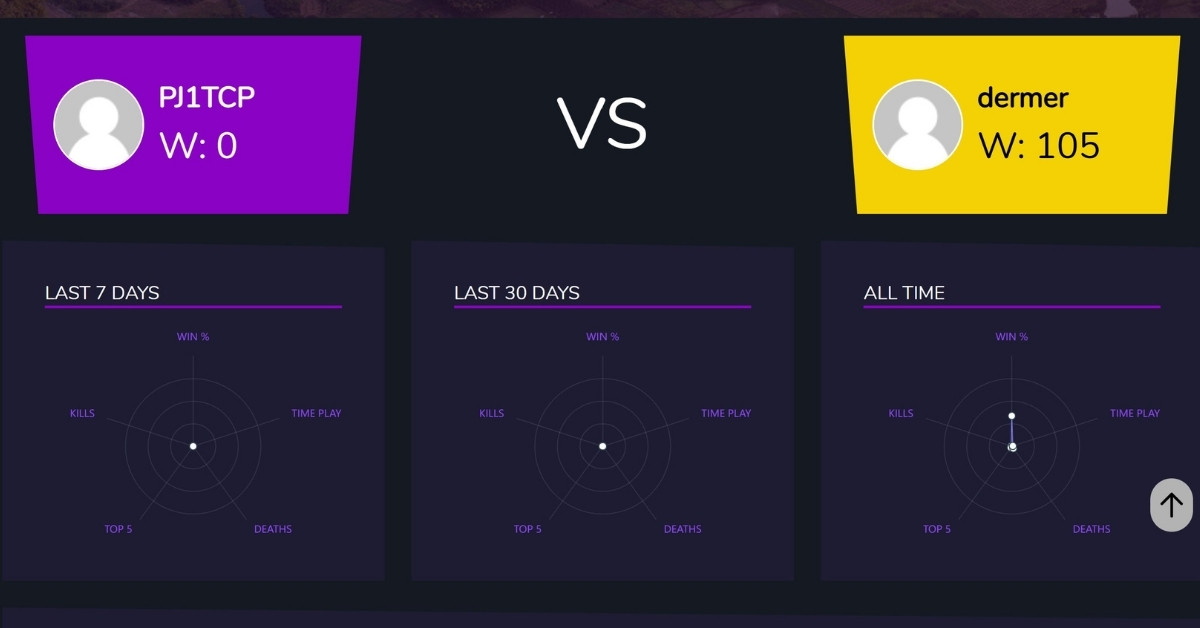
Apart from basic stats like K/D ratio and win percentage, this particular Fortnite tracker intriguingly also has a feature that allows you to compare your in-game numbers with other Fortnite players. To compare them with a specific player, you can simply click on the “COMPARE WITH SOMEONE ELSE” text near the right edge of the website and enter the username of the other player in the text field that pops up.
- Player comparison feature
- Little to no fluff stats (only those that matter are shown)
- Very basic leaderboards
- Uninspiring UI
Read more: Fortnite Arenas Mode explained: Rules, Points, Divisions and Rewards
Best Fortnite tracker apps
While most Fortnite players should be more than fine using the above websites, dedicated enthusiasts of the game might want a bit more refined and seamless experience from such trackers. For the latter, there are tracker apps available for PC, which let you keep an eye on your stats in real time.
1. Blitz.gg app
This tracker app puts together a variety of your Fortnite stats, including certain impressively deep ones such as average headshot percentage and KDA ratio (takes into account both kills and assists), using a particular weapon.
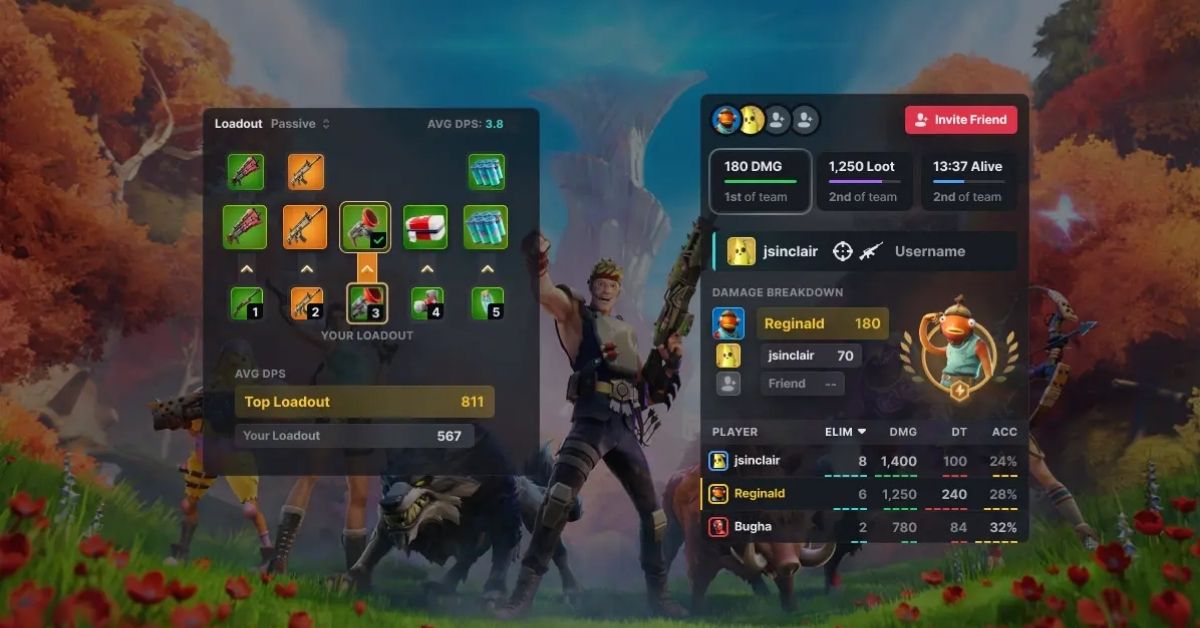
Moreover, it also offers an in-game overlay that offers you real-time monitoring of your difference-making actions. The app’s post-match analysis screen further gives you a tour of the numbers that determined the fate of your latest online match and puts it adjacent to your average performance in the preceding 20 games.
2. Fortnite Tracker app
It’s the app version of fortnitetracker.com mentioned previously on this list. Fortnite Tracker also displays in-depth figures, such as weapon usage stats, but I think its most eye-catching feature is its widget.
While you have both Fortnite and the tracker app running, you can see pop-ups for players you come across virtually in a match. For instance, when you knock out a player, his rank and stats will be shown on your screen. The app can also show the stats of your squad members during a particular match.
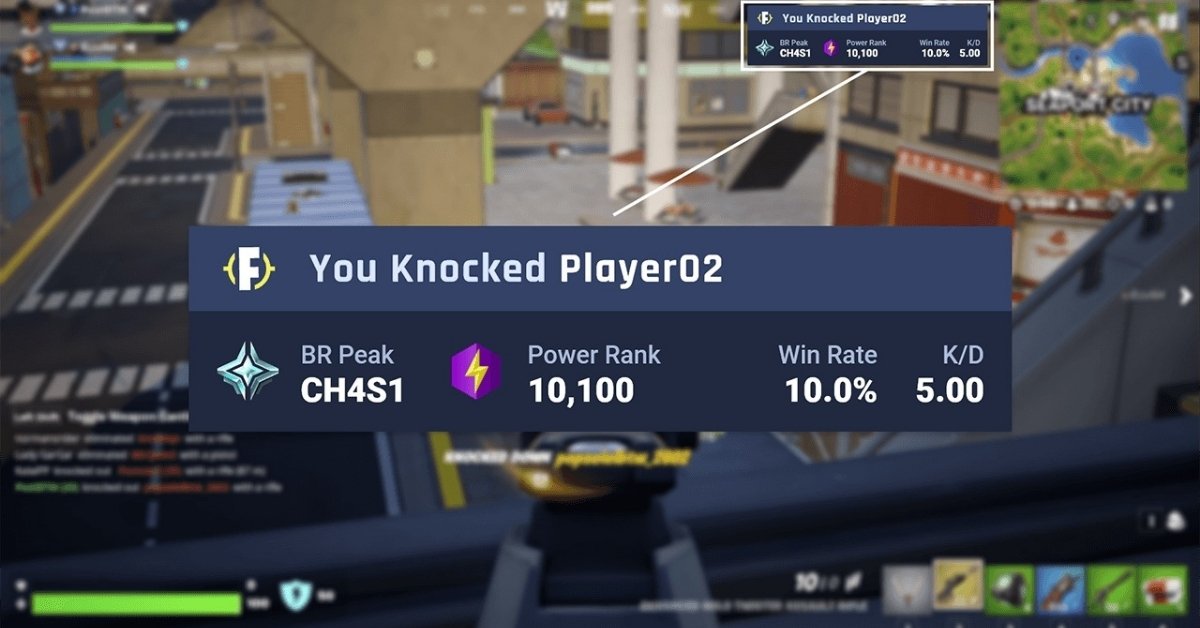
What’s more is that Tracker Network’s Fortnite Tracker app can also record your kill cams, death cams, and Victory Royale footage on its own. These can be viewed later in the app’s interface under “Highlights”.
My recommendation
From the aforementioned best Fortnite trackers of 2026, you should first try one of fortnitetracker.com or fortnite.gg/stats as they offer you a fair amount of your gameplay data and do not hog system resources as much as the apps in this list do.
On the contrary, if you’re someone who is deep into Epic’s multiplayer shooter game and has a good enough PC rig, then I’d welcome you to try the apps—both of them are quite good—listed above right away because they offer the richest Fortnite stats tracking experience, which can help you find out your gameplay strengths and weaknesses much better.
You May like to read:
FAQs
A Fortnite tracker is an online resource that displays the in-game stats of Fortnite players from around the world.
In 2026, fortinetracker.com (by Tracker Network) is a pretty solid Fortnite tracker app.
You can use the stats obtained by Fortnite trackers to hone your skills by paying more attention to the below-par numbers, checking the trend of those numbers across the previous matches, and specially focusing on improving the same in the future. The stats shown by these trackers can also be used for sharing with friends or fellow gamers on social media.
You can track your Fortnite performance by entering your in-game username on any of the Fortnite trackers. Alternatively, you may use your PSN ID or Xbox Gamertag for the same purpose.
Among the free Fortnite tracker apps are Fortnite Tracker and Blitz.gg.