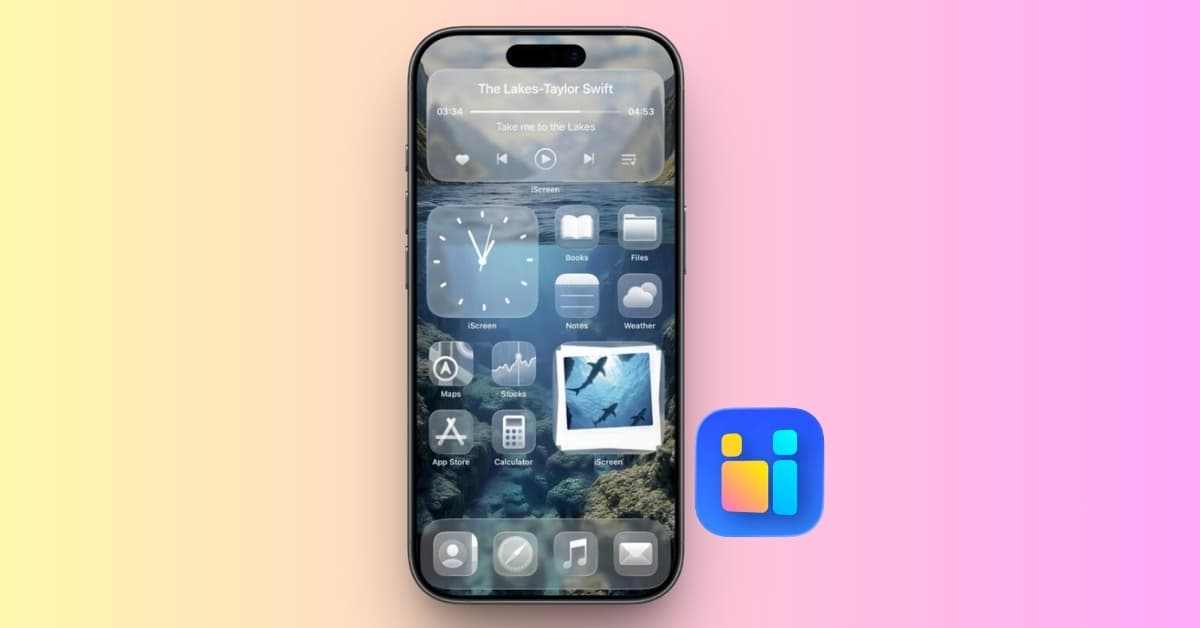
iScreen is an all-in-one iPhone customization app that brings wallpapers, icon packs, widgets, and extra visual effects together. Apple gives you plenty of ways to recolor icons, move apps, and add widgets, but iScreen makes it easier to build a Home Screen where everything matches.
The latest version is worth a fresh look. iScreen has redesigned its interface, improved widget interactivity, and expanded how dynamic wallpapers work with the rest of a theme. You can download iScreen for free, try a full setup, and decide later whether VIP is useful.
iScreen review at a glance
iScreen combines a lot without making you design everything from scratch. It is best for anyone who regularly changes their iPhone or iPad layout and wants more personality than Apple’s built-in options provide.
| App Store rating | 4.7 out of 5 |
|---|---|
| Best for | Creating coordinated iPhone and iPad themes quickly |
| Price | Free with ads; weekly, monthly, and yearly VIP subscriptions available |
| Works on | iPhone, iPad, and Apple Vision Pro |
- Huge library of matching themes, icons, wallpapers, and widgets
- Redesigned interface makes visual customization easier to explore
- Interactive widgets add useful controls and playful features
- Free users can save many designs after watching an ad
- Yearly VIP offers better value for regular theme changes
- Ads interrupt the free experience
- Large 670.7 MB download
- Some Dynamic Island and widget behavior remains limited by iOS
A complete theme takes minutes, not an afternoon
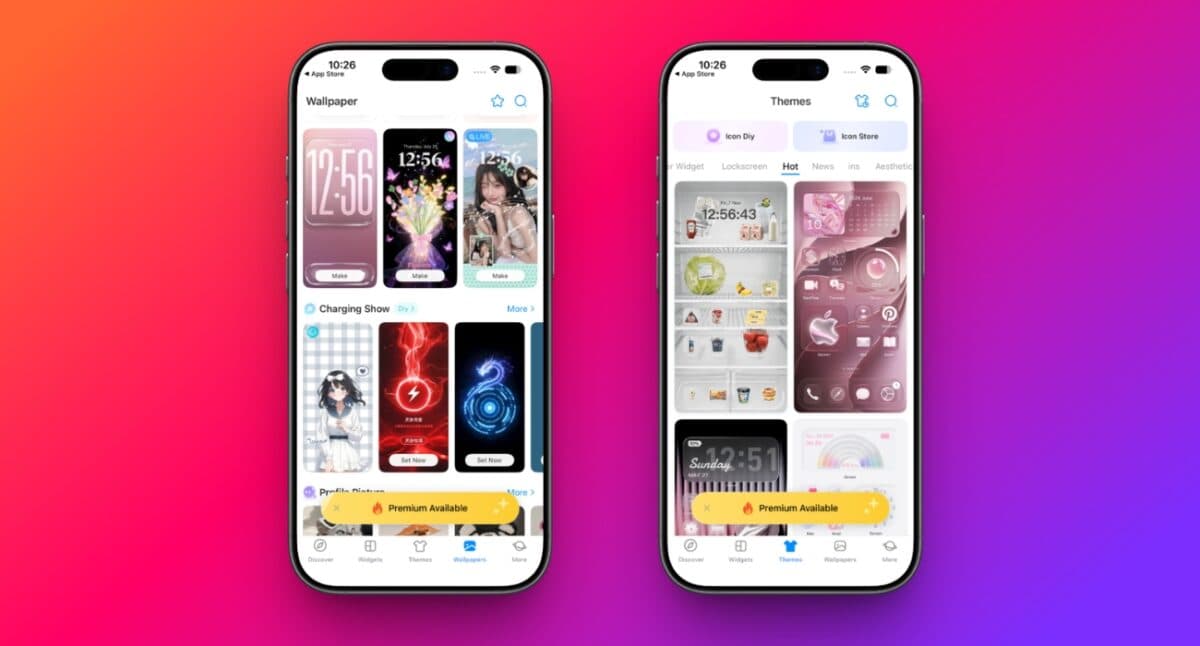
iScreen offers more than 10,000 themes, 5,000 icons, and 1,000+ widgets. You can pick a ready-made theme or build your own combination from wallpapers, photo widgets, clocks, calendars, countdowns, weather panels, to-do lists, and app icons.
The ready-made themes are the real time-saver. A wallpaper, matching icon set, and widgets already share the same colors and visual style, so your Home Screen looks intentional without hours of tweaking. Apple’s Home Screen customization tools are still useful for layout and icon tinting, but iScreen gives you far more variety.
The redesigned interface suits this kind of app well. Visual previews make it easier to judge a look before saving it, while related designs feel like parts of one theme instead of separate downloads. Start with a full theme, then replace only the widget or wallpaper you do not like.
Interactive widgets make the screen more useful
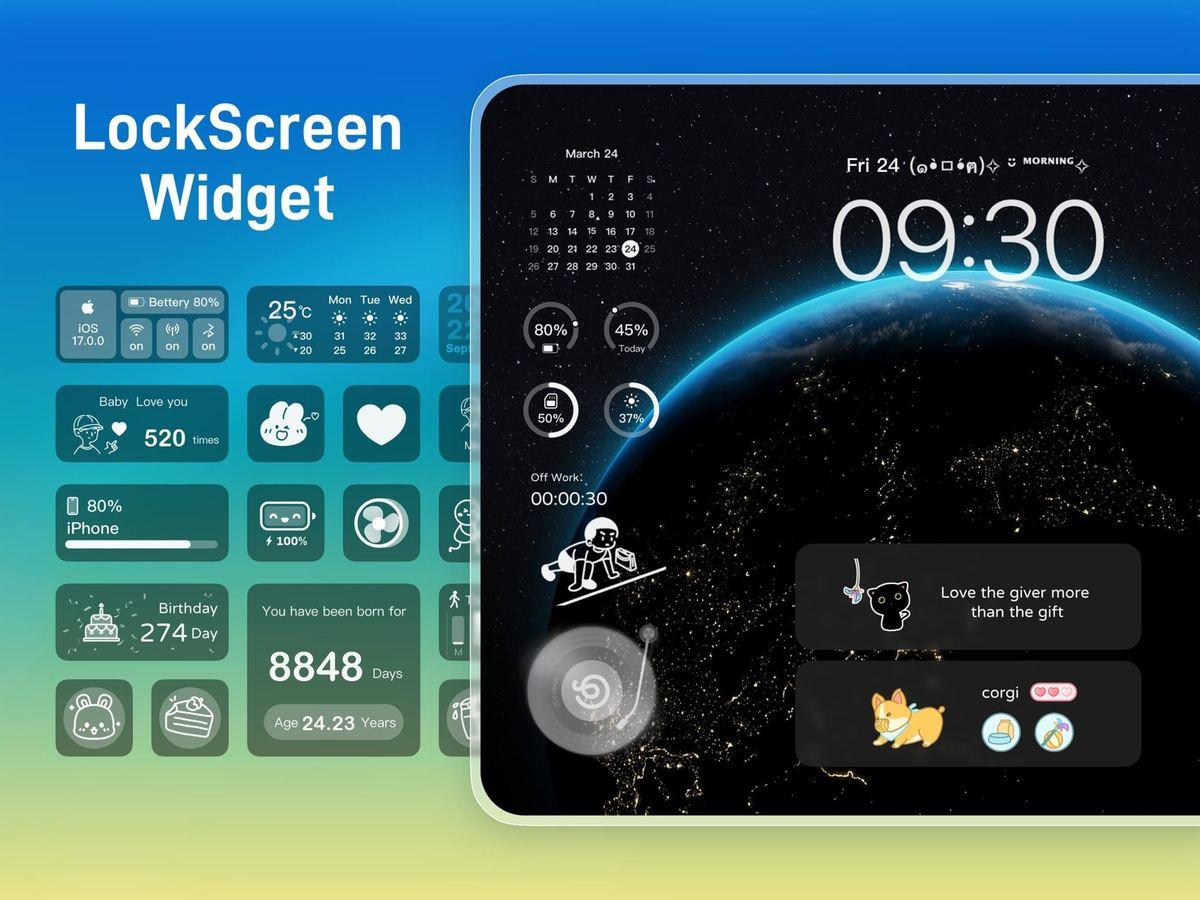
Many customization apps stop at clocks, photos, and calendars. iScreen also includes widgets you can interact with directly, such as to-do check-ins, water reminders, quick launchers, counters, and small games.
The playful options are more memorable. You can keep a pet or plant around the Dynamic Island, add a virtual fan or air conditioner to the Home Screen, or use couple widgets to share photos, moods, and messages. These are not essential iPhone features, but they give iScreen a personality that basic widget makers often lack.
Practical widgets still deserve the most space. A calendar, countdown, battery panel, or photo album can stay useful long after the novelty widgets wear off. The best setup is usually one full theme with two or three widgets you will actually check.
Dynamic wallpapers now feel connected to the theme
iScreen’s wallpaper tools cover static and dynamic designs, with templates for Polaroid layouts, photo puzzles, flip cards, and animated marquee effects. You can also use AI artwork, 3D-style backgrounds, and wallpapers made for the current Liquid Glass look.
The deeper integration keeps the wallpaper from feeling like a separate download. You can build it around the colors and images used by your icons and widgets, making the final layout more cohesive. Charging animations and Lock Screen designs extend that style beyond the Home Screen.
Adding your first iScreen widget
Third-party iPhone widgets must still be added through Apple’s widget picker. iScreen keeps the process straightforward:
- Choose and customize a widget in iScreen.
- Tap Save to My Widgets.
- Touch and hold an empty Home Screen area.
- Tap Edit or +, then select Add Widget.
- Search for iScreen and choose a size.
- Tap the placed widget and select your saved design.
If iScreen does not appear immediately, restart your iPhone and check the normal steps to add and edit widgets.
Full icon themes work within Apple’s customization rules, so they are not identical to replacing an app’s original icon. If you only need one custom icon, the built-in and Shortcuts methods for changing iPhone app icons may be quicker. iScreen makes more sense when you want an entire matching set.
The free version is good enough to start
iScreen lets you use plenty of designs without paying. Some are immediately available, while others can be saved after watching an ad. This makes the free version genuinely useful for creating a full layout instead of showing you a catalog you cannot use.
VIP removes the ads and unlocks premium content. The U.S. App Store currently lists these main options, although promotional and regional prices may differ:
| Plan | Current U.S. price | Best choice for |
|---|---|---|
| Weekly | $1.99 | Trying premium briefly |
| Monthly | $7.99 | A short-term redesign |
| Yearly | $19.99 | Regular theme changes |
The India listing currently shows ₹59 per month and ₹499 per year. Always check Apple’s final purchase sheet because iScreen also runs discounted VIP offers.
Try the free version first. If you enjoy changing themes and plan to keep the app, yearly VIP offers much better value than paying month by month.
A few things to know before installing
The free app uses ads, and iScreen is a sizable 670.7 MB download. Its App Store privacy label also says identifiers may be used for tracking, while photos or videos may be collected for app functionality. Review the permission prompts and allow only what your chosen widgets need.
Some visual effects are also subject to Apple’s background limits. iScreen says a Dynamic Island activity may disappear after 8–12 hours and require you to reopen the app. That is worth knowing if a persistent Dynamic Island pet is your main reason for downloading it.
Should you download iScreen?
Yes, if you enjoy personalizing your iPhone. iScreen offers far more creative range than Apple’s built-in tools. Its mix of themes, interactive widgets, dynamic wallpapers, icons, and Lock Screen extras makes it one of the most complete customization apps in one download.
The free tier lets you build a proper setup before spending anything, so there is little risk in trying it. VIP is worth considering only after you find a theme and widgets you want to keep.
iGeeksBlog’s evaluation: In our review, iGeeksBlog found that iScreen is one of the most complete iPhone customization apps for users who want matching themes, widgets, icons, and dynamic wallpapers without building every element manually. Its useful free tier makes it easy to recommend as a starting point, while ads and iOS background limits remain the main tradeoffs.