
How to fix the “Apple Card cannot be used” error in Wallet app
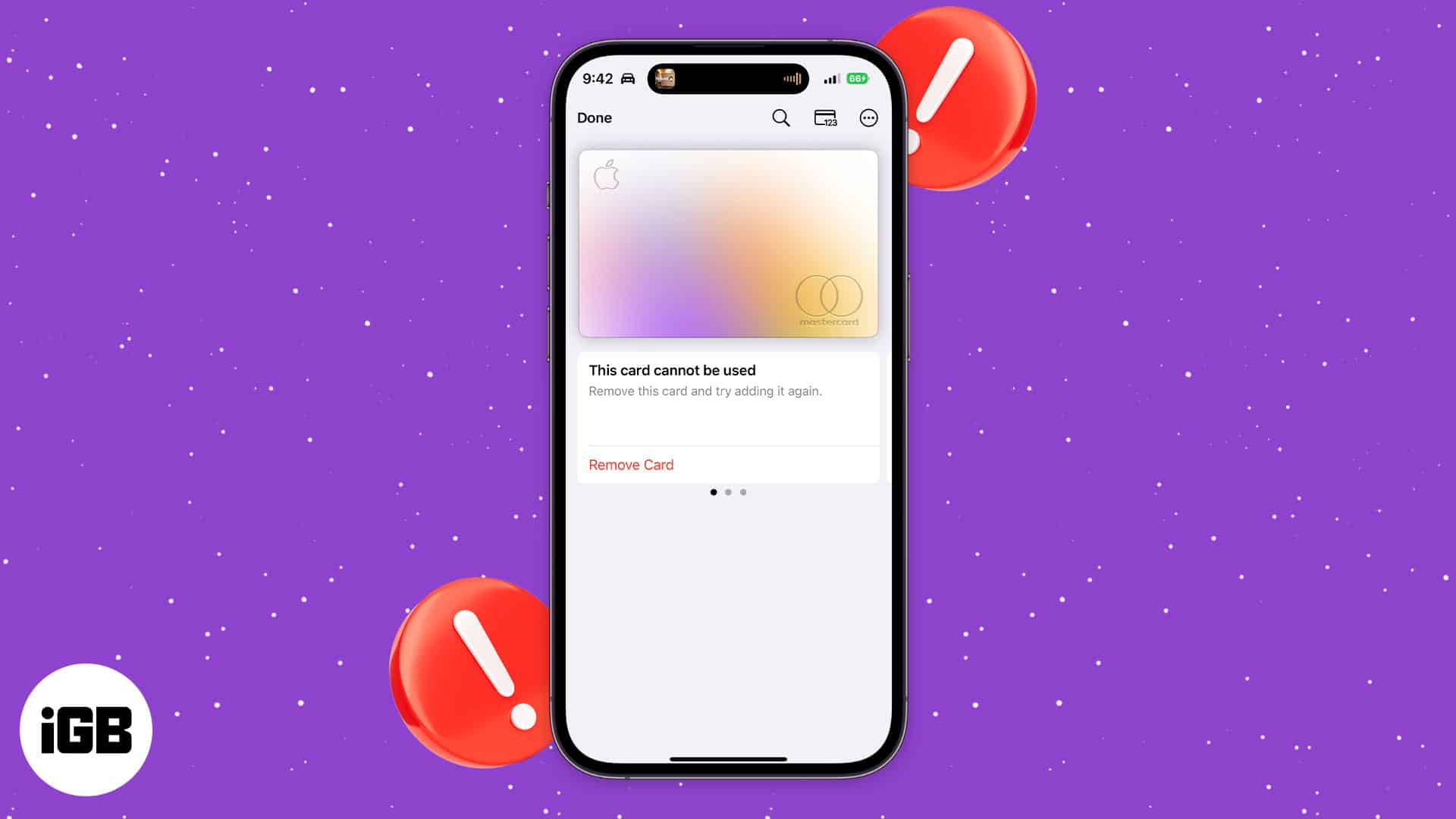
Many people have expressed frustration with their Apple Card suddenly not working on the Wallet app. It’s unclear why, but Apple’s System Status page lists the issue and is quick to help resolve it. If you’re having similar problems, here’s what you need to do to fix Apple Card “cannot be used” issue on your Apple Wallet.
How to fix the Apple Card cannot be used error
Apple launched its own Apple Card back in August 2019 in partnership with Goldman Sachs. While a physical card, you can use it to make digital payments with Apple Pay.
Apple Card works like credit cards, sans the fees. What’s more, you get 2% daily cashback perks every time you make a purchase using your iPhone or Apple Watch.
Affected users will see a message that says, “This card cannot be used” under their Apple Card. Here’s how to resolve the issue:
- Go to the Wallet app → tap the Apple Card.
- Select Remove Card under the notification.
- Add the Apple Card again to your wallet by tapping the Add (+) button on the upper right corner → Previous Cards.
- Follow the onscreen instructions to add the Apple Card to your wallet again.
Wrapping up…
Many people use Apple Pay to make contactless payments, so it’s understandable if many people get frustrated with the issue. Thankfully, it’s easily fixed. Did you face the same problem? Share your experience below.
Read more:
Topics

Written by
Rachel Ann Tee-MelegritoRachel, an experienced Apple technology writer since 2021 and a long-time user since 2003, began her journey with a silver iPod Classic. Currently, she owns an array of modern Apple gadgets. At iGeeksBlog, her expertise shines through in the crafting of comprehensive how-to articles, informative guides, and well-curated roundups.
View all posts →More from How-to

Snapchat Parental Controls: How to Set Up Family Center and Keep Your Teen Safe
Snapchat’s Family Center lets parents monitor their teen’s friend activity and screen time without reading private messages. Here’s how to set it up and what to expect.
 VikhyatMarch 3, 2026
How to Block and Unblock Someone on Instagram
Instagram lets you block or unblock someone in seconds. Follow these simple steps to take full control of your privacy and online peace.
 Ava BiswasMarch 2, 2026
Apple Watch Not Responding? 8 Fixes That Actually Work
Is your Apple Watch unresponsive or stuck on a black screen? Here are 8 proven fixes to help you unfreeze it and get it working again quickly.
VikhyatMarch 3, 2026