If your AirPods die too fast, drain overnight, or one earbud keeps dying first, the issue is usually related to settings, charging habits, or connection problems. In some cases, the battery itself may be worn out and need replacement, but there are several things you should check before reaching that conclusion. Below are the most common reasons AirPods drain quickly and what you can do to fix them.
Table of Contents
- Why AirPods Battery Drains Fast
- Check Your AirPods Battery Health
- Fix AirPods Battery Drain Issues
- AirPods Draining Battery Overnight? Try These Fixes
- One AirPod Draining Faster Than the Other
- AirPods Battery Drain on Android or Mac
- How to Extend AirPods Battery Life
- When Replacement Is the Only Option
- Final Takeaway
Why AirPods Battery Drains Fast
AirPods do more than just play audio. Even when you are not actively using them, Bluetooth connections, sensors, syncing, and background features can wake them up and drain power.
Battery drain usually happens because of a few core reasons:
- Bluetooth stays active when AirPods are outside the case
- Connections do not end cleanly and keep retrying
- Batteries naturally age, often noticeable after 18 to 24 months
- iPhone, iPad, and Mac handoff keeps reconnecting in the background
If the earbuds drain, the AirPods themselves lose charge quickly after a full charge. If the case drains, the earbuds charge normally, but the case percentage drops fast or fails to recharge them properly.
Check Your AirPods Battery Health
Apple does not show a battery health percentage for AirPods the way it does for iPhones, so you have to judge battery condition by behavior.
Open the AirPods case near your iPhone to see the left, right, and case battery levels. You can also use the Batteries widget or check battery status in Control Center when connected.
Healthy batteries drain gradually. Worn batteries show clear patterns:
- Listening time drops to about 1 to 2 hours instead of 4 to 6 hours
- One earbud suddenly drops from 30% to 0%
- Battery percentages jump or behave unpredictably
- One earbud never reaches 100%, even after a long charge
If one AirPod consistently hits 0% while the other still has 40% or more, or if the case drops from 100% to around 60% with minimal use, the batteries are likely near the end of their lifespan.
Fix AirPods Battery Drain Issues
The fixes below are ordered based on what solves battery drain for most users. Start from the top and move down only if the issue continues. There is no need to try everything at once.
Step 1: Reset Your AirPods
Resetting fixes pairing bugs, reconnect loops, and uneven behavior.
- Put both AirPods in the case and close the lid.
- Wait 30 seconds, then open the lid.
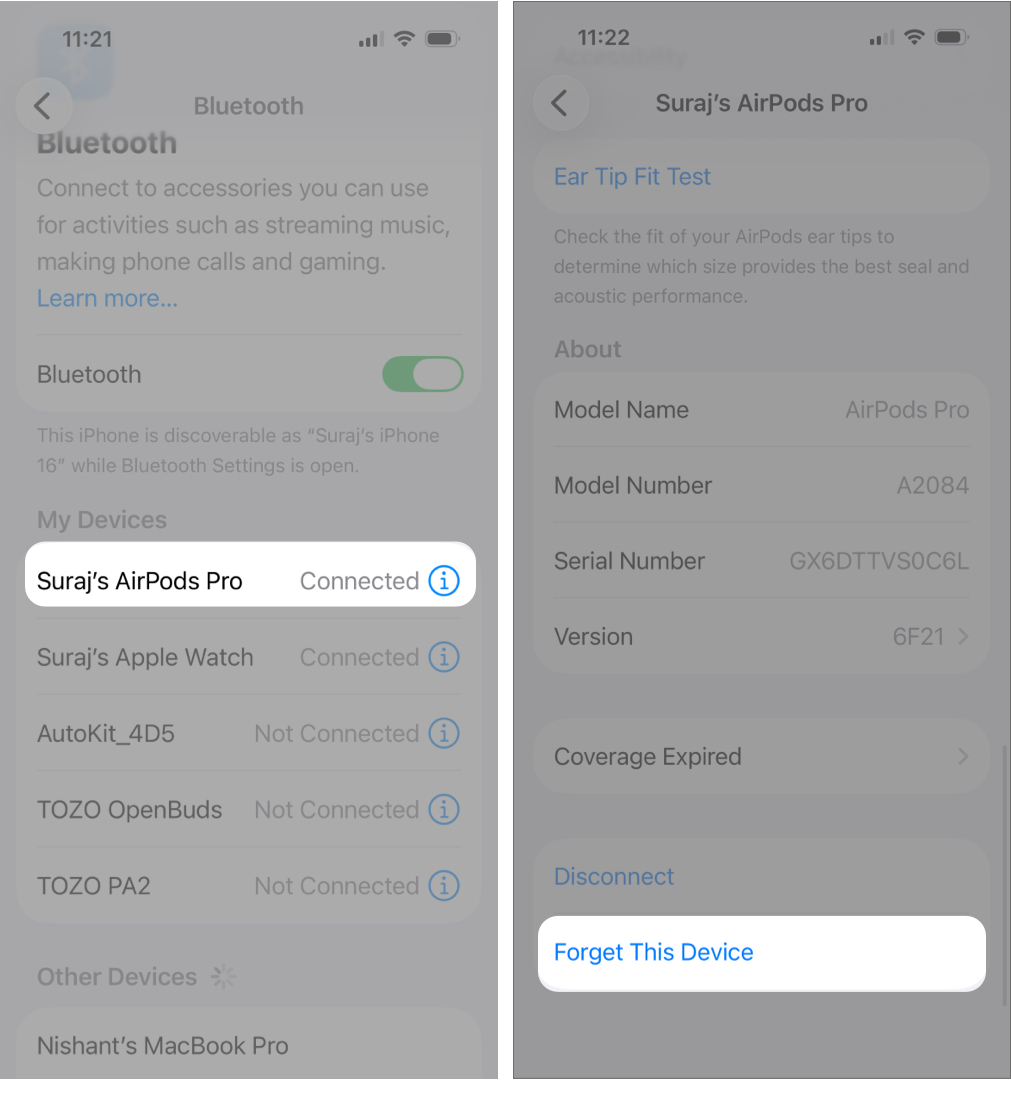
- On iPhone or iPad, go to Settings > Bluetooth, tap the i button next to your AirPods, and choose Forget This Device.
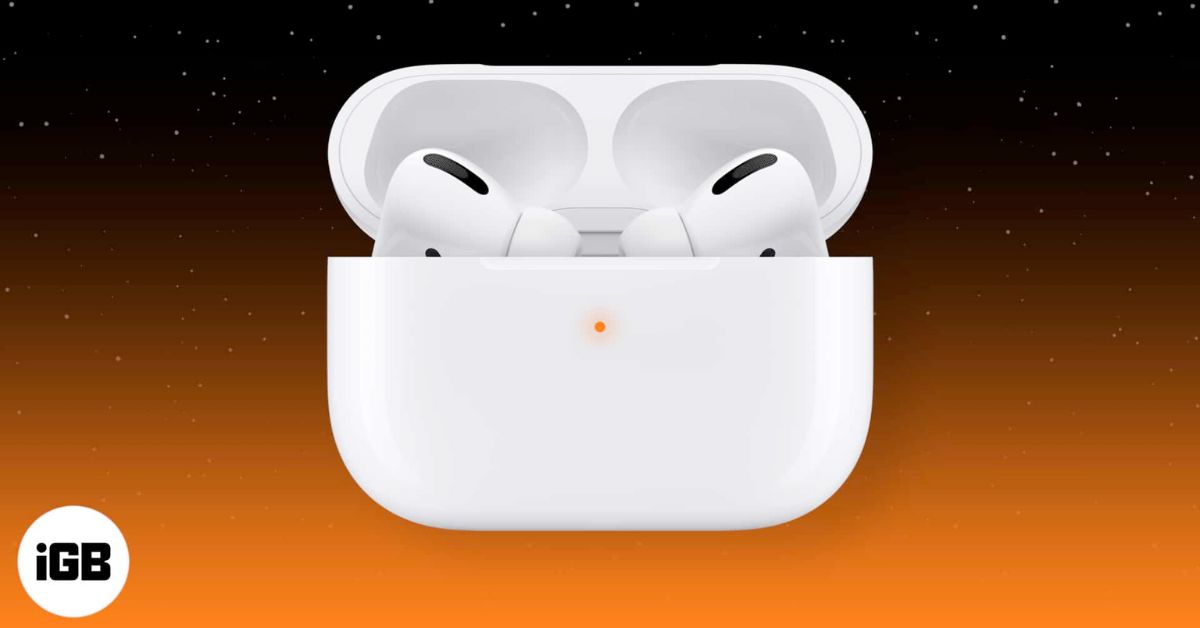
- Keep the lid open and press and hold the setup button for about 15 seconds until the light flashes amber, then white.
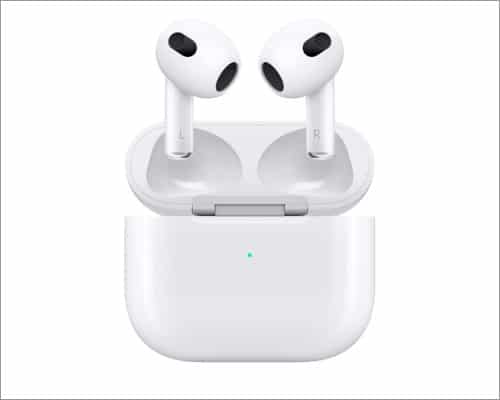
- Bring the case close to your iPhone and reconnect.
Step 2: Update AirPods Firmware
Firmware updates install automatically and often fix charging and battery-related bugs.
- Place AirPods in the case.
- Plug the case into power.
- Keep your iPhone or iPad nearby with internet access.
- Leave it undisturbed for at least 30 minutes.
To check the AirPods firmware version, connect your AirPods, open Settings, tap your AirPods name, and look under About.
Step 3: Turn Off Features You Don’t Use
Always-on features can quietly drain battery. Turn off anything you do not actively use:
- Automatic Ear Detection if you don’t rely on auto play/pause
- Microphone set to Automatically Switch AirPods to prevent uneven drain
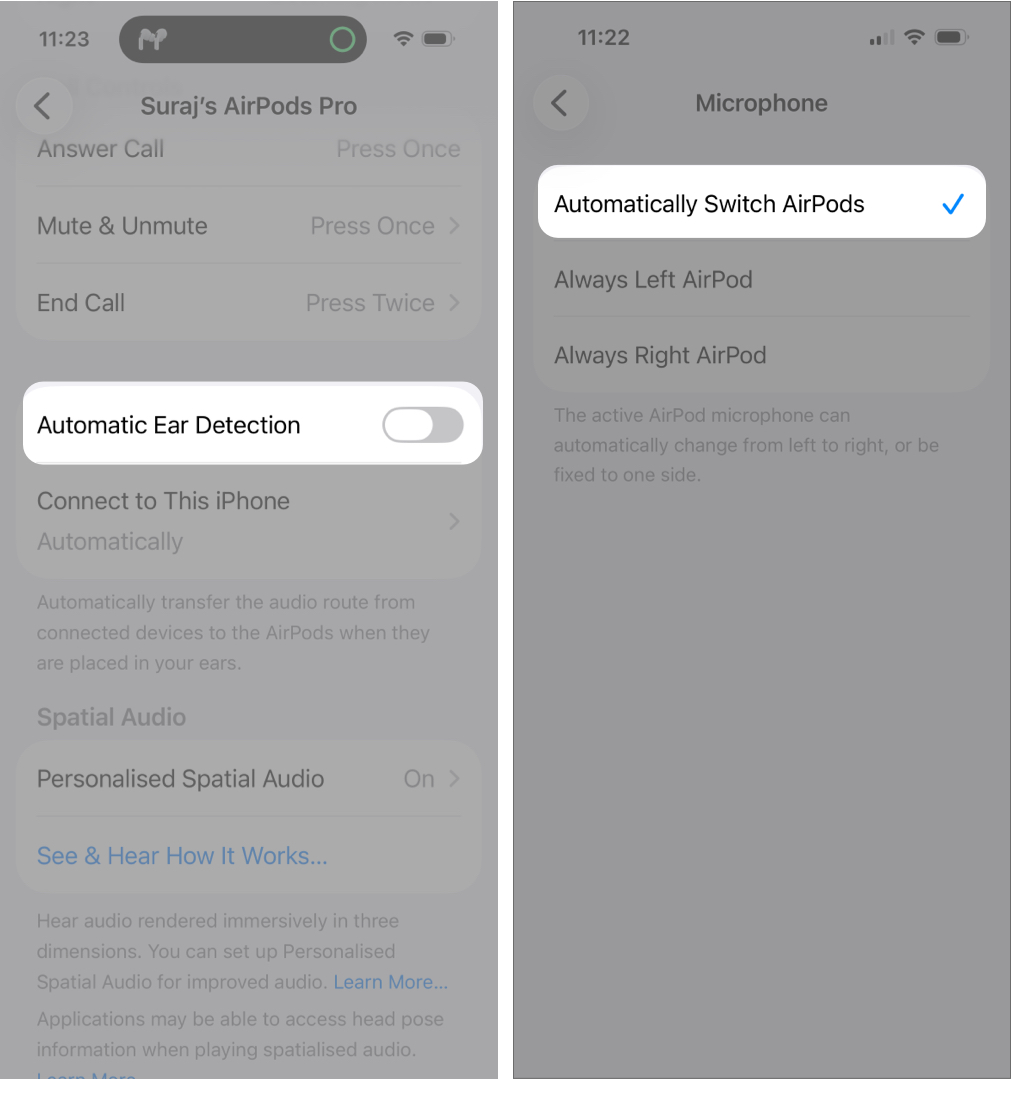
- Spatial Audio and Head Tracking when not watching supported content
- Noise Control (ANC/Transparency) when you don’t need it
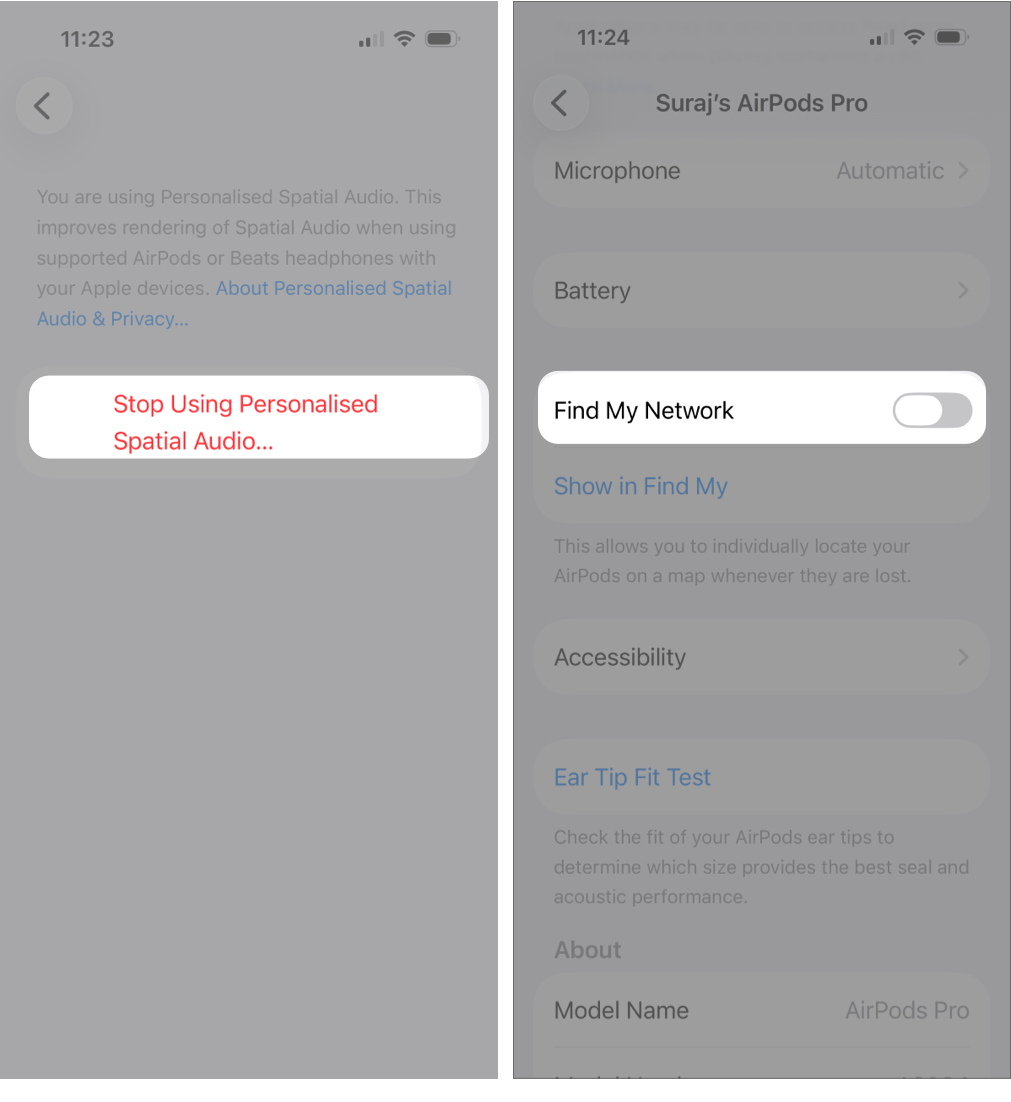
- Find My network if you rarely use tracking
Step 4: Fix Battery Drain Inside the Case
If your AirPods lose charge while stored, they may not be charging properly.
Clean the metal contacts on the AirPods stems and the charging contacts inside the case using a dry microfiber cloth or a soft brush. Reseat both earbuds and confirm they are charging using the Batteries widget.
Avoid opening and closing the case repeatedly, as this wakes Bluetooth each time.
If the case still drains quickly after cleaning and reseating, the case battery itself may be worn out.
Step 5: Manage Bluetooth When Not Using AirPods
Leaving Bluetooth on is not harmful, but it can cause repeated reconnections. Turn Bluetooth off if you will not use your AirPods for several hours, and never leave AirPods outside the case when they are not in use.
AirPods Draining Battery Overnight? Try These Fixes
Overnight drain usually happens for a few specific reasons:
- One earbud is not seated or charging correctly
- Dirty contacts interrupt charging
- A nearby iPhone, iPad, or Mac keeps waking the connection
- Frequent device switching triggers background syncing
Before going to bed, clean and reseat both AirPods, confirm both are charging, and switch audio output back to the phone speaker. If you use multiple Apple devices, avoid switching AirPods between them for a day and test again. A reset can help if the issue started suddenly.
Store the case closed in a cool place, away from heat and moisture.
One AirPod Draining Faster Than the Other
Uneven battery drain happens when one earbud does more work than the other:
- Calls may rely more on one microphone
- Single-ear usage wears one battery faster
- Uneven gesture use increases drain on one side
Set the microphone to Automatically Switch AirPods, rotate single-ear use, reduce heavy gesture use, and make sure both earbuds charge fully.
AirPods Battery Drain on Android or Mac
If you use AirPods with Android or a Mac:
- On Android, manually disconnect AirPods when finished, turn Bluetooth off when not in use, and close apps that keep audio or the microphone active.
- On Mac, switch audio output back to the speakers after use and disconnect AirPods from Bluetooth when you are done.
How to Extend AirPods Battery Life
To slow battery aging over time:
- Enable Optimized Battery Charging on supported models
- Avoid heat and do not store AirPods in hot environments
- Avoid draining the batteries to zero frequently
- Keep AirPods in the case when not in use
- Limit power-heavy features like ANC, Spatial Audio, and high volume
When Replacement Is the Only Option
Most AirPods show noticeable battery decline after about two years of regular use.
If listening time drops below an hour, one earbud dies much faster every day, or the case cannot hold or deliver charge even after cleaning and resets, replacement is likely.
If the earbuds drain quickly but the case is fine, the earbuds are worn out. If the case drains quickly or cannot recharge the earbuds, the case battery is worn. AirPods batteries are not user-replaceable, though Apple may offer service replacements in some cases.
Final Takeaway
Fix software issues, settings, and charging habits first. Clean the case, reset connections, and disable unnecessary features. If your AirPods are older and still drain quickly, the issue is battery aging, not something you did wrong.
FAQs
They are usually outside the case, not seated properly, affected by dirty contacts, or reconnecting to a nearby device.
Heat is the real enemy, not charging speed. Always charge in a cool environment.
Most pairs remain close to original performance. Major drops usually point to charging or connection issues.
You cannot replace them yourself. Apple may replace the earbuds or case, especially with AppleCare+, but replacement is usually the practical option.
Read more: