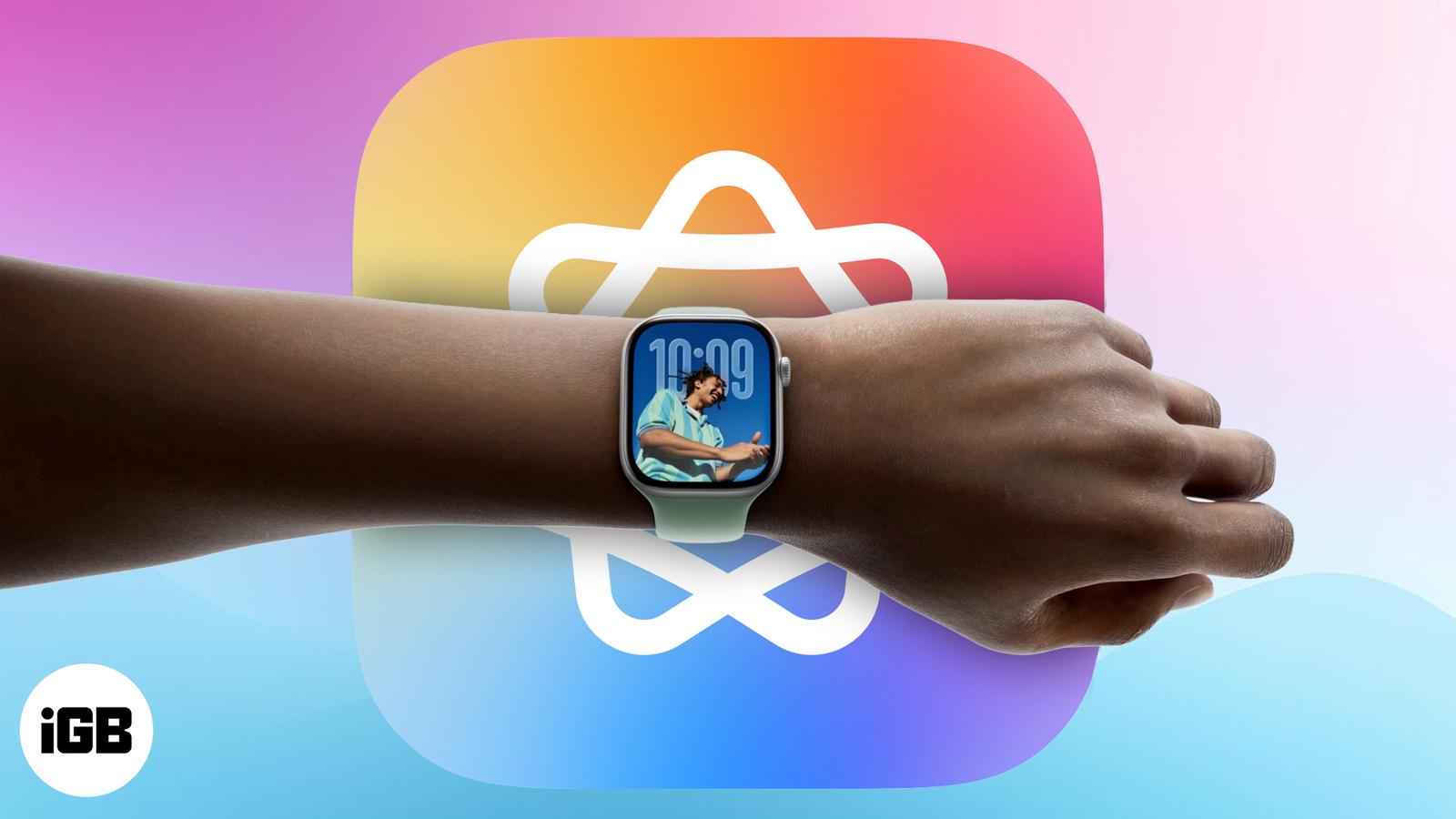
Apple is making the Apple Watch more intelligent with watchOS 27, and the biggest change is the arrival of Siri AI. Instead of relying only on basic voice commands, you can have more natural conversations with Siri, retrieve personal information, ask questions, and perform actions across apps directly from your wrist.
The update also improves Workout Buddy, makes Smart Stack suggestions more useful, and introduces a dedicated Siri app. Here’s everything you need to know about the new Apple Intelligence features in watchOS 27, compatible Apple Watch models, and the requirements for using them.
Which Apple Watch models support Apple Intelligence?
Not all Apple Watches will support the full Apple Intelligence suite. These features rely on advanced hardware, so compatibility is limited to watchOS 27-supported Apple Watch models:
- Apple Watch Series 9 and later
- Apple Watch SE (3rd generation)
- Apple Watch Ultra 2 and later
To use Apple Intelligence, your watch must be paired with one of the following iPhones running iOS 27:
- iPhone 15 Pro or 15 Pro Max
- iPhone 16 series and later models
Older iPhones, even if compatible with iOS 27, won’t enable these advanced AI features.
Important:
Some features, such as Audio Intelligence, require the latest Apple Watch Series 12 and Ultra 4.
All the new Apple Intelligence features in watchOS 27
watchOS 27 builds on the intelligence features introduced in watchOS 26. Here’s what’s new and how the updated experience works.
1. Siri AI: A more capable assistant on your wrist
The biggest Apple Intelligence upgrade in watchOS 27 is Siri AI. Apple is moving beyond simple commands toward more natural conversations and contextual assistance.
For example, you can ask Siri AI an open-ended question, brainstorm workout ideas, or get information about a topic you’re curious about. Siri can also help you find information you’ve previously saved, such as a door code in a note or details related to an upcoming trip.
The feature I like best is that Siri AI can perform actions across supported apps. You could ask it to play a song someone recommended, check upcoming events, or adjust your Activity ring goal without manually navigating through several screens.
This makes the Apple Watch more useful when pulling out your iPhone isn’t convenient. Moreover, you can find all your conversations in the dedicated Siri app.
A few things to know: Siri AI is currently in beta and rolling out in English. Availability can vary by region and other requirements.
2. Audio Intelligence: Your Apple Watch can hear, recognize, and remember
One of the most interesting additions to the latest Apple Watch lineup is Audio Intelligence, a new category of Apple Intelligence features that help you recognize sounds, identify music, and recall conversations without constantly reaching for your iPhone.
You get four new smart features for your Apple Watch Series 12 and Ultra 4:
- Sound Recognition: Your Apple Watch can detect sounds such as sirens, alarms, and doorbells and notify you when they occur. This is particularly useful when you’re listening to music or for people who are deaf or hard of hearing.
- Music Recognition: Powered by Shazam, this feature automatically identifies songs playing nearby and displays their titles and artists in Smart Stack. It can also identify music offline and provide results when you’re back online.
- Live Rewind: It lets you revisit the last 15 seconds of speech as text when you miss something in a conversation. You can view the snippet, ask Siri about it, or save it for later.
- Siri Recap: Siri creates AI-generated summaries of conversations to help you remember important topics and details. You can view, edit, save, or export summaries to apps such as Notes and Journal.
Note:
Live Rewind and Siri Recap are planned for beta availability later in 2026, initially in English.
3. Workout Buddy gets smarter
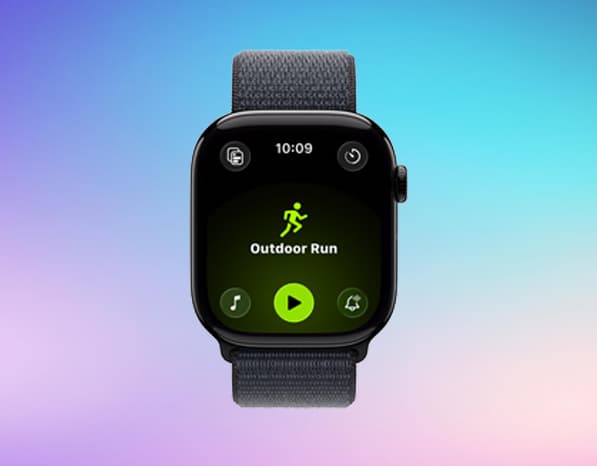
Workout Buddy arrived in watchOS 26, and watchOS 27 makes it more informative and flexible. It uses your fitness history and workout data to deliver personalized, spoken motivation during supported workouts. Rather than offering only generic encouragement, it can provide insights based on your progress.
For example, Workout Buddy can highlight improvements in your pace, distance, and workout duration. It can also use relevant fitness information to make its feedback feel more connected to your training.
Apple has introduced two notable improvements in watchOS 27:
- More detailed fitness insights: Workout Buddy can give you feedback based on your progress across pace, distance, and workout duration.
- Workout Buddy without your iPhone nearby: You can receive motivational feedback during supported workouts without carrying your paired iPhone, provided you have the required Wi-Fi or cellular connectivity.
Workout Buddy is also available in Spanish in addition to English.
Supported Workouts: Outdoor/Indoor Run and Walk, Outdoor/Indore Cycle, HIIT, Hiking, Elliptical, Strair Stepper, and Functional and Traditional Strength Training.
4. Live Translation: Break language barriers
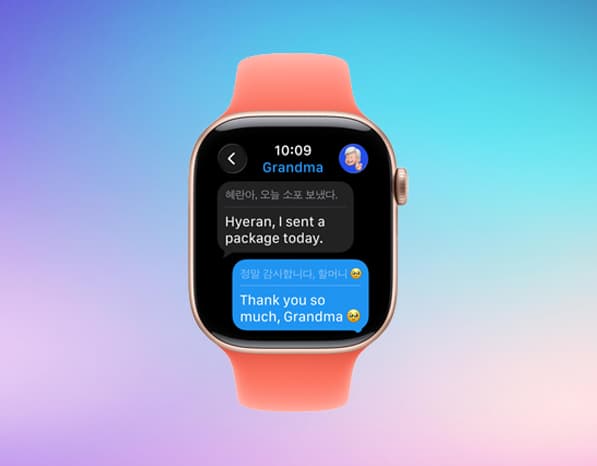
With watchOS 26, your Apple Watch becomes a language translator right on your wrist with the Live Translation feature in the Messages app.
It translates conversations into your preferred language in real-time, allowing you to easily communicate with people who speak different languages. Moreover, when you reply, your message is translated into the recipient’s language as well.
Languages at launch: English (US, UK), French, German, Italian, Japanese, Korean, Portuguese (Brazil), Spanish (Spain), and Chinese (Simplified).
5. Send Genmoji: Custom emojis with personality
You can now send Genmoji—custom AI-generated emojis created on your iPhone—directly from your Apple Watch. Once you create a Genmoji, it syncs to your Apple Watch via iCloud, appearing in the Messages app’s emoji picker. You can tap to send them, just like regular emojis.
Apple also upgraded Genmoji with iOS 26 by combining emojis, typing a description, or blending two emojis to make a unique one. Therefore, this feature lets you make conversations more expressive.
6. Smart Actions in Messages: Context-aware replies
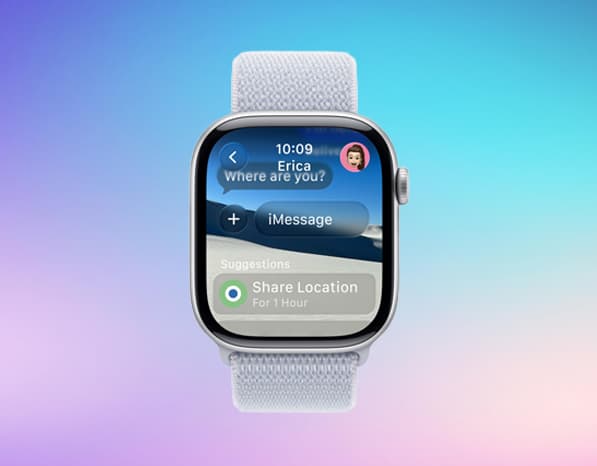
The Messages app in watchOS 26 becomes much smarter, thanks to on-device machine learning. It suggests actions based on message context, like offering to share your location when someone texts, “Are you home yet?”
It even helps in group chats. For instance, if someone sends you a dinner bill, your watch might prompt you to pay them via Apple Cash with one tap.
7. Smart Stack gets smarter suggestions
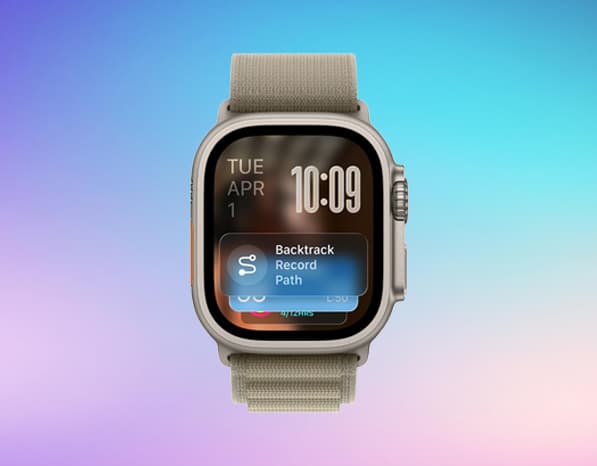
Smart Stack is designed to surface useful widgets without requiring you to search through your apps. In watchOS 27, its suggestions become more context-aware.
Your Apple Watch can surface relevant information based on your routines, location, and upcoming events.
For example, Smart Stack might suggest:
- A birthday message when a close contact has a birthday.
- The location of your parked car.
- A change to your sleep alarm before a selected holiday.
- A transit card when you may need to check its balance.
These suggestions make it easier to reach the information you need without opening each app manually. The goal is to make the watch feel more proactive while keeping its interface simple.
8. Smart call management: AI handles the interruptions
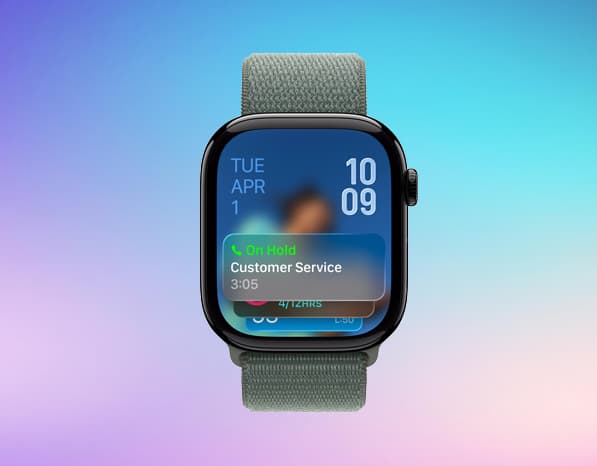
watchOS 26 brings Hold Assist and Call Screening directly to your wrist, so you can manage calls hands-free.
- Hold Assist: If you’re on hold waiting for a live agent, Hold Assist recognizes when the agent is ready and notifies you to return to the call. This means you can put your watch down and focus on something else without missing the moment the agent picks up.
- Call Screening: For unknown callers, Call Screening automatically answers the call and asks the caller to state their name and reason for calling. Your watch then alerts you with the details, so you can decide whether to take the call or decline it.
9. Smarter notifications: Sound that adapts
Your Apple Watch now adjusts the notification sound based on your environment. In quiet rooms, it reduces volume to avoid startling you. In louder areas, it boosts alerts so you never miss a ping.
This smart adjustment is made possible by the Apple Watch’s onboard ambient noise detection.
Bonus: Redesigned Health app with Apple Intelligence
Apple is redesigning the Health app to make health data easier to understand using Apple Intelligence. It helps turn information from your iPhone, Apple Watch, and connected devices into personalized insights and recommendations.
Insights Tab: The new Insights tab highlights important information about heart health, sleep, fitness, vital signs, and cycle tracking. Its For You section also recommends relevant health articles and practical lifestyle improvements.
Longevity Tab: This tab helps you understand long-term health trends across areas such as heart health, sleep, movement, nutrition, and hearing. It also introduces Health Age, which compares selected metrics, including VO₂ max, resting heart rate, sleep, and heart rate variability (HRV), with patterns associated with your chronological age.
At-Home Movement Assessments: Using your iPhone camera and Apple Watch, you can assess flexibility, strength, balance, movement mechanics, and VO₂ max. Apple says these assessments run on-device without recording, storing, or sharing video.
Based on all your results, the Health app can suggest relevant exercises, educational videos, and articles to help you improve specific areas of your well-being.
Availability: The redesigned Health app is coming to compatible Apple Intelligence-enabled iPhones and iPads, initially in US English. Health Age requires an Apple Watch, and certain features have additional device and regional requirements.
Apple Intelligence is becoming more useful on Apple Watch
watchOS 27 builds on the foundation introduced in watchOS 26. Siri AI is the headline addition, offering more natural conversations, personal-context assistance, and actions across apps. Meanwhile, Workout Buddy provides more detailed fitness feedback, Smart Stack becomes more proactive, and the new Siri app makes conversations easier to revisit.
The latest Apple Watch models also benefit from broader improvements to health tracking, interface usability, and everyday interactions.
However, not every feature is available on every watch, and language, region, hardware, and connectivity requirements still matter. Checking those requirements before upgrading or buying a new Apple Watch is the best way to understand which capabilities you’ll actually be able to use.
Which watchOS 27 feature are you most excited to try? Let us know in the comments!
Related articles worth reading: