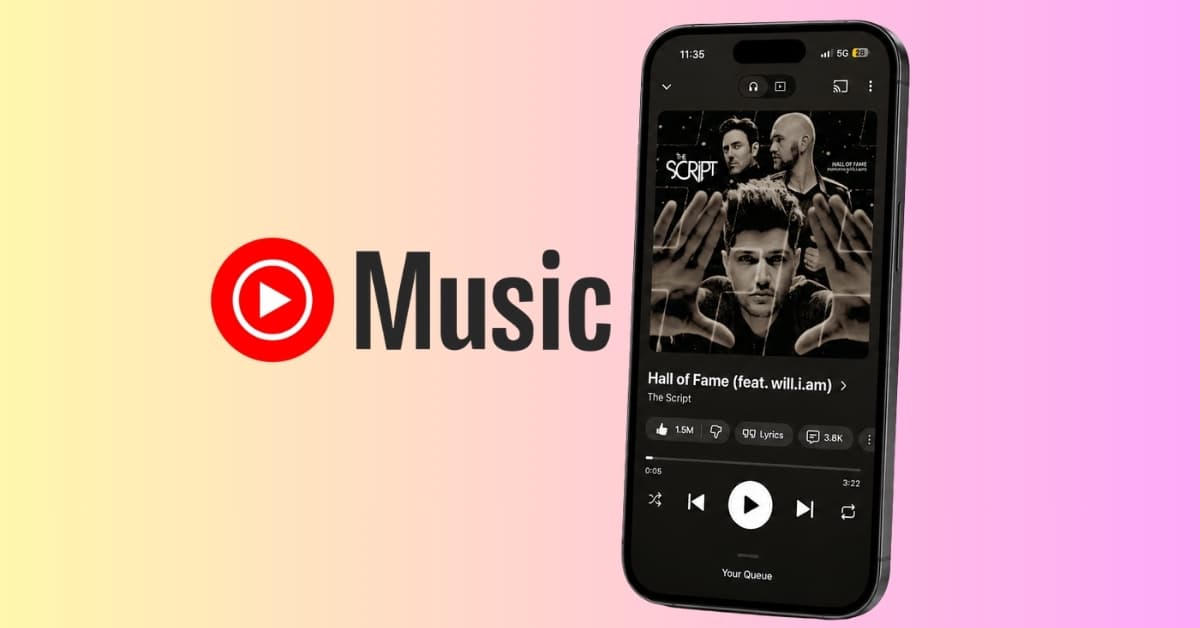
Music streaming apps have spent years competing on audio quality, recommendations, playlists, and discovery features. But one of my favorite YouTube Music features lately has nothing to do with finding new songs. Instead, it’s the ability to turn song lyrics into social-media-ready images.
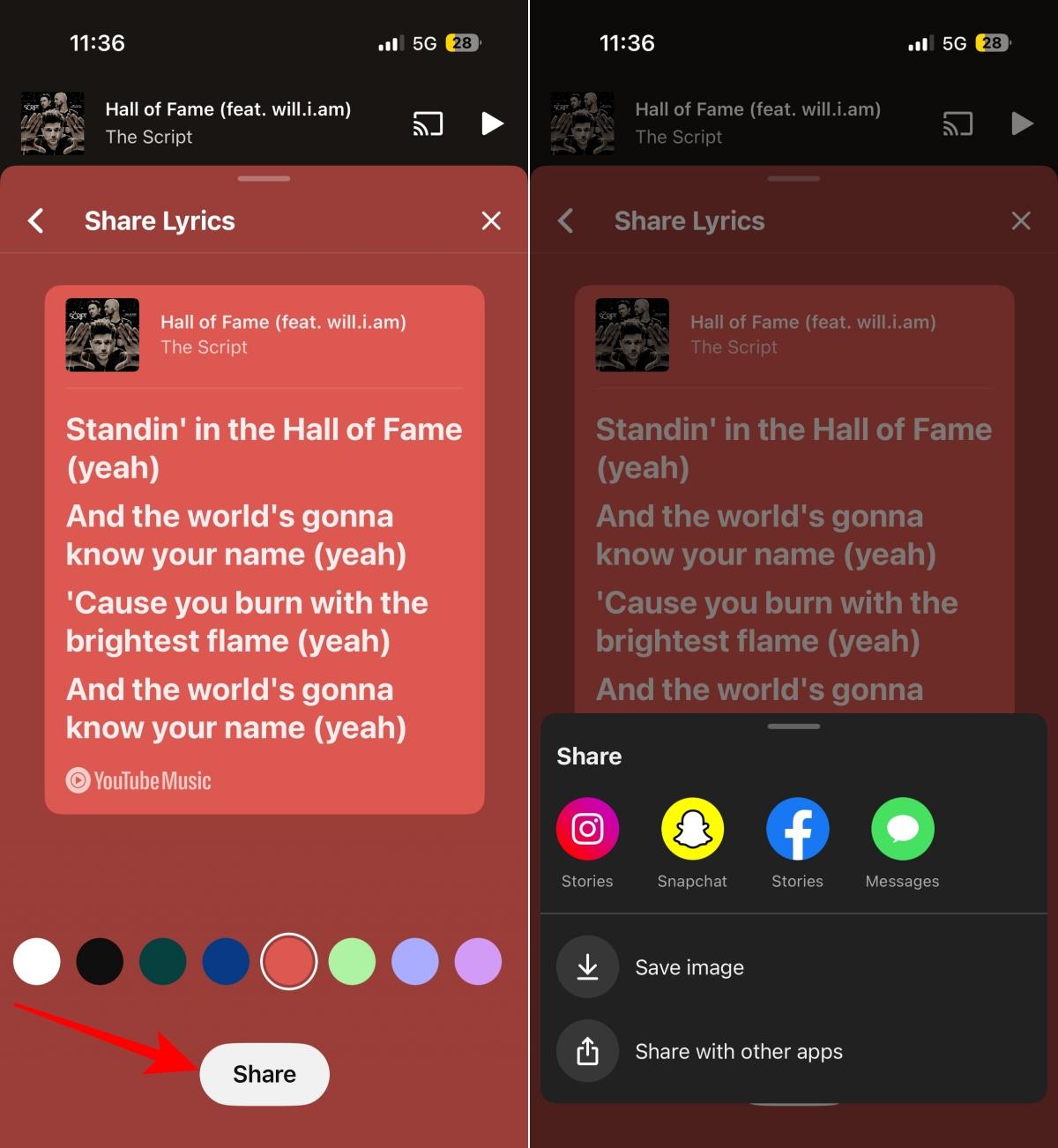
I first came across the feature while checking the lyrics of a song on YouTube Music. After selecting a few lines and tapping Share, the app generated a lyric card containing the selected lyrics, album artwork, song title, and artist name.
It may sound like a small addition, but it changes how you interact with music in a surprisingly meaningful way. Here’s everything you need to know.
What is YouTube Music’s lyrics-sharing feature?
YouTube Music’s lyrics-sharing feature allows listeners to highlight specific lines from a song and instantly turn them into lyric cards. Each card includes the selected lyrics alongside the album artwork, song title, and artist name, creating a dedicated image that can be saved or shared across social platforms.
Rather than sharing an entire song, the feature lets you spotlight the exact lyric that resonates with you.
Why lyric cards are better than screenshots
Anyone who has shared song lyrics using a screenshot has probably encountered the same issue. While the lyric may be the focus, the image usually includes playback controls, progress bars, navigation buttons, and other parts of the app interface.
Lyric cards solve that problem entirely.
Instead of capturing the whole screen, YouTube Music generates a clean image that focuses only on the selected lyrics. The song title, artist name, and album artwork remain attached to the card, giving viewers the necessary context without clutter.
The result feels more like content designed for sharing than a quick screenshot taken from a music app.
Sharing specific lyrics instead of entire songs
There are plenty of moments when a single lyric stands out more than the song itself. A lyric card allows you to share that exact line without asking someone to open a track and search for it.
The selected lyric remains the focal point, while the song title, artist name, and album artwork provide context around it. It creates a different experience from sharing a music link, where the entire song becomes the message.
Sometimes, a few words are all you want to share.
Gemini backgrounds add another layer of customization
One of the newer additions to YouTube Music’s lyric cards is support for Gemini-generated backgrounds.
While creating a lyric card, users can generate custom artwork behind the selected lyrics instead of choosing from YouTube Music’s built-in styles. Multiple background variations can be created from the same lyric selection, making it easy to experiment with different designs before sharing.
The lyrics, album artwork, song title, and artist name remain part of the card, while the AI-generated artwork appears in the background.
How to share song lyrics in YouTube Music
Sharing lyrics in YouTube Music takes only a few taps:
- Open YouTube Music and play the song whose lyrics you want to share.
- Tap the Lyrics tab.
- To share a single line, tap the line and select Share.
- To share multiple lines, long-press a lyric, select the additional lines you want, and tap Share.
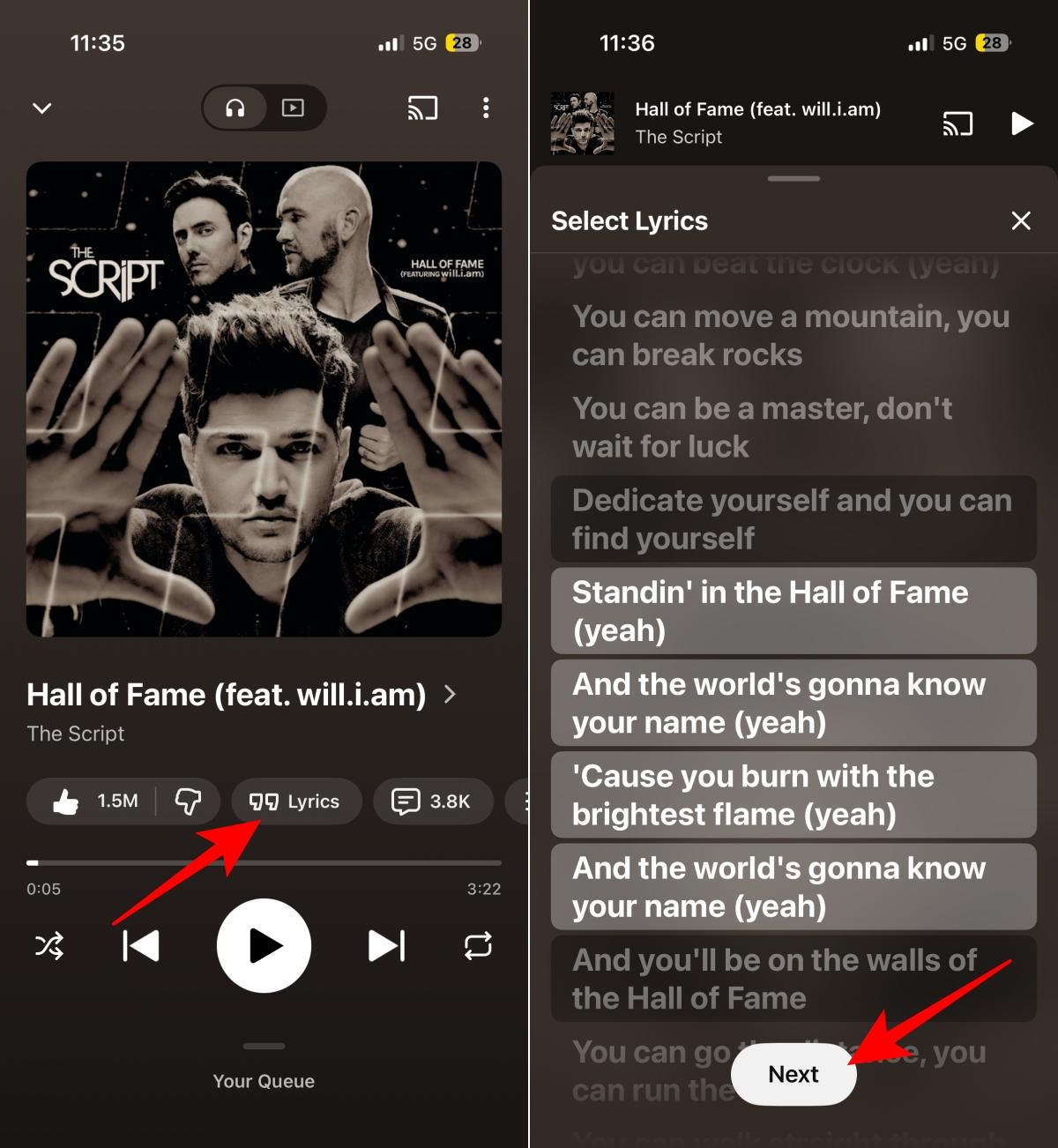
- YouTube Music will generate a lyric card featuring the selected lyrics along with the song title, artist name, and album artwork.
- Choose one of the available background styles. If the feature is available on your account, you can also tap Create with AI to generate a Gemini-powered background.
- Tap Share.
- Save the lyric card to your device or share it directly to another app.
Note:
During my testing, the Gemini-powered background option was not available on my YouTube Music account. Google has already introduced the feature, but the rollout appears to be limited for now. If you don’t see the Create with AI option, it may not have reached your account yet.
Related: YouTube Premium adds new podcast features, but iPhone users have to wait
A cleaner way to share song lyrics
After spending some time with the feature, it’s easy to see why YouTube Music added it. Sharing lyrics is already a major part of how people talk about music online, and lyric cards offer a far cleaner and more polished experience than traditional screenshots.
The addition of Gemini-generated backgrounds provides extra customization options, but the ability to select and share specific lyrics remains the feature’s biggest strength.
If you regularly share music on social media, this is one YouTube Music feature worth trying.
What’s your favorite way to share song lyrics online? Let us know in the comments.
You might also like: