Apple may already be gearing up for iOS 27 and WWDC 2026, but it still is not done with iOS 26. The first developer beta of iOS 26.6 is now available, bringing a few under-the-radar changes that could actually matter to everyday iPhone users.
This time, Apple is tackling two very different problems. One update focuses on users who regularly block spam calls and unknown numbers, while the other quietly strengthens security inside Apple Maps using technology originally designed to protect iMessage from sophisticated attacks.
Apple is also continuing its usual round of bug fixes and performance improvements before shifting more attention toward iOS 27.
Here’s everything new in iOS 26.6 beta 1.
Maximum Blocked Contacts Alert
If you regularly block spam callers, telemarketers, or random numbers, iOS 26.6 adds a safeguard you may appreciate.
The beta introduces a new alert that appears when users reach the blocked contacts limit on iPhone and iPad. The current cap sits at 20,000 blocked contacts.
The alert says:
You’ve reached the maximum number of blocked contacts. To block additional callers, remove a blocked contact in Settings.
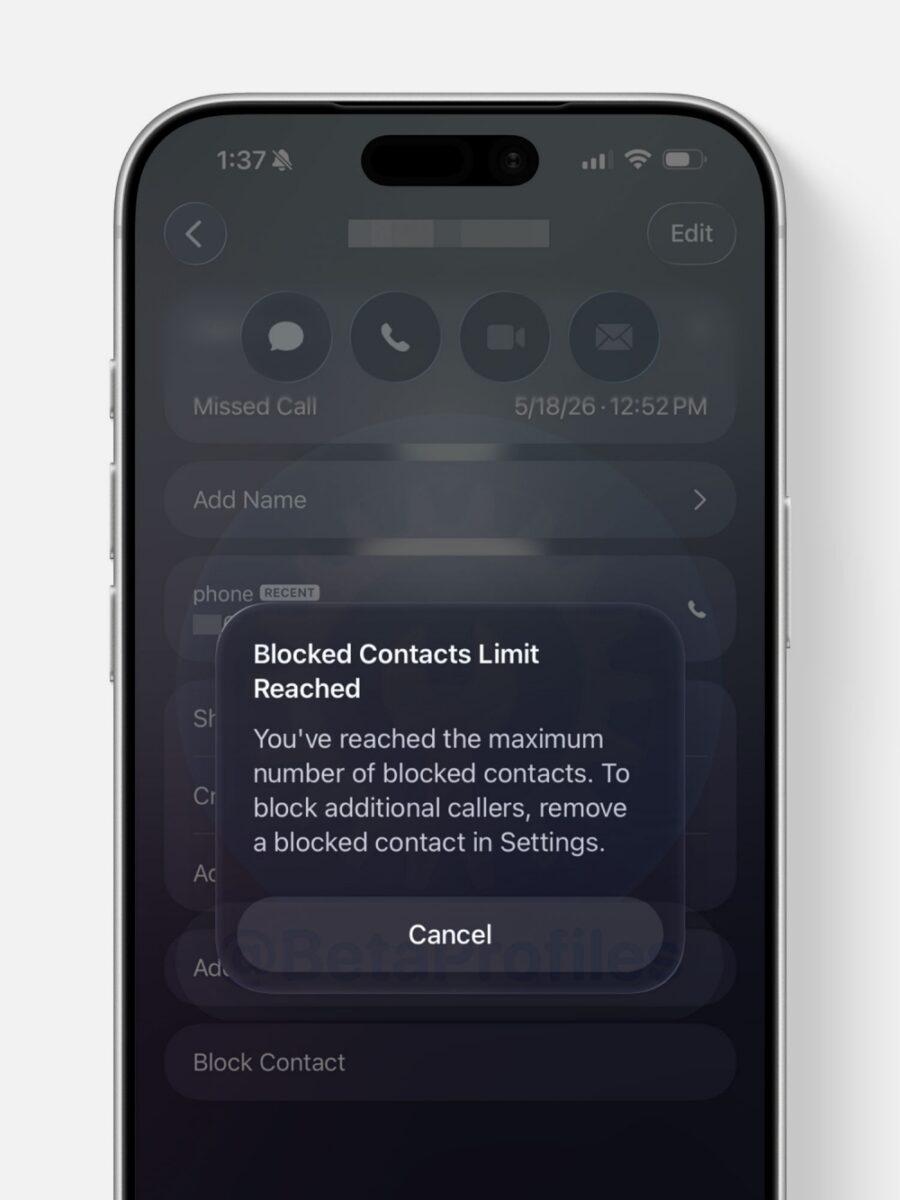
Users can manage their blocked list by heading to: Settings → Apps → Phone → Blocked Contacts.
Most users will probably never hit that limit, but for people constantly dealing with spam calls, the warning makes sense. Without the alert, users could continue trying to block numbers without realizing they had already reached the maximum limit.
Apple Maps gets BlastDoor protection
The second major addition is buried inside the system files, though it could end up being far more important in the long run.
Apple appears to be bringing its BlastDoor security system to Apple Maps with a new framework called “Maps BlastDoor.”
If the name sounds familiar, that is because BlastDoor was originally introduced for iMessage in iOS 14 to defend against dangerous zero-click attacks. The feature isolates suspicious data before it interacts with the rest of iOS. Apple now appears to be extending similar protections to Apple Maps data and links.
Apple has not explained exactly how Maps BlastDoor works yet, but its arrival suggests the company is continuing to harden core iPhone apps against increasingly advanced cyberattacks.
Apple Games and Books get new splash screens
iOS 26.6 beta 1 also adds a couple of new onboarding splash screens inside Apple apps, hinting at features Apple may expand further during WWDC 2026.
One of the new splash screens appears in Apple Games. The screen introduces users to features like Recently Downloaded, achievement tracking, and score updates. While the changes are small for now, they suggest Apple is quietly preparing these apps for larger updates next month.
Another splash screen has been spotted in Apple Books on iPad. In this case, Apple is prompting users to enable notifications for Apple Books.
Interestingly, traces of these additions were already showing up in iOS 26.5, making iOS 26.6 beta 1 feel like Apple is quietly preparing some of its apps and services for bigger announcements coming next month.
Mostly bug fixes otherwise
Outside of those additions, iOS 26.6 beta 1 mainly focuses on:
- Performance improvements
- Security patches
- Bug fixes
- Battery optimizations
So far, the first beta does not include any major UI redesigns or new Apple Intelligence features.
How to install iOS 26.6 beta 1
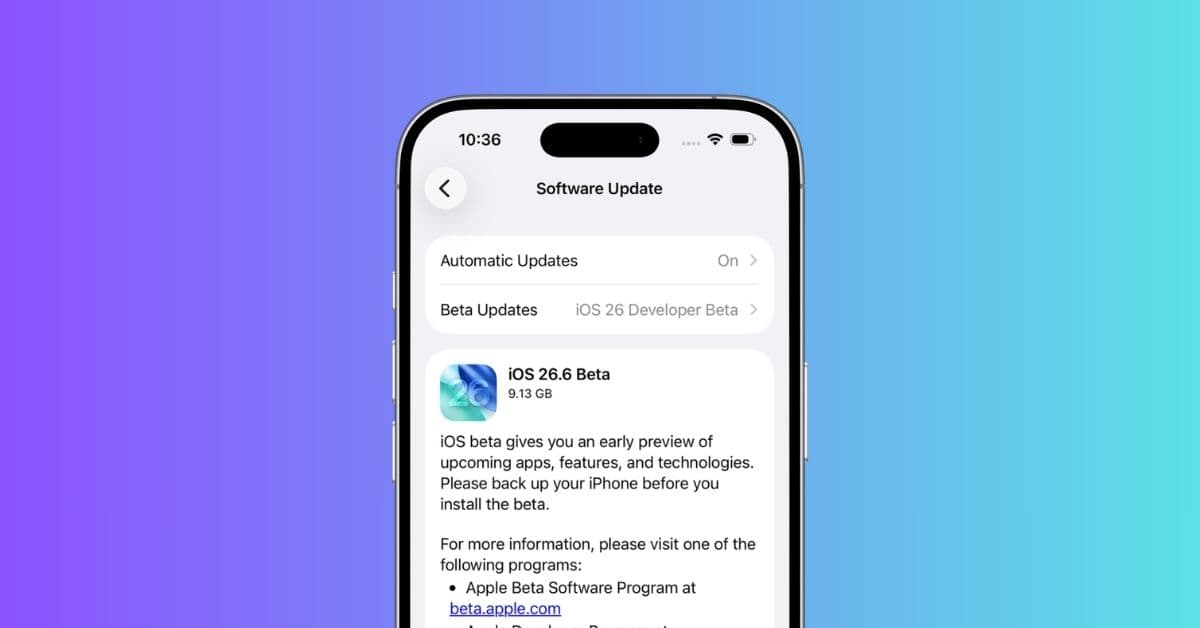
iOS 26.6 developer beta 1 is currently available through the Apple Developer beta channel.
To install it, go to: Settings → General → Software Update → Beta Updates → iOS 26 Developer Beta
Probably one of the last iOS 26 feature updates
Apple is expected to unveil iOS 27 during WWDC 2026 on June 8, so iOS 26.6 will likely be one of the final smaller feature updates before Apple fully shifts its focus to iOS 27.
Which iOS 26.6 beta 1 feature do you find most useful? Let us know in the comments.