
How to use AirTags as NFC triggers for automation on iPhone
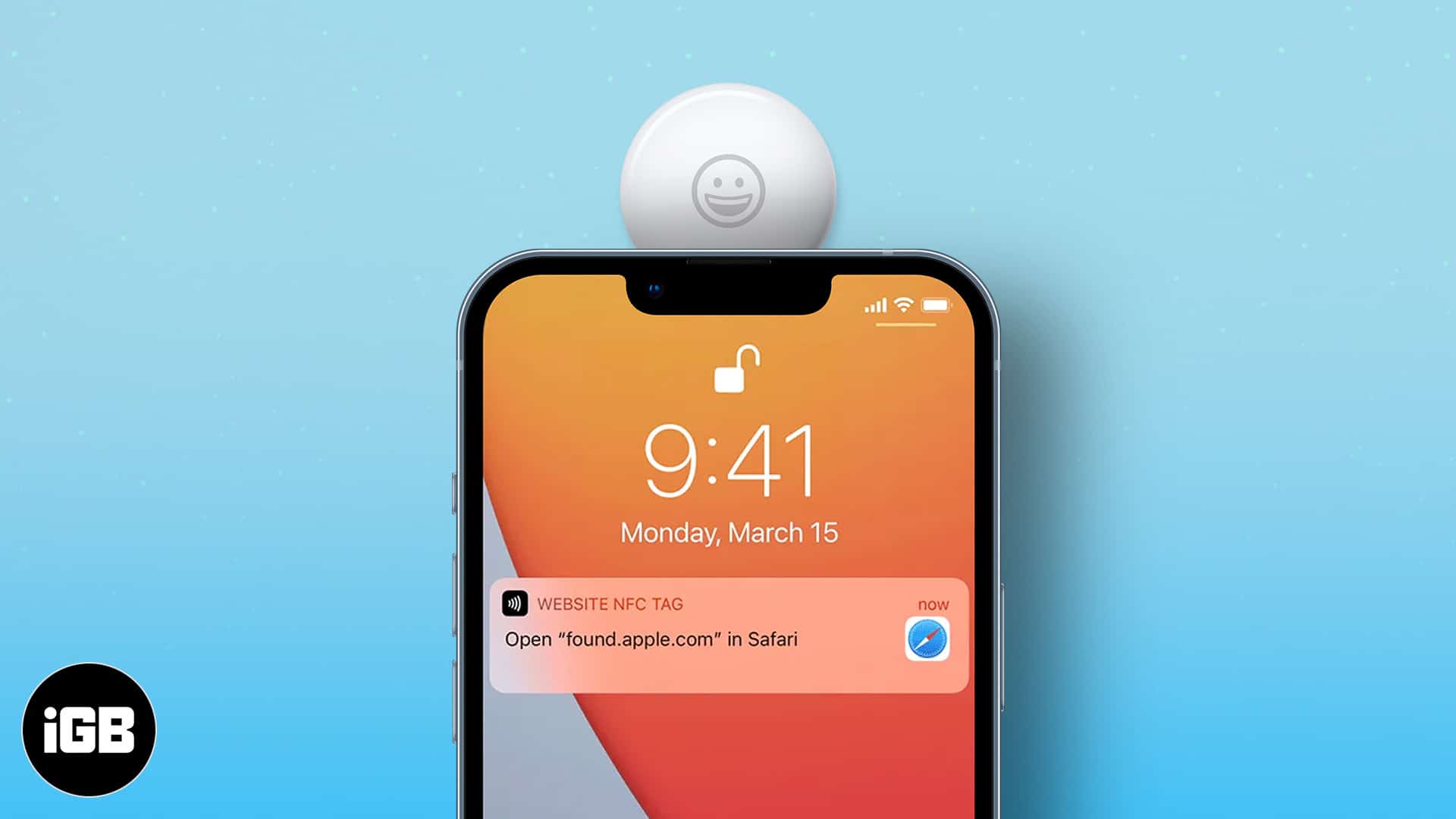
AirTags are proving to be a gift that keeps giving. Alongside keeping track of precious belongings, it can also double as an NFC trigger and assist you in day-to-day tasks, like calling someone, shopping lists, etc. I will show you how to use AirTags as NFC triggers for automation on iPhone.
But before I proceed, let me paint a picture. You are leaving for the office and tap the AirTag stuck to your bag. Instantly, the iPhone will open Maps and show the commute time. Or, while you are leaving the office, it will auto-disable work focus with a tap. Super cool, right? So, let’s see how’s that done.
Note:
While NFC is supported by iPhone 7 Plus and later, the Background Tag Reading capability is only available on iPhone XS, XR, and later. Hence, this trick will only work for iPhone XS, XR, and later.
- How does an AirTag work as an NFC trigger?
- How to make your AirTag an NFC trigger
- Some awesome use of AirTags as NFC trigger
How does an AirTag work as an NFC trigger?
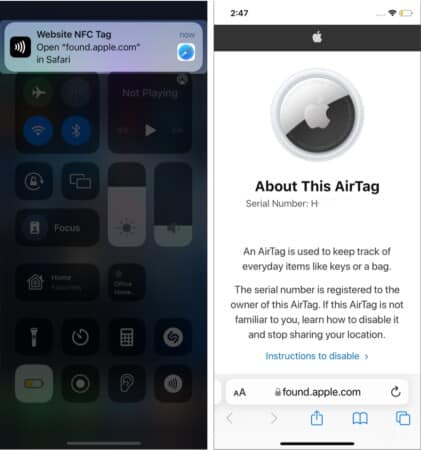
AirTag houses several proximity sensors, including near-field communication, aka NFC capability, to precisely locate your lost items. So, when someone uses an NFC reader on AirTag, a message like this will pop up on their screen.
Thanks to a Background Tag Reading capability, iPhones can auto-detect a nearby NFC Tag. Smartly, Apple has intertwined this feature with automation in the Shortcuts app.
So, when a particular NFC tag, say AirTag, comes near the iPhone, it can trigger automation and perform any assigned task like opening an app, showing battery percentage, turning off Wi-Fi, etc.
How to make your AirTag an NFC trigger
- Launch Shortcuts app and tap Automations.
- Tap + and select Create Personal Automation.
- Now, scroll down and tap NFC.
- Tap Scan.
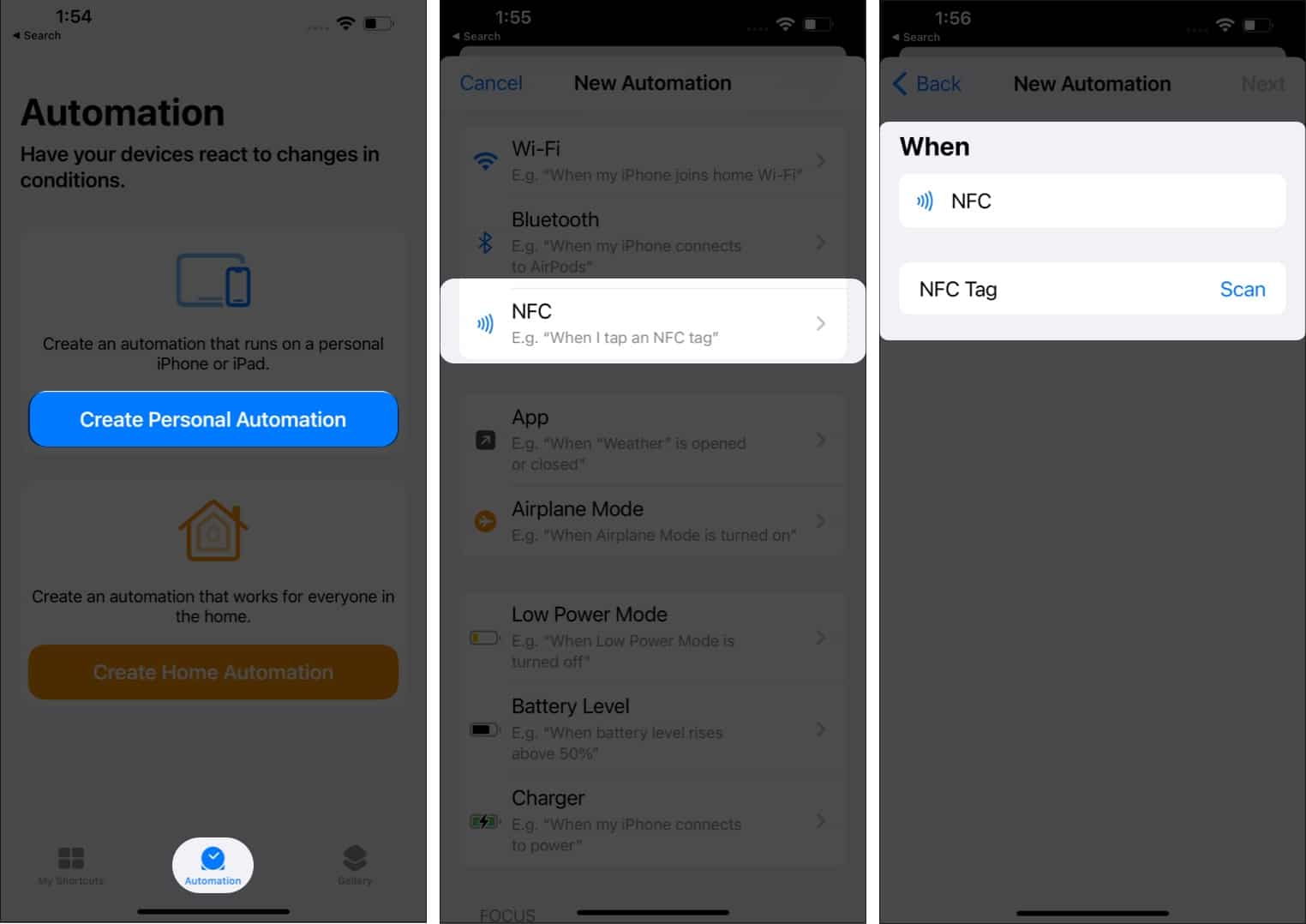
- A Ready to Scan card will pop up.
- Now, tap your iPhone’s back (top-portion) to AirTag (white part).
- Once the AirTag is recognized, give it a name and tap OK.
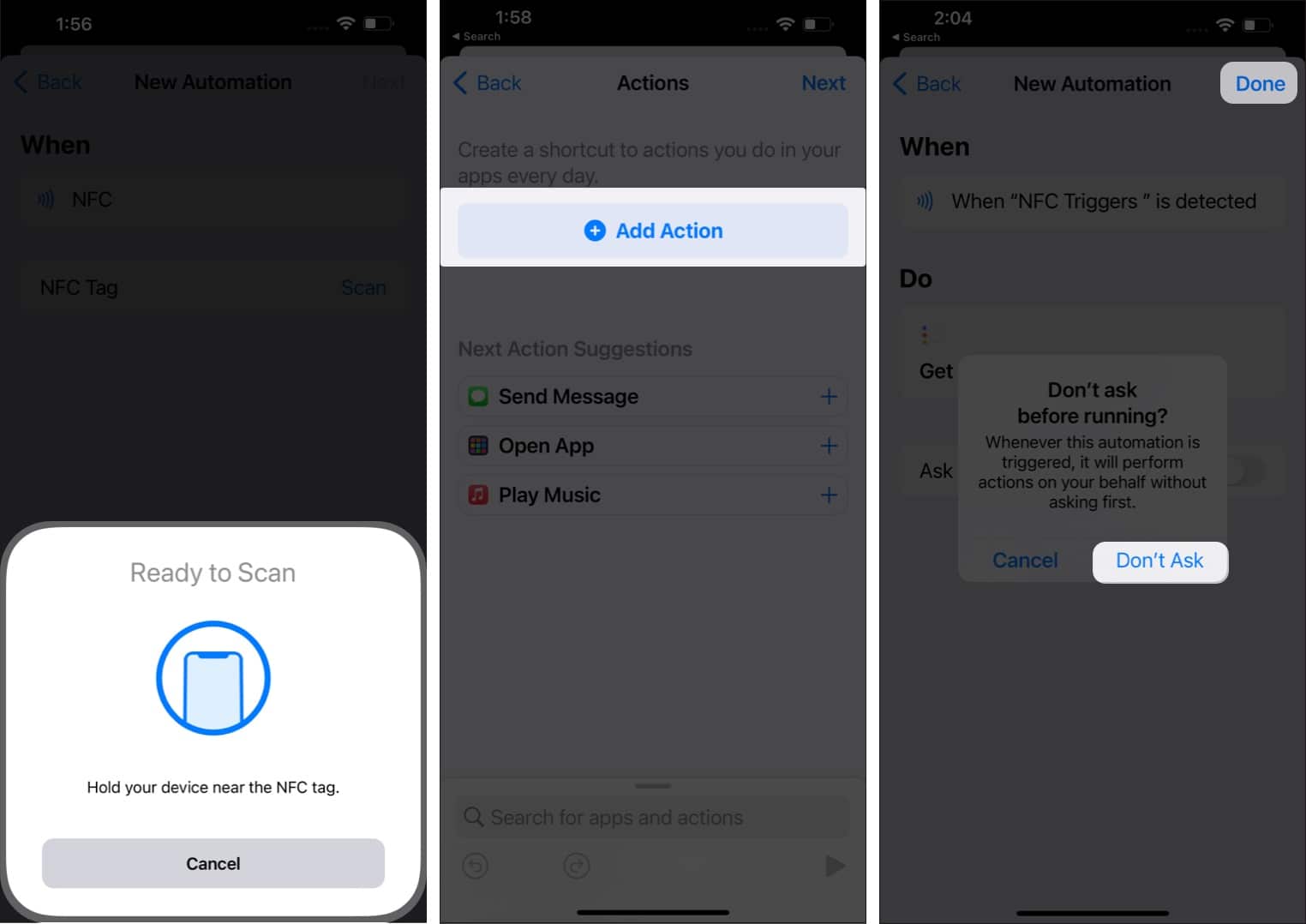
- Then, tap Next to continue.
- Tap + Add Action and add the task.
- Remember to turn off Ask Before Running toggle and tap Don’t Ask.
- Tap Done to save your automation.
When you tap your iPhone to AirTag, it will instantly activate the automation and perform your assigned task.
Some awesome use of AirTags as NFC trigger
- Make a call or message someone.
- Open any to-do app and see what’s pending, done, etc.
- Turn on/off focus, connect/disconnect to Bluetooth, Wi-Fi.
- Auto-start a workout when you reach the gym or start cycling.
- Get direction for home/office from anywhere and the estimated traveling time.
- Club home automation settings and turn on/off AC, lights, and more.
You can mix all the innovative uses of AirTags and NFC tags and create something that suits your need. The best part is that you can change the shortcut’s instruction as and when needed.
Happy tagging!
Now, did the AirTags become more interesting? Do try this hack if you own one. Or you can even risk investing in one because AirTags are super cool. Need more proof?
Check out these articles:
Topics

Written by
Arshmeet KaurA self-professed Geek who loves to explore all things Apple. I thoroughly enjoy discovering new hacks, troubleshooting issues, and finding and reviewing the best products and apps currently available. My expertise also includes curating opinionated and honest editorials. If not this, you might find me surfing the web or listening to audiobooks.
View all posts →More from How-to

Snapchat Parental Controls: How to Set Up Family Center and Keep Your Teen Safe
Snapchat’s Family Center lets parents monitor their teen’s friend activity and screen time without reading private messages. Here’s how to set it up and what to expect.
 VikhyatMarch 3, 2026
How to Block and Unblock Someone on Instagram
Instagram lets you block or unblock someone in seconds. Follow these simple steps to take full control of your privacy and online peace.
 Ava BiswasMarch 2, 2026
Apple Watch Not Responding? 8 Fixes That Actually Work
Is your Apple Watch unresponsive or stuck on a black screen? Here are 8 proven fixes to help you unfreeze it and get it working again quickly.
VikhyatMarch 3, 2026