
How to hide Instagram Stories from someone on iPhone

Sometimes, there are people you don’t want to share your Instagram stories with, such as an ex, a nosy work colleague, or even a relative. We’ve all been in situations where we felt the need to keep our personal lives restricted to just a few people.
To ensure your stories have needed privacy, Instagram allows you to not just set your Instagram account private but also hide your Instagram stories from someone using your iPhone. The best thing about this feature is that it allows you to keep your posts concealed from certain friends without having to unfollow them.
One thing worth noting is that hiding your story from someone is different than blocking them. For instance, the person whom you have stopped from viewing your stories will continue to see your profile and posts; unlike the blocked ones.
So, in this article, I’ll share a couple of easy methods to hide Instagram Stories on an iPhone.
How to hide Instagram story on iPhone
- Launch the Instagram app on your iPhone.
- Tap the profile picture → Select the hamburger menu at the top right.
- Select Hide story and live.
- Tap on Hide Story and live from → Select the users you want to hide your stories from → Press Done.
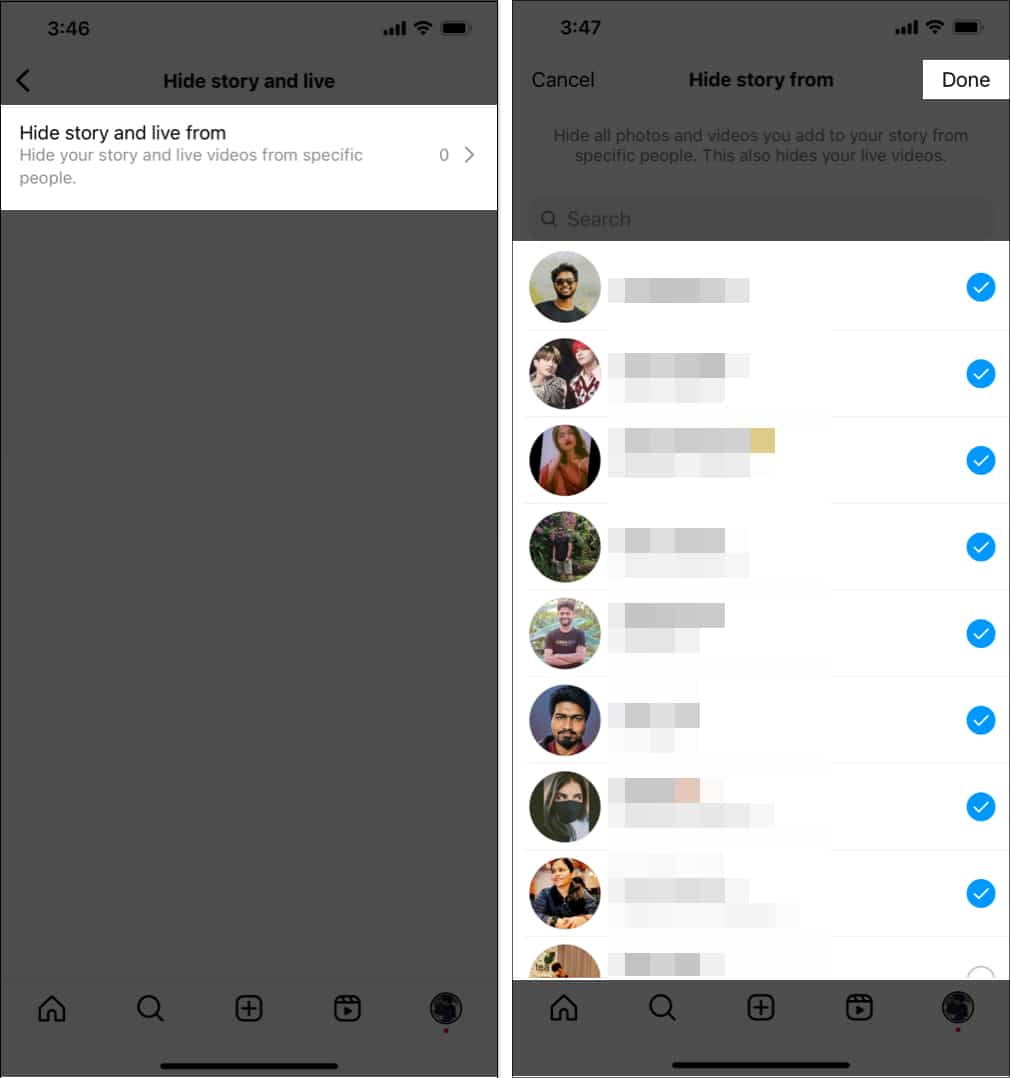
Note:
In case you change your mind, come back to the same tab and deselect the users you wish to share your stories with.
How to hide Instagram story from someone after posting
There’s an alternate method to hide users from viewing your stories. You can go to your story and do the following:
- Tap Your Story → Select More at the bottom right → Go to Story settings.
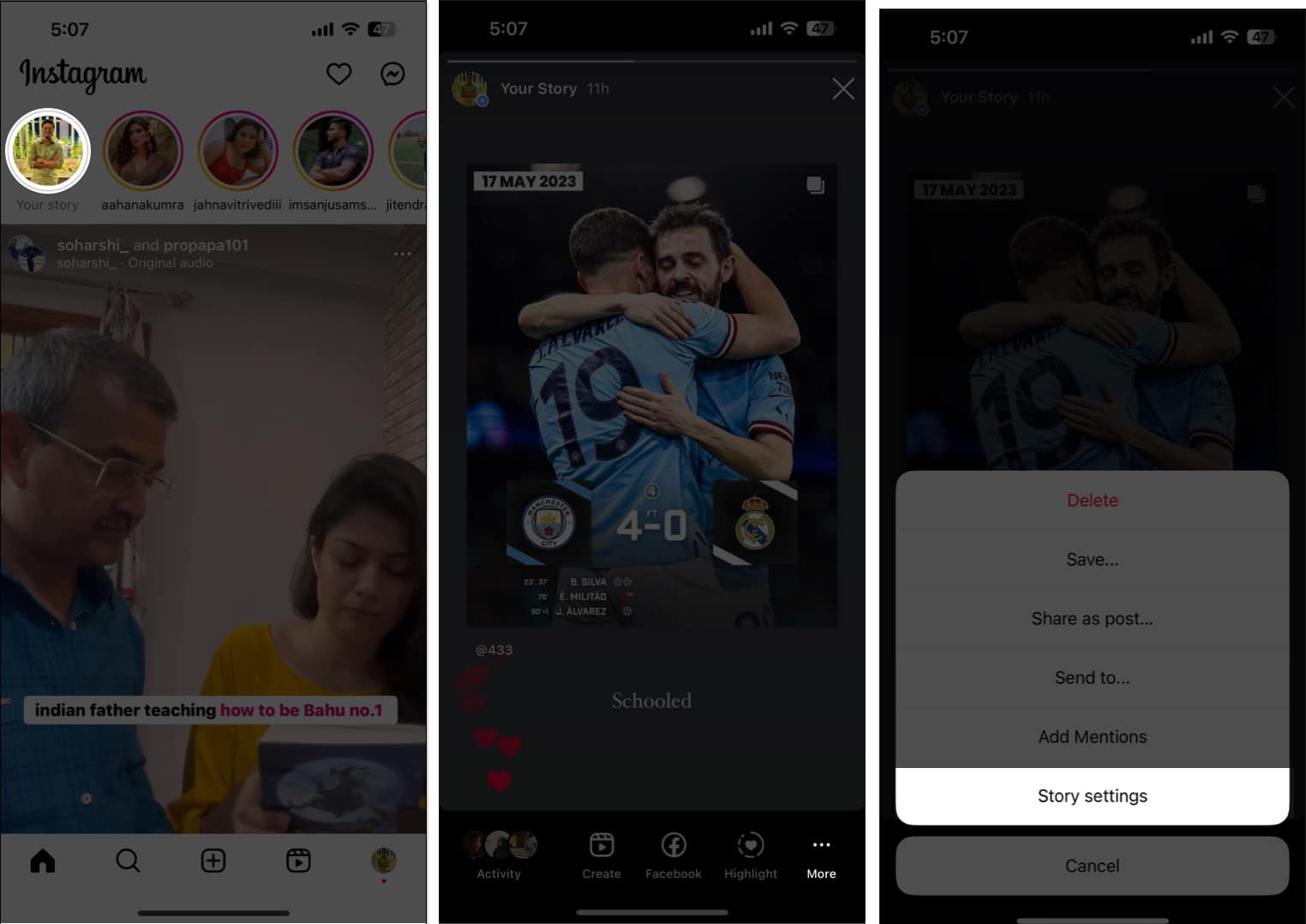
- Choose Hide Story from → Select the users you want to hide your stories from → Press Done.
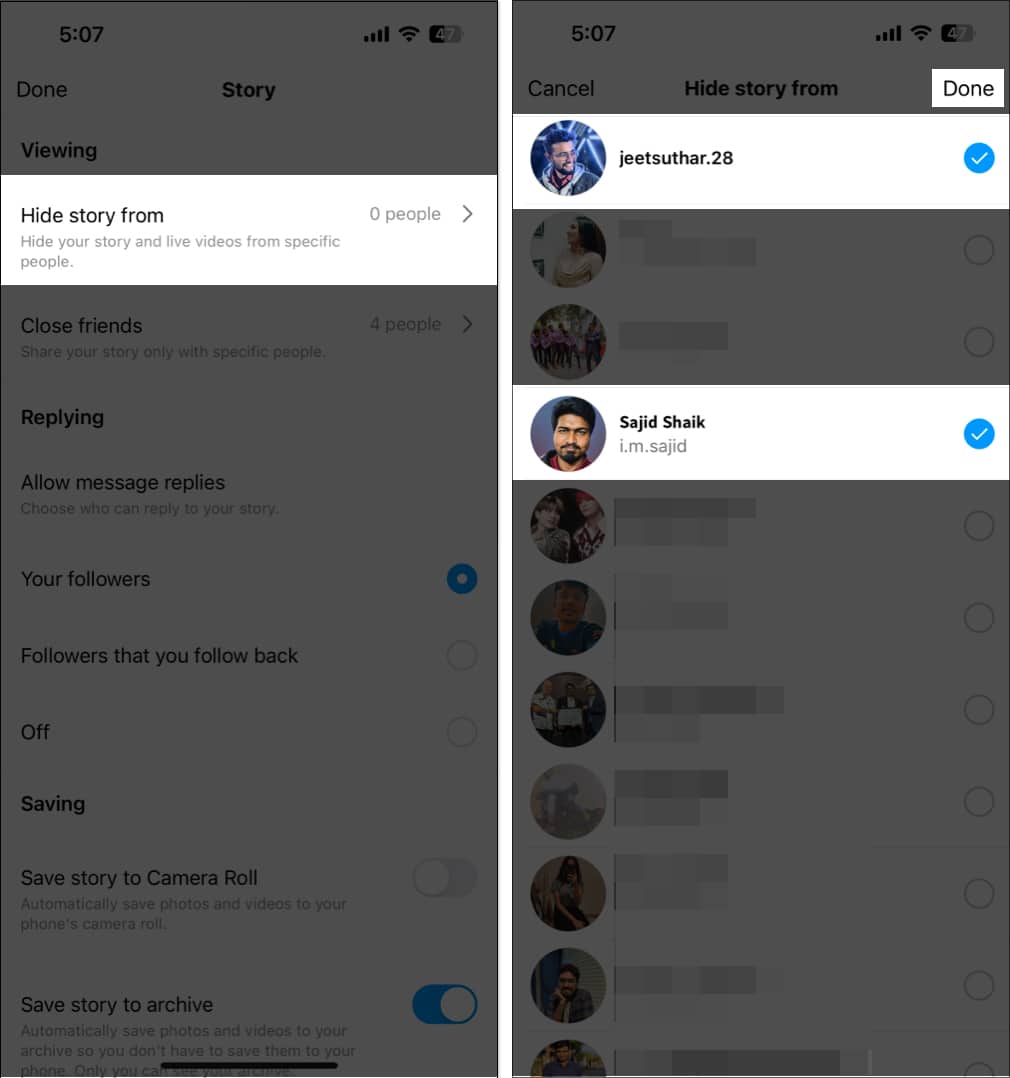
This will subsequently hide all your stories from the selected users.
To restore settings, go back to Hide stories → Deselect the users you wish to share your stories with.
Hide Instagram story using close Friends list
While Instagram does not directly allow you to restrict everyone on your followers list, there is a workaround in the form of the Close Friends feature.
You can select particular people with whom you want to share your story using this feature. To make an Instagram list of your Close Friends, simply follow the instructions below.
- Open the Instagram app → Tap the profile icon to go to the Profile tab → Select the hamburger menu.

- Select the Close friends option → Select the users you’d like to add to the Close friends group.
- Select the desired users → Press Done to confirm your selection.
Control who reads your story!
Aligning with Apple’s privacy vision, hiding Instagram Stories ensures the protection of your personal information. Additionally, the above-mentioned steps must have helped you to hide your Instagram story from unwanted people.
Further, you can also check our article on how to use Instagram like a pro to learn more amazing tips, or you can check my recommendations below.
Frequently Asked Questions
Topics

Written by
Jignesh PadhiyarJignesh Padhiyar is the co-founder of iGeeksBlog.com, who has a keen eye for news, rumors, and all the unusual stuff around Apple products. During his tight schedule, Jignesh finds some moments of respite to share side-splitting content on social media.
View all posts →More from How-to
How to Turn Off Location on Snapchat (Step-by-Step Guide)
Want to stop sharing your location on Snapchat? This guide explains how Snapchat location sharing works and shows simple ways to turn off your location using Ghost Mode or phone settings. Stay in control of your privacy in just a few steps.
 VikhyatMarch 5, 2026
Snapchat Parental Controls: How to Set Up Family Center and Keep Your Teen Safe
Snapchat’s Family Center lets parents monitor their teen’s friend activity and screen time without reading private messages. Here’s how to set it up and what to expect.
VikhyatMarch 3, 2026
How to Block and Unblock Someone on Instagram
Instagram lets you block or unblock someone in seconds. Follow these simple steps to take full control of your privacy and online peace.
 Ava BiswasMarch 2, 2026