Your Fortnite account is more important than it may initially seem. Everything, from your Ranked progress to your unlocked cosmetics, is permanently attached to it. Moreover, your V-Bucks balance is also non-transferable and only usable with the account you redeemed it on.
Given all those factors, it becomes imperative to ensure you do not lose access to your Fortnite account in any case. To that end, it is highly recommended to set up two-factor authentication (2FA) if you are even remotely a regular player of the hugely popular online shooter.
Since your Fortnite account is essentially linked to your Epic Games account, you can just enable 2FA for the latter and effectively secure both. The following steps show how Fortnite players can activate 2FA.
Steps to enable 2FA for Fortnite via Epic Games
- Go to epicgames.com and log in to your Epic Games account.
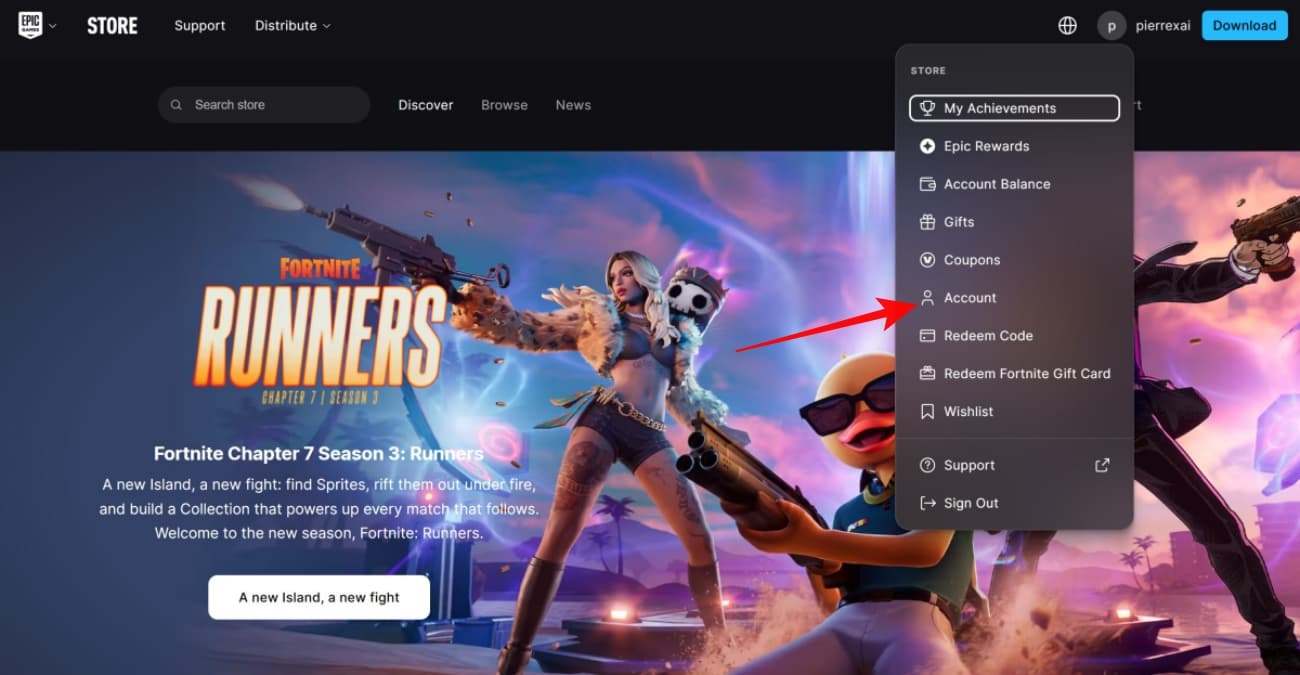
- Click your profile icon near the top-right corner of your screen and select Account.
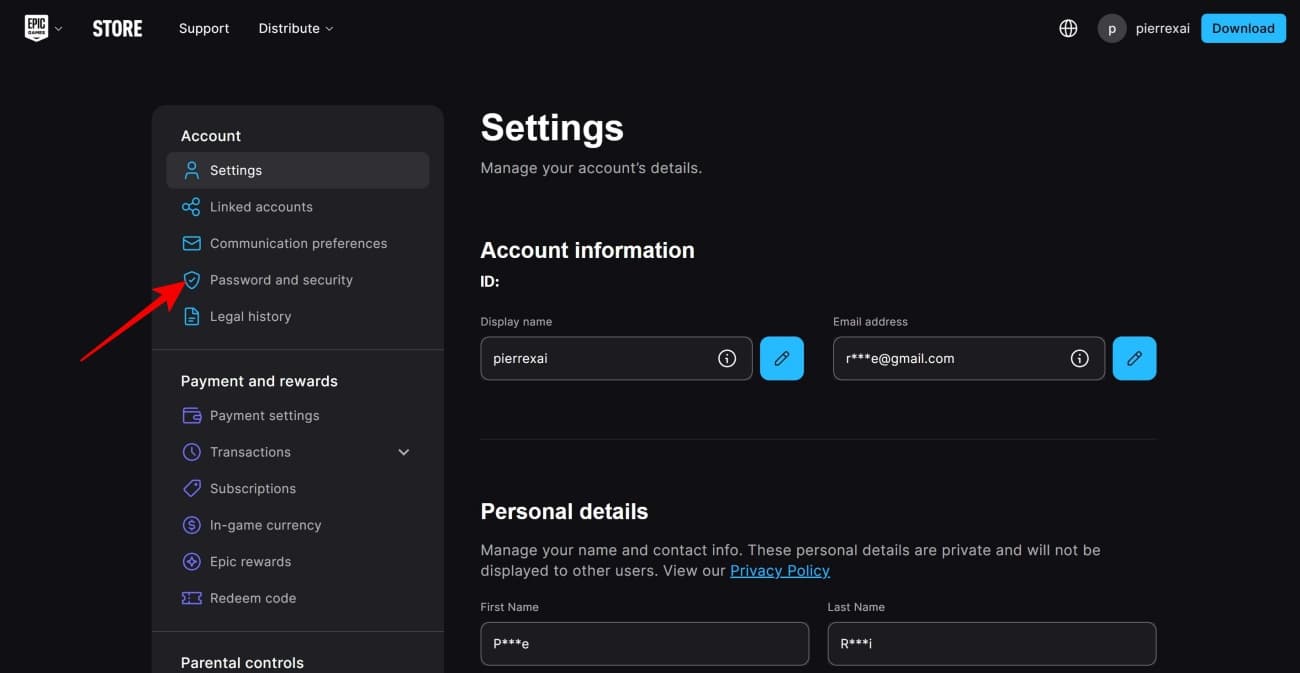
- On the Settings page, select Password and security from the options that appear in the left column. (At this step, the website may prompt you to enter the code sent in your linked email for verification; proceed with that)
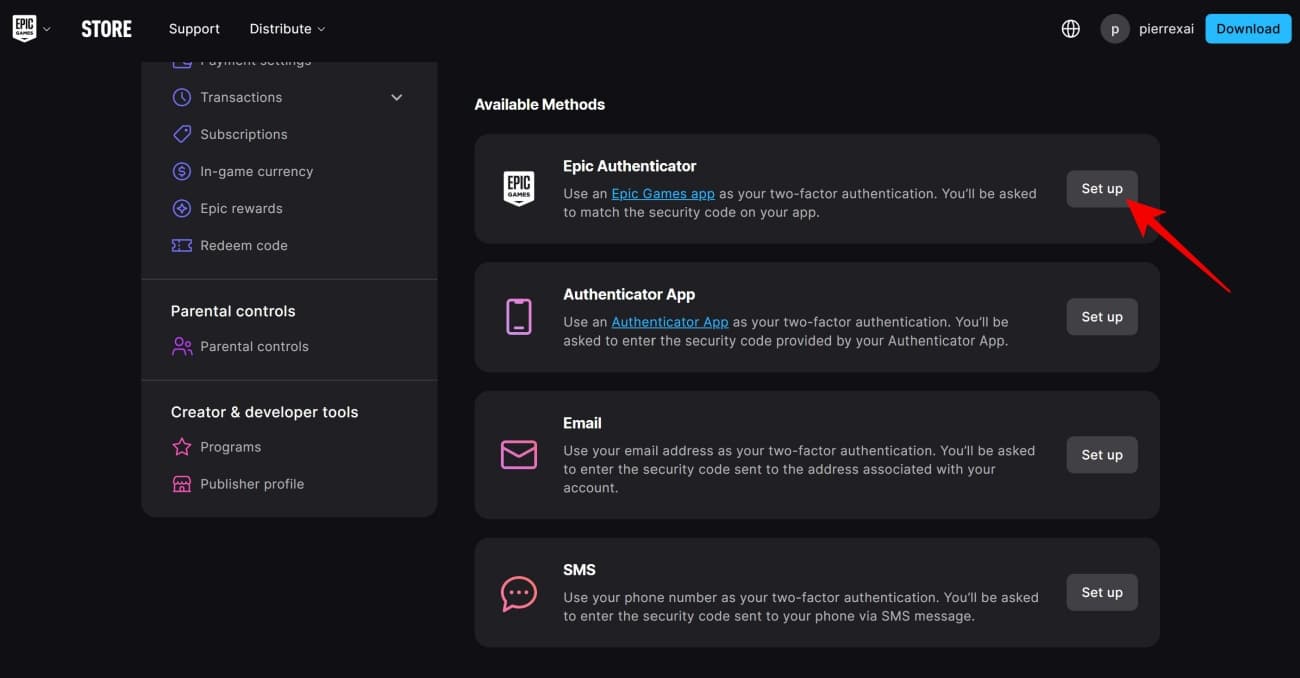
- Next, pick one of the four available options for 2FA by clicking Set up next to your preferred method. You can choose among the Epic Games Store mobile app, a third-party authenticator app, your linked email, and your phone number.
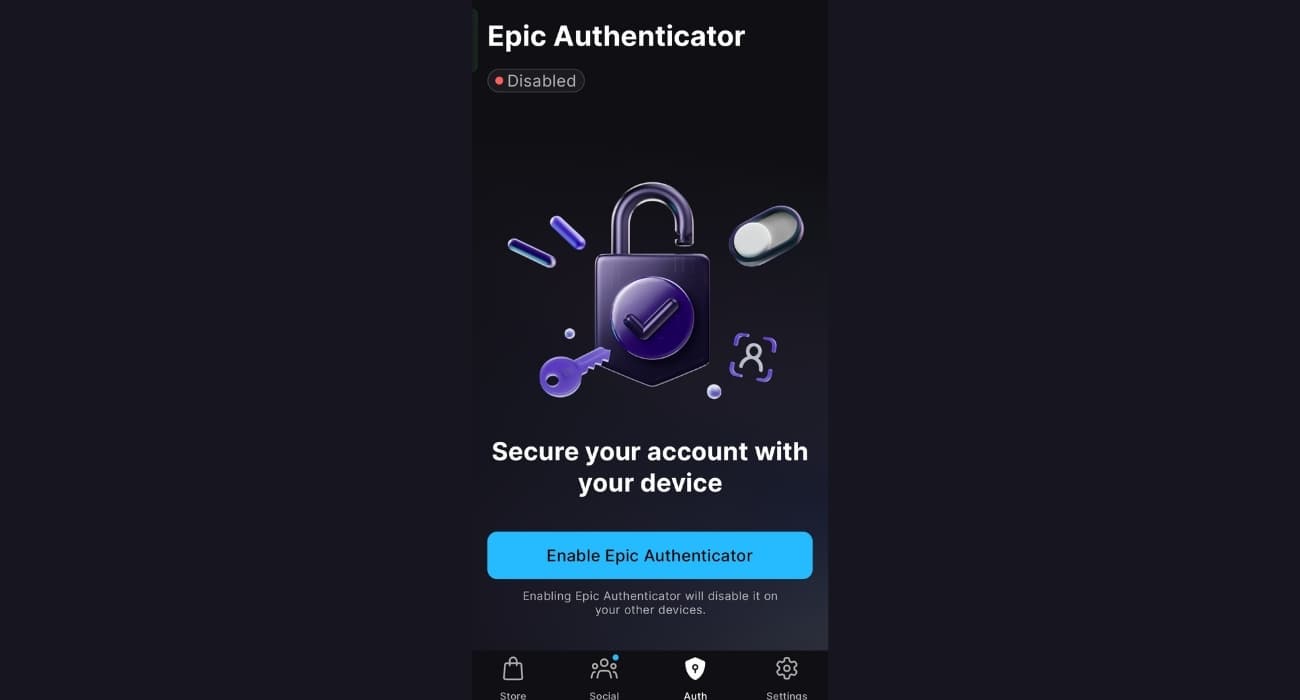
- If you choose Epic Authenticator, scan the QR code with your phone’s camera to download the Epic Games Store app and follow the on-screen instructions to complete setup. If you already have the app installed, it will automatically open the “Auth” tab in the app. Click Enable Epic Authenticator and follow the instructions thereafter.
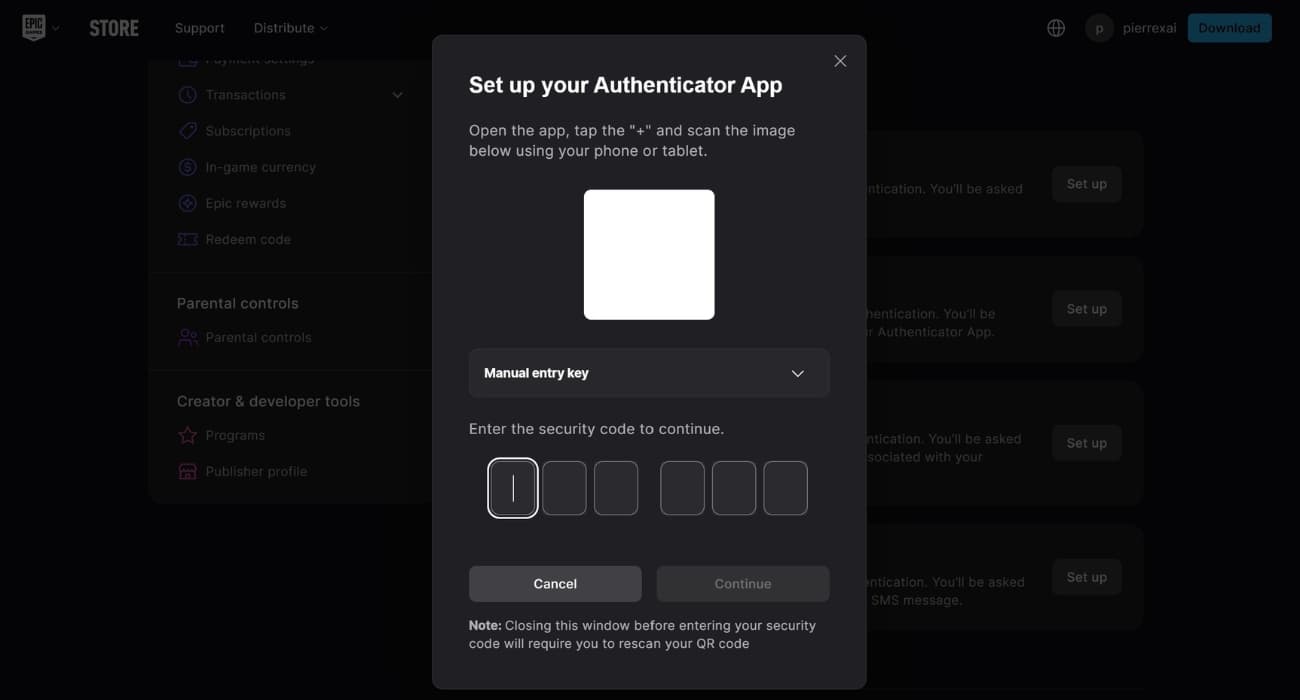
- If you choose Authenticator App: Click Continue, scan the QR code with your authenticator app of choice (Google Authenticator, Microsoft Authenticator, LastPass Authenticator, or Authy), and do as the on-screen instructions say.
- If you choose email or phone number: Simply enter your email or phone if prompted and then enter the code you receive as instructed.
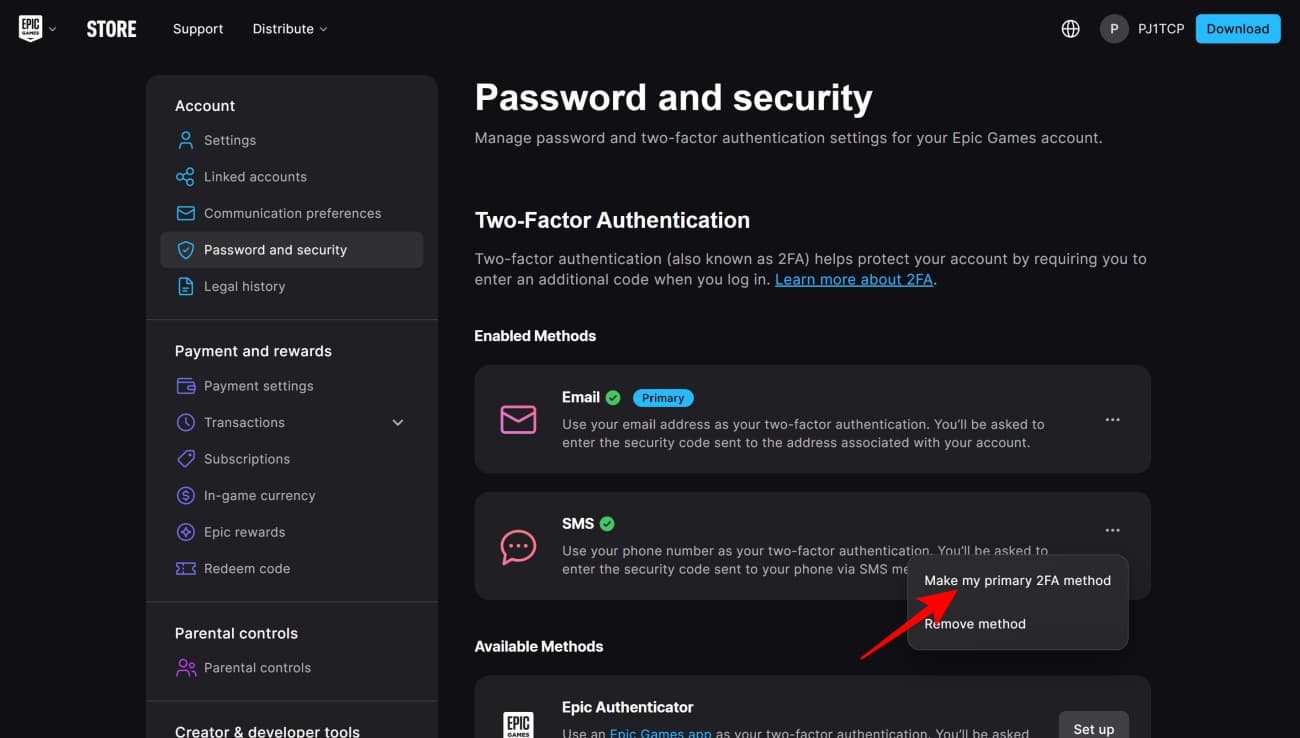
- Optionally, you can even set up multiple 2FA methods for your account. In this case, you will have to choose the primary one by clicking on the three dots next to your preferred method and selecting Make my primary 2FA method.
Fortnite 2FA rewards and benefits explained
Now that you have enabled 2FA, you have not only increased your account’s protection by involving a secondary device but also become eligible for certain Fortnite activities. That’s because 2FA is mandatory for things such as sending in-game items as gifts to your Fortnite friends and entering official Fortnite competitive events.
Additionally, setting up 2FA also grants you the Boogie Down emote as an exclusive reward. This Epic-tier emote was originally released back in August 2018, during Chapter 1 Season 4.
As with any other security measure, 2FA only goes as far as the user’s own vigilance. Having said that, it’s important to keep in mind that the security codes you receive are not to be shared with anyone else. It is also crucial to make sure no one else has access to the email and phone number you have used for 2FA. With these boxes checked, your Epic Games and Fortnite account should be as safe as they can possibly be.
Missed This? Check It Out