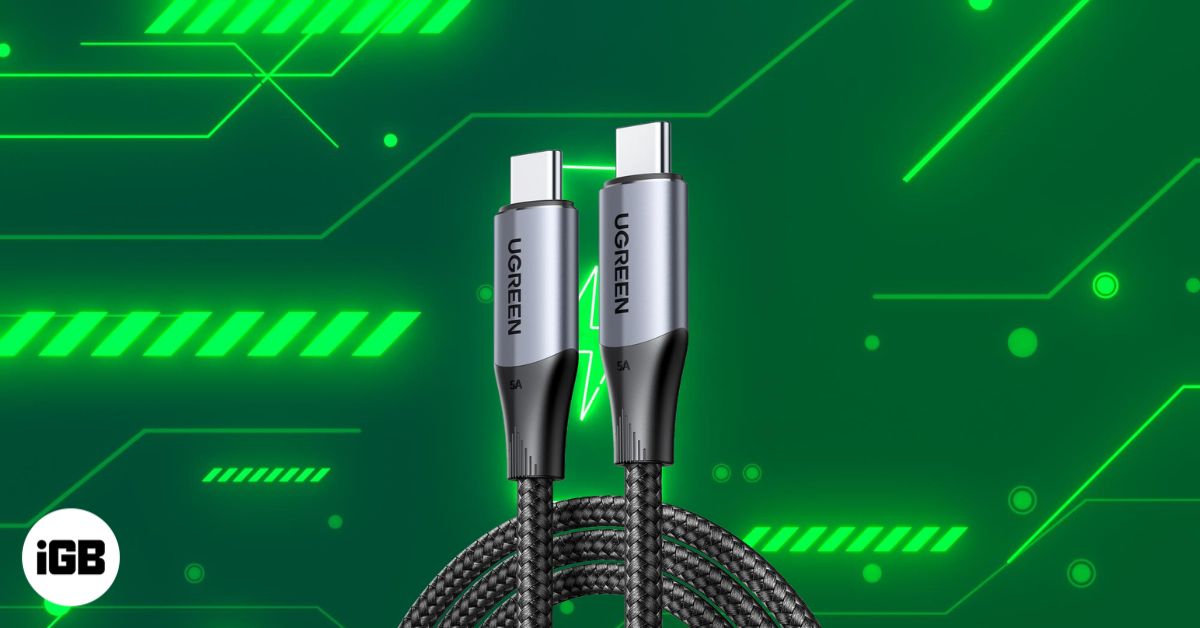
USB-C is now the standard for charging and data transfer on newer iPhones, but cable quality varies widely. Some charge faster, some offer better data speeds, and others hold up longer through daily wear. This guide breaks down what really matters when choosing a USB-C cable for your iPhone and highlights the best options to buy today.
How to Choose the Best USB-C Cable
Understanding the cable types and specs makes your decision easier and helps you avoid overpaying for features you don’t need.
1. Length
Cable length directly affects convenience and charging performance.
- 3 ft (1 m): Best for travel, desks, and use with power banks.
- 6 ft (2 m): Ideal for sofa/bedside usage.
- 10 ft (3 m): Great for extended reach but will reduce charging performance slightly, depending on the quality of the cable.
2. Durability
High-quality cables often include:
- Braided nylon jacket
- Strain-relief sleeves around connectors
- Reinforced metal ends
- Bend-tested certifications (e.g., 10,000–30,000 bends)
Durability is vital if you consistently coil or store your cable in bags and pockets.
3. Charging Performance
Check for USB-C PD support and wattage. You’ll often see cables rated at 60W, 100W, or even 240W. iPhones don’t need extremely high wattage because they peak around 30W, yet choosing a higher-rated cable can future-proof your accessories for iPads and MacBooks.
4. Data Transfer Speed
USB-C cables can be very different:
- USB 2.0 → up to 480 Mbps (most charging-only cables)
- USB 3.2 → 10 Gbps for photo/video transfer
- USB 4 / Thunderbolt 4 → up to 40 Gbps for professionals with external SSDs and monitors
If you frequently move large video files, back up data on external drives, or connect to monitors, choose at least USB 3.2 or Thunderbolt-certified.
Also read: Thunderbolt vs. USB-C: What’s the difference?
5. Security
Always stick with trusted brands that use certified E-marker chips and thermal protection. These features prevent overheating and protect your device’s battery health over time.
6 Best USB-C Charging Cables for iPhone
Now that you know what matters, here are the top Type-C cables that deliver reliable charging, fast transfer speeds, and dependable everyday use.
1. Apple USB-C to USB-C Woven Charge Cable
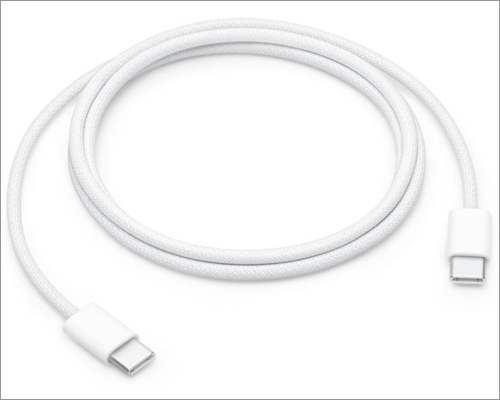
- Charging: 60W
- Cable length: 3.3ft (1m) or 6ft (2m)
- Data transfer speed: USB 2.0 480Mbps
Apple’s woven USB-C cable is lightweight, soft, tangle-resistant, and consistent. The braided design adds better durability than the older plastic version, and its compatibility is flawless across all Apple devices. It won’t win awards for ruggedness, yet it’s reliable for daily charging and basic data transfer.
Best For: Users who prefer official Apple accessories.
2. Anker 310 Type-C Fast Charging Cable

- Charging: 60W
- Cable length: 3ft, 6ft
- Data transfer speed: USB 2.0 480Mbps
Anker has built its reputation on dependable cables at friendly prices. This cable includes braided nylon for strength, aluminum shielding, TPE insulation, and reinforced connectors. It handles up to 10,000 bends and is USB-IF compliant for safe charging.
Best For: Budget users who want a dependable daily cable.
3. Belkin BoostCharge USB-C to USB-C Power Cable

- Charging: 240W
- Cable length: 3.3ft, 6.6ft
- Data transfer speed: USB 2.0 480Mbps
If you are looking for a USB-C cable for fast charging your iPhone, iPad, and MacBook Pro, this Belkin BoostCharge cable is perfect. It offers premium build quality, including a durable anodized aluminum cable head and a double-braided nylon cable. The brand claims it can survive over 30,000 bends and 10,000 plug-ins.
Additionally, the 240W fast charging support covers all kinds of devices. However, a high-wattage power adapter is required to draw the full output. The best part is that the cable has dual E-marker chips for overheating protection and is USB-IF certified for safety. With a 2-year warranty, it’s a good deal.
Best For: If you want a premium third-party cable with long-term reliability.
4. Cable Matters Gen 2 USB-C Cable

- Charging: 100W
- Cable length: 3.3ft, 6ft
- Data transfer speed: USB-C 3.2 Gen 2 10Gbps
- Monitor support: Up to 4K at 60 Hz
Want a high-bandwidth cable for quick data transfers? The latest iPhone 15/16/17 Pro and Pro Max support up to 10Gbps wired transfer, so you need a matching cable. The Cable Matters USB-C to USB-C 3.2 Gen 2 cable provides seamless video and data for streaming, gaming, or professional use.
Moreover, you can juice your iPhone, iPad, and MacBook with 100W fast charging. The cable features a flexible, rubberized TPE jacket and molded strain relief, resisting daily wear and tear. Finally, the E-marker chips make it USB-IF compliant.
Best For: Users who want premium features like high-speed data transfer and external display support without a premium price tag.
5. UGREEN USB-C to USB-C 3.2 Gen 2 Cable

- Charging: 240W
- Cable length: 3.3ft
- Data transfer speed: USB-C 3.2 Gen 2 10Gbps
- Monitor support: Up to 4K at 60 Hz
UGREEN has become a well-respected brand for high-value electronics accessories. Their USB-C cables are rugged due to the shielded wire mesh, TPE, and double-braided nylon cover. The high-power throughput goes up to 240W, suitable for all USB-C/Thunderbolt 3 devices.
For users transferring 4K videos to SSD or connecting an external display, it’s a great choice. The brand mentions that cable has an exclusive E-marker smart chip to match the required current. So, your device’s battery doesn’t damage during the current discharge.
Best For: Professionals looking for great quality at a mid-range price
6. Baseus Retractable USB-C Cable

- Charging: 100W
- Cable length: 6.6ft
- Data transfer speed: USB 2.0 480Mbps
If you want a super portable and compact yet lengthy Type-C cable, get this Baseus one. It is 6.6ft long but retractable in a small, 0.9-inch-tall round storage. So, no more messy tangled cables or bending issues. The cable has a 7-stage length preset to let you pull the required cable.
Baseus also claims the cable can withstand over 50,000 pulling cycles. In terms of charging, you get 100W Power Delivery for fast charging. You can also choose from four color variants to match your style. With just 116g, it is a perfect travel companion.
Best For: Users who want a fashionable and compact cable on the go.
Bonus: Anker CarPlay-Optimized USB-C Cable
CarPlay performs best with a stable wired connection. This Anker cable features a recycled, braided exterior, firm connectors, and the right length to avoid clutter in your car. It offers consistent data throughput for lag-free CarPlay.
Best For: Anyone using wired CarPlay.
Which USB-C Cable Is Right for You?
Choose based on your priorities:
| Use Case | Best Cable Type |
| Everyday iPhone charging | Apple, Anker |
| Maximum durability | Baseus, UGREEN |
| Fast data transfer for photos/videos | Cable Matters, UGREEN |
| Best premium third-party option | Belkin |
| Wired CarPlay | Anker CarPlay Cable |
| Budget but reliable | Anker |
If your main goal is charging, almost any PD-supported cable works fine. If you want faster data transfers, choose a USB 3.2 cable instead of a USB 2.0 option.
Get the Best Type-C Cable
Choosing the right cable comes down to how you use your iPhone every day. Whether you want fast charging, a rugged cable for heavy usage, or a budget option that still lasts, there’s a perfect pick waiting for you. With the guide above, you can skip the guesswork and avoid spending money on features you won’t use.
Have a favorite USB-C cable that deserves a shoutout? Share it in the comments.