Video has become the fastest and main way to share ideas, build brands, and grow online in 2026. From social media reels and YouTube videos to business promotions and online learning, high-quality video content is now expected across the board.
However, you no longer need a computer to edit professional videos. With the right video editing app, you can create, edit, and publish stunning videos from your smartphone. Here are the best video editing apps for iPhone, iPad, and Android, with a focus on usability, features, and real-world value for creators.
What Makes the Best Free Video Editing App
Not all free video editing apps are worth your time. A good free app should help you create professional-looking videos and avoid nagging you to upgrade too early. Here’s what I consider before recommending:
- Easy-to-use interface: Of course, a clean layout, drag-and-drop timeline, and clear icons are important, especially for beginners.
- No heavy watermarks: Professional apps either do not add watermarks or barely keep them minimal.
- Core editing tools: Trimming, splitting, transitions, text, filters, and basic color correction.
- Export quality: HD or 4K export is a big plus, especially when targeting YouTube, Instagram, and TikTok.
- Cross-platform availability: Apps that work on both iOS and Android give you flexibility.
- Performance optimization: The application should run smoothly and not crash, even on long videos.
6 Best Video Editing Apps for iPhone, iPad and Android
Edit videos like a pro on your phone with these easy-to-use apps that deliver powerful tools without a learning curve.
1. Adobe Premiere: Best for Content Creators
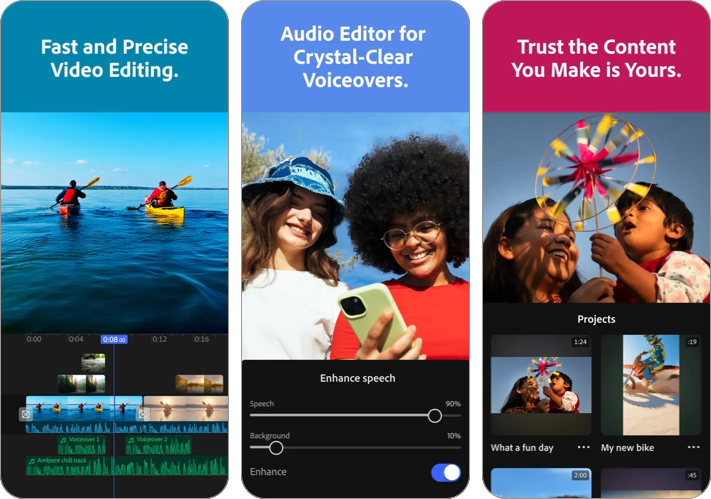
Adobe Premiere on mobile is designed for creators looking to produce fast, clean edits with a professional feel. You can access Adobe’s creative assets library for free. If you are like me and already use Premiere Pro on a desktop, this app is a great choice. All your iPhone projects will be synced with Adobe Creative Cloud.
Key Features:
- Multi-track timeline with studio-quality sound
- Auto reframe for social media
- Powerful AI-powered tools like auto captions, background expansion, etc.
- Totally free; No ads or watermarks
Usability: Simple enough for beginners, powerful enough for semi-pro users.
Download on iPhone | Download on Android
2. CapCut: Shine on Social Media with AI Videos
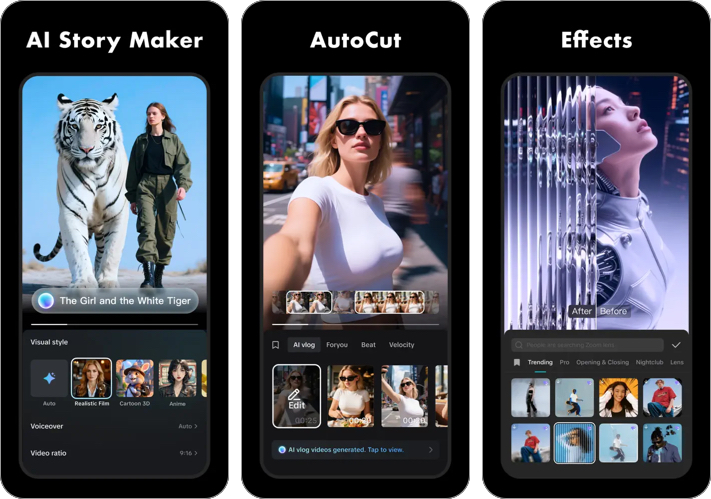
CapCut is one of the most widely used free video editing apps in 2026. It’s most useful for creating short videos to be shared on social media platforms. Videos can be exported at 4K 60fps with smart HDR. You can also enjoy advanced speed curves, chroma keyframes, and stabilization.
Key Features:
- Free trending templates, transitions, filters, and effects
- Auto-cuts for social media
- AI-powered story maker, translation, captions, and more
- No watermark (in most exports)
Usability: Extremely beginner-friendly with fast results. Best for TikTok, Instagram Reels, and YouTube Shorts creators.
Download on iPhone | Download on Android
3. DaVinci Resolve for iPad: For Advanced Users

DaVinci Resolve for iPad is a professional-grade editor designed for serious creators. It uses Apple’s M-series chips to deliver desktop-level editing on a tablet. You can do Hollywood-style color grading and sync your work on Blackmagic Cloud. However, if you are a beginner and want quick editing, you may skip this.
For iPhone, you can enjoy a similar set of editing tools and features in iMovie, Apple’s official video editor.
Key Features:
- Advanced color grading and post-production tools
- Multi-cam editing
- AI tools for peak creativity
- Desktop-like timeline
Usability: Powerful enough for filmmakers and professional editors, but it has a learning curve.
4. Videoleap: AI Video Editor King

Videoleap focuses on creative and AI-driven editing. You can use pre-made AI video templates or generate videos from scratch. I like its unlimited undo/redo functionality and intuitive timeline. With so many trending filters and effects, it’s perfect for eye-catching videos.
Key Features:
- AI editing tool set and effortless background removal
- Layer-based editing
- Motion effects and blending
- Text animations
Usability: Easy to begin, more advanced tools offered for creative edits, visual storytelling, and experimental videos.
Download for iPhone | Download for Android
5. Prequel: Enjoy Aesthetic Filters

Prequel focuses on style and basic video editing. It’s my favorite app when I need to share a stylish Instagram story. You get over 800 cinematic FX, filters such as Disco and Miami, and TikTok Templates. It’s great for those seeking to create fast, trendy content.
Key Features:
- Cinematic filters
- Aesthetic presets
- Simple trimming tools
- Social media-ready formats
Usability: Very easy, minimal editing complexity. Ideal for influencers, lifestyle creators, and casual users.
Download for iPhone | Download for Android
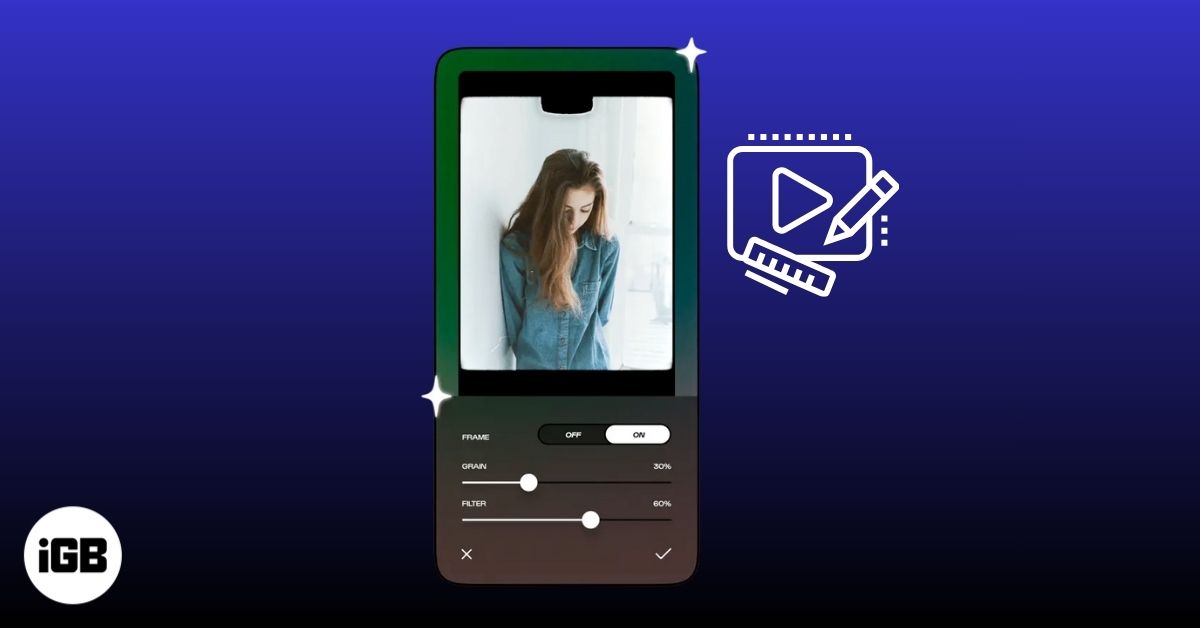
6. Afterlight: Vintage Video Editor

Afterlight focuses on mood-based edits rather than complex timelines. When creating a cinematic video, simply upload your clip and edit using 30+ vintage presets. Additionally, the authentic film overlays make your video professional and artistic. However, if you want granular editing, this isn’t the right option.
Key Features:
- Retro filters and textures
- Light leaks and film grain
- Simple editing controls
Usability: Simple, focused on aesthetic video styles; not a full editor.
Download for iPhone | Download for Android
Which Video Editor Is Best for You?
| Use Case | Apps |
| Beginners | iMovie, CapCut, Prequel |
| Social Media Creators | Adobe Premiere, CapCut |
| Professional Editors | DaVinci Resolve for iPad, Adobe Premiere |
| Creative & AI Effects | Videoleap, CapCut |
| Quick & Stylish Edits | Prequel, Afterlight |
Choose based on how often you edit, what platforms you publish on, and how much control you want.
Edit Videos On The Go!
By 2026, mobile video editing will no longer involve a trade-off. Instead, it will be a robust and flexible way to create professional content anytime, from anywhere. Whether you use an iPhone, iPad, or Android device, there will be a suitable video editing app for you.
If you want ease of use, choose iMovie or CapCut. If you want flexibility, try Videoleap or Prequel. For professional-grade work, DaVinci Resolve for iPad and Adobe Premiere stand out. The best app isn’t the one with the most features, it’s the one you’ll actually use consistently.
Which video editing apps have you used before? Please let us know in the comments below; I’ll try it out!
Read more: