The iPhone Phone app offers two layouts. Unified puts Favorites, recent calls, and voicemails in a single Calls tab. Classic brings back separate tabs for Favorites, Recents, Contacts, Keypad, and Voicemail. You can switch between them whenever you like.
Classic vs. Unified: what changes
In the Unified layout, the Calls tab brings favorite contacts, recent calls, and voicemails into one chronological view. Up to eight Favorites can appear at the top; tap Show All if you have more. The screen saves tab switching if you mainly check recent calls, but it puts the old destinations inside one scrolling view.
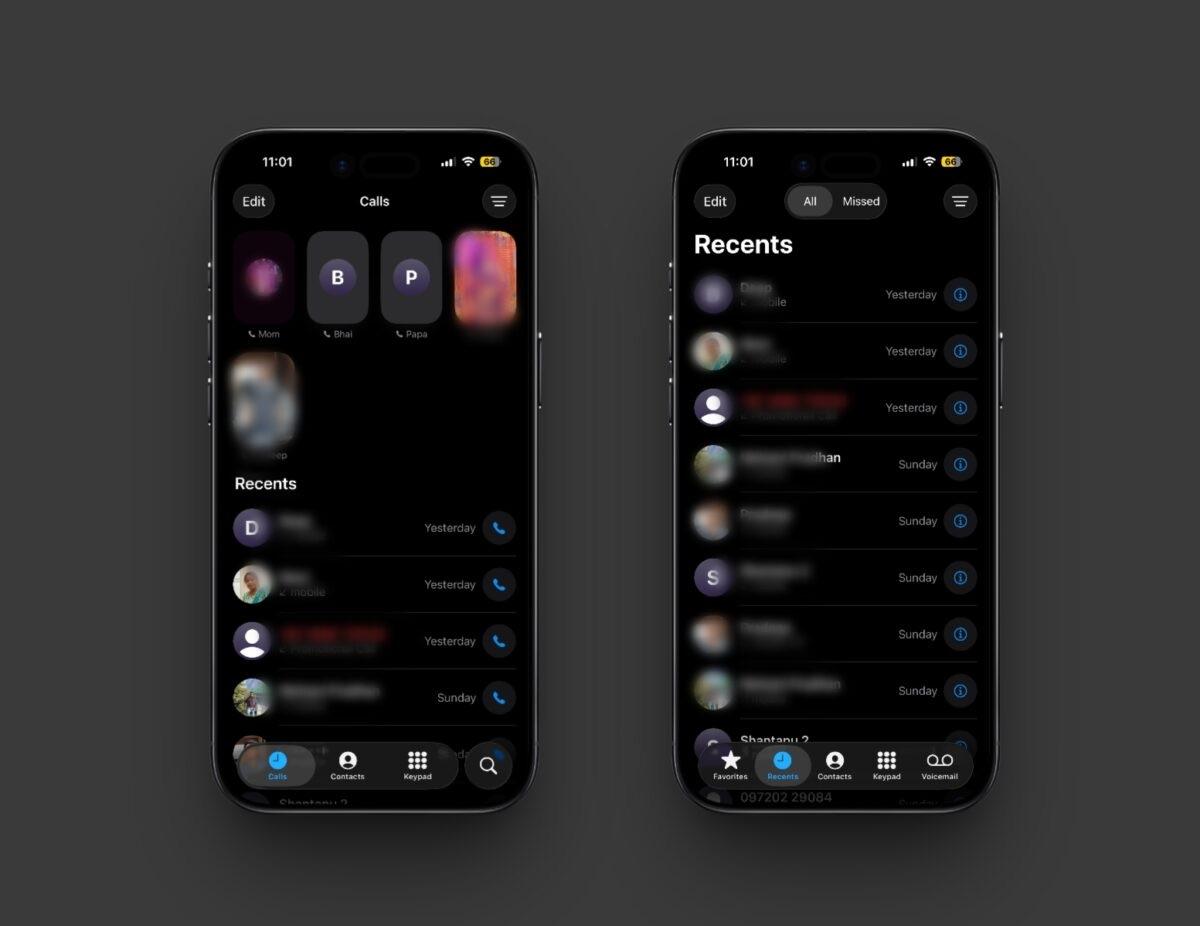
Classic separates those destinations across the bottom of the screen. Favorites opens your saved contacts, Recents shows call history, Contacts opens your address book, Keypad lets you dial a number, and Voicemail lists saved messages. Switching layouts changes how the Phone app displays them; it does not remove your contacts, favorites, or call history. If you mostly need voicemail, see our guide to using voicemail on iPhone.
Switch to Classic
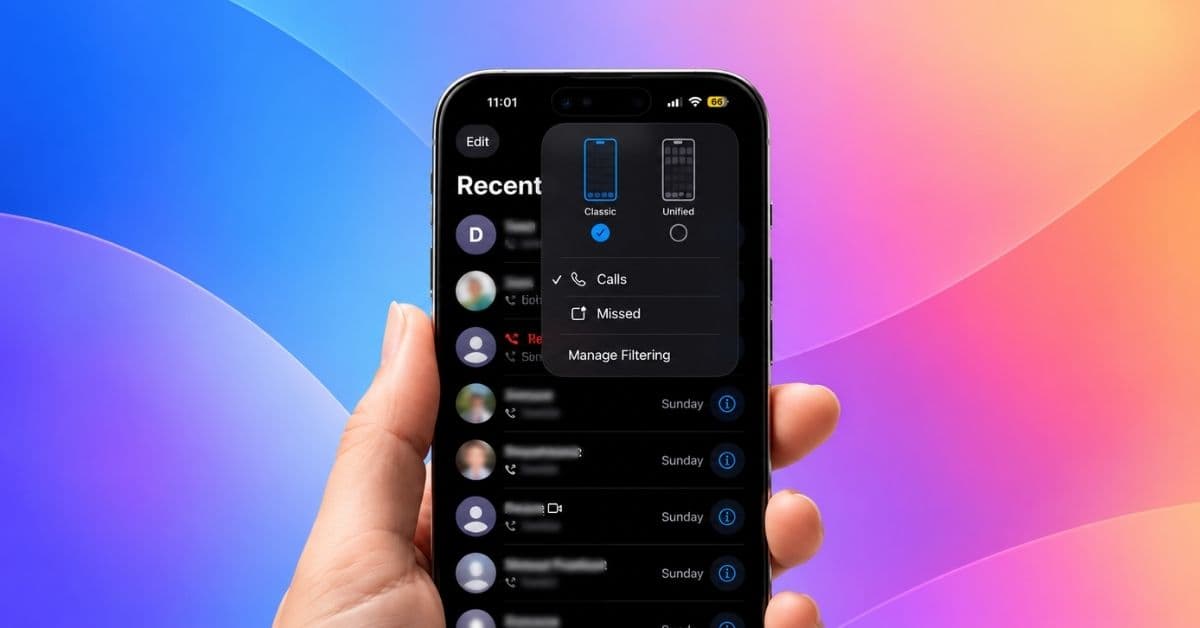
Open the Phone app and go to Calls if Unified is selected, or Recents if you are already in Classic. Tap the Filter button in the upper-right corner, then choose Classic at the top of the menu.
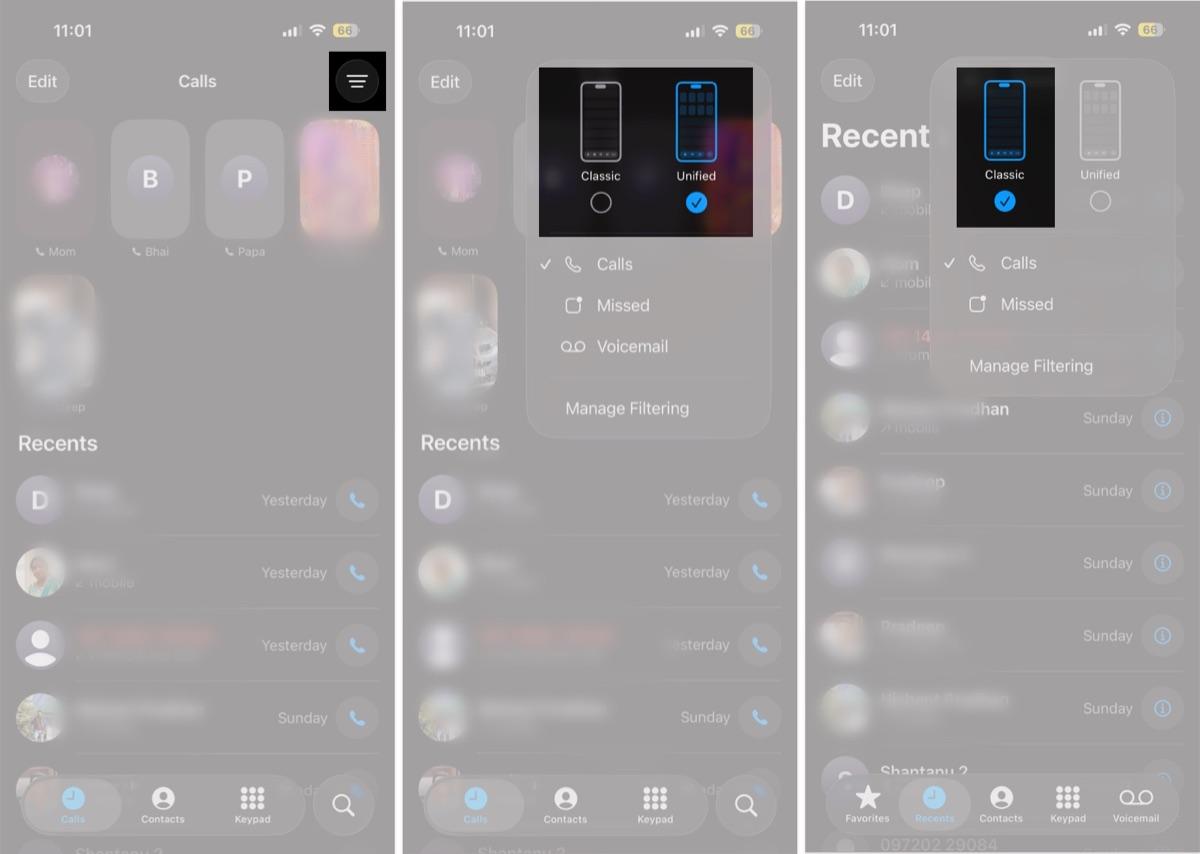
The Phone app switches to its familiar tab bar. Tap Favorites, Contacts, Keypad, or Voicemail to go directly to that section; Recents keeps your recent calls in a separate list. You can still manage your favorite contacts if you want to change who appears there.
Switch back to Unified
To return to the single Calls view, open Phone > Recents, tap Filter, and choose Unified. The next time you open the app, you will see the Calls tab instead of Recents.
In Unified, open Filter to show missed calls, voicemails, or calls from unknown callers. Choose Calls in the same menu to return to the full Unified view. Spam filtering options depend on your carrier. You can still open a contact card, start a call, or listen to voicemail from the combined Calls screen. For other useful iPhone controls, see our roundup of settings to change after updating to iOS 27.
Why can’t I find the layout switch?
Make sure you are on the Calls tab in Unified or the Recents tab in Classic. The Filter button appears in the upper-right corner of either view. The Classic and Unified options are available on iPhone with iOS 26 or later, so an iOS 27 update does not remove the choice. The layout switch changes the Phone app view; it does not move or erase your contact cards or voicemails.