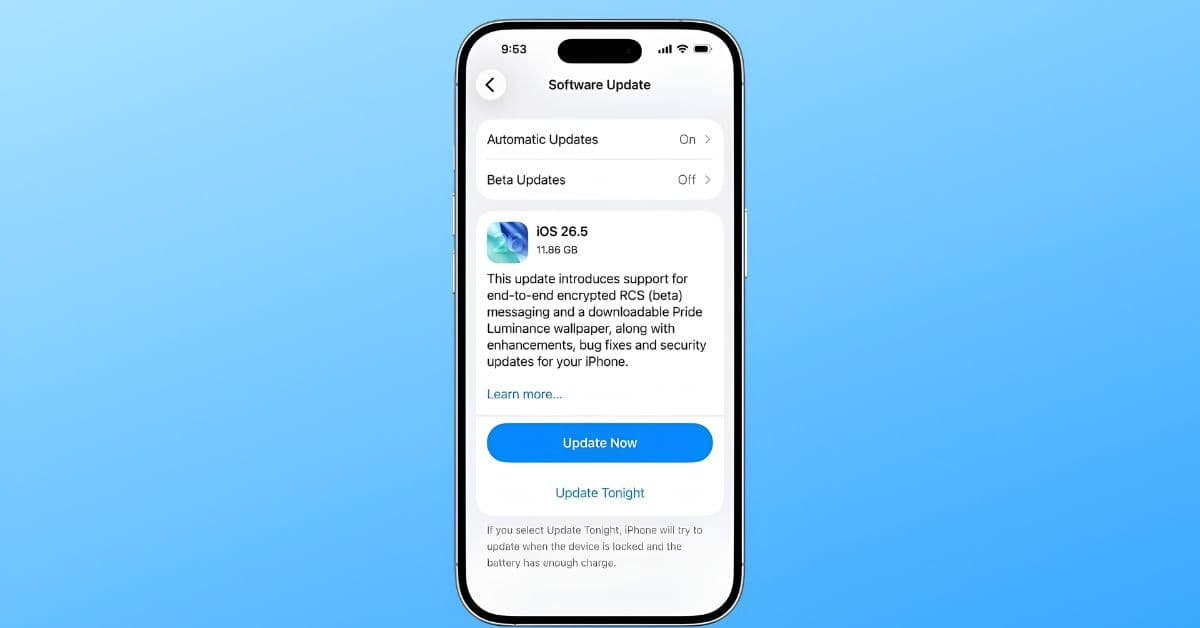
Apple has started rolling out iOS 26.5 to iPhone users, bringing a mix of smaller but useful additions across Messages, Maps, wallpapers, accessories, keyboards, and system security.
While this update does not include the delayed Siri upgrades tied to Apple Intelligence, it still adds several practical changes worth checking out. The biggest highlights include end-to-end encrypted RCS messaging, new place recommendations in Maps, expanded support for third-party wearables in the European Union, and more than 50 security fixes.
Here’s everything new in iOS 26.5.
End-to-end encryption for RCS messages
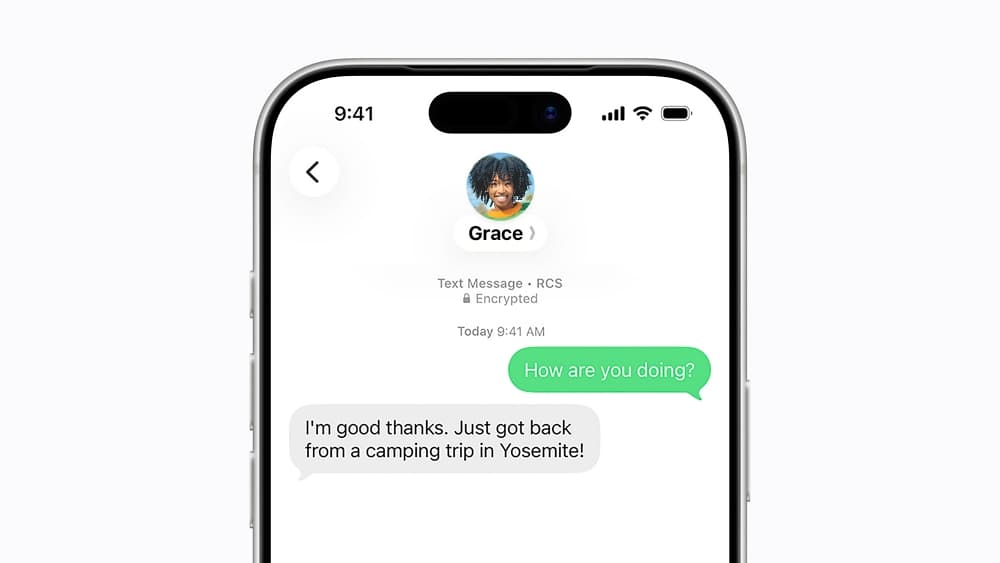
One of the most notable changes in iOS 26.5 is support for end-to-end encryption in RCS conversations between iPhone and Android users.
RCS already improved texting between iPhone and Android by adding features such as typing indicators, read receipts, higher-quality media sharing, and better group chats. With iOS 26.5, Apple is now adding another important layer: stronger privacy protection for supported RCS conversations.
When both carriers support the latest RCS standard, messages between iPhone and Android users can now be end-to-end encrypted. This means the content of the conversation is protected so that only the sender and recipient can read it.
Apple has also added a small lock icon inside encrypted RCS chats, making it easier for users to know when encryption is active.
However, this feature may not be available to everyone right away. Support depends on carriers adopting the latest RCS standard, so availability could vary by region, network, and device. In other words, even after updating to iOS 26.5, some users may need to wait until their carrier fully supports encrypted RCS messaging.
New Pride Luminance wallpaper
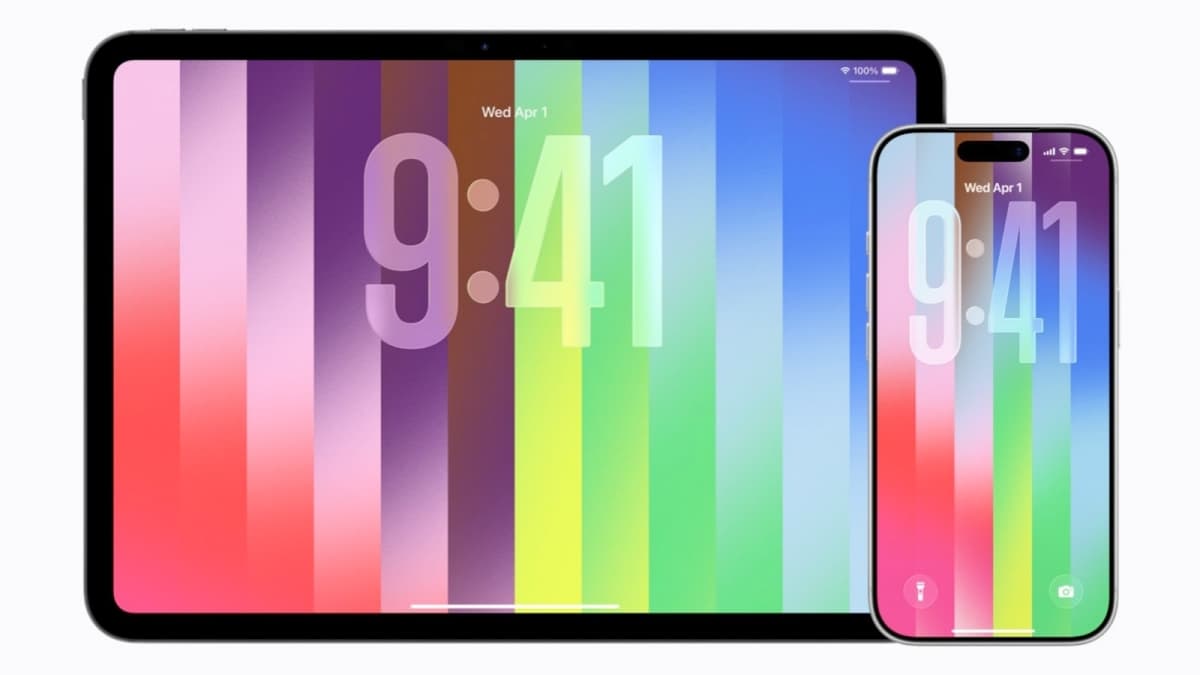
iOS 26.5 also introduces a new Pride Luminance wallpaper for iPhone users.
The wallpaper comes with multiple color styles, giving users a few different ways to personalize their Lock Screen and Home Screen. It follows Apple’s yearly tradition of releasing Pride-themed wallpapers, watch faces, and accessories ahead of Pride Month.
This year’s Pride update also lines up with Apple’s matching Apple Watch band and watch face. Like previous Pride releases, the new wallpaper is designed to celebrate and support the LGBTQ+ community while giving iPhone users a fresh seasonal look.
If you like changing your iPhone wallpaper regularly, this is one of the more visible additions in iOS 26.5.
Suggested Places in Maps
Apple Maps is getting a new Suggested Places feature in iOS 26.5.
With this update, the Maps app can recommend places based on your recent searches, nearby trends, and location-based activity. The idea is to make Maps feel more useful when you are looking for restaurants, cafes, shops, attractions, or other places around you.
Instead of only showing results after you search manually, Maps can now surface relevant suggestions that may match what you are likely to need.
Apple has also added groundwork for future ads inside Maps. However, advertisements are not live yet in this update. For now, the main user-facing change is the new Suggested Places experience.
This could become more important over time as Apple continues to build Maps into a stronger local discovery platform.
Expanded third-party accessory support in the EU
iOS 26.5 also brings important changes for users in the European Union.
To comply with the EU’s Digital Markets Act, Apple is opening up more iPhone features to third-party accessories. This means non-Apple accessories can now get access to some features that were previously more closely tied to Apple’s own ecosystem.
Compatible third-party earbuds can now support AirPods-style proximity pairing. This should make the pairing process feel faster and more seamless, similar to how AirPods appear near an iPhone with a quick setup prompt.
Third-party smartwatches are also gaining deeper iPhone integration. With iOS 26.5, compatible watches can receive better notification support and access to Live Activities.
That said, these features are limited to users in the European Union. They also require accessory makers to add support on their side, so not every pair of earbuds or smartwatch will work with these features immediately.
Still, this is a meaningful step for users who prefer third-party accessories but want a more Apple-like experience with their iPhone.
More control when switching from iPhone to Android
Apple is also improving the iPhone-to-Android transfer process in iOS 26.5.
Users switching from iPhone to Android now get more control over how message attachments are transferred during migration. Instead of moving everything by default, Apple has added new options that let users choose how much attachment data they want to carry over.
The new options include transferring all attachments, only attachments from the last year, or just attachments from the last 30 days.
This is a small but useful change, especially for users with years of message history filled with photos, videos, documents, and other media. Transferring every attachment can take up a lot of time and storage, so these new controls should make the switching process more flexible.
For users moving away from iPhone, this gives them a cleaner way to manage what they take with them.
Apple Books may get new awards
iOS 26.5 also includes references to new awards inside Apple Books.
Apple has not officially announced this feature yet, but the code references suggest the Books app could eventually get reading achievements, yearly recap-style summaries, or some kind of progress-based awards system.
If Apple moves ahead with this, it could make Apple Books feel more engaging for regular readers. Features like reading streaks, completed book milestones, genre-based achievements, or yearly reading summaries would fit naturally inside the app.
For now, though, this appears to be an under-the-hood change rather than a fully available feature in iOS 26.5.
New Inuktitut keyboard support
iOS 26.5 also adds support for an Inuktitut keyboard layout.
This is a useful accessibility and language support addition for users who type in Inuktitut. Apple regularly expands keyboard and language support across iOS updates, and this new layout continues that effort.
While this may not affect every iPhone user, it is an important update for those who rely on native language input support on their devices.
More than 50 security fixes
Along with new features, iOS 26.5 includes more than 50 security fixes across the system.
Apple says none of the patched vulnerabilities are known to have been actively exploited. That means there is no public indication that attackers were already using these flaws before the update was released.
Even so, installing iOS 26.5 is still recommended. Security updates help protect your iPhone from newly discovered risks, and keeping your device updated is one of the simplest ways to stay protected.
The fixes cover different parts of iOS, making this update important even if you are not interested in the new features.
Should you install iOS 26.5?
Yes, most iPhone users should install iOS 26.5.
This is not a massive feature update, but it brings enough useful improvements to make it worth downloading. Encrypted RCS messaging is a meaningful privacy upgrade for iPhone and Android conversations, Maps is getting smarter with Suggested Places, and users in the EU are getting better support for third-party accessories.
The update also includes a new Pride wallpaper, improved iPhone-to-Android transfer controls, Inuktitut keyboard support, early signs of new Apple Books features, and more than 50 security fixes.
If your iPhone is eligible for iOS 26.5, you can install the update by going to Settings > General > Software Update.
Which iOS 26.5 feature stands out most to you? Share your thoughts in the comments below.