- RCS upgrades SMS on iPhone with modern chat features: iOS 18 brings read receipts, typing indicators, and higher-quality media sharing, making texting feel closer to iMessage.
- Carrier support is required for RCS to work: While every iPhone with iOS 18 supports RCS, the feature only functions if your mobile carrier has enabled it in your region.
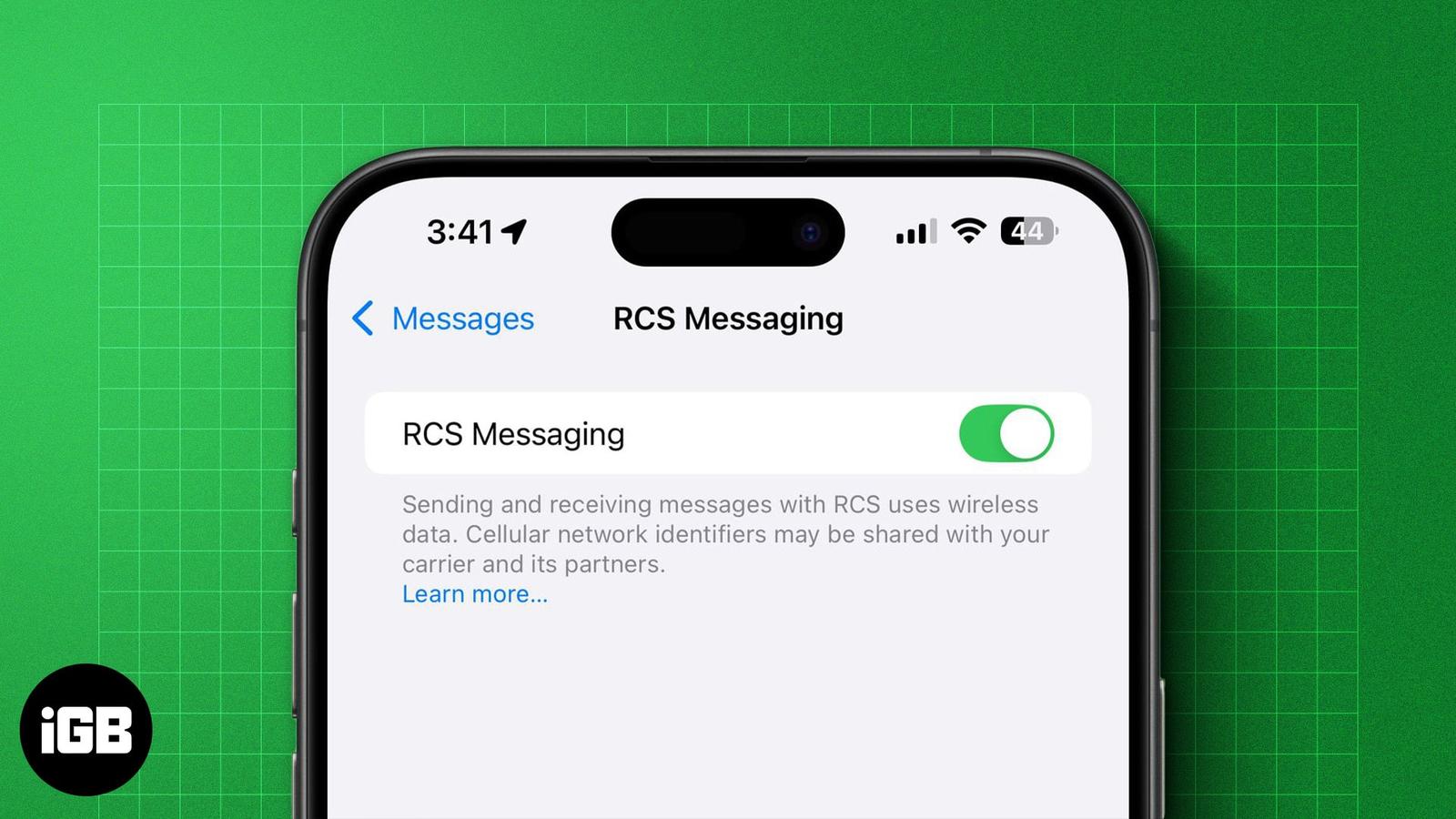
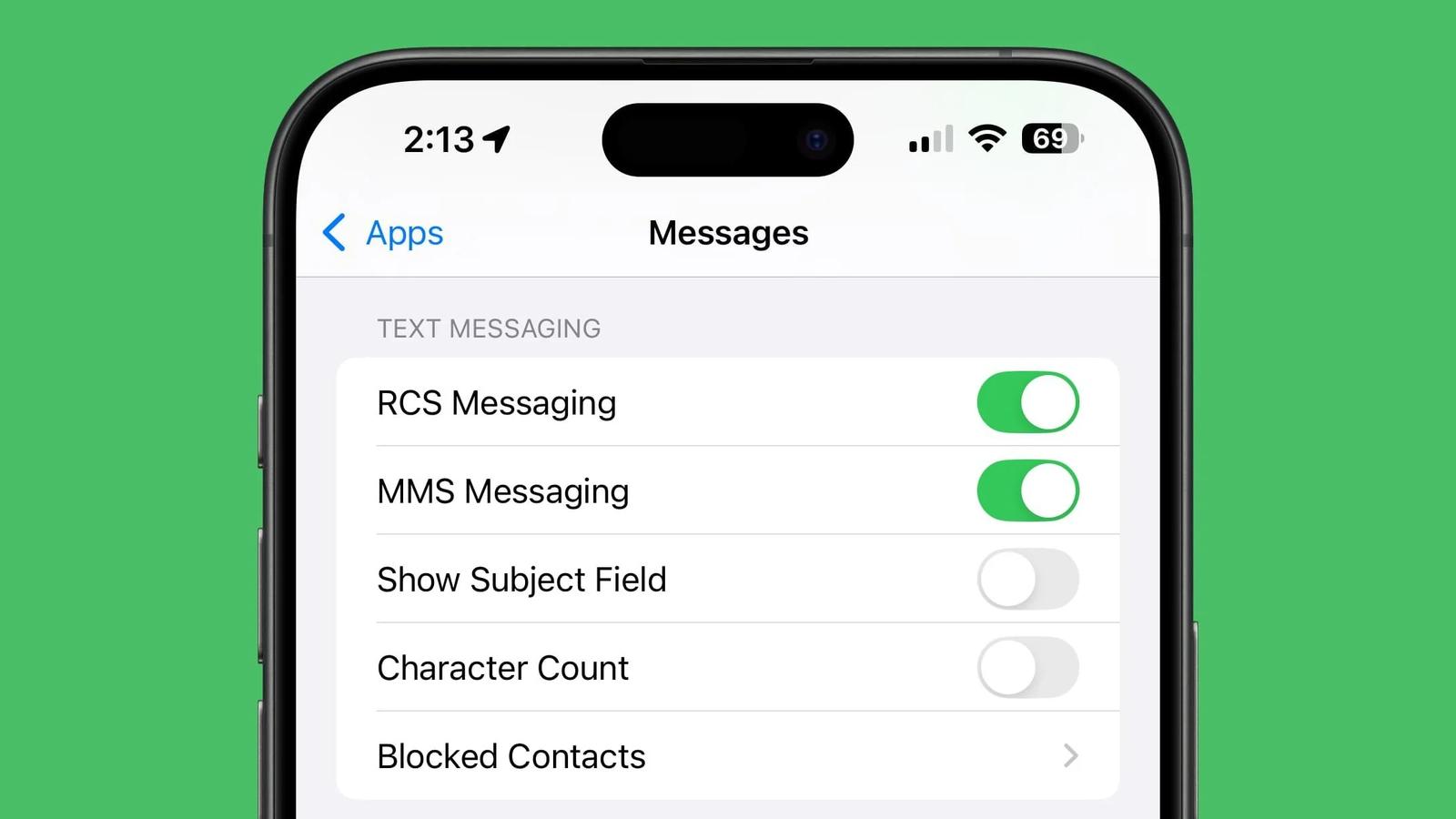
- RCS settings can be managed in iPhone Messages app: On supported carriers, you’ll see a new RCS Messaging toggle under Settings > Messages to verify or disable the feature.
- Global rollout expands with iOS 18.4 update: Major carriers in the U.S., Europe, and Canada now support RCS on iPhone, with adoption still rolling out region by region.
- Fixing common RCS issues requires simple checks: Restart messaging, toggle RCS off and on, confirm carrier compatibility, and update your iPhone to the latest iOS release.
Rich Communication Services (RCS) enhances traditional SMS by introducing features like read receipts, high-resolution media sharing, and typing indicators. Thankfully, Apple has also integrated RCS support into iPhones. So you can enjoy more seamless messaging with Android users. In this guide, I’ll share how to enable RCS messaging on your iPhone.
What is RCS Messaging?
RCS, or Rich Communication Services, is a messaging protocol that aims to offer users an interactive and engaging messaging experience. It’s meant to replace SMS and offers features similar to Apple’s iMessage, such as read receipts, high-resolution multimedia sharing, emoji reactions, audio messages, and more.
RCS’s biggest advantage is bridging the gap between Android and iPhone users. The best part is that it’s native to both Android and iOS, so you don’t need to install any third-party app to chat with your contacts over RCS. Even better, RCS messaging uses a data or Wi-Fi connection to send and receive messages.
Though all these features sound great, iMessage has some advantages. Go through our detailed guide to learn about the differences between RCS and iMessage.
Which iPhones (And Carriers) Support RCS Messaging?
Ideally, all iPhones running on the latest available iOS update will support RCS messaging. However, whether or not you’ll be able to use RCS messaging on yours depends entirely upon your carrier.
Below, we’ve curated a list of iPhones and carriers in the U.S., Europe, the UK, and Canada that support RCS.
RCS-compatible iPhones:
- iPhone SE 2 and 3
- iPhone XR
- iPhone XS and XS Max
- iPhone 11, iPhone 11 Pro, and iPhone 11 Pro Max
- iPhone 12, iPhone 12 Mini, iPhone 12 Pro, iPhone 12 Pro Max
- iPhone 13, iPhone 13 Mini, iPhone 13 Pro, iPhone 13 Pro Max
- iPhone 14, iPhone 14 Plus, iPhone 14 Pro, iPhone 14 Pro Max
- iPhone 15, iPhone 15 Plus, iPhone 15 Pro, iPhone 15 Pro Max
- iPhone 16, iPhone 16 Plus, iPhone 16 Pro, iPhone 16 Pro Max
- iPhone 16e
- iPhone Air
- iPhone 17, iPhone 17 Pro, iPhone 17 Pro Max
RCS-compatible carriers:
Here’s the complete list of RCS-supported carriers:
- U.S.: AT&T, T-Mobile, Verizon, and T-Mobile MVNOs (Boost Mobile, Google Fi, Metro by T-Mobile, Mint Mobile, Tello Mobile, Ultra Mobile, US Mobile, etc.)
- Canada: Videotron, Telus Mobility, Bell, Fido, and Rogers
- Germany: O2
- Spain: Telefonica, Orange, Vodafone, and Yoigo
- France: SFR
- UK: Orange and T-Mobile
How to Enable RCS Messaging on iPhone
RCS will automatically activate on your iPhone if the latest update is installed. To double-check, follow these simple steps.
- Open Settings on your iPhone.
- Scroll down and tap Apps.
- Select Messages.
- Locate RCS Messaging under Text Messaging and toggle on the switch next to it.
Note:
Signing off…
If your carrier has enabled support for RCS on iPhones, you should be able to chat with your Android friends over RCS. However, if you can’t, it’s probably because your carrier hasn’t yet enabled RCS support for iPhones. In this case, you’ll have to wait a little longer to use RCS on your iPhone.
Do you think bringing RCS messaging to iPhones will finally end the blue versus green bubble debate? We’re all ears to hear from you.
Also Read: