
How to tell if someone blocked you on WhatsApp (6 ways)

WhatsApp is end-to-end encrypted and has a ton of customizable privacy features, including the ability to block other users.
It can be tough to determine if someone blocked you on WhatsApp, though you won’t receive a notification letting you know. In this guide, we’ll help you look at ways to tell if someone blocked you on WhatsApp.
1. Profile Picture is no longer visible
Has the user’s profile picture suddenly disappeared? If you see a gray background instead of the user’s normal profile picture, it can only mean one of two things: they either deleted their profile picture or blocked you.
It’s possible that the user has just deleted their profile picture, too. Regardless, it’s one of the signs to know if the user blocked you on WhatsApp.
2. Last seen and online status are no longer visible
The online status and last seen features on WhatsApp display the activity status of a user and also the time at which they were last active. When someone blocks you on WhatsApp, their last seen and online status automatically disappears. There’s nothing displayed in its designated space. Here’s how you can check the last seen and online status on WhatsApp.
- Open WhatsApp on your iPhone.
- Navigate to the desired conversation.
- Once you’re on the conversation page, check their last seen or online status below their name.
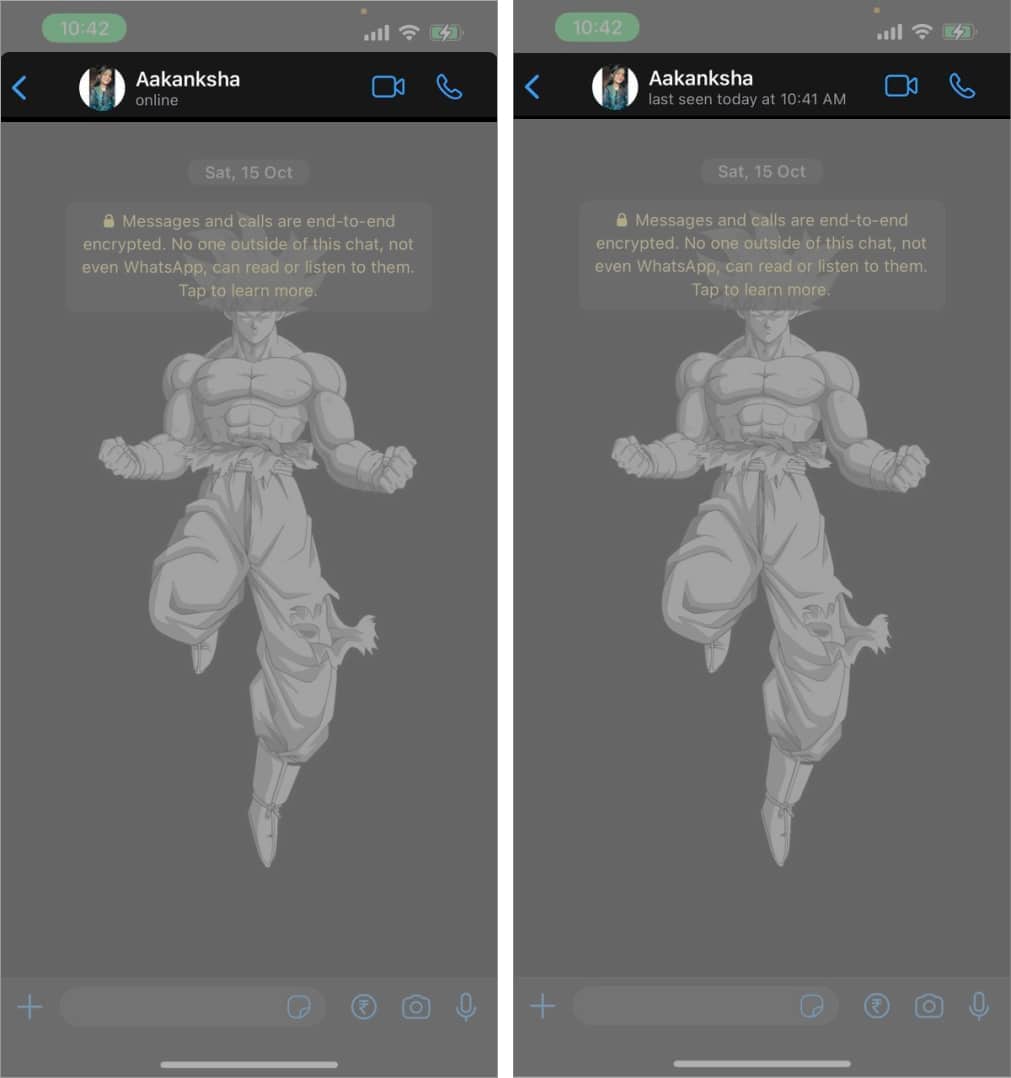
Thanks to WhatsApp’s privacy features, users can also hide their last seen and online status by changing a few settings. However, if you’ve hidden your last seen and online status, you won’t be able to view other people’s last seen and online status.
3. You can’t view status updates
WhatsApp Status is a fun and simple way to share images and videos. It works like Snapchat and Instagram stories, where you upload photos or videos that disappear within 24 hours. When someone blocks you on WhatsApp, even their Status updates are hidden from you.
But just like the previous two points, the user can manually hide their status updates thanks to WhatsApp’s privacy settings. Moreover, there are several other reasons why you can’t view the user’s uploads, and we have a guide to help you fix the WhatsApp status not showing issue.
4. Can’t add a user to WhatsApp group
WhatsApp won’t allow you to add users to WhatsApp groups if they’ve blocked you. So, another method to check if you are blocked on WhatsApp is to try and add the user to a WhatsApp group.
To check this, create a temporary WhatsApp group and add the user to the group. If you’re unable to add the user and encounter a pop-up that reads Failed to add <User> to the group or Can’t add participant, it means you have been blocked.
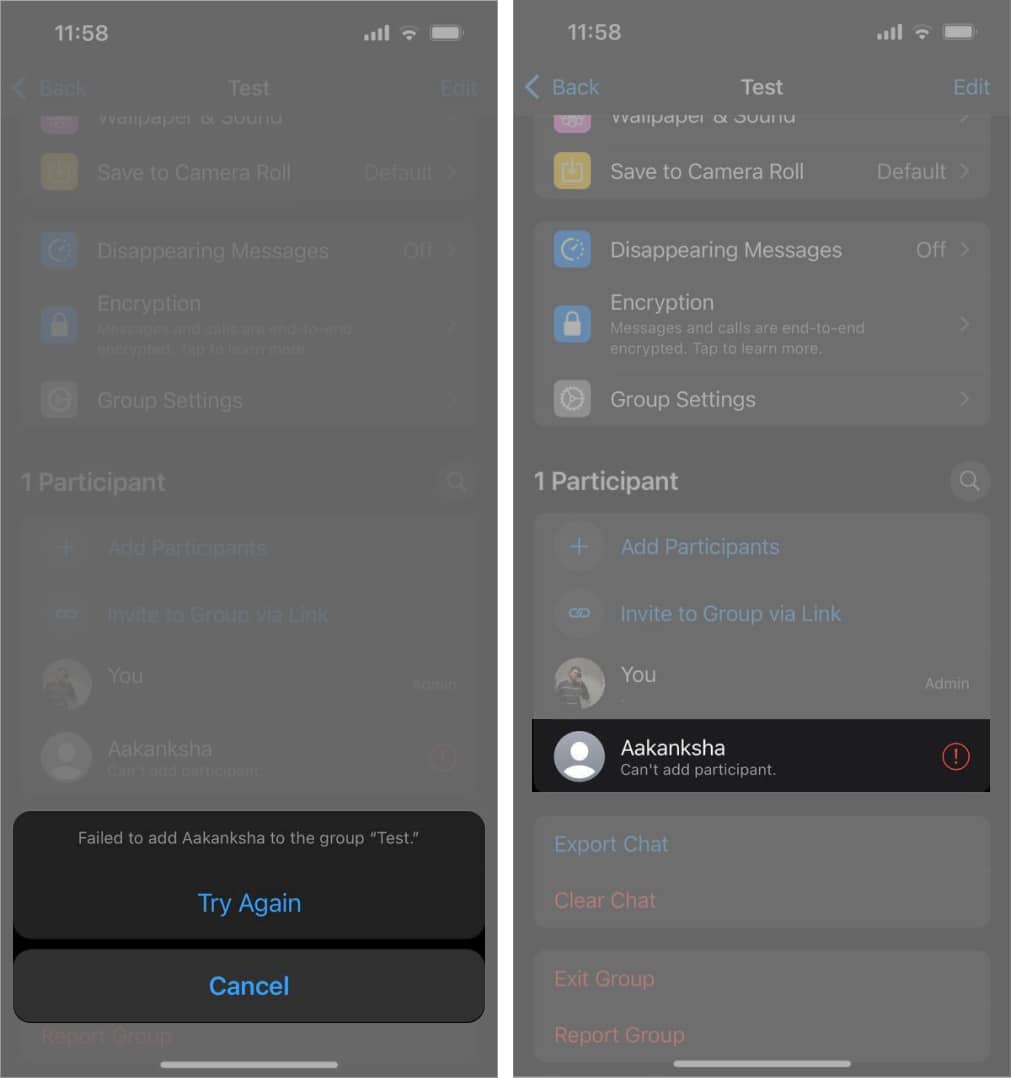
Again, WhatsApp’s privacy features allow users to control who can add them to groups. If you have had a history of adding users to WhatsApp groups without their permission, they might have restricted you from adding them to groups.
5. Your messages only show one check mark on WhatsApp
If you can’t view the user’s profile picture, last seen activity, status uploads, can’t add them to groups, it can be because they have changed their privacy settings. The chances of the person making all these changes at once are very low, but let’s just be a little optimistic.
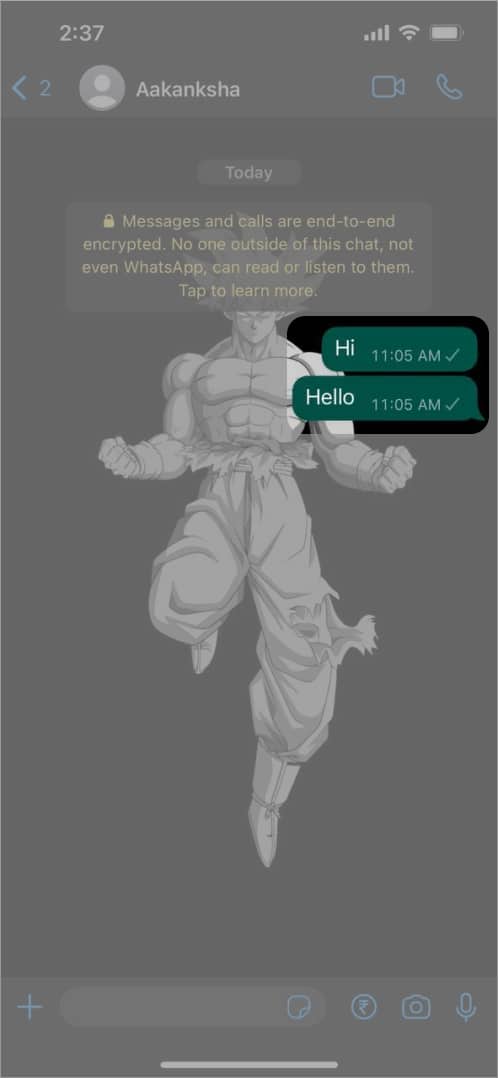
So to know for sure if you’ve been blocked on WhatsApp, check the read receipts of the messages you send. To do so, send the user a message on WhatsApp.
Now, I’m not asking you to confront the user asking if they’ve blocked you. Rather, just send a simple Hi or Hello and inspect the check mark beside the message.
Here’s what checkmarks besides messages on WhatsApp signify:
- Single gray tick: The message is sent from your device.
- Double gray ticks: The message is delivered to the user’s device. (Can be their iPhone, iPad, or any other linked device)
- Double blue ticks: The user has read your message.
If the message displays a single gray tick and does not change to double gray ticks even after a couple of days, you’ve certainly been blocked.
6. WhatsApp calls do not connect
The final step is to call the user and check if your calls are going through. Here’s how to know if your calls are connecting.
- Open WhatsApp on your iPhone.
- Navigate to the desired conversation and make a voice/video call.
- If the status of the outgoing call is “Calling,” it means the call has not yet connected. The status will change to “Ringing” in a few moments, meaning the recipient has received the call.
- Now, if you’re blocked, the status won’t change from calling to ringing, no matter how long you wait.
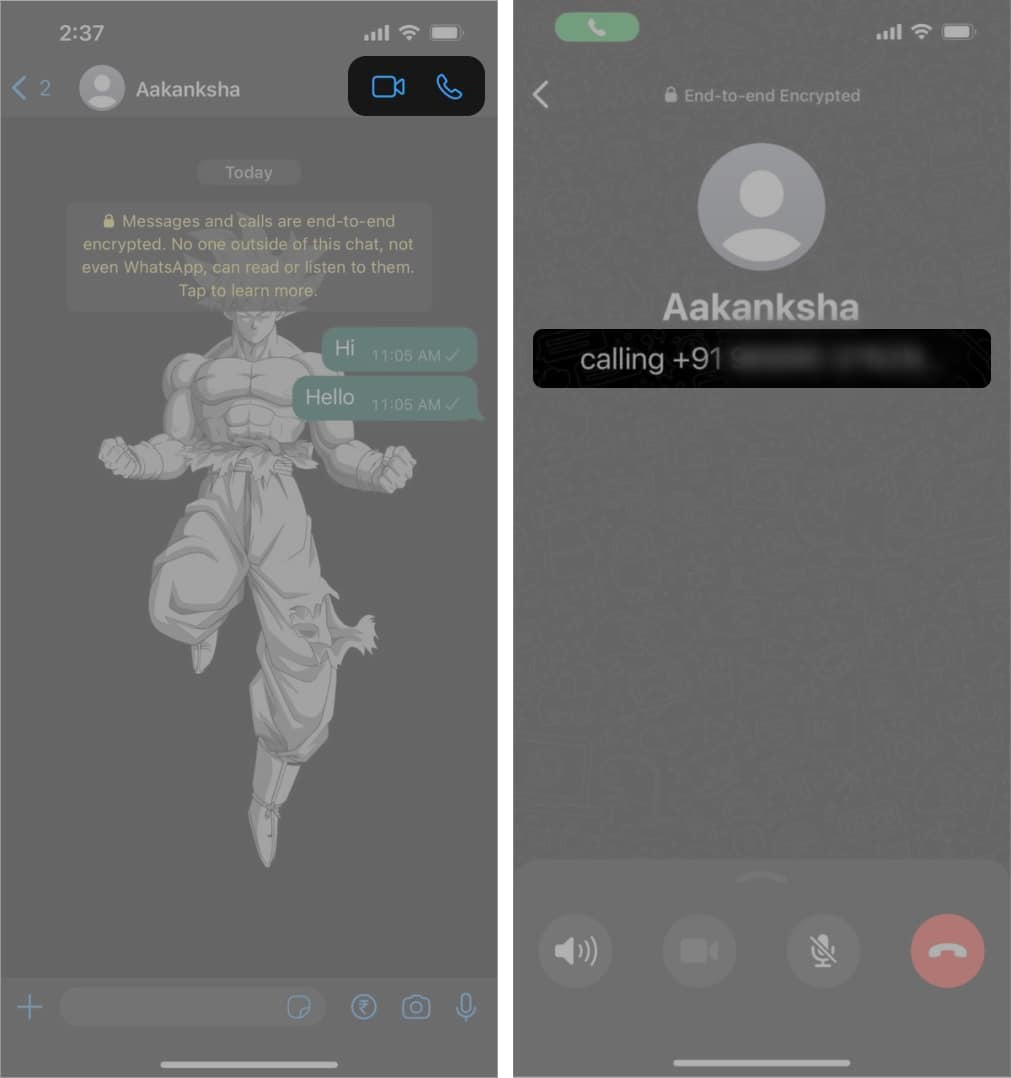
If the user does not have an active internet connection, the status of the call will be stuck at calling. You can try calling at a different time, which should clear your doubts.
Wrapping up…
If the majority of issues apply to you, that particular user has blocked you on WhatsApp. There’s a chance the user has just changed their privacy settings. However, the chances are pretty slim, and you might even know why you are blocked.
That said, we wouldn’t try to create any further issues by contacting the person through some other medium. WhatsApp and other social media platforms do not notify users of being blocked to avoid conflict and protect users’ privacy.
Frequently Asked Questions
Topics

Written by
Darryl DsouzaConsumer Technology and Motorcycles are the two things that excite Darryl the most. Why? Because Tech helps better people's lives, and solving people's problems related to tech is something he enjoys. And what about bikes, you ask? Well, drop a gear and disappear.
View all posts →More from How-to

Snapchat Parental Controls: How to Set Up Family Center and Keep Your Teen Safe
Snapchat’s Family Center lets parents monitor their teen’s friend activity and screen time without reading private messages. Here’s how to set it up and what to expect.
 VikhyatMarch 3, 2026
How to Block and Unblock Someone on Instagram
Instagram lets you block or unblock someone in seconds. Follow these simple steps to take full control of your privacy and online peace.
 Ava BiswasMarch 2, 2026
Apple Watch Not Responding? 8 Fixes That Actually Work
Is your Apple Watch unresponsive or stuck on a black screen? Here are 8 proven fixes to help you unfreeze it and get it working again quickly.
VikhyatMarch 3, 2026