
ChatGPT is an AI model inside a chatbox. It can generate text, draft emails, help brainstorm ideas, and search for information. But no matter how powerful the model is, it’s still limited by that chat interface.
Codex, on the other hand, gives the same models tools, access to relevant files, and a proper agentic loop. While this is often framed around coding, anyone can take advantage of it. It’s available to free users as well. However, if you have a ChatGPT Plus subscription, you get very generous limits that you are probably leaving out.
But what you can do with Codex that can’t with ChatGPT already? Let me give you few examples to get you started.
1. Writing when the context is too large
ChatGPT, or any good AI chatbot, can absolutely draft emails, stories, summaries, articles, or whatever you need. But what if there’s too much context for it to handle?
Sometimes you’re dealing with a pile of information like rough notes, meeting transcripts, multiple PDFs or documents, links for additional context, half-finished drafts, and even a defined outline and tone. Even if you feed all of this into ChatGPT, a lot of it gets lost because the context becomes overwhelming. That’s where Codex fits better.
Codex goes through files one by one, updates its understanding continuously, and reasons through what needs to be done next. It handles everything from processing the context to producing the final output in a single flow.
Try it with messy or large context, and the difference in writing quality becomes obvious.
2. Let the model handle the work for you
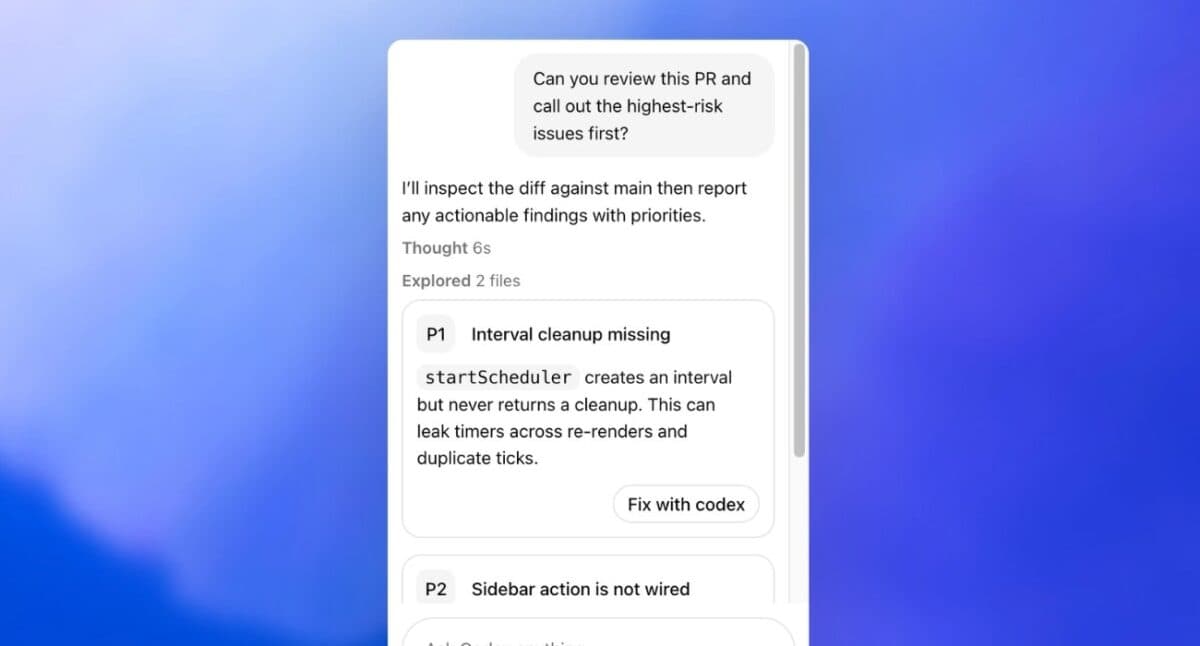
Nowadays, chatbots also come with an agent mode. The main issue is that it usually runs on a virtual desktop in the cloud and works from there. Codex, on the other hand, has a computer-use plugin that can operate directly on your own machine alongside you.
You can ask it to apply for jobs, complete onboarding setups, fill forms, send emails, or organize files on your device. In short, anything you can do on your computer can technically be handled by the agent.
That said, things can go wrong, like deleting emails or files. So it’s important to give clear, detailed prompts and stay in the loop to verify its actions. Codex is generally reliable and can even research online while working, which makes it useful for technical tasks like fixing errors in apps.
3. Upgrade it’s capabilities with Skills

When you ask a model to write, perform an action, or research something, it works with whatever context it has at that moment. To get better results, you usually need to explain the tone, style, or give detailed instructions, especially when it’s interacting with tools or apps it isn’t familiar with.
Skills solve this. You can store those instructions once, and the model reuses them the next time it performs a similar task. Instead of repeating yourself, it checks the relevant skill and follows it.
With a solid set of detailed skills in place, you can simply ask for what you need. The model already understands how to navigate tools, follow your preferences, and even think more critically by asking the right follow-up questions.
4. Running recurring tasks automatically
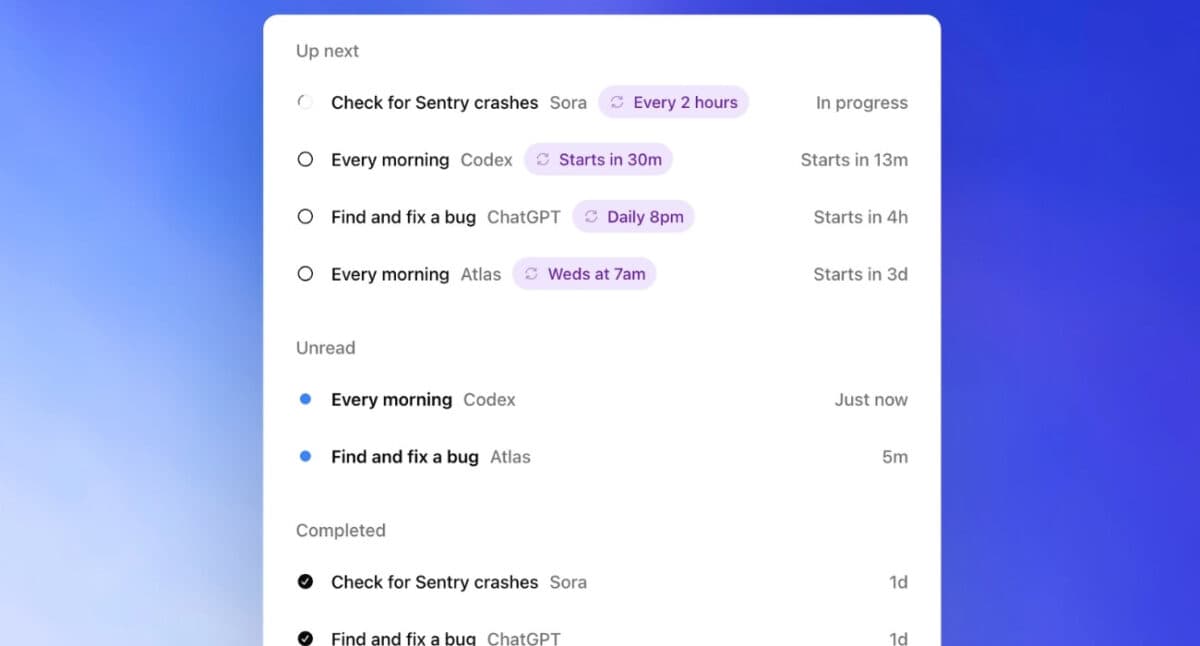
Let’s say every day in the morning you need to check your email inbox, review tasks in your to-do app, see what’s new in your industry, or check how your social media posts are performing. Instead of going through all of that manually, you can set up an automation in Codex to handle it and generate a report every morning, saved to your desktop folder.
By the time you open your desk, you already have everything in one place. Emails, tasks, events, news about specific topics, all in a clean, single report.
I once read about a startup founder who set up a similar automation. It would research his company every week and generate a detailed report on market sentiment, what people were saying, and how the product was being perceived, all in one place.
5. Don’t pay for small tools—have Codex build them for you

Need a quick image converter, a simple expense tracker, a CSV cleaner, or any one-off utility? You can ask Codex to build it, run it, and give you the result. Sometimes you won’t find an app that does exactly what you need, or the features you want are locked behind a paywall. For most small use cases, Codex is capable enough to create a working app in just a few seconds.
For example, I wanted an app that auto-resizes images, adds borders in specific colour, removes metadata and converts them to JPG just by dropping the file in. There wasn’t any simple app that did exactly that, and the ones available were packed with unnecessary features. So I asked Codex, and it gave me a clean editor that does everything I need as soon as I drop an image into it.
Yes, this might be coding, but it’s more off getting apps with features you need.
Codex is an AI Agent at the end of the day
While the app is made for coding in mind, it simple to get started, easy to use and works just as good for other actions you need. Rather than just giving you a wall of text or AI slop images, it writes taking all the context info account, spins up apps with features you need, updates excel files, and complete tedious tasks on your computer for you.
Read more: