From hotel rooms and Airbnb rentals to offices and changing rooms, the idea of being secretly recorded is a real concern. While not every space is unsafe, it’s always smart to be cautious, especially when you’re in an unfamiliar place.
That’s why hidden camera detector apps have become so popular. With just your iPhone or Android device, you can scan your surroundings for suspicious devices. These apps won’t replace professional detection equipment, but they offer a quick and easy way to check your privacy in minutes. In this guide, we’ll explore how hidden spy camera detector apps work, their limitations, and which ones are worth downloading on your iPhone and Android.
Why Hidden Camera Detection Matters
Hidden cameras can be placed in smoke detectors, wall clocks, mirrors, charging adapters, and even air purifiers. Most people never think to check.
The risks include:
- Privacy invasion in hotels or Airbnb rentals
- Workplace surveillance without consent
- Voyeurism in changing rooms or bathrooms
- Data theft through hidden recording devices
While these cases are not extremely common, they do happen. And because small spy cameras are cheap and easy to buy online, awareness matters.
How Hidden Camera Detector Apps Work
Let me simplify the tech in simple words.
1. Magnetic Field Detection
Most hidden cameras contain small metal parts and electronic circuits. Apps use your phone’s magnetometer (the same sensor used for compass apps) to detect magnetic field changes.
If the reading suddenly spikes near an object (like a wall clock or smoke detector), it could indicate the presence of electronics inside.
However, any metal object can trigger it. So, it does not guarantee a camera is present. Think of it as a “suspicion alert,” not proof.
2. Infrared (IR) Detection
Many hidden cameras use infrared LEDs for night vision.
So, many apps use your phone’s camera to detect small IR light reflections. In a dark room, you slowly move your phone around. If you see tiny glowing dots on the screen that are invisible to your naked eye, that could be a camera lens.
For best results, use them in low light with the lights off and scan directly at eye level.
3. Network Scanning
Some hidden cameras connect to Wi-Fi to stream footage.
You may use apps that scan the local network and show:
- Connected devices
- Unknown IP addresses
- Suspicious device names
- Hidden IoT gadgets
This method works only if the camera is connected to the same Wi-Fi network and it’s actively transmitting data. It won’t detect offline or wired cameras.
4. Device Permissions & Privacy Notes
These apps typically request access to the camera, microphone, location, Wi-Fi network, or Bluetooth.
Always download apps from official stores and check reviews. Ironically, some “spy detector” apps can request excessive permissions. Always avoid those!
Criteria for Choosing a Hidden Camera Detector App
Before installing, consider:
- Platform support: Check if it’s available on both iOS and Android.
- Detection types: Does it support IR detection, magnetic sensor detection, and Wi-Fi scanning?
- User interface: Is it beginner-friendly? Ease of use is important.
- Reviews and updates: Recently updated apps are more trustworthy.
- Free vs paid functionality: Most apps reserve useful features for paid versions.
- Privacy policy: Check if your data is collected or stored.
Best Hidden Camera Detector Apps for iPhone and Android
These are some of the most popular hidden camera detector apps in 2026.
1. Hidden Camera Detector – Peek: Best for Quick Scanning

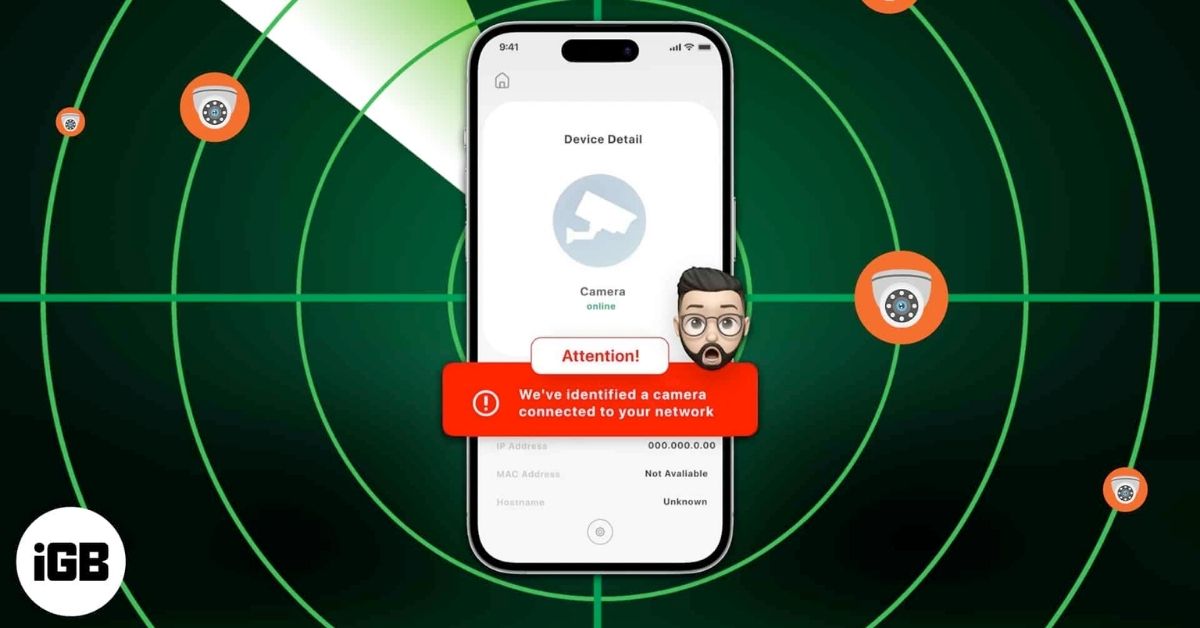
Peek turns your iPhone into a privacy-protection tool that helps you find hidden cameras and spy devices around you. It includes all detection methods, including magnetic, IR, and network scanning.
If you find a suspicious recording device, the app shows you its details like IP address, hostname, etc. You will also receive a guide to help you locate the device. It’s designed to be simple and user-friendly; no tech skills needed.
2. Hidden Camera Detector FindSpy: Find Mics and Covert Equipments

FindSpy is a free app that detects hidden unauthorized cameras, audio bugs, listening devices, and suspicious surveillance devices around you.
Using your iPhone’s built-in tools like Wi-Fi scanning, Bluetooth detection, and sensor monitoring, the app helps you identify unusual signals or devices that may be recording without your knowledge. It is very easy to use and is great for scanning hotel rooms, rentals, offices, or any other unknown area.
3. Fing – Network Scanner: Spot Hidden Streaming Cameras.

Fing shows hidden cameras connected to your Wi-Fi. By scanning your network and listing all connected devices, the app helps you spot unfamiliar or suspicious hardware, such as wireless security cameras or monitoring devices.
You can see details like device type, IP address, and connection status, making it easier to identify anything that doesn’t belong. Although it is more of a network scanner, Fing can be a helpful first step in checking for hidden cameras that rely on Wi-Fi to transmit video or data.
4. Hidden Spy Camera Finder Pro: Best for Beginners

Hidden Spy Camera Finder Pro is a allrounder for scanning nearby Wi-Fi and Bluetooth devices. You get detailed guides and instructions to find anything unusual or unfamiliar. If it detects any devices connected to the network, it shows the estimated location.
You can even play sound on the Bluetooth audio devices. Moreover, the scan history lists your past findings. With just a few taps, you can feel more confident about your surroundings.
Download: iPhone
How to Use These Apps Effectively (Best Practices)
Downloading the app is just step one. How you use it matters.
- Turn Off the Lights: When scanning for infrared, scan in a dark environment.
- Scan Slowly: Don’t scan too quickly. Scan slowly across smoke alarms, wall clocks, air vents, mirrors, and charging docks.
- Check Suspicious Reflections: Camera lenses reflect light differently. If you see a small, circular shine, inspect closely.
- Use Network Scanning: If you’re connected to Wi-Fi, run a network scan, look for unfamiliar devices, or search device names online.
- Combine Methods: Use IR + magnetic + Wi-Fi scanning together for better results.
- Don’t Panic Immediately: Metal objects, routers, and smart devices can trigger alerts.
Double-check before jumping to conclusions.
Limitations of App-Only Detection
Let’s be realistic.
Hidden camera apps:
- Cannot detect well-shielded wired cameras or powered-off devices
- Can trigger false positives
- Depend on phone sensor quality
- Cannot detect professional surveillance equipment
If you suspect serious surveillance, contact property management immediately, report to authorities, and use professional RF detection tools.
Apps are basic screening tools, not forensic devices.
Be Safe from Hidden Cameras!
Hidden camera detector apps for iPhone and Android offer an affordable, convenient way to check your surroundings. They’re especially useful for travelers, renters, and privacy-conscious users.
But remember: They are helpful assistants—not guaranteed solutions. If privacy matters to you, combining awareness, physical inspection, and smart use of detection apps is your best defense.
Have you used any other free apps to detect hidden cameras and microphones? Let me know in the comments below. I’ll try it!