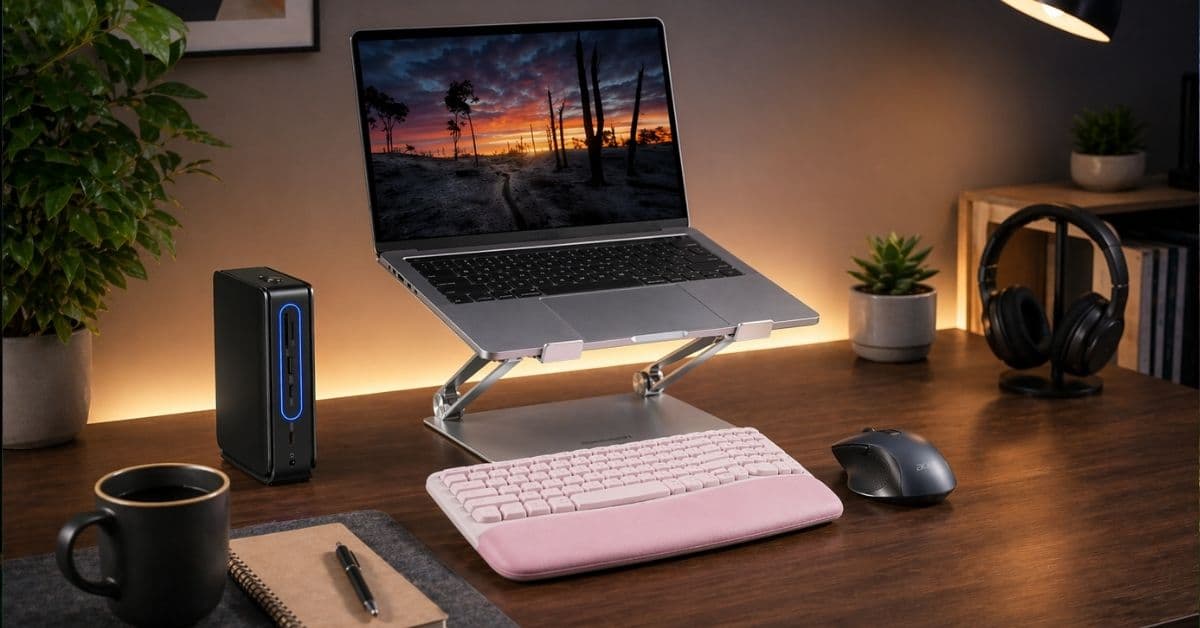
For years, I tried different apps, complicated systems, and even followed a stricter routine to boost my productivity. Yet nothing worked for me. Actually, what really mattered was my workspace.
After constantly feeling distracted, cluttered, and low on focus, I started experimenting with a handful of simple desk accessories. Surprisingly, those small changes completely transformed how I work. In this post, I’ll share the desk essentials that helped me stay organized, cut distractions, and feel way more productive throughout the day.
What makes a desk productive?
A productive desk isn’t the one that looks good in photos. When your setup is right, it disappears. You don’t think about posture, cables, lighting, or where your mouse is. You just work. When it’s wrong, it constantly gives you subtle interrupts.
Productivity at a desk comes down to three things.
Ergonomics is obvious but often ignored until your neck or wrists start complaining. If your body is uncomfortable, your focus is already compromised, and you can’t do deep work.
Accessibility is about reducing effort. How many times do you reach for something? Every extra movement adds friction, which leads you to start avoiding tasks altogether.
Finally, the visual clutter, tangled cables and random objects all compete for attention. Your brain processes more than you realize. A messy desk isn’t just ugly; it’s mentally expensive.
The right accessories don’t add more stuff. They remove problems.
Top 7 desk accessories I use to boost productivity
Let’s get one thing clear: most desk accessories are useless. They look productive but don’t actually improve how you work. The ones below are different. I’ve used them daily, and more importantly, I notice when they’re missing.
1. Lamicall Adjustable Laptop Stand: The single most underrated upgrade
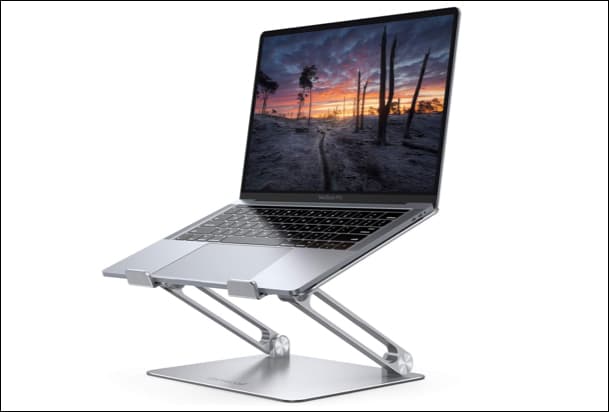
Working directly on a laptop is ergonomically broken. With your laptop lying too low, there is no other choice but to bend your neck all day. Then it’s headaches, tight shoulders, and fatigue you can’t quite explain.
However, incorporating the Lamicall laptop stand into my routine made things much easier. Now that my laptop is at eye level, sitting straight and comfortably comes naturally, and I am able to write for hours without feeling exhausted.
The stand has an aluminum alloy body for durability, and its multiple ventilation holes help in better heat dissipation. This isn’t a luxury accessory. It’s foundational. If you’re skipping the laptop stand, everything else is a band-aid.
2. Logitech Wave Keys External Keyboard + Acer Wireless Mouse: Must-have productivity accessories
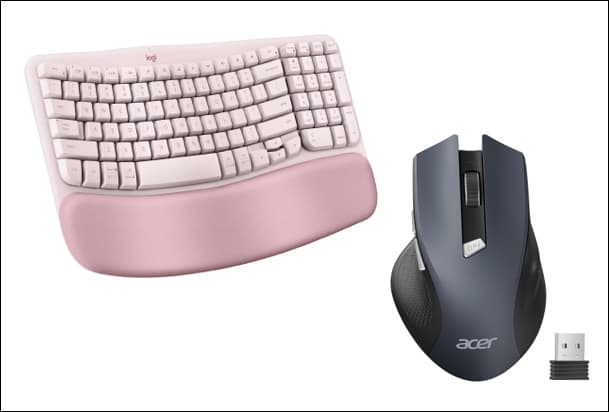
Once your laptop is elevated, you need an external keyboard and mouse. Otherwise, you’ve just created a new problem. I used Logitech’s cushioned ergonomic keyboard with Acer’s wireless mouse and found noticeable differences right away.
Typing on a proper keyboard feels deliberate, controlled, and less cramped. I liked its tilted legs that create a comfortable working position when typing. Moreover, the cushioned design reduces wrist strain in a way you only appreciate after a full day of work.
A wireless mouse is often underrated. It removes tiny annoyances like dragging cables, limited movement and awkward angles. I can move my hands naturally instead of fighting the hardware. Also, its adjustable DPI settings and forward/backward button make the workflow smoother.
Here’s the unpopular truth: your keyboard and mouse are your primary interface with your work. If they’re bad, everything feels harder than it should.
Check out on Amazon: Logitech Wave Keyboard | Acer Wireless Mouse
3. Miroddi Wireless Charging Desk Mat: Simple yet functional
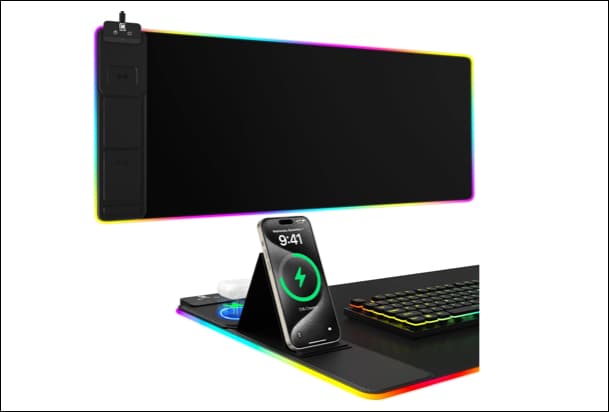
The Miroddi large wireless charging mousepad replaced three things on my desk: a mousepad, a charging cable, and visual clutter.
It defines your workspace with RGB lights and gives a micro-textured, ultra-smooth surface for mouse gliding. I could easily clean it as the mat is waterproof.
The built-in wireless chargers are the real win. I used to plug and unplug my phone constantly. Now I just place it on the holder for fast 15W charging. Along with the phone, you can also charge your earbuds or smartwatch on the 5W plate.
It’s a small change, but it eliminates dozens of micro-actions every day.
4. N NOROCME Cable Management Kit: Reduce desk clutter
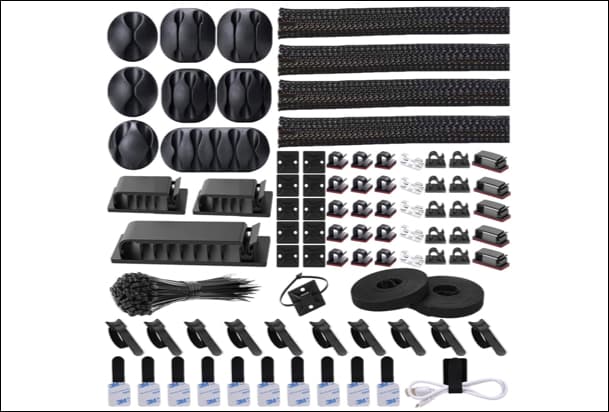
Messy cables are more than an eyesore; they’re a productivity leak. I relied on the cable management kit, and it turned chaos into order. The kit comes with different types of cable holder clips, split sleeves, self-adhesive ties, and more.
Before this, my desk had visible wires everywhere. Every time I looked down, it felt cluttered, distracting, and slightly stressful. After organizing cables, the desk feels calmer, cleaner, and easier to work on.
But there’s a practical benefit too. Troubleshooting becomes easier. You know where things are. You’re not untangling wires when something disconnects.
5. Anker 13-in-1 Nano Laptop Docking Station: Make your setup a powerhouse
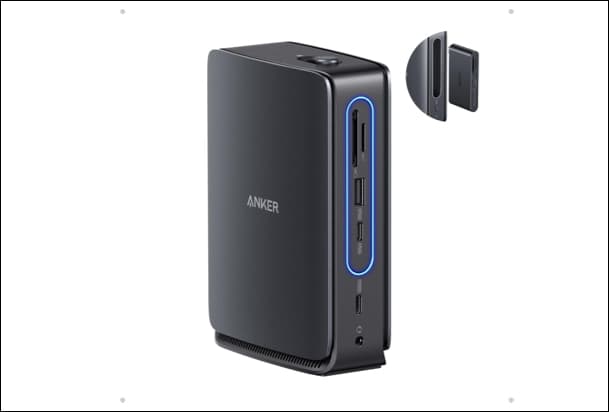
Modern laptops are powerful but frustratingly limited on ports. So, when expanding my setup, I invested in a good USB hub. Anker Nano Docking Station offers 13 ports, including HDMI, Display Port, USB-A, USB-C, SD card slot and more.
Just plug in the hub with your laptop, and your entire setup comes alive. You can transfer data at 10Gbps speed and charge at a maximum of 100W. Without it, you’re constantly plugging and unplugging things, which breaks flow and wastes time.
The best part is that this docking station has a detachable hub with 6 ports. Whenever I am on the move, I carry it in my travel accessories kit.
If you’re on a budget, you don’t need a premium dock. Even a basic multi-port USB hub can dramatically improve your workflow. We have curated the best ones in our best USB-C hubs list.
6. Micomlan Led Desk Lamp: Brighten up your workspace
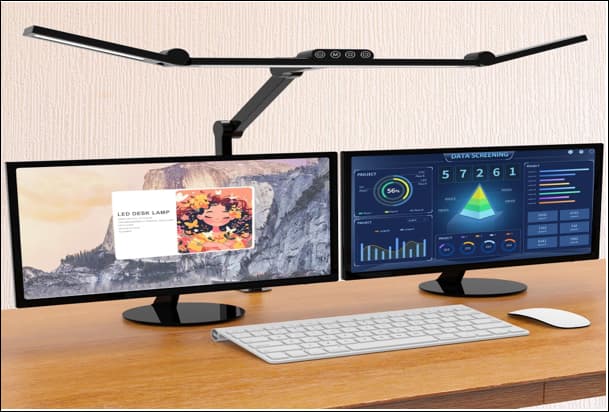
Lighting is one of those things people ignore until they experience good lighting. I tried out the Micomlan 24W Architect Desk Lamp, and it totally transformed my working environment, especially in the evening hours.
Overhead lighting is harsh and uneven. It creates shadows, glare, and eye strain. This desk lamp with a 45-degree angled design gives you controlled, focused illumination, which reduces eye fatigue.
I can adjust the lighting area thanks to the clamp hands, and its smart light sensors automatically adjust the brightness. The best part is that you can control the light temperature for soothing ambient lighting.
7. OORAII Rotating Pomodoro Timer: Silent productivity booster
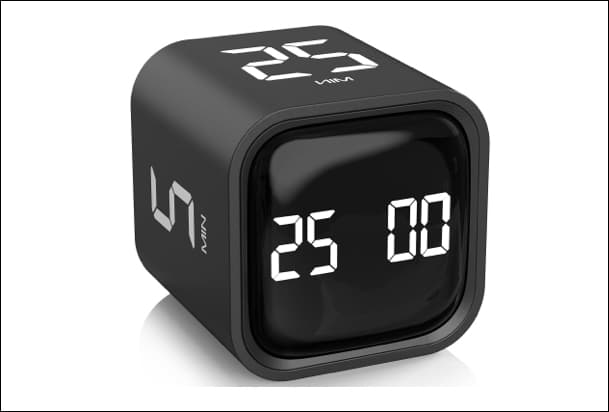
This one surprised me the most. I added a Pomodoro timer digital cube on my desk, and it’s deceptively powerful for time management.
There’s something about a physical timer that software can’t replicate. It’s tactile and immediate. You don’t need to rely on reminder apps or notifications.
Just flip the timer, and the countdown begins. The feeling of urgency is created instantly without causing any stress because you agree to work only for a limited period of time, say, the next 25 minutes. More importantly, it enforces breaks. Before, I was either overworking or drifting endlessly.
Before vs After: Real workflow improvements
The biggest change wasn’t speed. It was smoothness. Before, work felt fragmented. I was constantly adjusting things like my posture, cables, lighting and devices. None of it was dramatic, but it added up.
Now, everything just works. All I have to do is sit at the desk and simply plug in one cable to the dock, place the phone on the charging mat, and begin working without any hassles.
Finally, deep work became easier because there was less resistance. Even fatigue changed. I can work longer without feeling drained.
How to choose the right accessories for your setup
Don’t start with what looks good. Start with what annoys you. That’s the simplest and most effective approach. The easiest way would be to begin with the pain in your neck, followed by the clutter on your desk and then connectivity issues.
Many people build setups based on trends instead of problems and end up with expensive accessories that don’t actually improve anything.
You also don’t need to upgrade everything at once. In fact, you shouldn’t. Start with one or two high-impact changes, check if they support your workflow, then iterate. A cheap accessory that solves a real problem is more valuable than an expensive one that doesn’t.
Common mistakes to avoid
The biggest mistake is confusing aesthetics with productivity.
- A clean desk looks nice, but if it doesn’t function well, it’s just decoration.
- Not paying attention to ergonomics is another pitfall. People will spend on gadgets but skip the basics that affect their body every single day. That’s backward.
- Over-accessorizing is another trap. Having more equipment doesn’t lead to increased productivity. Instead, they often create more friction.
- And finally, relying too much on digital solutions. A timer cube beats a timer app, whereas a wireless charger beats a cable.
Sometimes the simplest solution is the best one.
Final thoughts
Productivity isn’t about doing more. It’s about struggling less.
The right desk accessories remove the small obstacles that slow you down every day. That’s why the impact feels disproportionate. Small changes, but big results.
If you take anything from this, start with one or two upgrades that solve real problems. Use them daily and notice the difference. You don’t need a perfect setup. You just need a better one than yesterday.
Which desk accessories do you use? Let me know in the comments below!