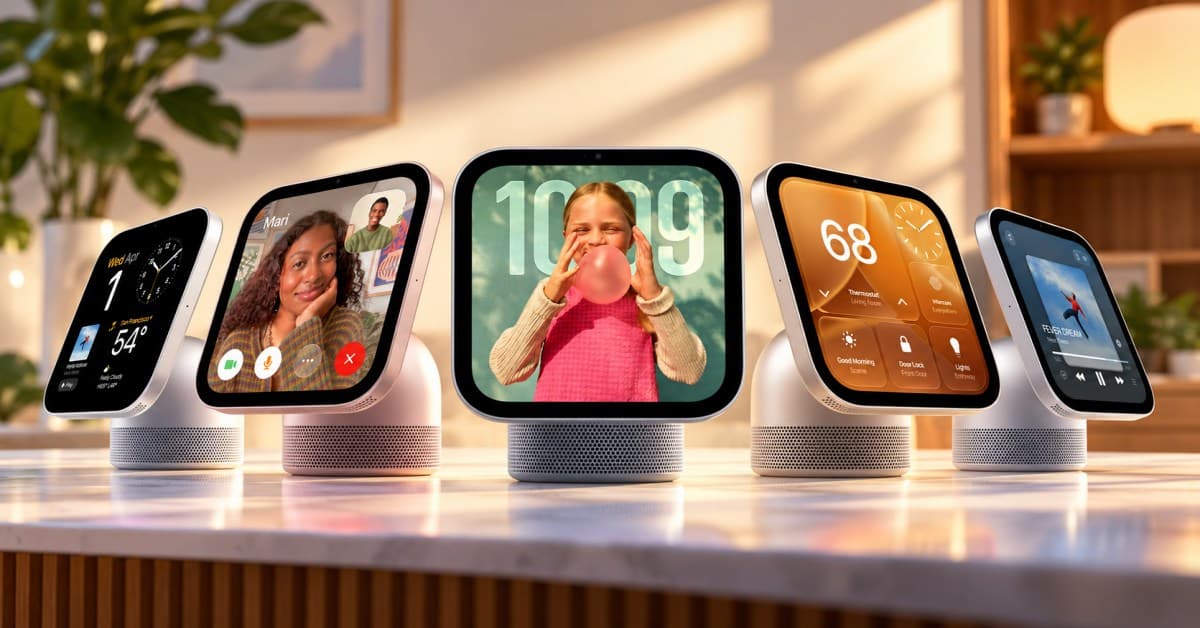
Apple has finally given the smart home a screen of its own. Announced on October 13, 2026, Apple HomeView is a new smart home display powered by Apple Intelligence and Siri AI.
It combines a 7-inch Liquid Retina touchscreen, personalized profiles for up to six people, FaceTime, entertainment, and smart home controls in a device designed for tabletop or wall mounting.
Here’s everything you need to know about the Apple HomeView hub’s specifications, features, privacy protections, price, and limitations before deciding whether it deserves a place in your home.
Apple HomeView specs at a glance
Here’s a quick look at the key Apple HomeView specifications and buying details.
| Specification | Apple HomeView |
|---|---|
| Display | 7-inch Liquid Retina display |
| Resolution | 1088 × 1088 pixels, 220 ppi |
| Brightness | 500 nits max and 0.3 nits min |
| Processor | Apple A18 chip |
| Camera | 12MP Center Stage camera |
| Audio | Two full-range drivers; tabletop model also has a woofer and two passive radiators |
| Microphones | Four far-field microphones |
| Smart assistant | Siri AI, powered by Apple Intelligence |
| Wireless connectivity | Wi-Fi 6E, Bluetooth 6.0, Thread |
| Sensors | Ambient light, Temperature and humidity, and Accelerometer |
| Smart home compatibility | Apple Home and compatible Matter accessories |
| Colors | Tabletop: Silver, starlight, rose pink, space gray Wall-mount: Silver and space gray |
| Starting price | $299 |
Note:
The tabletop and wall-mounted versions have the same starting price, but they aren’t identical out of the box. The tabletop version includes a color-matched USB-C cable and power adapter. On the other hand, the wall-mounted version requires separately purchased mounting and power accessories, which can increase the total cost.
10 Apple HomeView features worth knowing about
1. A 7-inch display designed for any room
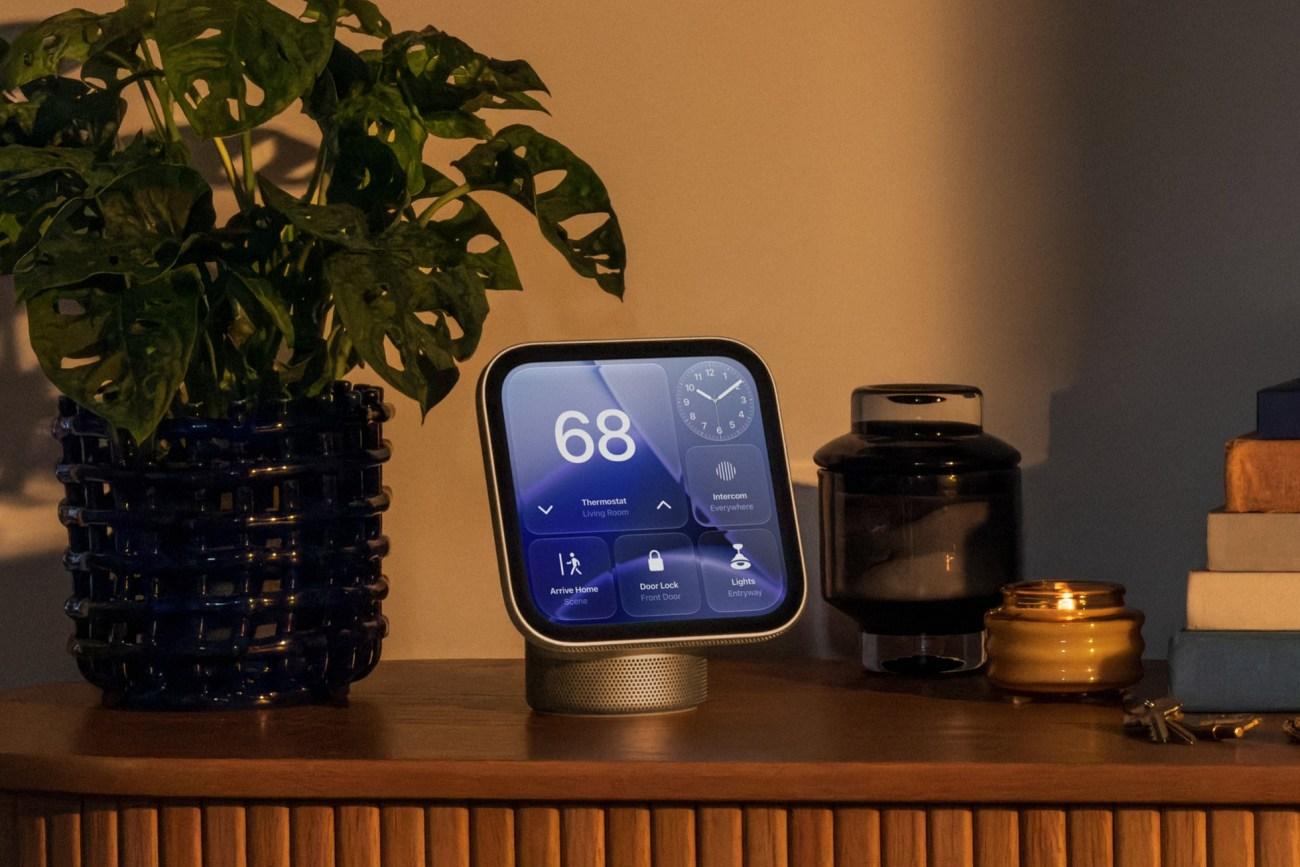
The first thing I like is that HomeView doesn’t look like a traditional tablet propped up on a stand. It has an aluminum enclosure, a compact square display, and a domed speaker base that makes it look more like a dedicated piece of home equipment.
The 7-inch Liquid Retina display connects to the base through a stainless steel hinge, allowing you to tilt the screen to find a comfortable viewing angle. It is available in four colors, and the USB-C cable included in the box matches the device’s color.
Apple also offers a separate wall-mounted version in silver and space gray. Rather than taking up counter space, it can sit in an entryway, hallway, or another shared area where household members can check information and control connected devices.
2. New viewing experience in your home
A screen in a shared space needs to be useful without becoming distracting. Apple appears to have considered that with HomeView’s display technology and customizable faces.
The 7-inch display has a resolution of 1088 × 1088 pixels at 220 pixels per inch. It supports True Tone, which adjusts the display’s appearance to suit the surrounding light, and automatic brightness that ranges from 500 nits down to 0.3 nits.
HomeView also adjusts the information displayed on screen based on viewing distance. From across the room, it can display simpler information that’s easy to read at a glance. Move closer, and the interface can present richer details.
3. Customizable Apple HomeView faces
Apple is also borrowing the idea of customizable faces from its other devices, giving the display more personality than a conventional smart home dashboard.
- Photos face: Displays personal photos with Portrait-style depth effects that keep the subject sharp while blurring the foreground and background.
- Shared albums: Turns HomeView into a digital photo frame that family members and friends can contribute to.
- Flow face: Responds dynamically to physical presence and movement, making the display feel more interactive.
- Snoopy face: Features animations that change with the time of day, weather, and sporting events.
These faces help HomeView work as both a practical screen and something that looks at home in a living room or bedroom.
The distinction I find interesting is that Apple isn’t treating the display as something that should always show a grid of smart home controls. Sometimes, it can simply show photos or useful information and blend into the room.
4. Siri AI could be HomeView’s biggest advantage
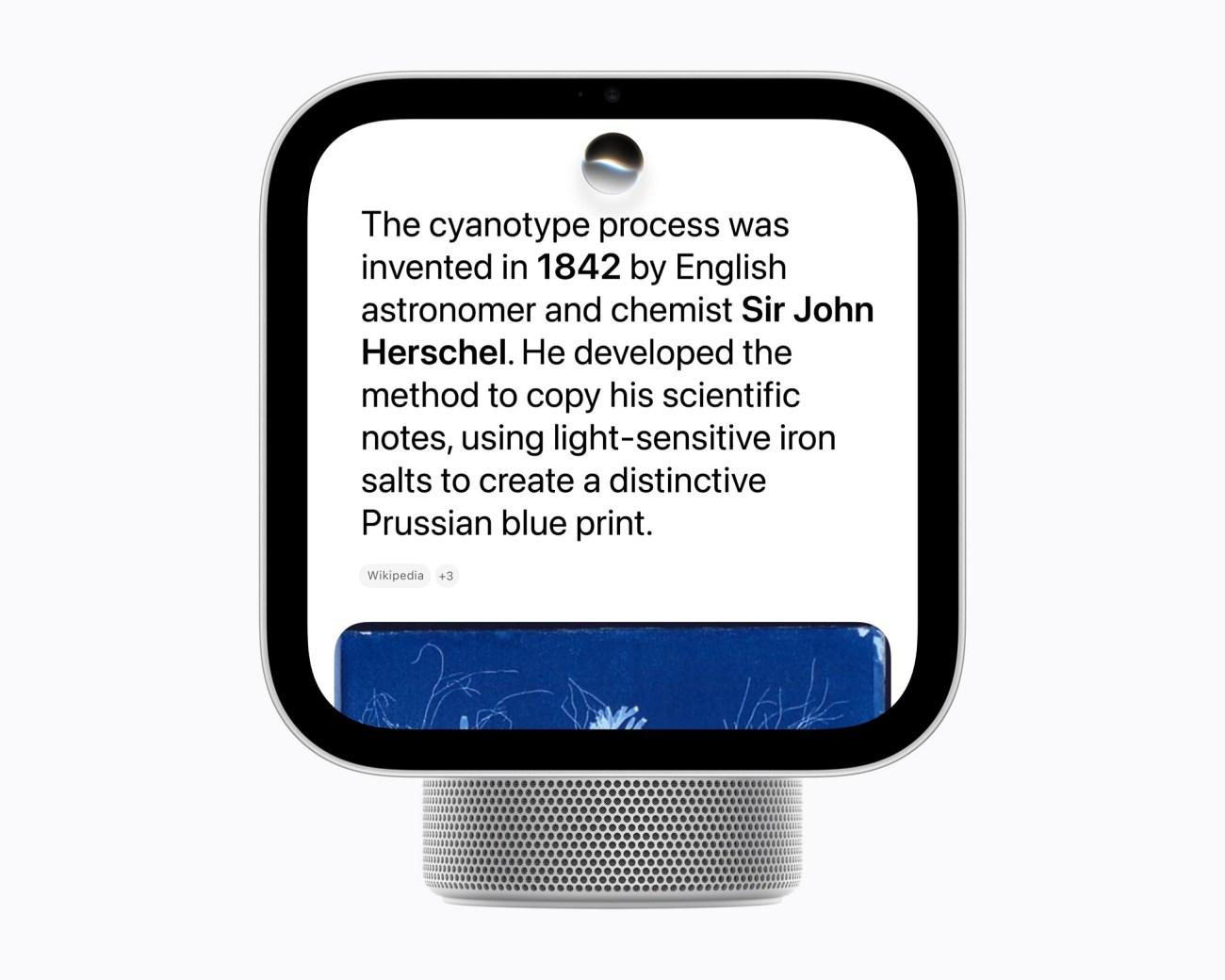
Siri AI could be what makes Apple HomeView more than just another smart display. Apple says its updated assistant offers more natural conversations, broader world knowledge, improved music discovery, and the ability to understand what’s on screen.
Here are the key features worth knowing about:
- Natural conversations: Ask questions and follow up with additional requests without treating every interaction as a separate command.
- Improved music discovery: Find music using everyday descriptions instead of remembering exact song titles or artists.
- Personal context: When paired with an Apple Intelligence-enabled iPhone or iPad, Siri AI can use relevant information from apps to provide more personalized responses.
- Actions across apps: Siri AI can help complete tasks using information from supported apps, reducing the need to switch between them manually.
- Customizable voice: Adjust Siri’s expressiveness and speaking pace on a compatible paired device.
Apple also says conversations started on HomeView can continue in the Siri app, with conversation history syncing privately through iCloud across supported Apple devices.
My take? Siri AI is HomeView’s most promising feature, but its real value will depend on how reliably it handles everyday requests.
5. Personalized profiles for up to six family members
One of HomeView’s most distinctive features is its ability to recognize up to six people by their faces and provide a personalized experience for each person. It can surface personal content from supported apps such as Messages, FaceTime, Calendar, Reminders, and Find My.
Each enrolled user gets a personalized Home Screen with their own apps and widgets. Personal content can remain separate, while shared albums and music remain accessible to the household and guests.
HomeView uses a front-facing camera for face recognition. But note that your personal information in apps such as Messages and Calendar is shown only when the enrolled user is recognized, and their paired iPhone or iPad is present and has been recently unlocked.
6. Smart Home controls from a single screen
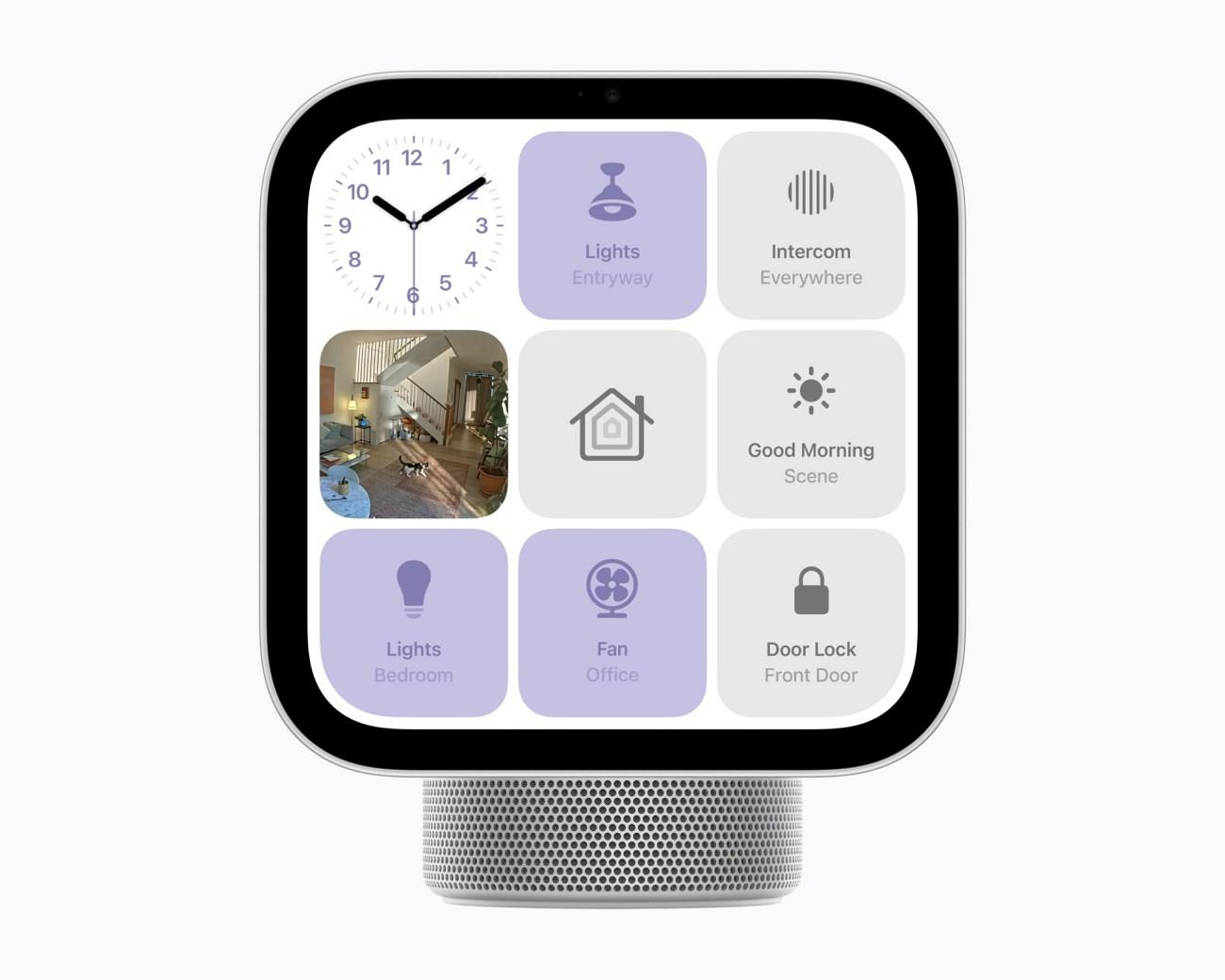
HomeView is designed to be the central control point for a compatible smart home. Users can control accessories through the touchscreen or by asking Siri AI.
Supported actions include:
- Turning compatible lights on or off.
- Adjusting a compatible thermostat.
- Locking supported smart locks.
- Opening or closing compatible blinds.
- Viewing feeds from supported home cameras.
- Accessing frequently used accessories through the Home Modular face.
The Home Modular face is intended to provide quick access to favorite smart home accessories, so you don’t have to navigate through multiple screens to reach everyday controls.
HomeView works with Apple’s new Home Collection, which includes smart home cameras, thermostats, and a lock developed in collaboration with LG Electronics and Schneider Electric. It also supports compatible Apple Home and Matter accessories.
7. Home security and camera monitoring
HomeView’s Home Camera face is designed to make household monitoring easier. Apple says it can display up to nine live camera feeds at once.
The device also supports several security-related features.
- Intelligent camera notifications to recognize people, familiar faces, pets, packages, and vehicles in supported footage.
- Video descriptions to understand what happened in a HomeKit Secure Video clip.
- Smoke and carbon monoxide alarm detection and sending alerts to an iPhone, iPad, or Apple Watch.
Still, there are limitations to keep in mind. Intelligent camera recognition and video descriptions depend on supported hardware and services, and some features require iCloud+.
8. FaceTime, Messages, and Intercom
Apple HomeView makes it easier to stay connected with family without reaching for your iPhone.
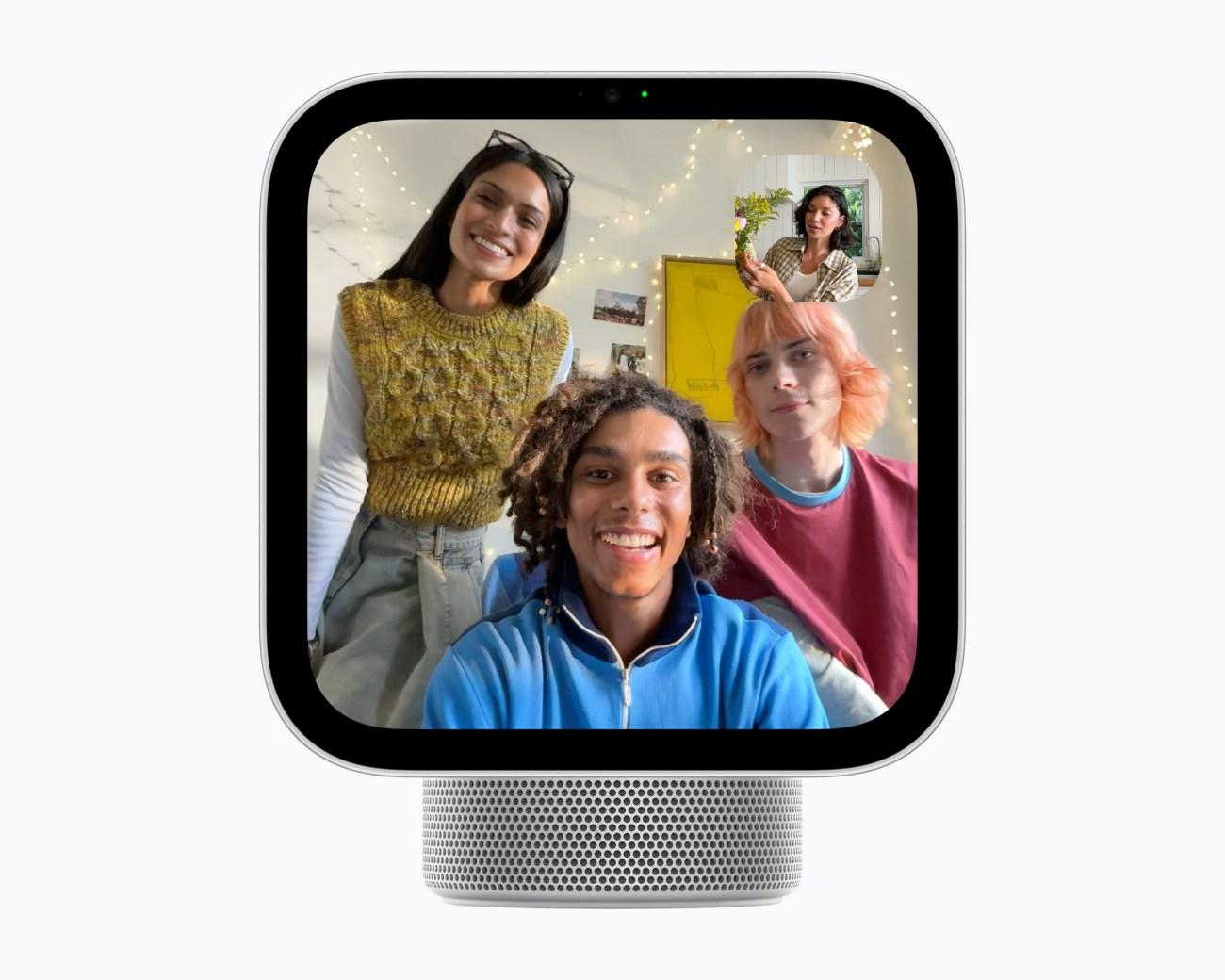
- FaceTime: Make video calls using the 12MP Center Stage camera, which keeps you in view as you move around.
- Messages: Read and send messages using Siri or the on-screen keyboard.
- Intercom: Send voice announcements to other compatible Apple devices around your home, making it convenient to call everyone for dinner or share quick reminders.
These communication features make HomeView more than a smart home controller. It can also serve as a shared family communication hub, especially in busy households where quick calls and announcements are part of everyday life.
9. Entertainment, Photos, and Audio
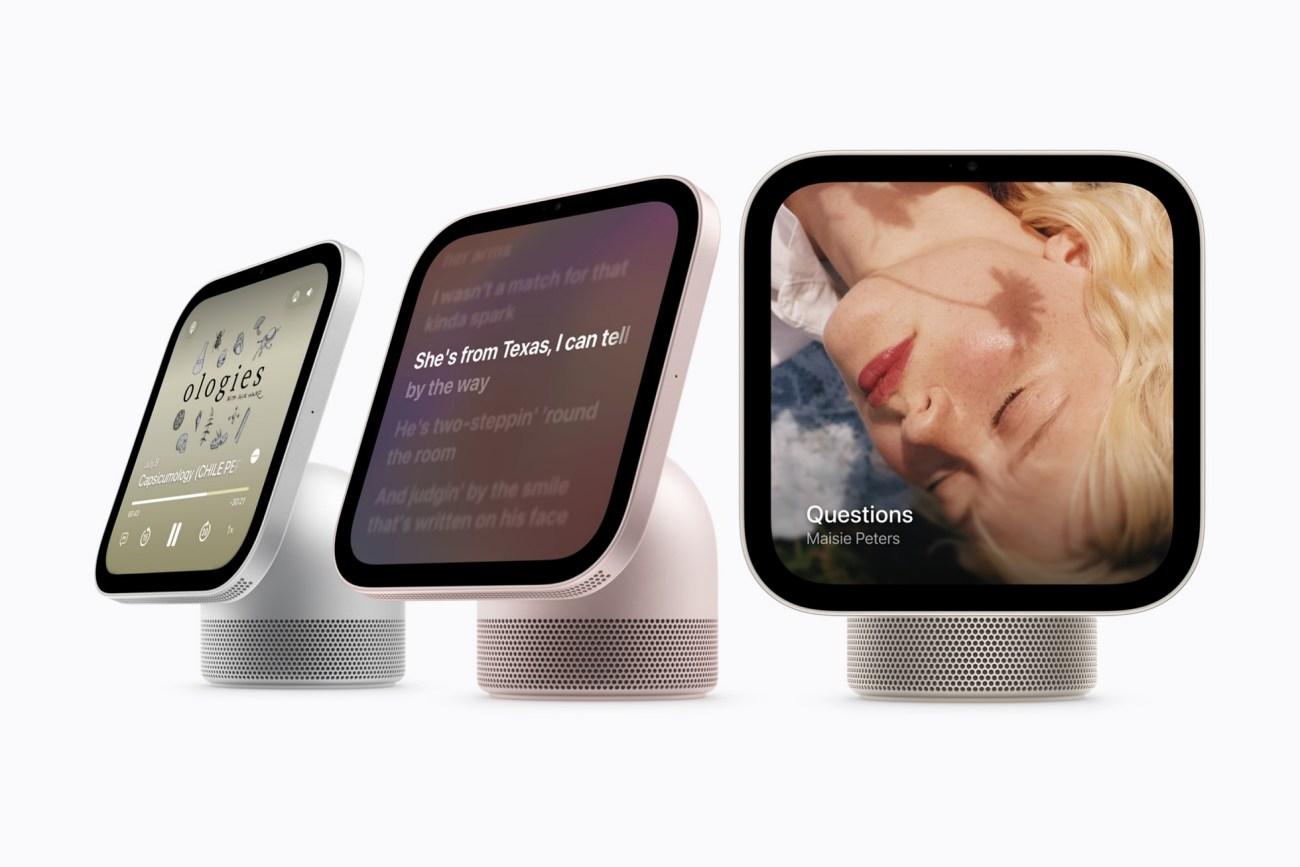
Apple HomeView brings entertainment and family memories into one convenient display.
- Entertainment: Access Apple Music, Podcasts, Apple News, Apple TV, and supported third-party apps.
- Photos: Display favorite pictures and shared albums, turning HomeView into a digital photo frame.
- Multiroom audio: Play music across compatible Apple devices for a connected listening experience.
- Handoff: Continue supported audio or video content on another compatible Apple device.
The tabletop model also includes built-in speakers designed to deliver fuller sound, making HomeView useful for enjoying music, catching up on podcasts, or enjoying entertainment while you go about your day.
10. Kitchen features and everyday convenience
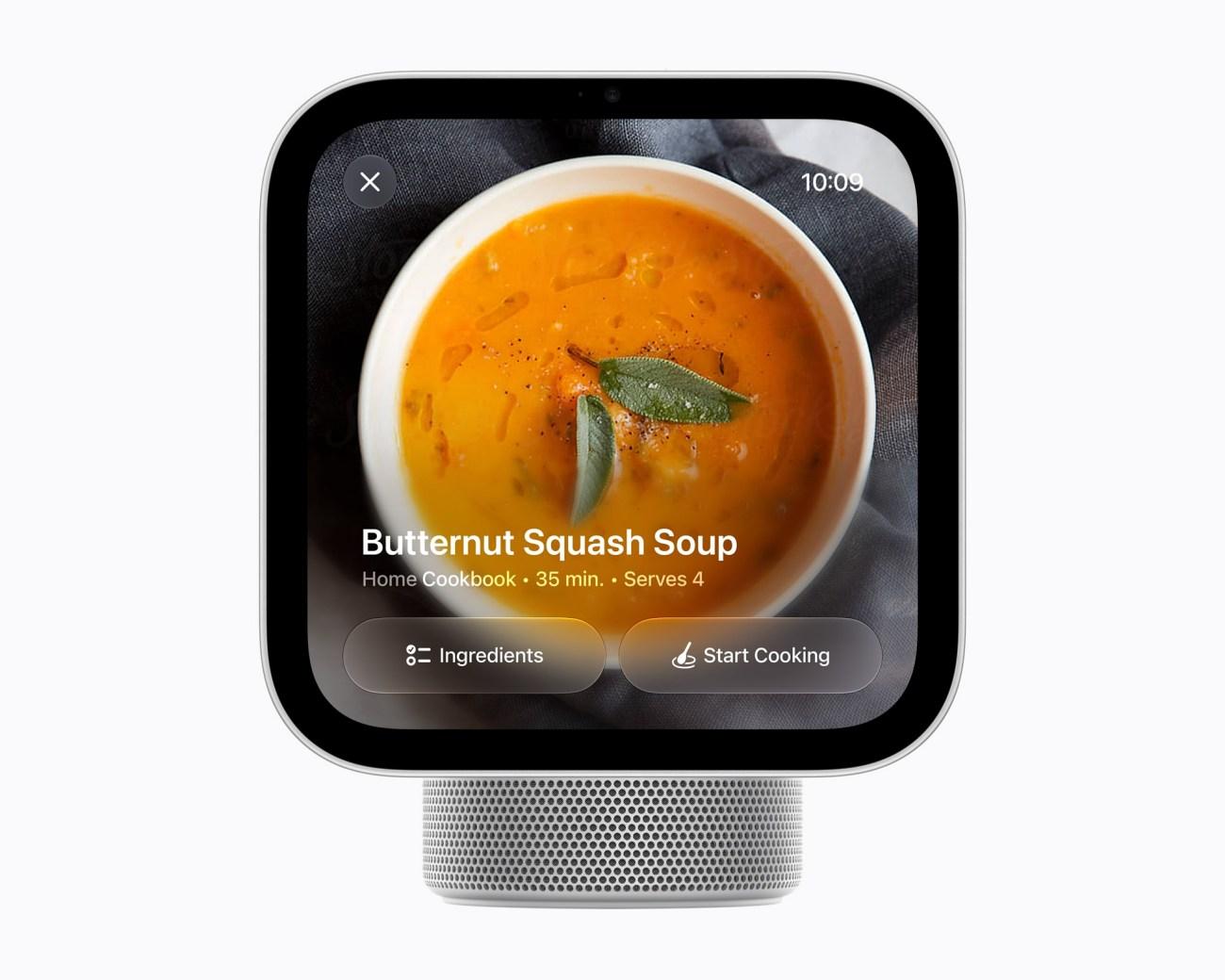
Apple HomeView can be a helpful kitchen companion, keeping everyday tasks organized while you cook or get ready for the day.
- Cooking assistance: Follow recipe steps, track ingredients, and set timers.
- Find My: Check the location of shared people and compatible Apple devices, including AirTags.
- Live Activities: Keep track of useful updates, such as timers and music playback, directly on the display.
These features make HomeView more than a smart home controller, adding practical convenience to your daily routine.
Is Apple HomeView really private and secure?
Privacy is especially important for a device that has a camera, microphones, personal messages, calendars, and access to connected home accessories.
According to Apple, HomeView was designed with privacy and security in mind. For instance, on-device processing through Secure Enclave helps protect camera and microphone data, while Private Cloud Compute supports certain Siri AI requests with privacy safeguards.
Moreover, sensitive personal content doesn’t appear even if HomeView recognizes your face. Your paired iPhone or iPad needs to be present and has been recently unlocked.
These protections sound promising!
Biggest downsides I found in Apple HomeView
Apple HomeView looks promising on paper, but I wouldn’t recommend buying it just because it has a touchscreen and a new AI assistant. Several trade-offs could make it a poor fit for some households.
- High price: At $299, it’s more expensive than many smart displays.
- Apple ecosystem dependency: Some Siri AI features require a compatible iPhone or iPad. So, it’s less attractive for a household that mainly uses Android phones.
- Small display: The 7-inch screen may feel limiting for video and entertainment.
- Extra mounting costs: Wall-mounted versions require additional accessories.
- Feature limitations: Some capabilities may depend on subscriptions, regional availability, compatible home accessories, or future software updates.
Overall, HomeView’s value depends on how deeply you’re invested in Apple’s ecosystem and whether its convenience justifies the price.
What makes Apple HomeView different from other smart home hubs?
Apple isn’t entering an empty market. Amazon and Google have spent years building smart displays that combine voice assistants, entertainment, and connected-device controls.
| Comparison | Apple HomeView | Amazon Echo Show 8 | Google Nest Hub |
|---|---|---|---|
| Display size | 7 inches | 8.7 inches on the fourth-generation model | 7 inches on the second-generation model |
| Voice assistant | Siri AI | Alexa | Google Assistant |
| Personalized experience | Face recognition, up to six users | Alexa profiles and personalization | Voice Match and personal results |
| Smart home controls | Apple Home and compatible Matter accessories | Alexa and compatible smart home devices | Google Home-compatible devices |
| Video calling | FaceTime with Center Stage | Compatible video-calling services | No built-in camera on the second-generation model |
| Entertainment | Apple Music, Podcasts, Apple TV, supported apps | Supported video and audio services | Google services, including YouTube |
HomeView’s strongest argument is its integration with Apple devices. If your household already uses iPhones, Apple Music, FaceTime, and Apple Home accessories, you can use HomeView to bring all these features together in one place with personal profiles.
The Echo Show 8, meanwhile, offers a larger display and Alexa-based smart home controls. It’s ideal if screen size and value matter more than Apple’s ecosystem. Lastly, Nest Hub is the easiest choice for those who want Google services, a photo frame, and smart home features.
Who should buy Apple HomeView?
I think HomeView makes the most sense for people who will use it throughout the day rather than treat it as an occasional voice assistant.
- Apple ecosystem households: If most family members use compatible iPhones and Apple services, HomeView’s personalized profiles, FaceTime, Find My, and Siri AI could make the premium worthwhile.
- People building a connected home: HomeView could provide a convenient central interface for controlling your smart lights, cameras, locks, and thermostats.
- Families that want a shared household screen: The personalized widgets, shared photo albums, recipes, timers, music, and Intercom are appealing if several people will use the device every day.
Before purchasing the device, I would recommend checking three factors: compatibility of your devices with HomeView, availability of Siri AI functions in your language, and whether you’ll use the personalized features often enough to justify $299.
Final verdict: Is Apple HomeView worth buying?
Apple HomeView is an interesting new direction for Apple’s smart home ambitions. It combines a dedicated display, a speaker system, personalized profiles, Siri AI, and smart home controls in one product.
The most compelling idea is the way HomeView is designed to serve an entire household while still providing individual experiences. Its Home Camera face, FaceTime, Intercom, and kitchen features also give it uses beyond playing music or controlling lights.
However, I don’t think it’s a must-have purchase at $299. It’s quite expensive; the best personalized Siri AI features depend on compatible Apple devices, and the wall-mounted model adds accessory costs.
My recommendation is straightforward:
- Buy Apple HomeView if your household is already invested in Apple products and you want a dedicated screen for communication, entertainment, and smart home management.
- Choose a cheaper alternative if you mainly need a voice assistant, basic smart home controls, or a larger screen for entertainment.
What do you think about this new smart home hub from Apple? Let me know in the comments below!