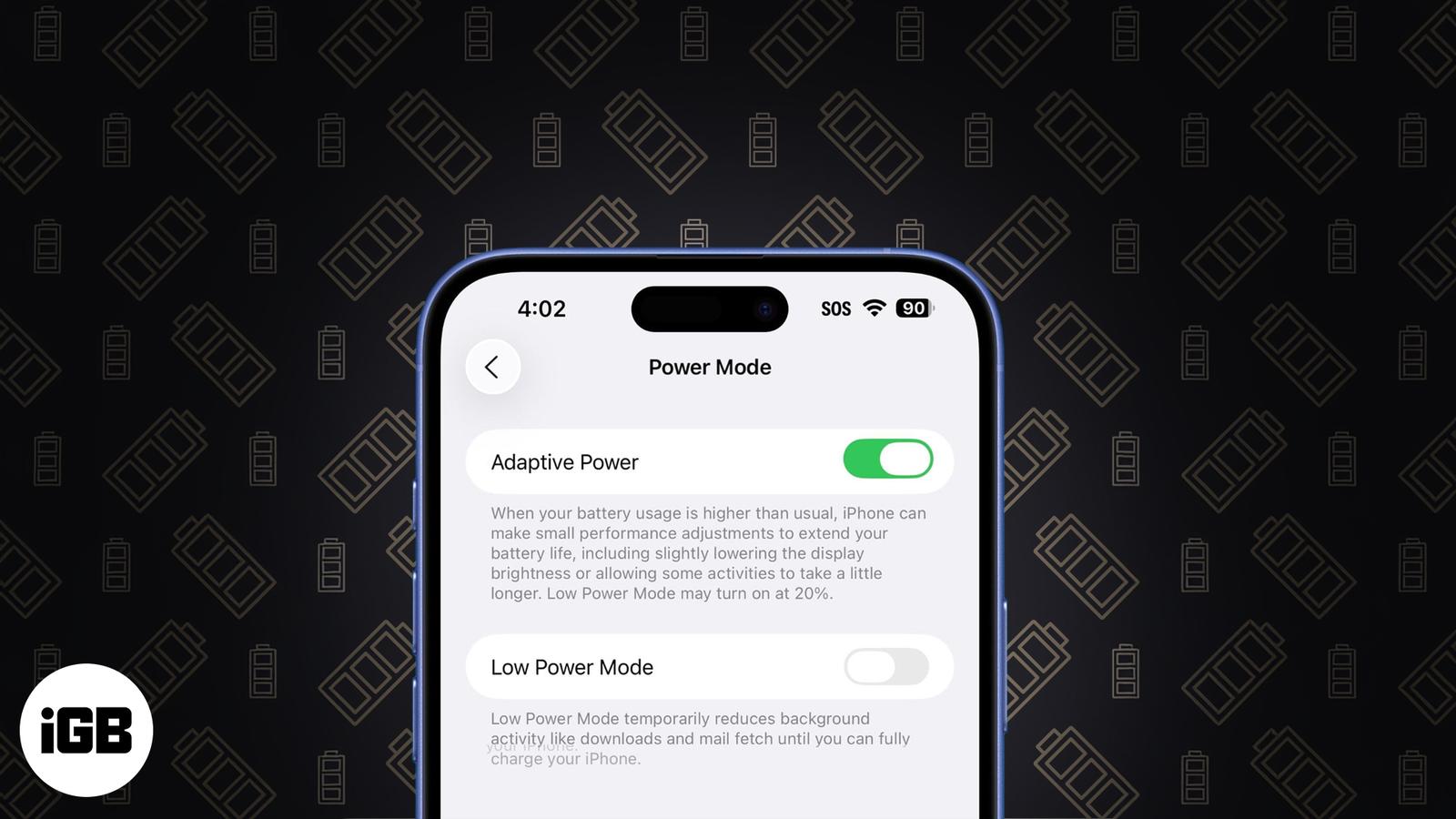
- Adaptive Power in iOS 26 works quietly in the background to reduce battery drain by making smart, subtle adjustments during high power use.
- It’s only available on newer models like iPhone 15 Pro, 15 Pro Max, iPhone 16 lineup, and requires iOS 26 with Apple Intelligence enabled.
- You can enable it manually in Settings under Battery > Power Mode, where it runs automatically without changing how your iPhone feels.
- It’s different from Low Power Mode, which activates at 20% and cuts more aggressively; Adaptive Power is less noticeable and kicks in earlier.
- This feature hints at future battery strategies for slimmer iPhones, balancing performance and battery life without needing frequent user input.
When your iPhone’s battery gets low, you probably dim the screen, close some apps, or turn on Low Power Mode. But with iOS 26, Apple is flipping that idea. Instead of you having to adjust to save power, your iPhone will now do it for you.
It’s introducing a new feature called Adaptive Power. Here’s what Adaptive Power is, what it does, and how you can turn it on.
What Is Adaptive Power in iOS 26?
It’s like a smarter, lighter version of Low Power Mode. It quietly monitors how you use your phone and makes small performance adjustments when it detects unusually high power consumption. It’s not aggressive or annoying. You might not even notice it. But it works behind the scenes to stretch your battery just a bit more when you need it most.
Here’s what Adaptive Power actually does:
- If you’re recording video or editing photos, things that drain power quickly, your iPhone might slightly lower the screen brightness or slow down background processes.
- Some apps may take a fraction longer to launch or load.
- The idea is to save small amounts of energy in the moment, so you go longer before needing a charge.
This isn’t like Low Power Mode, which kicks in at 20% and aggressively shuts down background activity. Adaptive Power is more of a precision tool, a scalpel, not a hammer. It steps in only when needed and makes sure your iPhone doesn’t waste power where it doesn’t have to.
To give you more control, Apple has also added an Adaptive Power Notifications toggle. It notifies you when your iPhone automatically slows performance to save power. So if you notice a dip in performance, you’ll now know what’s causing it.
Which iPhones Support Adaptive Power?
Now, here’s the catch: Adaptive Power requires Apple Intelligence, Apple’s new on-device AI system. That means it only works on iPhones that support Apple Intelligence.
So far, the feature is available on:
- iPhone 15 Pro
- iPhone 15 Pro Max
- iPhone 16, 16 Plus
- iPhone 16 Pro, 16 Pro Max
- iPhone 16e
- iPhone 17
- iPhone Air
- iPhone 17 Pro, 17 Pro Max
So, if you’re using anything older than an iPhone 15 Pro, even if you install iOS 26, you won’t see Adaptive Power in your settings.
Related: How to Get the iOS 26 Developer Beta on Your iPhone
How to Turn On Adaptive Power in iOS 26
The feature is turned off by default. If you want to enable it, you can head to:
- Open the Settings app on your iPhone.
- Scroll down and tap Battery.
- Tap Power Mode.
- Toggle on Adaptive Power to enable it.
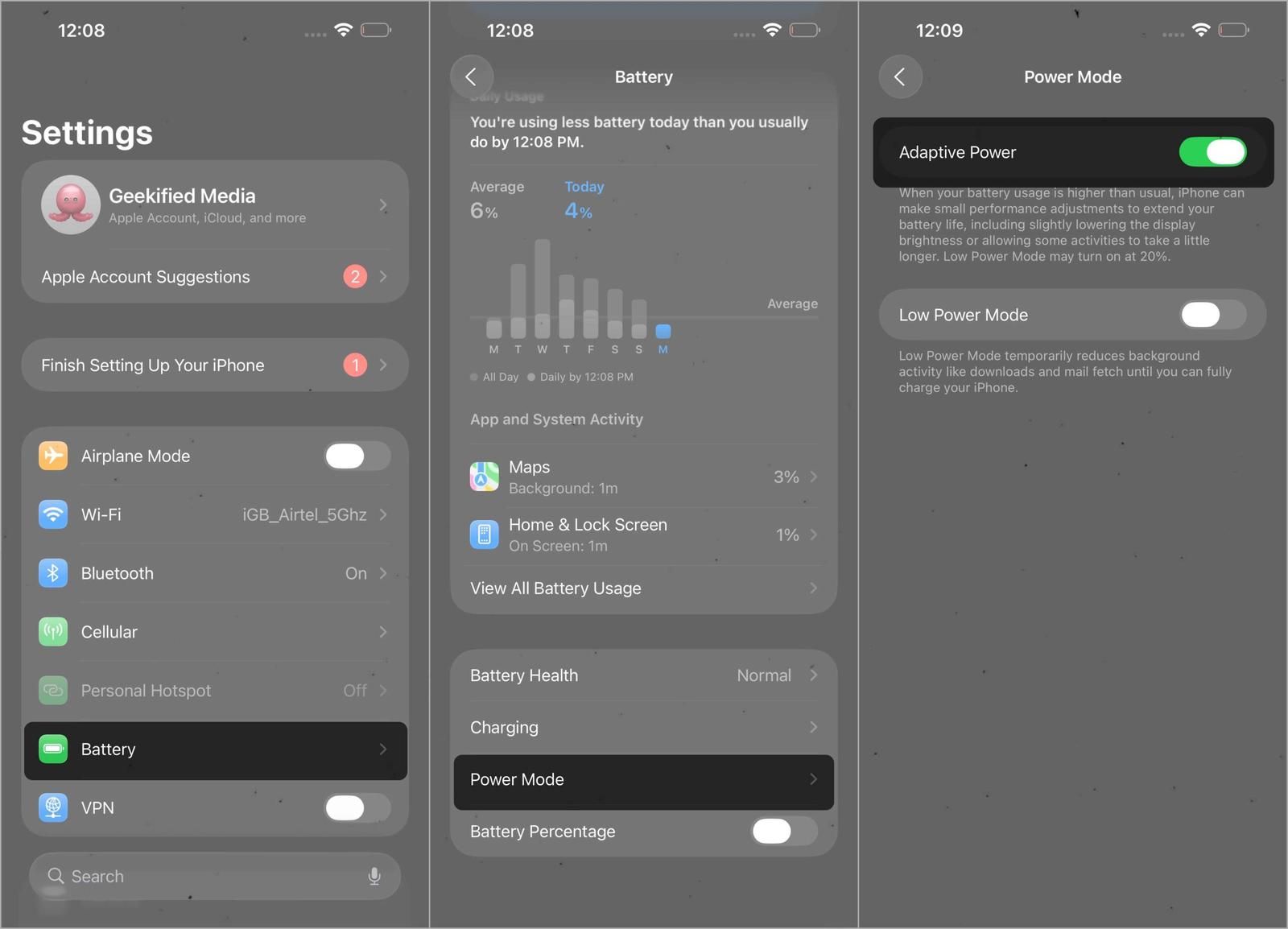
Once turned on, it starts working silently in the background. You may not notice a big change in performance, but your battery might last just long enough to reach a charger. You can also enable notifications from the same Settings page.
Why Adaptive Power Matters for the Future
With iOS 26 now fully rolled out, Adaptive Power is confirmed to be part of Apple’s broader strategy to make the iPhone more power‑smart without requiring you to change your habits. It quietly balances performance and efficiency, stepping in when needed to extend battery life in real‑world use.
It also points toward the future. With devices like the iPhone 17 Air focusing on being thinner and lighter with smaller batteries, features like Adaptive Power are crucial to maintaining good battery performance without compromise.
So, if you’ve ever found yourself stuck with 5% battery and no charger in sight, this feature is the quiet little upgrade you can now count on.
Related articles worth reading: