
WhatsApp is finally making one of its most-used features easier to access on iPhone. The messaging app has started rolling out a new in-chat search button, giving users a quicker way to find old messages within a conversation. The feature follows several weeks of beta testing and is now reaching some iPhone users.
WhatsApp has been testing the search shortcut
The new search button isn’t completely unexpected. Early last month we reported that WhatsApp began testing the feature in its iOS beta, where the search shortcut appeared in the bottom-right corner of the in-chat interface.
Until now, searching within a conversation required several steps. I had to open the chat, tap the contact or group name at the top, choose the search option from the chat information screen, and then enter my query after being returned to the conversation.
That works, but it feels unnecessarily complicated when all I want to do is find one old message. The new shortcut removes that detour.
The button now appears while scrolling up
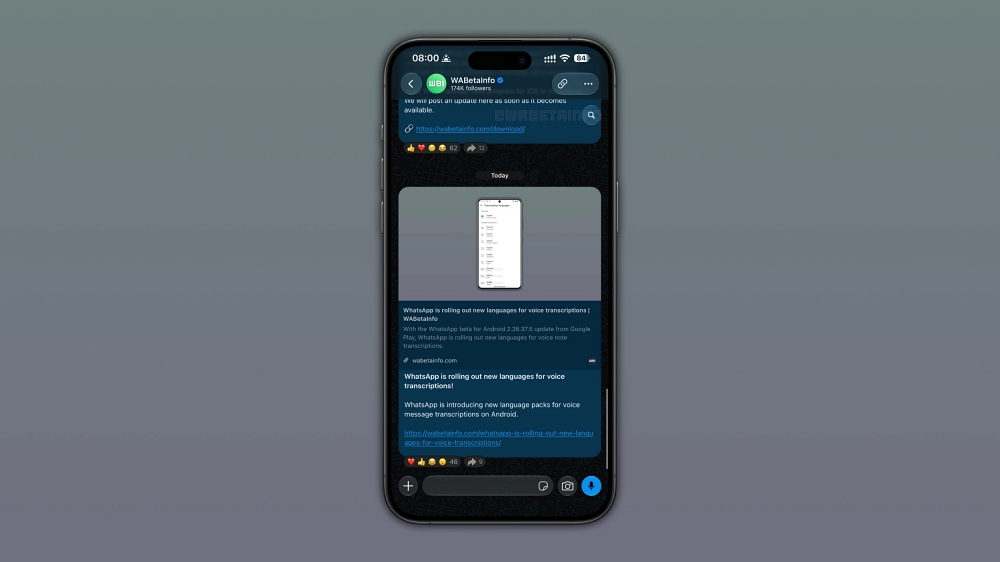
According to WABetaInfo, WhatsApp has moved beyond testing and is officially rolling out the feature to users. Interestingly, the final version doesn’t appear in exactly the same place as the button shown during beta testing.
Now, the search shortcut appears at the top when users scroll up through a conversation. Tap the button, enter a keyword, and WhatsApp can search through the conversation without forcing me to navigate through multiple menus first.
When you return to the latest messages at the bottom, it disappears. That makes much more sense than permanently adding another icon to an already crowded interface.
The shortcut is also being made available across different types of conversations, including individual chats, group chats, and channels.
The rollout is gradual
As usual, the feature isn’t appearing for every iPhone user immediately. WhatsApp is gradually rolling it out, so even if you don’t see the new search button yet, that doesn’t necessarily mean anything is wrong with your app.