When I got my hands on the Pixel 10, I did what most people do: looked up Google’s 67W charger, assumed it was the safest bet, and almost hit “Buy Now.” Yet something didn’t feel quite right. My experience with chargers allowed me to understand that, although 67W sounds great, it can be too much.
So instead of following the obvious path, I tested a bunch of alternatives to the Google Pixel charger, including the cheap ones, multi-port bricks, and even wireless setups. Here are the best fast chargers for the Google Pixel 10 series that actually deliver.
Why you don’t need Google’s 67W charger
I almost fell for the 67W hype, until I actually tested how the Pixel 10 charges in real life.
Here’s the truth most spec sheets won’t tell you: the Pixel 10 simply doesn’t use anywhere near 67W. From my testing and digging into charging behavior, the Pixel 10 charging wattage support looks like this:
- Standard Pixel 10 models: around 27W max
- Pixel 10 Pro XL: roughly 37W max
So what happens when you plug it into a 67W charger? Nothing magical. The phone just caps the power intake and completely ignores the remaining power capacity. In other words, you’ll pay extra for something that won’t even be used in this case.
I used a 30W PPS charger side by side with a higher wattage brick. Surprisingly enough, they showed the same results until charging up to 70-80%. After that, both slowed down anyway due to thermal management and battery protection.
What actually matters when choosing a Pixel 10 charger
After testing multiple bricks side by side, here’s what I look for when buying a Pixel 10 fast charging supported charger:
- USB Power Delivery (PD) with PPS support: If a charger doesn’t support PD and PPS (Programmable Power Supply), skip it. This is non-negotiable. It’s what allows your Pixel to fast charge properly without overheating.
- Stable output, not peak wattage: A “100W” charger sounds powerful, but if it distributes power poorly across ports, your phone won’t benefit. I’ve seen 45W chargers outperform 65W ones simply because they were better tuned.
- Heat management: This is massively underrated. A cooler charger = better battery health over time. Low-end high-wattage blocks tend to heat up considerably, and I wouldn’t trust them long term.
- Form factor: I didn’t expect this to matter until I started traveling. A bulky charger quickly becomes annoying. Foldable plugs and compact designs are worth paying for.
- Multi-device flexibility: If you carry earbuds, a smartwatch, or a laptop, a multi-port charger can replace three bricks with one. That’s not just convenience, it’s sanity.
Top 5 best Google Pixel 10 charger alternatives
Here I have listed down the best chargers for the Pixel 10 based on different use cases.
1. Google 45W USB-C Power Charger: Official choice
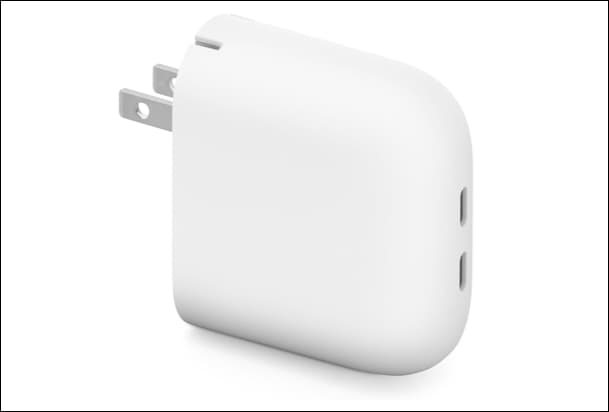
If you decide to purchase a charger from Google, then get this 45W USB-C charger for your Pixel 10 without any hesitation. It’s predictable, stable, and boring in the best way. I never experienced overheating or drops in charging speeds.
However, after a few days, I started noticing its biggest limitation. It’s a single-port brick that does one job only. While using it, I often needed to unplug my phone in order to plug in other gadgets, which was inconvenient.
As far as efficiency is concerned, I should say that it does not differ significantly from cheaper models. According to Google, a 30W PPS charger can provide the same results. So while this is the “safe” option, it felt like paying extra for reassurance rather than a real-world benefit.
- I never had to think about compatibility; it just worked every single time
- Provided me with peace of mind due to stable and cool charging process
- It’s like a “set and forget” option, especially for non-tech users
- I constantly felt limited by having just one port
- Didn’t improve my actual charging experience compared to cheaper options
- Made me question why I paid more for something that didn’t simplify my setup
2. Spigen ArcStation Pro 20W GaN Charger: The budget pick
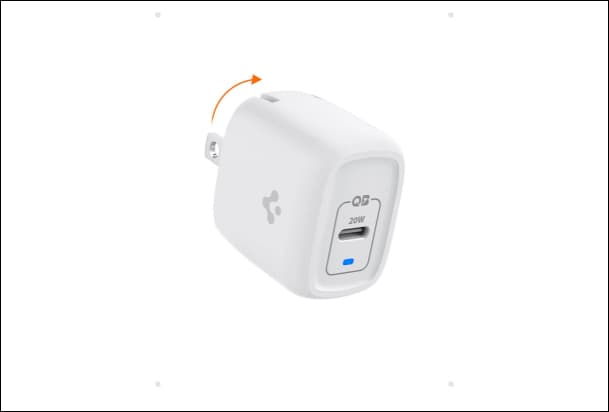
I must say this was truly surprising. I got the product thinking that some trade-offs would be expected due to its 20W charging capability; however, its performance was unexpectedly good. The foldable design made it quite easy to transport around, and I hardly noticed any space occupancy in my travel bags or wall sockets.
Now, how fast did it charge? It is almost similar to the stock charger due to Power Quality technology. From 20 to 80% battery, I could not distinguish the difference without the timer. Not only that, but the Gallium Nitride material is highly effective and energy-saving. The most notable feature is its cool temperature, even when charging continuously.
If you’re trying to spend less without sacrificing real performance, this is the one I kept coming back to. I have also shared my favorite GaN chargers in another article, so do check it out.
- Made it easy to keep multiple chargers around my house without spending much
- Felt like a stress-free option thanks to the GaN tech
- Perfect as a backup charger that quietly handled daily needs
- Didn’t give me flexibility when I needed to charge more than one device
- The 20W wattage without PPS support doesn’t provide blazing-fast charging
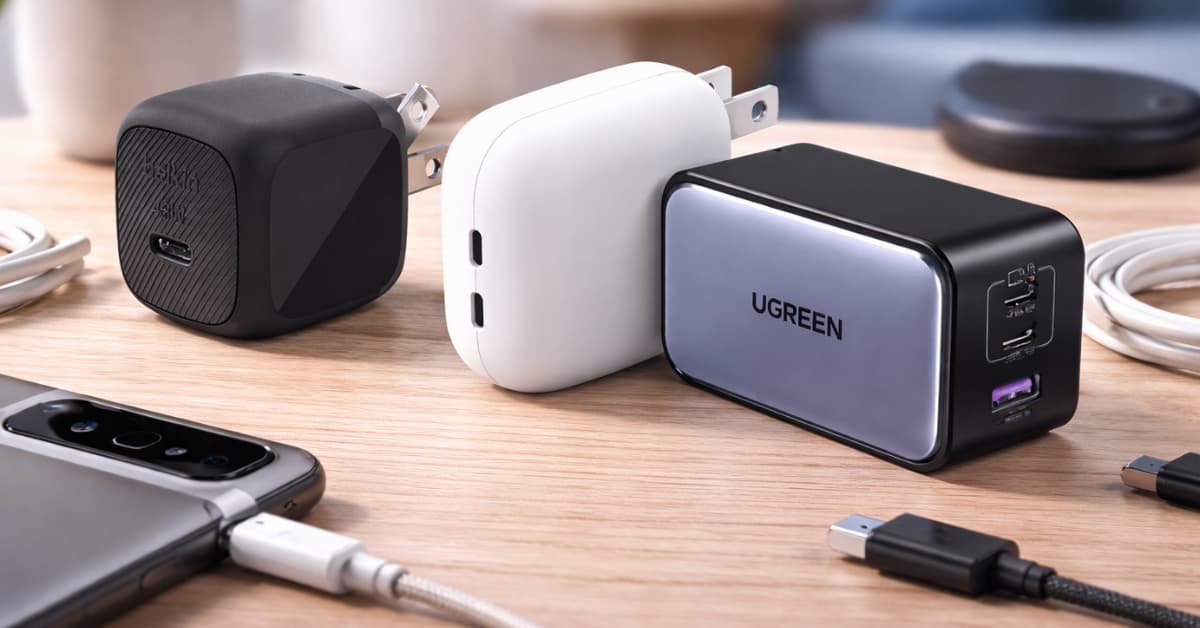
3. Belkin 45W USB-C PPS Charger Block: Travel-friendly
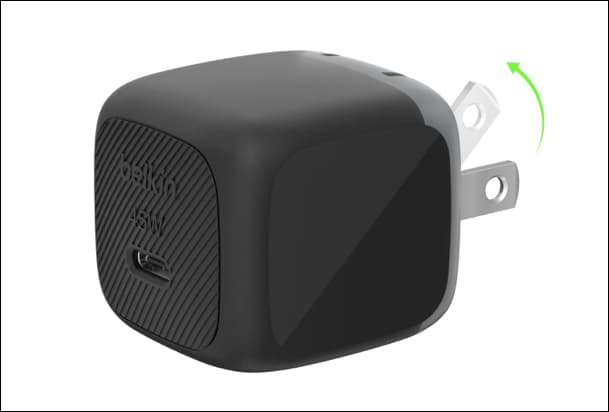
Belkin’s USB-C charger quietly won me over, not because it’s flashy, but because it just fits real life better.
When I started using this daily, the first thing I noticed wasn’t speed; it was reliability. The adapter offers up to 45W speed using the USB-C PD 3.1 and PPS fast charging technologies, meaning that charging will be smart in relation to your device’s needs.
However, its selling point is the portability. The brick is 63% smaller than standard 45W wall chargers, compact with foldable prongs, and lightweight. I never once felt it like a burden in a backpack or even a pocket. Moreover, the Belkin SmartProtect keeps your Pixel 10 safe, and the 2-year warranty coverage gives peace of mind.
If I had to pick one alternative to the Google Pixel charger for everyday and travel, this would be it. Want to know what other travel accessories are worth it? Explore our essential iPhone travel kit guide.
- Simplified my travel setup with a compact form factor
- Dependable charging solution due to the SmartProtect tech
- Got a 2-year warranty with $2500 of connected devices protection
- Didn’t fully replace my desk charger for heavier setups
- Felt slightly premium-priced
4. UGREEN Nexode X 100W GaN 3-Port Charger: The multi-device powerhouse
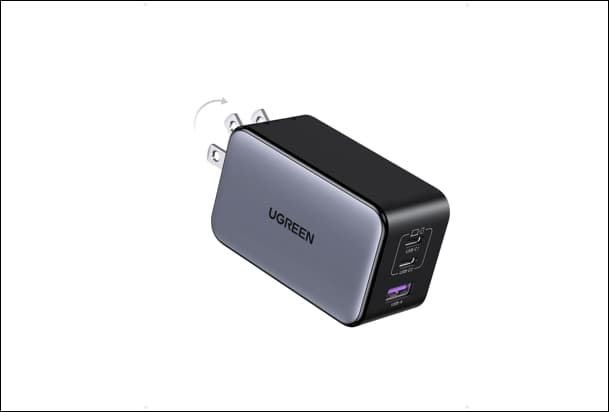
If you are looking for a perfect desk charger to keep all your devices powered up, buy this UGREEN 3-port fast charging adapter.
While on paper, 100W might be considered too much power for a Pixel, in practice, this charger is not about quick charging your phone. It’s about charging everything else alongside it. I used it as my daily carry for a week, and it quickly became my “one charger solution.”
With two USB-C ports and one USB-A, I was charging my Pixel, earbuds, and even topping up my laptop at the same time. Its power distribution is surprisingly smart. What stood out most was how compact it is for a 3-port charger, thanks to new AirPyra technology.
Additionally, UGREEN has used a GaNInfinity chip and ThermalGuard 2.0 tech to keep the brick relatively efficient, cool, and safe. Although I found it does get slightly warm during heavy use, which is expected at this size.
Overall, it’s the most efficient option on this list if you use multiple devices and want to avoid cable clutter.
- Completely eliminated charger clutter from my desk
- Made it possible to charge all my gadgets without worrying about cables
- Convenient when working in cafes or airports
- Overwhelming when I only needed to charge my phone
- Generated some heat during intense use
5. PixelSnap 25W Qi2 Wireless Charger: Convenience over everything
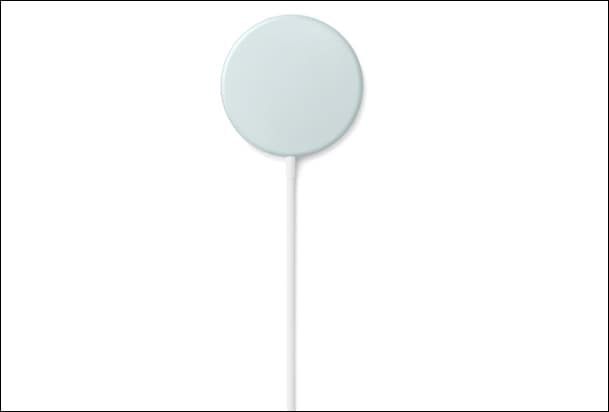
I didn’t expect this to become part of my daily routine, but it did.
The PixelSnap charger is built around Qi2 magnetic alignment, which means it literally snaps into place on your Pixel, just like MagSafe on iPhone. No adjusting, no “is it charging?” guesswork. It just locks in and starts charging.
In my experience, that small detail changes everything. Instead of constantly plugging and unplugging the cable, I would simply place my phone on the charger, grab it, and continue the same cycle. However, it’s not the fastest option. It tops out at around 25W for Pixel 10 Pro XL and up to 15W for other Pixel 10 models.
Thus, if fast charges are required, then wired charging is more efficient. Otherwise, it is seamless. I mainly used it during nighttime and work hours since the phone is already idle at those times.
- Eliminated the need for constant plugging/unplugging
- Seamless charging process. Just place your phone, and it starts charging
- Requires less space on your table
- Slower charging made it unreliable for quick top-ups
- Need to buy the Google 45W adapter separately
Common mistakes Pixel 10 users make
The biggest mistake? Chasing wattage like it’s a performance stat. I’ve done it. Most people do.
But after testing, here’s what actually goes wrong:
- Buying overpowered chargers expecting faster speeds. Your phone sets the limit, not the charger.
- Ignoring cable quality. Poor quality will limit the speed despite having an efficient charger. This is the silent performance killer no one talks about
- Using random cheap adapters. This is where overheating and inconsistent charging start showing up.
- Overlooking daily usability. A charger you hate carrying is a bad charger, no matter how fast it is.
Final thoughts
If I had to sum this up in one line: the best Pixel 10 charger isn’t the most powerful, it’s the one that fits your life.
After testing all of these, I didn’t stick with the official charger. I rotated between the UGREEN for my desk, the Belkin for travel, and the Spigen as my backup. That setup cost me less than blindly buying premium options, and gave me more flexibility.
So before you default to Google’s 67W charger, ask yourself whether you want the “official” experience or the smarter one?
Related articles worth reading: