
How to Turn Off Voicemail on iPhone: Quick Tutorial
Ready to ditch Voicemail? Learn the quickest ways to turn it off on your iPhone and take back control of your calls in minutes.
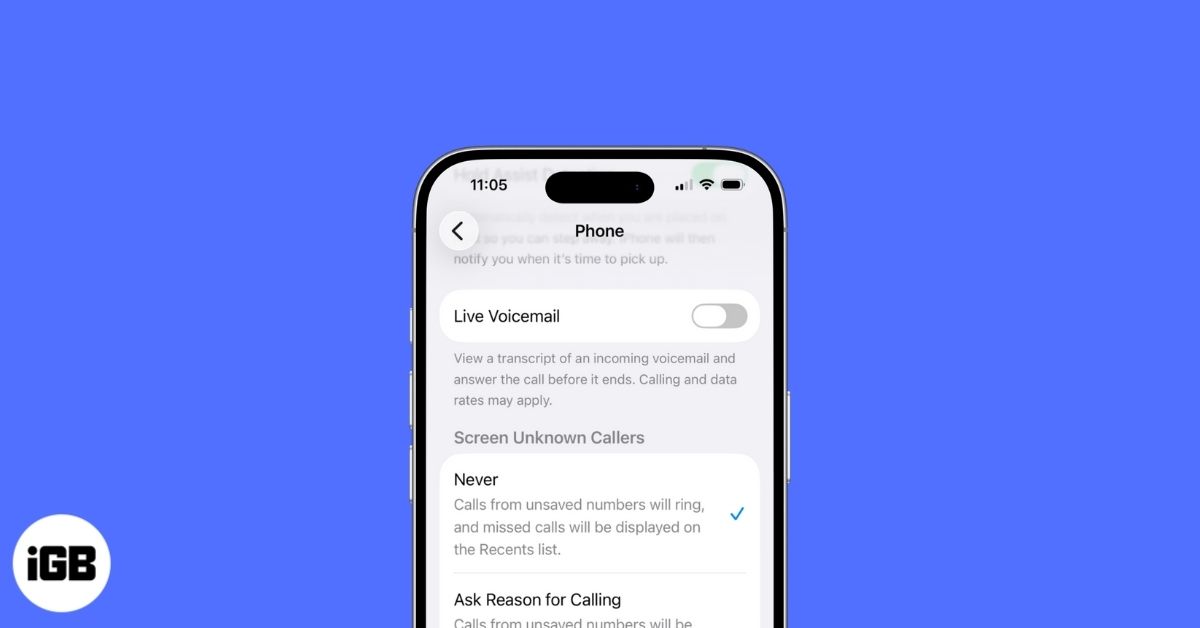
Voicemail is useful when you miss a call, but it can get frustrating if unwanted callers keep filling it up. iOS 26 doesn’t offer a simple switch to turn voicemail off, but there are reliable workarounds. Here’s how you can effectively disable voicemail on your iPhone.
Why You Might Want to Disable Voicemail on iPhone?
Before checking out the workarounds, let us explore some of the most common reasons why you might want to turn off the Voicemail feature on your iPhone:
- Spam or robocalls: Voicemails from spammers or telemarketers can often clutter your inbox with voice messages you would never want to access.
- Annoying notifications: Accidentally missing a call is one thing, but if you did it voluntarily and still received a voicemail alert, it can get pretty annoying and even disrupt your workflow.
- Free up storage: Unnecessary voicemails can clutter your inbox and eat up valuable storage, which could otherwise have been used for other important data. While deleting voicemail is not feasible, deactivating it would do the job.
- Voicemail not needed at all: Voicemail is of no use to you if you rarely miss any calls or never rely on voicemails.
How to Turn Off Voicemail on iPhone
If any of the said reasons resonate with you, you can use any of the following methods to disable Voicemail on your iPhone in iOS 26.
1. Turn Off Live Voicemail in Settings
iOS 18 brings Live Voicemail to regions where carriers don’t offer standard voicemail. It shows a real-time transcript of what the caller is saying, which can help you decide whether to answer. The downside is that it can fill your voicemail box with unwanted messages.
In some regions, switching off Live Voicemail also disables voicemail completely. Here’s how to do it:
- Open Settings, scroll to the bottom, and tap on Apps.
- Locate and tap the Phone app.
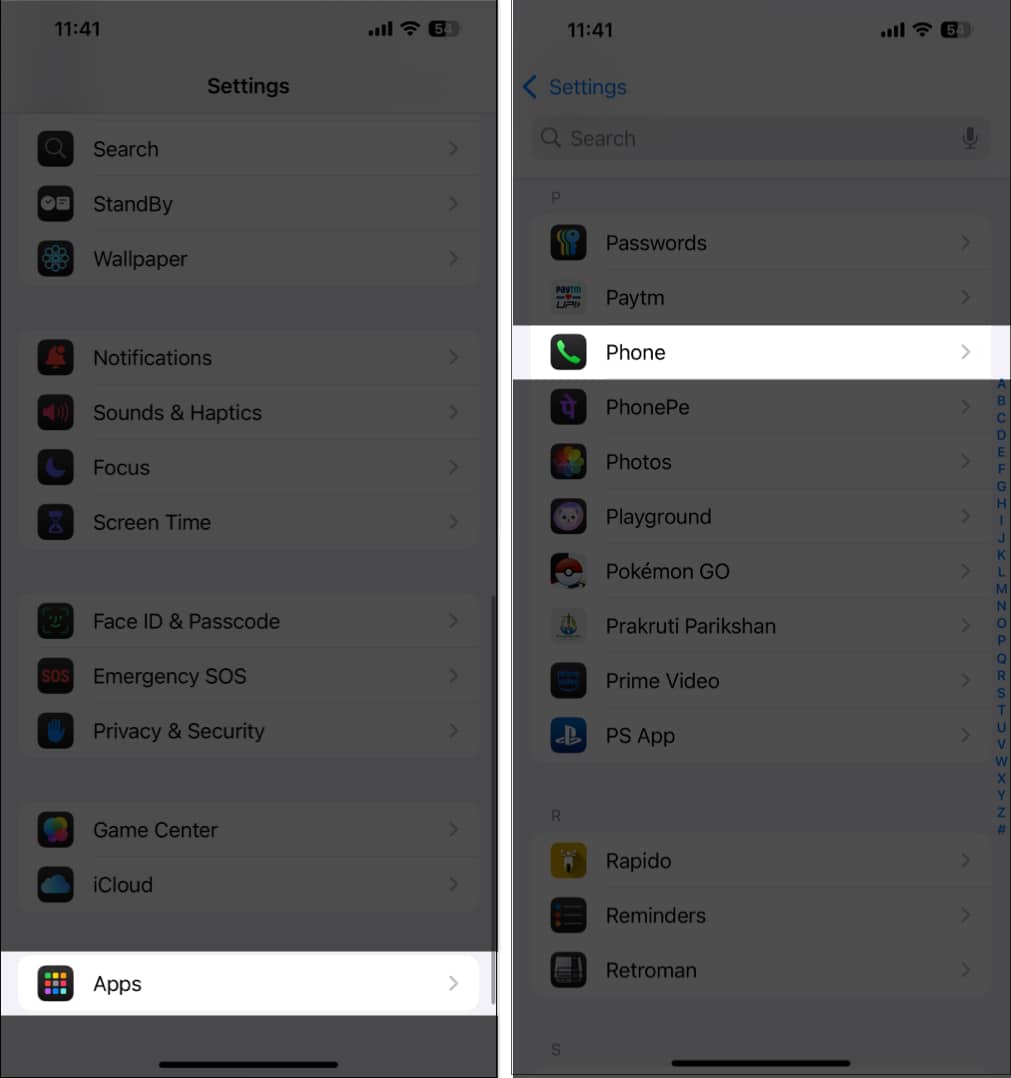
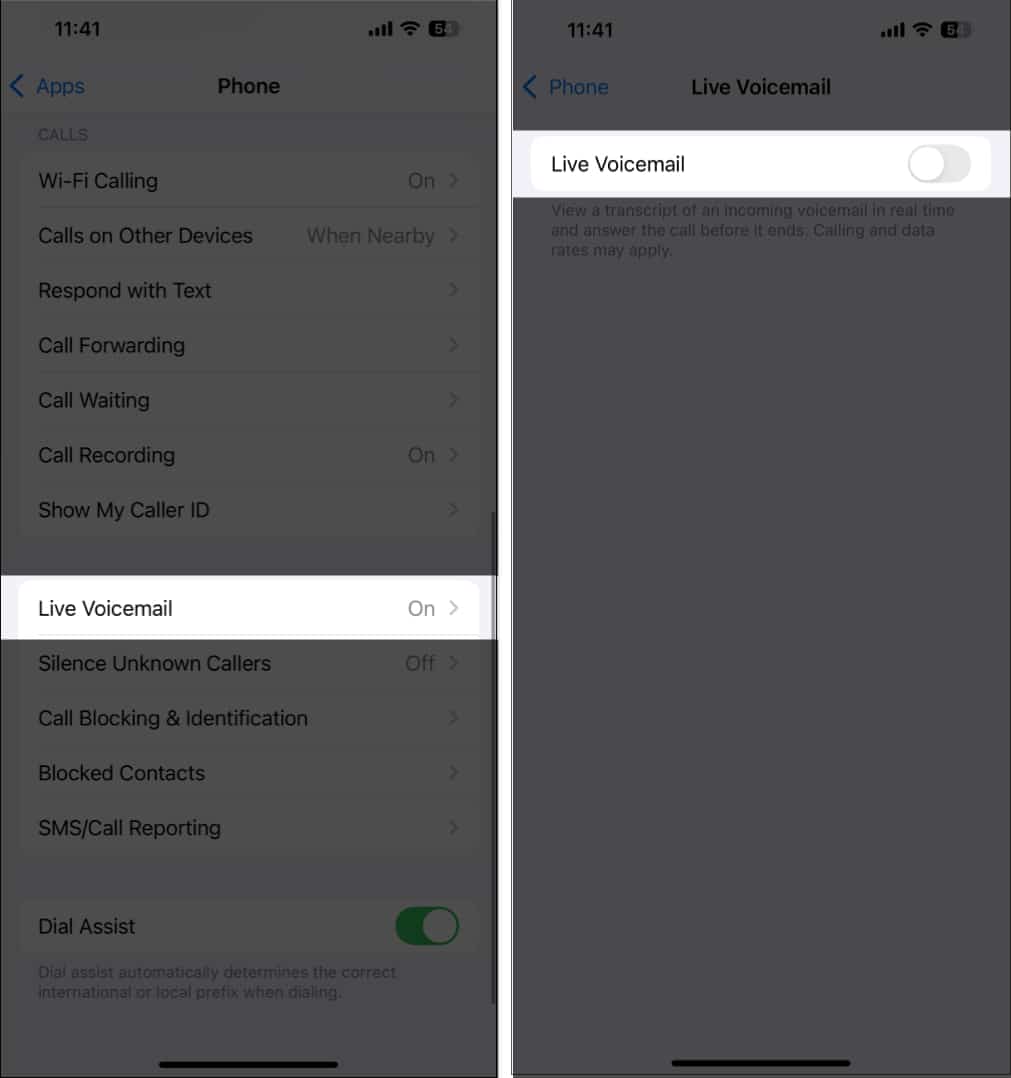
- Next, tap on Live Voicemail.
- Finally, toggle off the Live Voicemail option.
2. Use Carrier Codes to Disable Voicemail
In regions where Voicemail is actively available, mobile carriers often provide special codes you can use to temporarily disable the feature. Here’s how:
- Open the Phone app and tap the Keypad tab at the bottom.
- Enter the code #004# (universal code for many carriers) or ##002# (used by some regional carriers) and hit the Call button.
- You’ll see a message indicating that Voicemail has been deactivated successfully. Hit Dismiss to close it.
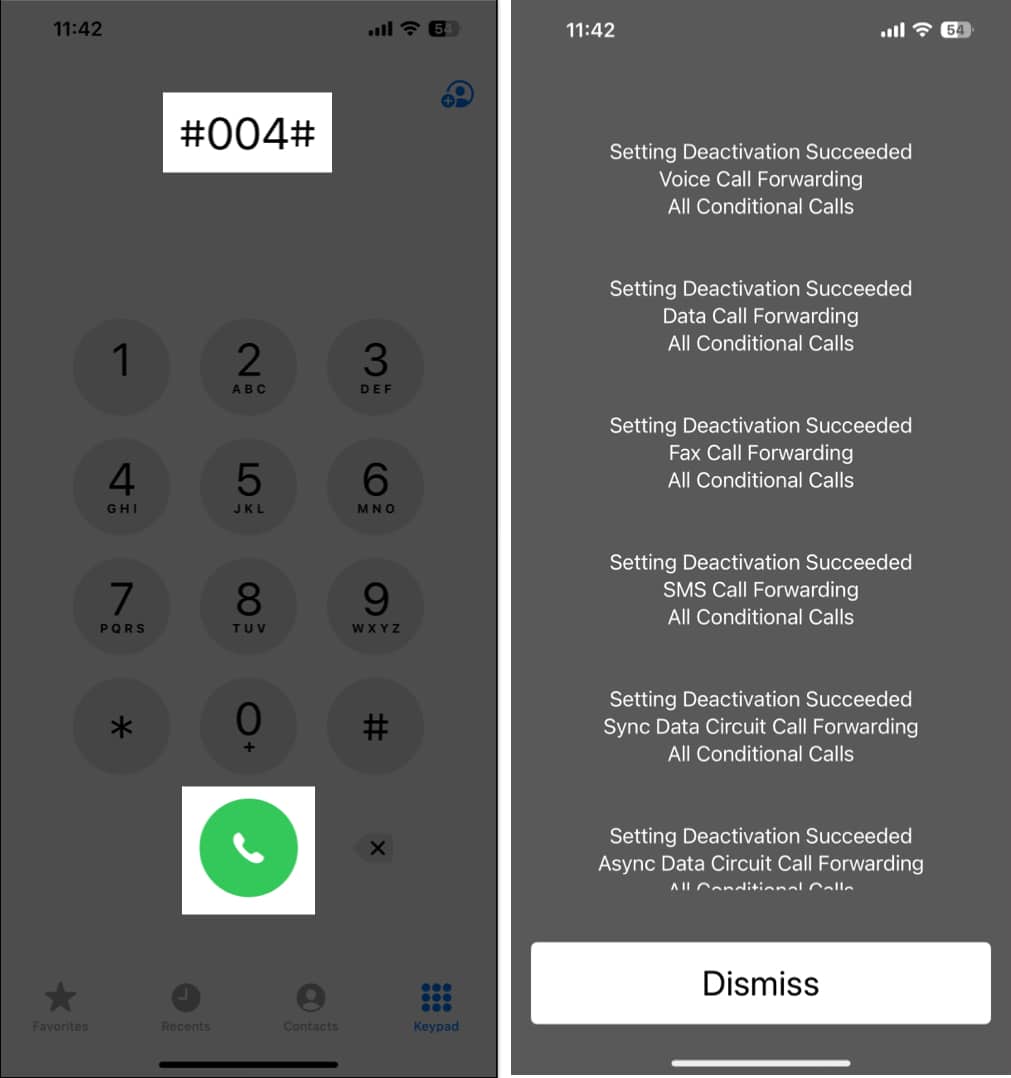
To reactivate the Voicemail feature on your iPhone, all you need to do is dial the same code again.
3. Ask Your Carrier to Turn Off Voicemail
Even if you see a deactivation message, it’s smart to confirm it. Call your iPhone from another number and see if it still forwards to voicemail. If it does, reach out to your carrier for help.
Here are the support lines of a few of the most popular mobile carriers:
- T-Mobile or Sprint: Dial 611 or call 1-800-937-8997
- Verizon: Dial *611 or call 1-800-922-0204
- AT&T: Dial 611 or 1-800-331-0500
- Telus: Dial 611 or 1-866-558-2273
- Xfinity Mobile: Dial 1-888-936-4968
- BT Mobile: Dial 0800 800 150
- Rogers: Dial 611 or 1-888-764-3772
- Vodafone: Dial 199.
- Cricket: Dial 611 or 1-800-274-2538
Final thoughts
There’s no single switch to turn off voicemail on iPhone, but the methods in this guide help you manage or disable it depending on your carrier’s support. If you run into any issues, drop a comment below and we’ll help you out.
Frequently Asked Questions

Written by
Arshmeet KaurA self-professed Geek who loves to explore all things Apple. I thoroughly enjoy discovering new hacks, troubleshooting issues, and finding and reviewing the best products and apps currently available. My expertise also includes curating opinionated and honest editorials. If not this, you might find me surfing the web or listening to audiobooks.
View all posts →More from How-to

Snapchat Parental Controls: How to Set Up Family Center and Keep Your Teen Safe
Snapchat’s Family Center lets parents monitor their teen’s friend activity and screen time without reading private messages. Here’s how to set it up and what to expect.
 VikhyatMarch 3, 2026
How to Block and Unblock Someone on Instagram
Instagram lets you block or unblock someone in seconds. Follow these simple steps to take full control of your privacy and online peace.
 Ava BiswasMarch 2, 2026
Apple Watch Not Responding? 8 Fixes That Actually Work
Is your Apple Watch unresponsive or stuck on a black screen? Here are 8 proven fixes to help you unfreeze it and get it working again quickly.
VikhyatMarch 3, 2026