
How to delete all archived stories on Instagram in few steps

Taking a walk down memory lane can be refreshing, but some Instagram stories may no longer be worth revisiting. If you’re wondering how to delete archived stories on Instagram from your iPhone, read on to find out!
How to delete an archived story on Instagram from your iPhone
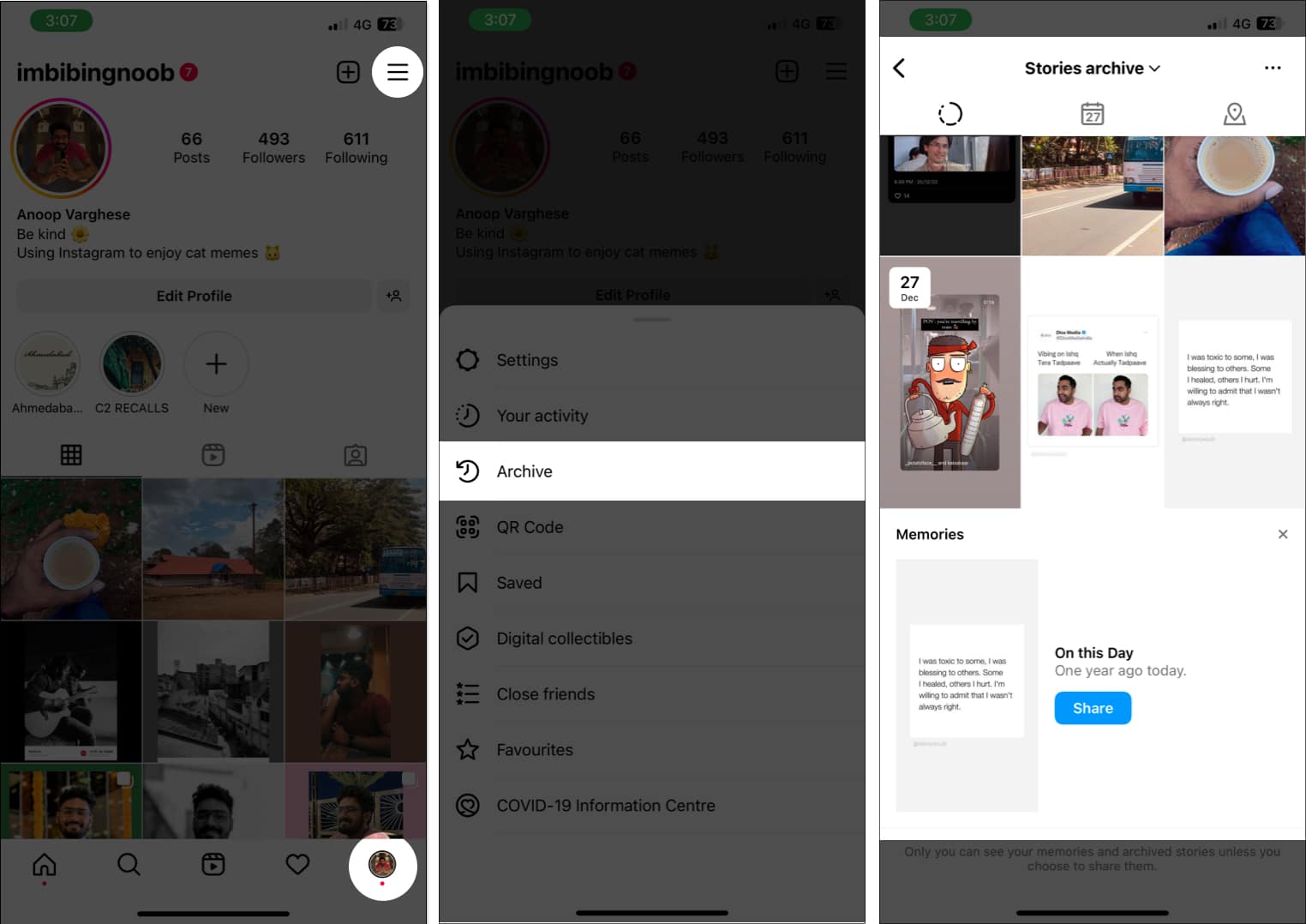
- Launch the Instagram app on your iPhone.
- Tap the profile icon at the bottom right.
- Tap the hamburger menu at the top right.
- Choose Archive.
- The first page will be Stories Archive.
If not, tap the drop-down menu above and select it. - Then select the story you want to delete.
- Tap More (three-dot icon) at the bottom right corner and select Delete.
- Tap Delete to confirm.
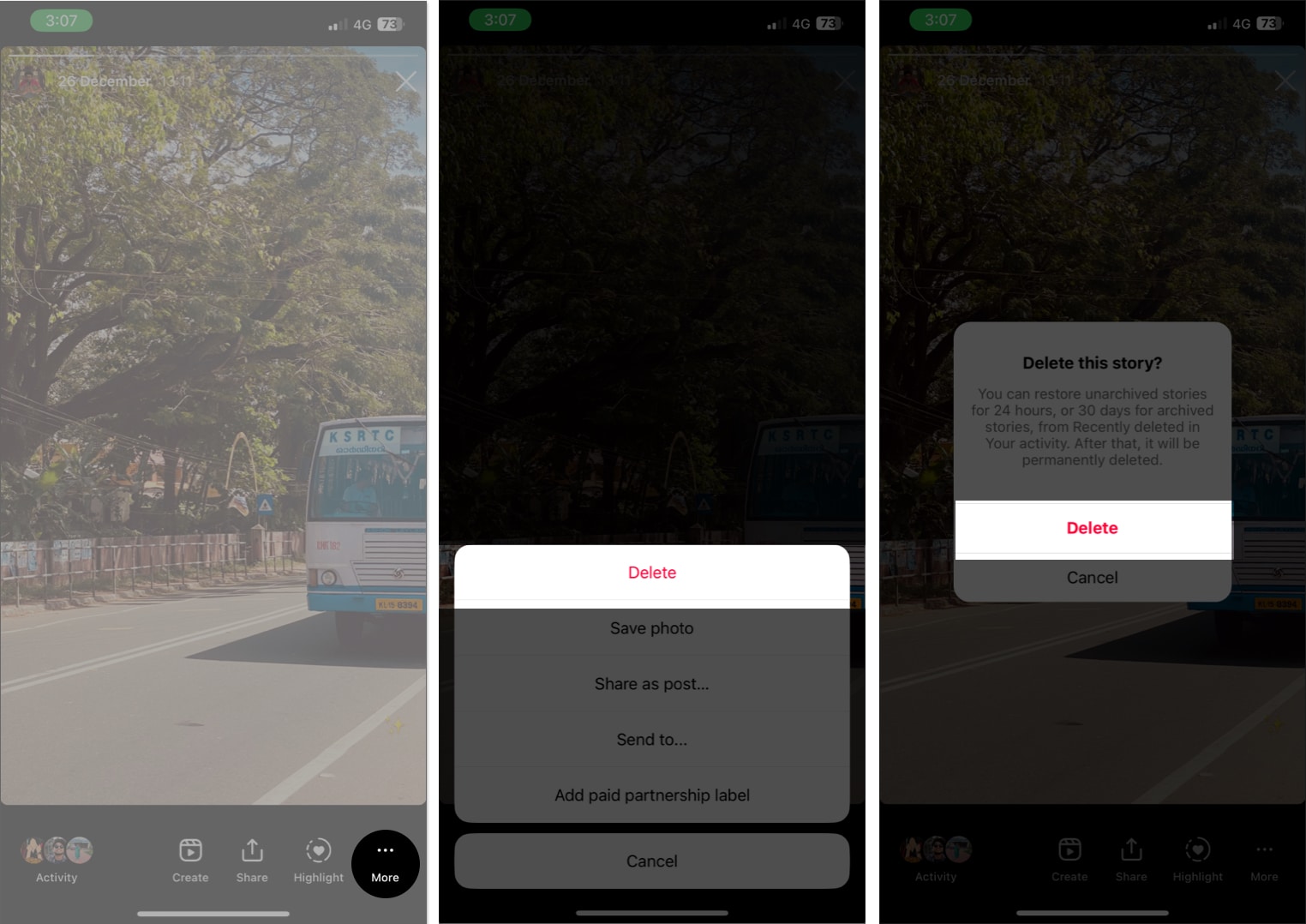
For those wondering how to delete all archived stories on Instagram: There is no option to delete multiple or all archived Instagram Stories at once. Hence, you will have to manually delete all the stories one by one.
How to permanently delete archived stories on Instagram
Once you delete archived stories on Instagram, you are a few more steps away from deleting them permanently. Here’s what you need to do:
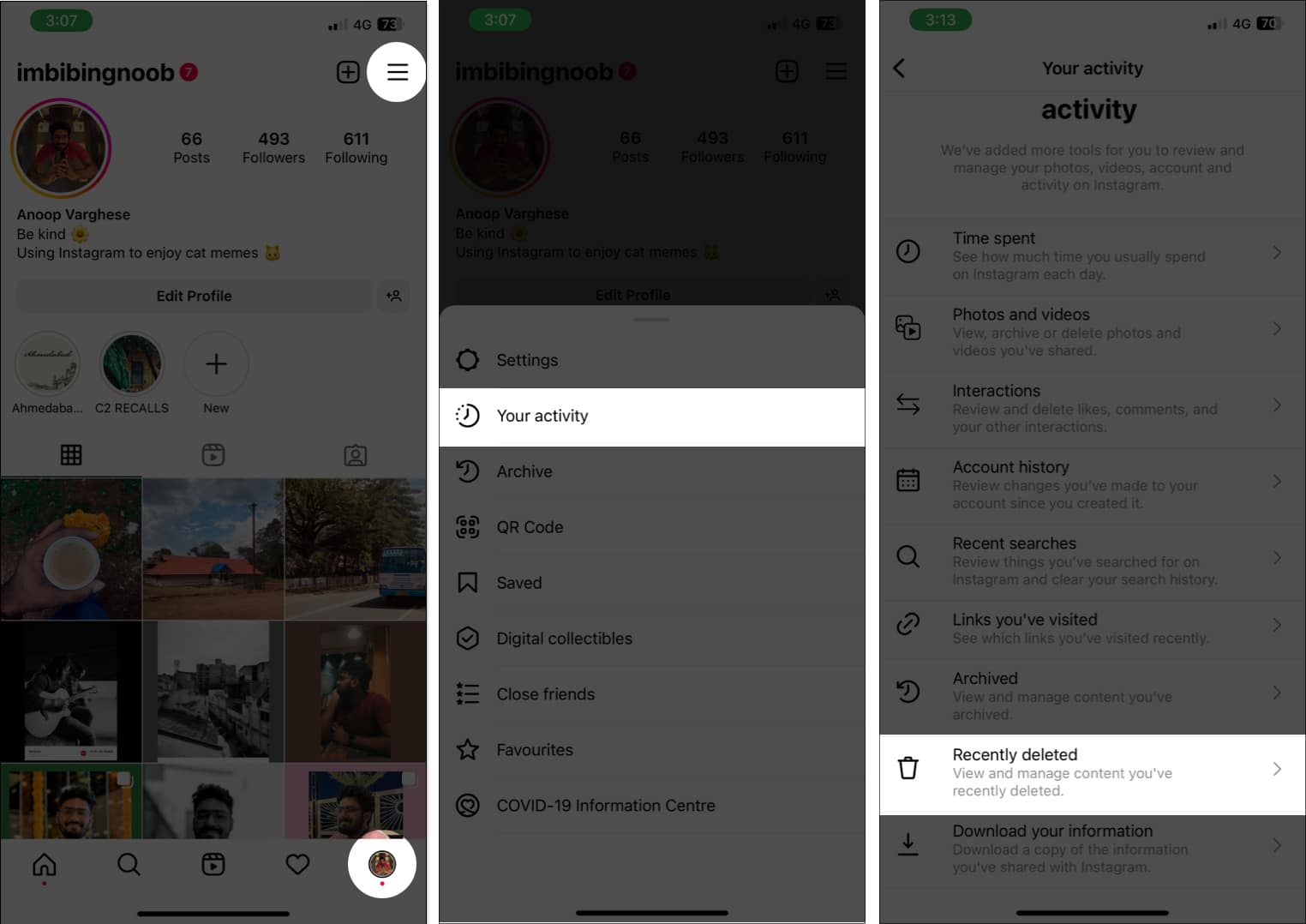
- Open Instagram and go to your profile.
- Tap the hamburger menu.
- Select Your activity.
- Tap Recently deleted.
- Now, you can swipe left or tap the deleted stories icon.
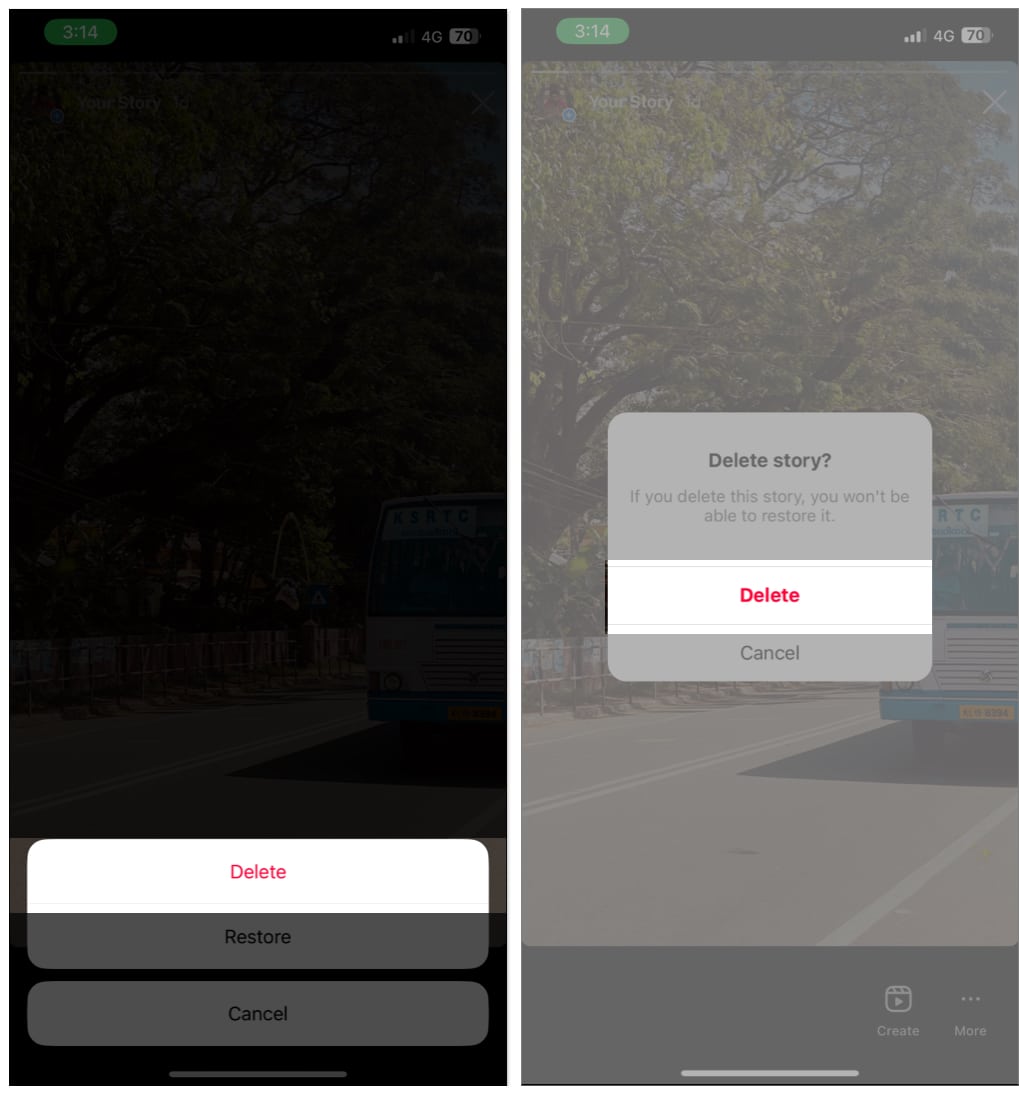
- Then select the story you want to permanently delete and tap More (three-dot icon).
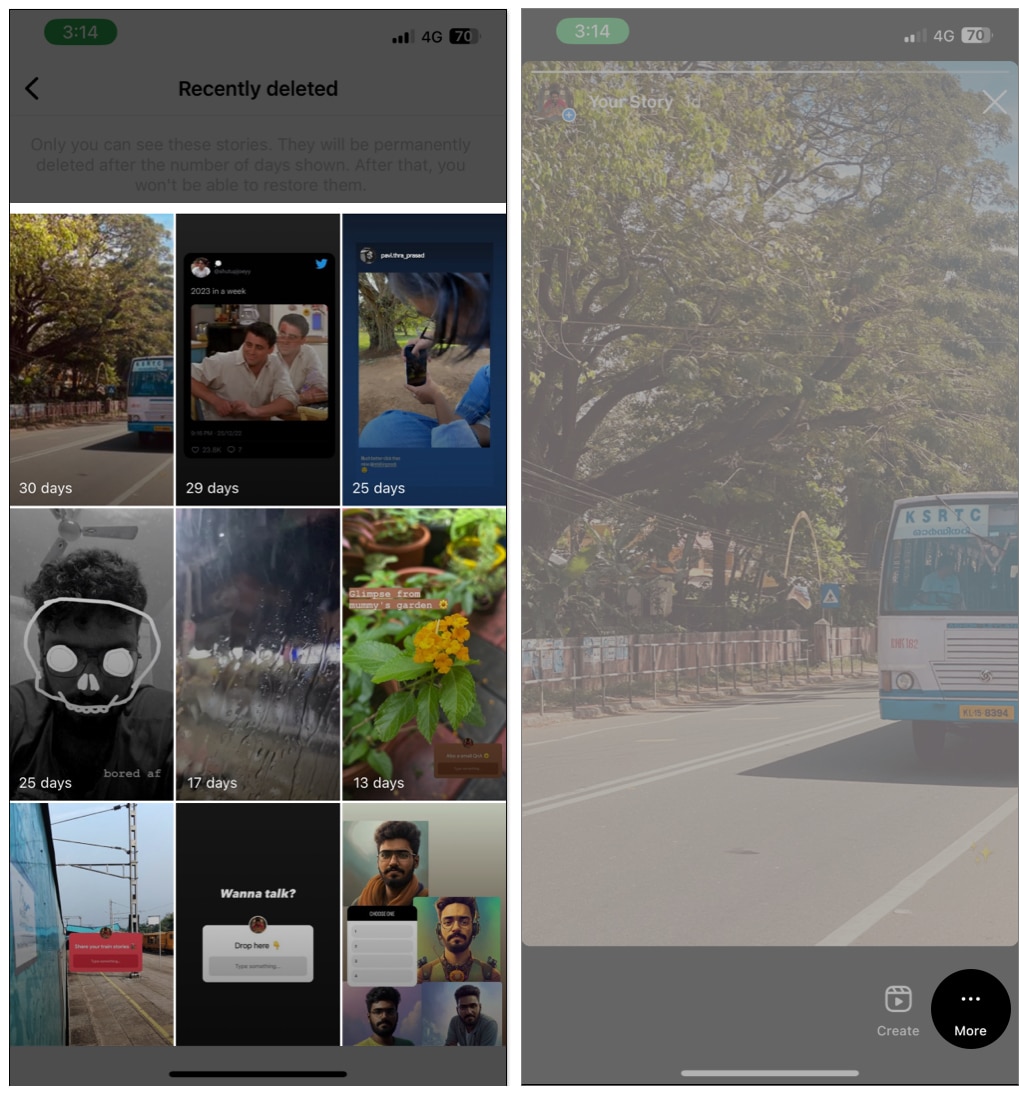
- Choose Delete and tap Delete to confirm the deletion.
Note:
Keep in mind once you delete an Archived story from the Recently deleted page, you will lose it permanently.
It’s good to delete…
Whether those are the bad memories in life or the unwanted Instagram archived stories, with the steps mentioned here, I hope that you will be able to delete archived Instagram stories. Furthermore, refer to our guides if you are facing issues with Instagram notifications, Add Yours sticker, or sharing Instagram content to Facebook.
Frequently Asked Questions
More interesting reads for you:
Topics

Written by
Anoop VargheseAnoop loves to find solutions for all your doubts on Tech. When he's not on his quest, you can find him on Twitter talking about what's in his mind.
View all posts →More from How-to
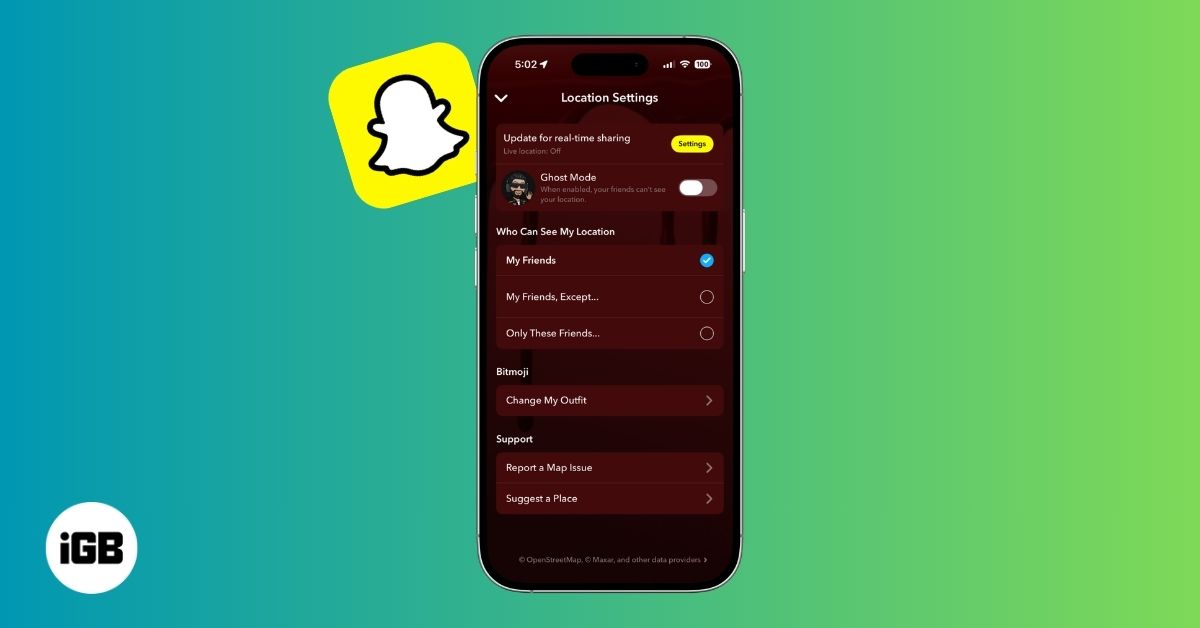
How to Turn Off Location on Snapchat (Step-by-Step Guide)
Want to stop sharing your location on Snapchat? This guide explains how Snapchat location sharing works and shows simple ways to turn off your location using Ghost Mode or phone settings. Stay in control of your privacy in just a few steps.
 VikhyatMarch 5, 2026
Snapchat Parental Controls: How to Set Up Family Center and Keep Your Teen Safe
Snapchat’s Family Center lets parents monitor their teen’s friend activity and screen time without reading private messages. Here’s how to set it up and what to expect.
VikhyatMarch 3, 2026
How to Block and Unblock Someone on Instagram
Instagram lets you block or unblock someone in seconds. Follow these simple steps to take full control of your privacy and online peace.
 Ava BiswasMarch 2, 2026