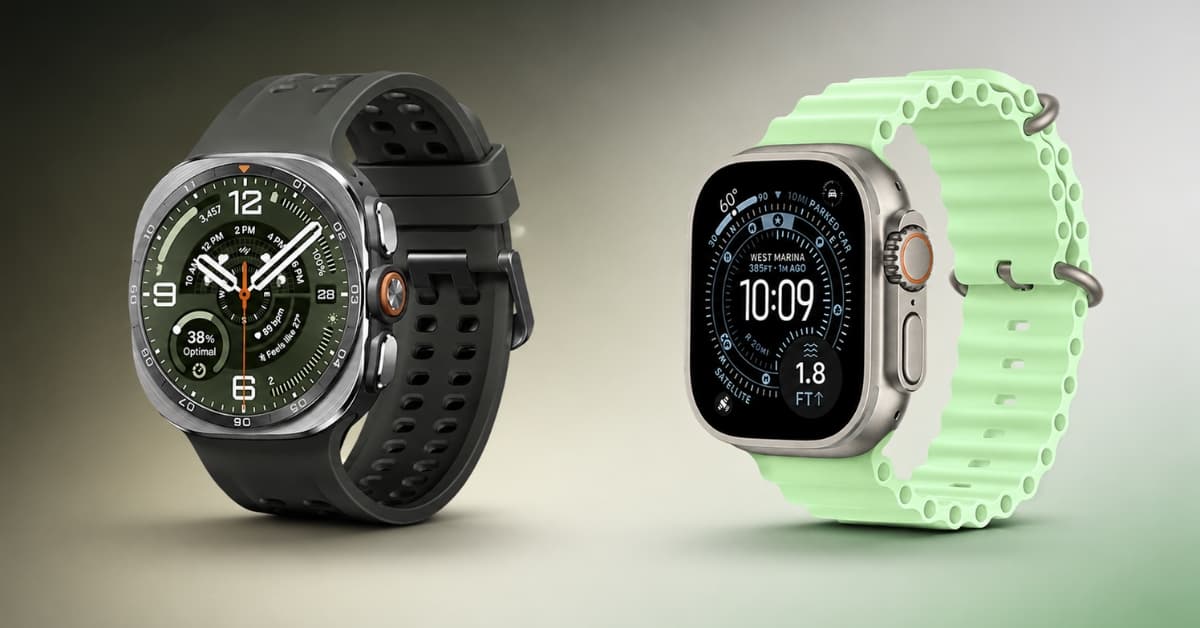
Samsung has finally unveiled the latest addition to its Ultra lineup: the Galaxy Watch Ultra 2. After going through its specs, my first question was simple: Is it better than the Apple Watch Ultra 3?
Both watches promise flagship performance, advanced health tracking, rugged durability, and smarter AI-powered features. But specifications only tell part of the story.
Instead of relying solely on spec sheets and marketing claims, I switched between the Samsung Galaxy Watch Ultra 2 and Apple Watch Ultra 3 to see how they actually compare in everyday use. Surprisingly, the winner wasn’t as obvious as I expected.
If you’re trying to decide between these two flagship smartwatches, you’re in the right place. I’ll compare the Galaxy Watch Ultra 2 and Apple Watch Ultra 3 across design, display, performance, health tracking, battery life, smart features, and value to help you decide which one is right for you.
Samsung Galaxy Watch Ultra 2 vs Apple Watch Ultra 3: Quick specs comparison
| Feature | Samsung Galaxy Watch Ultra 2 | Apple Watch Ultra 3 |
|---|---|---|
| Starting Price | Starting at $699.99 | Starting at $799 |
| Display | Circular Super AMOLED, 5000 nits (peak) | Retina LTPO3 OLED, 3000 nits (peak) |
| Operating System | Wear OS 7 with One UI Watch 9 | watchOS 26 |
| Processor | Qualcomm SDW6100 Wear Elite (3 nm) | Apple S10 SiP |
| Storage | 64GB | 64GB |
| Health Sensors | Heart Rate, ECG, Blood Oxygen, Skin Temperature, Body Composition (BIA), Sleep Tracking | Heart Rate, ECG, Blood Oxygen, Temperature Sensing, Sleep Tracking |
| GPS | Dual-Frequency GPS (L1 + L5) | Precision Dual-Frequency GPS |
| Battery Life | Up to 80 hours (with AOD disabled) | Up to 42 hours (Normal), up to 72 hours (Low Power Mode) |
| Water Resistance | 10 ATM + IP69K / MIL-STD-810H + EN13319 Diving | 100m Water Resistance + EN13319 Diving Certification |
| Connectivity | LTE, Wi-Fi, Bluetooth, NFC | LTE, Wi-Fi, Bluetooth, Ultra Wideband, NFC |
| Voice Assistant | Google Gemini, Google Assistant / Bixby | Siri |
| Payments | Samsung Wallet & Google Wallet | Apple Pay |
| Phone Compatibility | Android (Best with Samsung Galaxy phones) | iPhone Only |
On paper, both watches look incredibly close, but real-world use tells a different story.
Design and comfort: Rugged outside, premium on the wrist
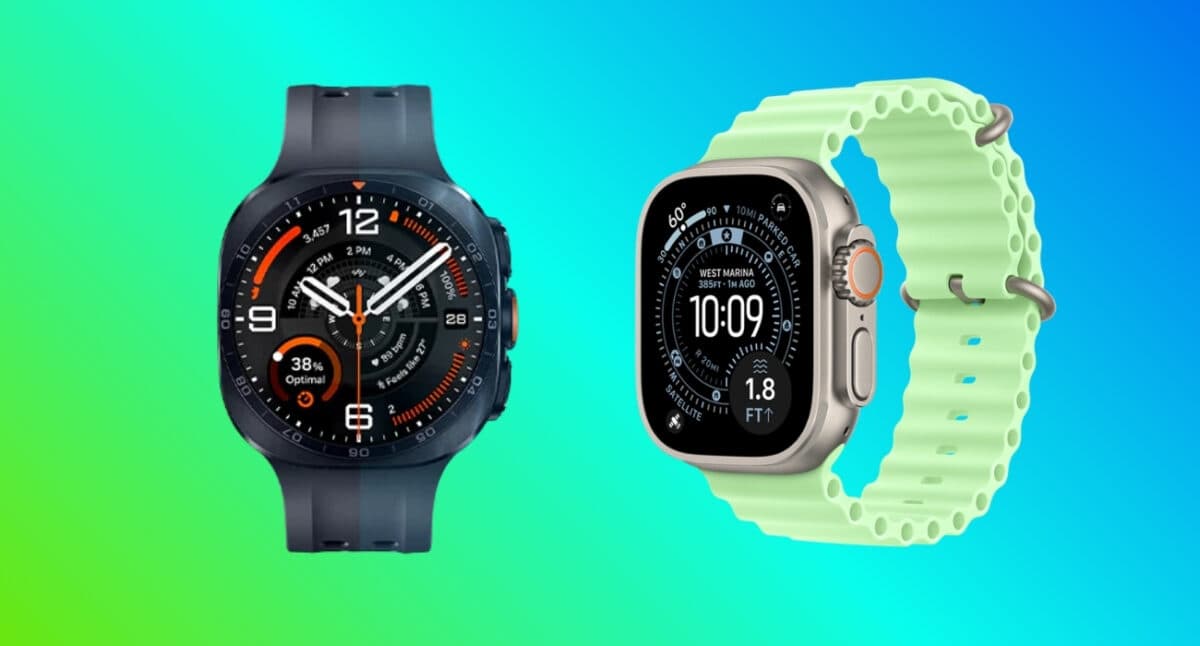
The Samsung Galaxy Watch Ultra 2 and Apple Watch Ultra 3 are built for adventure, but they take very different approaches to design.
Samsung refines its signature look with the Galaxy Watch Ultra 2, continuing the iconic cushion design in a noticeably thinner profile. I like how the display and bezel flow together into a single, seamless form and give a clean, premium appearance. Crafted from Grade 4 titanium, it weighs only 61.5 g, making it comfortable for all-day wear despite its rugged build.
Samsung has also redesigned the buttons, making them more tactile and intuitive. I can now locate the Quick Button quickly even with gloves on.
Apple sticks to its instantly recognizable Ultra design. The Apple Watch Ultra 3 features a Grade 5 titanium frame that weighs 61.6 g. While it’s slightly larger than Samsung’s offering, it remains well-balanced on the wrist. The rectangular display, Digital Crown, and customizable Action Button prioritize usability, especially when navigating apps or checking notifications.
Despite their nearly identical weights, the two watches wear differently. The Galaxy Watch Ultra 2 offers a more classic watch experience with its circular appearance, whereas I personally favor the bolder, functional look of the Apple Watch Ultra 3.
My verdict: Pick the Samsung Galaxy Watch Ultra 2 for the timeless classic look. In case you need a bigger display and more user-friendly interactions on the screen, choose Apple Watch Ultra 3.
Display quality: Samsung wins on brightness, Apple wins on screen space
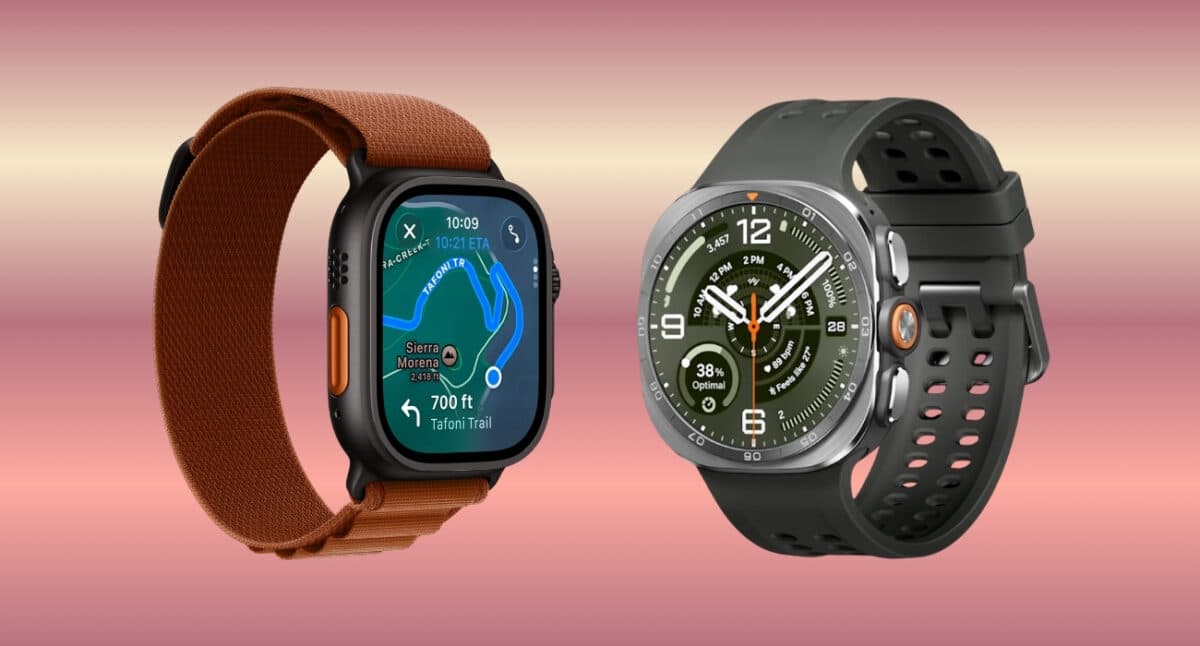
When I first started comparing the Samsung Galaxy Watch Ultra 2 and Apple Watch Ultra 3, I assumed the displays would be nearly identical. But once I got to use both, I saw some major differences.
The Galaxy Watch Ultra 2 immediately impressed me with its 1.52-inch Super AMOLED display. With a peak brightness of 5,000 nits, it was incredibly easy to read outdoors. Combined with its 498 × 498 resolution, everything from watch faces to workout metrics looked sharp and vibrant.
The Apple Watch Ultra 3, meanwhile, offers a larger 1.98-inch Retina LTPO3 OLED display with 3,000 nits of peak brightness. While it’s not as bright as Samsung’s on paper, I rarely found visibility to be an issue.
What I noticed more was the extra screen space. Long texts, Apple Maps navigation, or even viewing fitness data became a lot easier on the larger rectangular display and wide-angle OLED panel. Both watches use sapphire crystal glass, so I never worried about scratches during everyday use.
My Verdict: If I spent most of my time outdoors, I would definitely opt for the Galaxy Watch Ultra 2 as its display performs better in direct sunlight. But for everyday tasks, I liked the Apple Watch Ultra 3‘s larger screen better.
Performance and software: The real battle isn’t speed; it’s the ecosystem
In terms of performance, I expected a clear winner. Instead, what stood out was how both watches are already so fast that the hardware almost fades into the background.
The Samsung Galaxy Watch Ultra 2 runs Wear OS 7 with One UI Watch 9, powered by the Snapdragon SW6100 Wear Elite (3nm) chipset. It sports a penta-core CPU, which makes everything – from launching apps to switching between workouts – very smooth. The best part is I can customize watch faces, widgets, and quick settings more freely.
Samsung blends Google’s ecosystem with Samsung-exclusive features. That means you get native access to Google Maps, Google Wallet, Gmail, Google Calendar, and more. Moreover, Samsung Galaxy phone owners gain even deeper integration through Galaxy AI features, SmartThings controls, camera remote functions, and seamless device switching.
The Apple Watch Ultra 3 runs watchOS 26 (upgradable to watchOS 27) and is powered by Apple’s S10 chip with a dual-core CPU and PowerVR GPU. Animations are buttery smooth, apps open instantly, and navigating the interface feels effortless.
I prefer it thanks to its seamless integrations with the iPhone, which makes activities such as sending messages, locating the phone, unlocking the Mac, controlling my smart home, or even making payments using Apple Pay seem almost effortless.
My Verdict: If you’re an Android user, the Galaxy Watch Ultra 2 offers more customization and tight integration with Google’s ecosystem. As I am an iPhone user, Apple wins on software refinement and ecosystem integration.
Health and fitness tracking: Samsung packs in more features, Apple keeps it simple
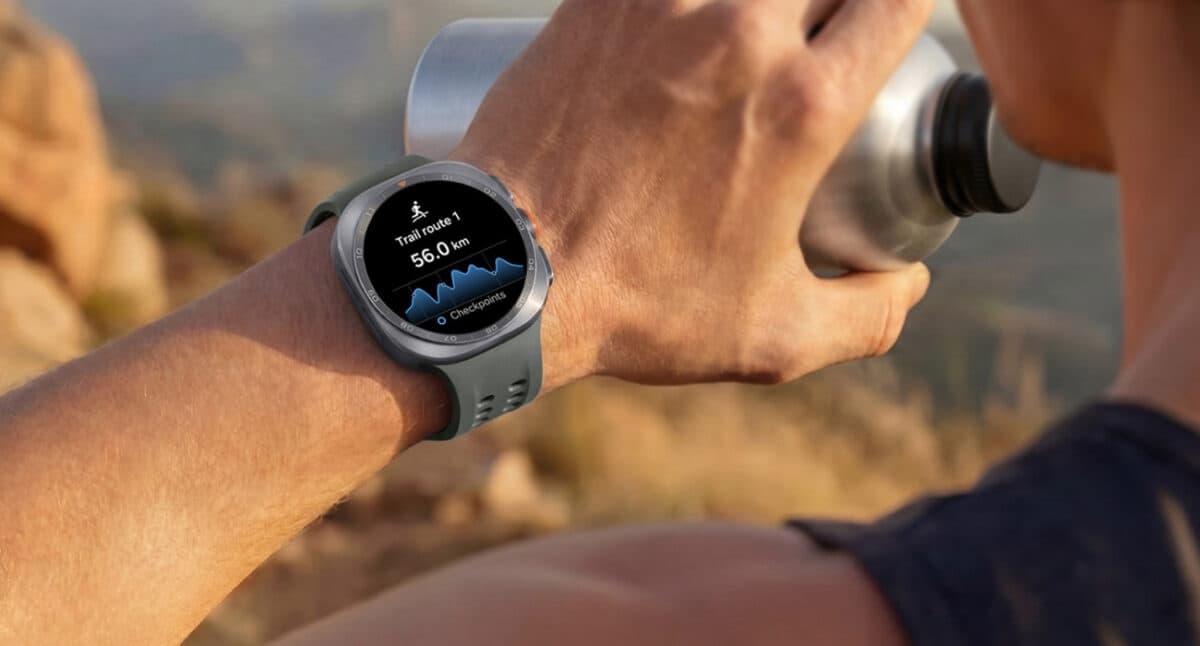
Both Apple and Samsung have transformed their watches from simple notification devices into sophisticated health companions capable of tracking everything from heart rate and sleep to GPS workouts and recovery metrics.
The Galaxy Watch Ultra 2 is now equipped with AI health and fitness features intended to give us better personalized insights. The new Heart Health Score lets me get a simplified view of cardiovascular wellness, and Daily Cardio Load helps balance training and recovery. Fitness Index provides a broader view of physical fitness and supports personalized goals.
For outdoor athletes, Trail Run tracks elevation, climbing and terrain, while Nutrition Alert provides hydration guidance based on estimated sweat loss. The Ultra2 also introduces enhanced diving capabilities, tracking depth, dive time and water temperature, with an upcoming Mares-developed diving app adding more advanced metrics.
The Apple Watch Ultra 3 also stands out with advanced health monitoring and training tools. Its Hypertension Notifications can identify potential signs of chronic high blood pressure, while Sleep Score and sleep-apnea monitoring provide deeper insights into sleep quality and breathing disturbances.
For fitness, Ultra 3 offers Training Load, personalized Heart Rate Zones, Workout Buddy, and more. It also supports Power Zones for cycling, automatic swim-stroke detection, and multisport workout tracking. For adventurers, its full dive computer, Backtrack and built-in satellite communications add capabilities beyond conventional smartwatch fitness tracking.
My verdict: Choose Galaxy Watch Ultra2 for broader AI-powered health guidance, recovery and adventure features, whereas Apple Watch Ultra 3 is better for deeper workout analytics and a more established fitness ecosystem.
Battery life: Both keep up with you
If you want a smartwatch that can comfortably last through your day without constantly thinking about charging, the Galaxy Watch Ultra2 is the better fit.
Its 800mAh battery offers up to 60 hours with Always-On Display enabled. I went through long workouts, outdoor activities and overnight health tracking easily. Moreover, Samsung has included First Charging for the first time in a Galaxy Watch, providing up to 40% battery in just 30 minutes.
The Apple Watch Ultra 3 offers up to 42 hours of normal use and up to 72 hours in Low Power Mode. Its biggest advantage is charging speed, reaching up to 80% in around 45 minutes. I only charge for 15 minutes to get 12 hours of normal use.
Apple has claimed that the Watch Ultra 3 can go up to 14 hours of outdoor workout with full GPS and heart rate readings and up to 35 hours of outdoor workout with cellular in Low Power Mode with fewer GPS and heart rate readings.
My verdict: For longer, less interrupted use, I’d pick the Galaxy Watch Ultra2. If you value fast charging and flexible Low Power Mode, the Apple Watch Ultra 3 is more convenient.
Smart features and AI capabilities: Beyond fitness tracking
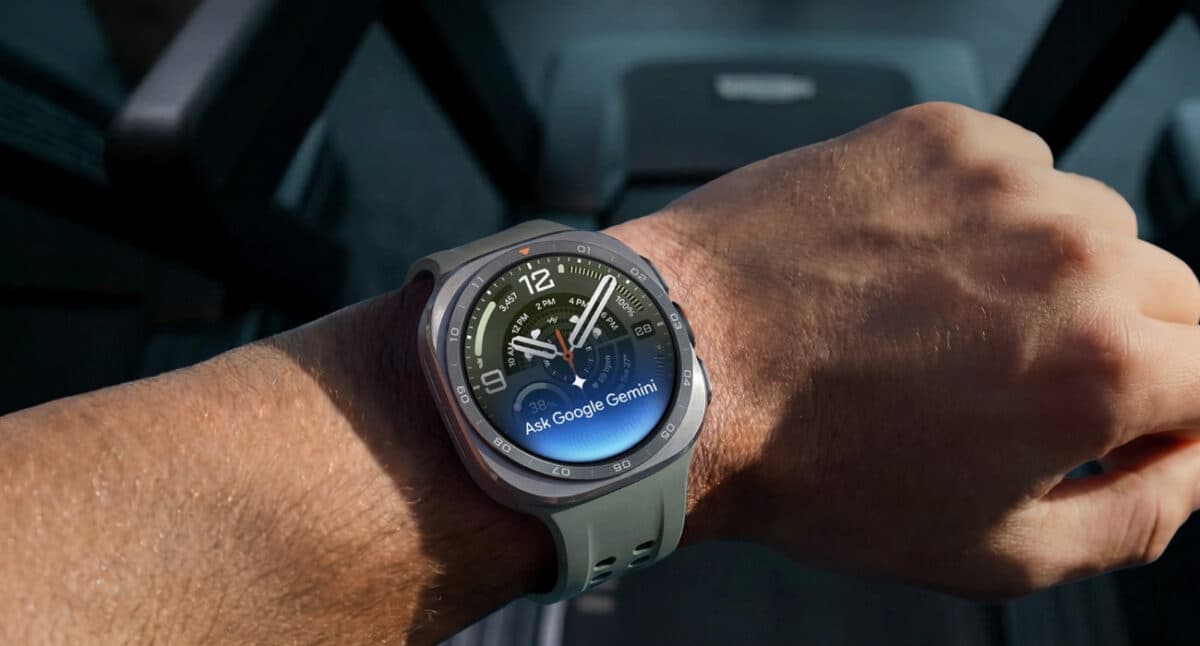
When choosing between the Galaxy Watch Ultra 2 and Apple Watch Ultra 3, my deciding factor came down to which one fits my daily routine.
Both watches allow me to make phone calls and send messages, pay for goods, stream music, navigate, get calendar notifications and weather alerts, and install third-party apps. The real difference is in ecosystem integration and AI assistant.
The Galaxy Watch Ultra 2 is the more flexible pick for Android users, particularly if you want AI to feel like a natural part of the watch. I only need to raise my wrist to activate Google Gemini to ask questions, set reminders, control tasks and get help without a wake word or button click. It also brings Google Play Store to explore countless apps for productivity.
Given that I’m an iPhone user, the Apple Watch Ultra 3 feels like a natural part of my phone’s experience. Features such as Apple Pay, Find My, Continuity features, Siri, and tight integration with Apple services create a seamless experience. Moreover, Apple Intelligence features like Workout Buddy and Live Translation make it more practical.
My verdict: Choose the Galaxy Watch Ultra 2 if you want conversational Gemini AI and the Google ecosystem. Go for the Apple Watch Ultra 3 if you already have an iPhone and want deeper ecosystem integration with personalized AI-powered fitness features.
Price & value: Which watch gives you more for your money?
The Galaxy Watch Ultra2 is the better value on price alone. Samsung lists it at $699.99, while the Apple Watch Ultra 3 starts at $799, putting the Galaxy ahead by $100.
That $100 difference matters if you have a Galaxy phone and want flagship features without stretching your budget. The Galaxy Watch Ultra 2 packs a titanium design, LTE, a 5,000-nit display, an 800mAh battery and up to 60 hours of usage with always-on display enabled.
The Apple Watch Ultra 3 justifies its higher price with features that will appeal particularly to iPhone users, including 5G, satellite connectivity, a titanium case, up to 42 hours of normal battery life and deeper integration with the Apple ecosystem.
Our pick for value: Galaxy Watch Ultra2. It gives switchers more hardware and battery for less money. But if you’re moving to an iPhone, the extra $100 for the Apple Watch Ultra 3 can be worthwhile because its biggest advantage is how seamlessly it works with the rest of Apple’s ecosystem.
Who should buy the Samsung Galaxy Watch Ultra 2?
Choose the Galaxy Watch Ultra 2 if you:
- Use a Samsung Galaxy smartphone
- Prefer Android and Google services
- Want a traditional round watch design
- Value customization
- Want excellent battery life
- Enjoy Samsung Health and body composition tracking
Who should buy the Apple Watch Ultra 3?
Choose the Apple Watch Ultra 3 if you:
- Own an iPhone
- Want the smoothest smartwatch experience available
- Depend on Apple Health and Apple’s ecosystem
- Prefer a large rectangular display for apps and notifications
- Want Ultra Wideband support for Precision Finding
- Require Satellite connectivity, especially Emergency SOS via satellite
Samsung Galaxy Watch Ultra 2 vs Apple Watch Ultra 3: Which premium smartwatch should you buy?
After comparing design, display, software, health tracking, battery life, and overall value, one conclusion stands out: There isn’t a single winner. There are two winners, each dominating its own ecosystem.
If you’re an iPhone user like me, the Apple Watch Ultra 3 is the obvious choice. It offers seamless integration, polished software, and an ecosystem that feels cohesive from your wrist to your phone. Pairing with the right accessories, this is my adventure companion.
On the other hand, if you’re an Android user, especially someone with a Samsung Galaxy device, the Galaxy Watch Ultra 2 is the smartwatch I’d recommend without hesitation. It combines rugged hardware, excellent battery life, deep Google integration, and meaningful health features into a package that feels purpose-built for Android.
The biggest mistake you can make is choosing a smartwatch based solely on a feature comparison chart. In daily use, the experience is shaped far more by how well the watch fits into your existing ecosystem.