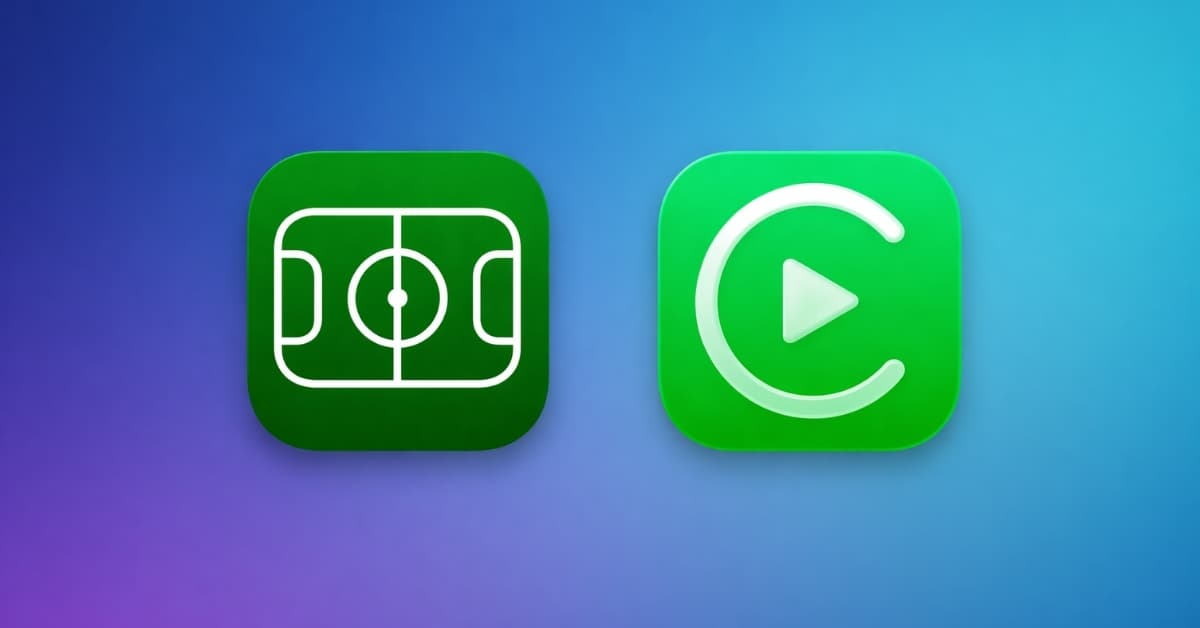
With the latest update to Apple Sports, live scores now sit directly inside Apple CarPlay as native widgets. No workarounds or clunky notifications of Live Activities, just real-time sports, baked into your dashboard.
I installed it the day it dropped, and after using it in actual traffic, I think this is a small yet useful feature. It gives you real-time scores, instantly, without ever reaching for your phone. Here’s everything included in the Apple Sports app update, along with how to use them.
The big update: Apple finally brings sports to CarPlay
This change comes through updates to the Apple Sports app for iPhone. On paper, it doesn’t sound revolutionary. But in reality, this is the first time that sports are presented as native components in your car dashboard, without additional Live Activities during an actual match.
Two new CarPlay widgets
Apple brought widgets to CarPlay with the iOS 26 update. Primarily, Maps and Music apps were supported along with calendar events and smart home controls. Now, you can include two widgets from the Sports app.
- My Teams: It shows real-time scores for teams you follow.
- Leagues: You can choose which leagues you want to follow on your car dashboard.
I tested both, and what stood out immediately was how effortless it felt.
Depending on your car’s screen size, you can stack multiple widgets side by side. On a larger display, I had navigation on one side and live scores on the other.
You can also find medium and large versions of My Teams and Leagues widgets, along with others, from the updated Sports app in the iPhone widget section.
New Formula 1 and World Cup tracking features
The Sports app now includes detailed tracking for Formula 1, and this is where things get interesting. Instead of just showing positions, it layers in weather conditions, track temperature, and wind speed for each Grand Prix.
Also, Apple asked fans to follow their favorite teams for the 2026 FIFA World Cup in the Sports app’s release notes.
How to set up Sport widget on CarPlay
Setting this up took me less than five minutes.
First, I updated the Apple Sports app. This is important because the widget support doesn’t exist in older versions. Then I made sure my iPhone was running the latest iOS version. Now, follow the steps below:
- Go into your iPhone Settings, select General, and tap CarPlay.
- Here, select MyCar → Widget.
- Ensure Show Widgets is toggled on and tap Add Widget under the Stacks list.
- Choose a Sports widget between My Teams and Leagues. I added both to different stacks.
- Now, you can select which leagues will appear on your dashboard by tapping the i button next to it.
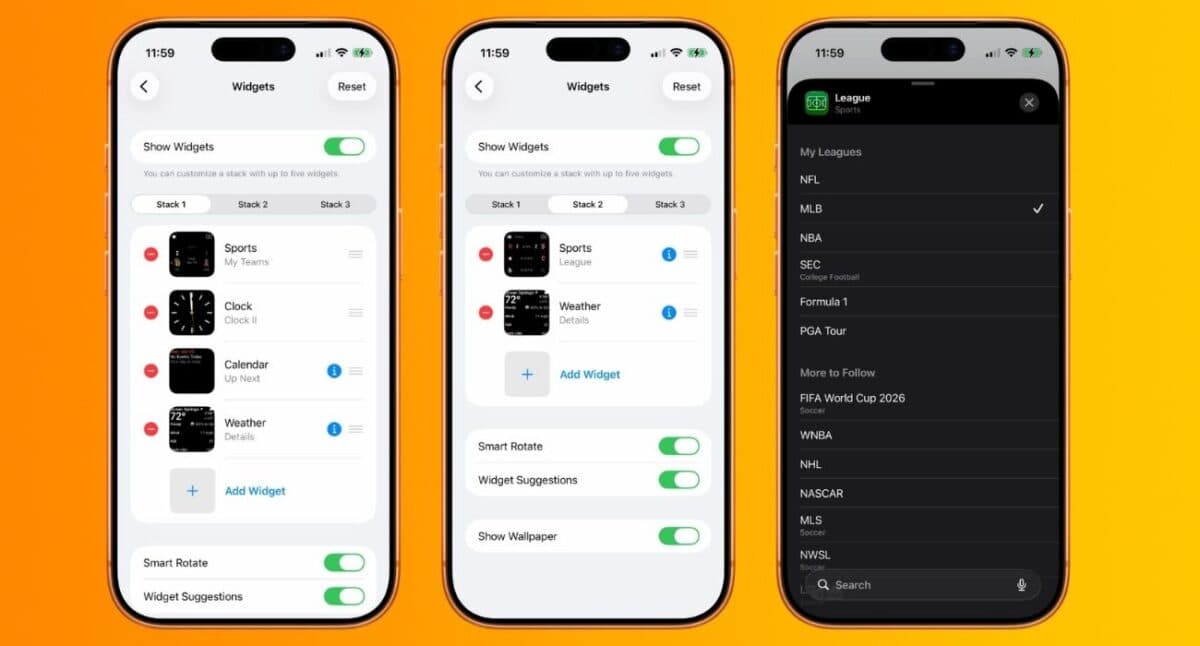
The widget only shows what you follow, so be sure to customize it from the Sports app as well, or your dashboard will look irrelevant.
What it actually feels like and why this matters
After the setup, I connected my phone to CarPlay, and the widgets just appeared. No extra setup or syncing issues.
Having too many notifications on the car screen adds more distractions. This does the opposite. It removes friction and gives you just enough information to stay connected. You can also turn off unnecessary alerts on CarPlay for better focus.
I tested this during a live NFL match, and the difference was obvious. Normally, I’d feel like I’m missing out. This time, I felt in sync.
And that’s the sweet spot Apple is aiming for.
Limitations (Don’t oversell it)
Let’s be clear: this is not watching live sports in your car. But honestly, that’s a good thing. Anything else would be a safety nightmare.
But there are real limitations beyond that.
- The update frequency isn’t always perfect. There were moments when scores lagged slightly behind.
- You’re limited to widgets on CarPlay. That means no deep stats, play-by-play breakdowns, or customization beyond basic preferences.
- This depends heavily on your internet connection. In areas with a weak signal, updates slow down or stop entirely.
If you go in expecting a streaming experience, you’ll be disappointed. If you treat it as a passive, glanceable companion, it works beautifully.
Final thoughts
After using this for some days now, I can say that although this feature is not something fancy, it really does its job well. Apple didn’t try to replicate TV inside your car. It rethought how sports fit into small, in-between moments, like commuting, waiting, or being on the move.
And in doing that, it solved a real problem. I no longer feel the need to constantly check my phone during matches and stay updated without trying.
What do you think about this update? Let me know in the comments below!
You like to read: