


Apple’s user-to-user support forum is closing today, and anyone relying on an old discussion to fix a device should save a copy while it is still available. Apple says the Support Community will permanently close on November 20, 2026.
The forum is already read-only. You can still browse the site, but you cannot post a new question or reply to an existing discussion. New posts stopped on November 10, so today’s closure follows ten days in which members could read answers without adding to them.
Apple’s notice directs visitors to its official Support site and thanks the people who contributed their time and expertise. It gives no plan for keeping the community’s existing answers accessible. Losing a place to ask questions is frustrating enough; losing the answers people have already written would make the shutdown harder to justify.
Save useful discussions while they still load
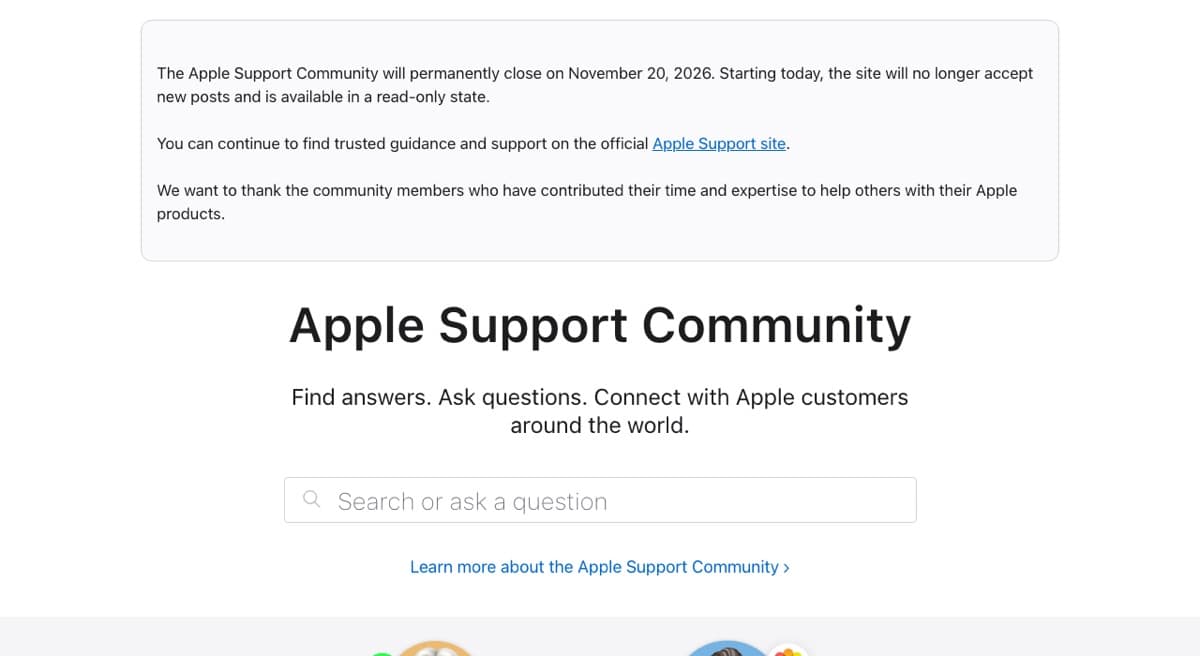
Apple has not said in the notice whether old posts will remain visible after the closing date. There is no promised archive or timetable for removing individual threads, so a bookmark alone is a poor backup.
If a discussion contains a fix you need, open it and save the relevant replies. On iPhone or iPad, you can save a webpage as a PDF through Safari’s Share menu. On a Mac, choose Print and use the PDF menu to save a local copy. Check that the saved file includes the answer itself, especially if the discussion spans several pages.
Apple’s other support channels remain available
You can still contact Apple Support by phone or chat. The Apple Support app also offers help and lets you arrange service. For a problem that needs an in-person visit, you can book a Genius Bar appointment.
Those channels provide a route to Apple staff. The community offered something different: other owners could compare symptoms and leave an answer for the next person with the same problem. If one of those answers is still useful to you, save it today.