
Apple Pencil Pro vs. USB-C, 1 & 2: Which One to Buy?
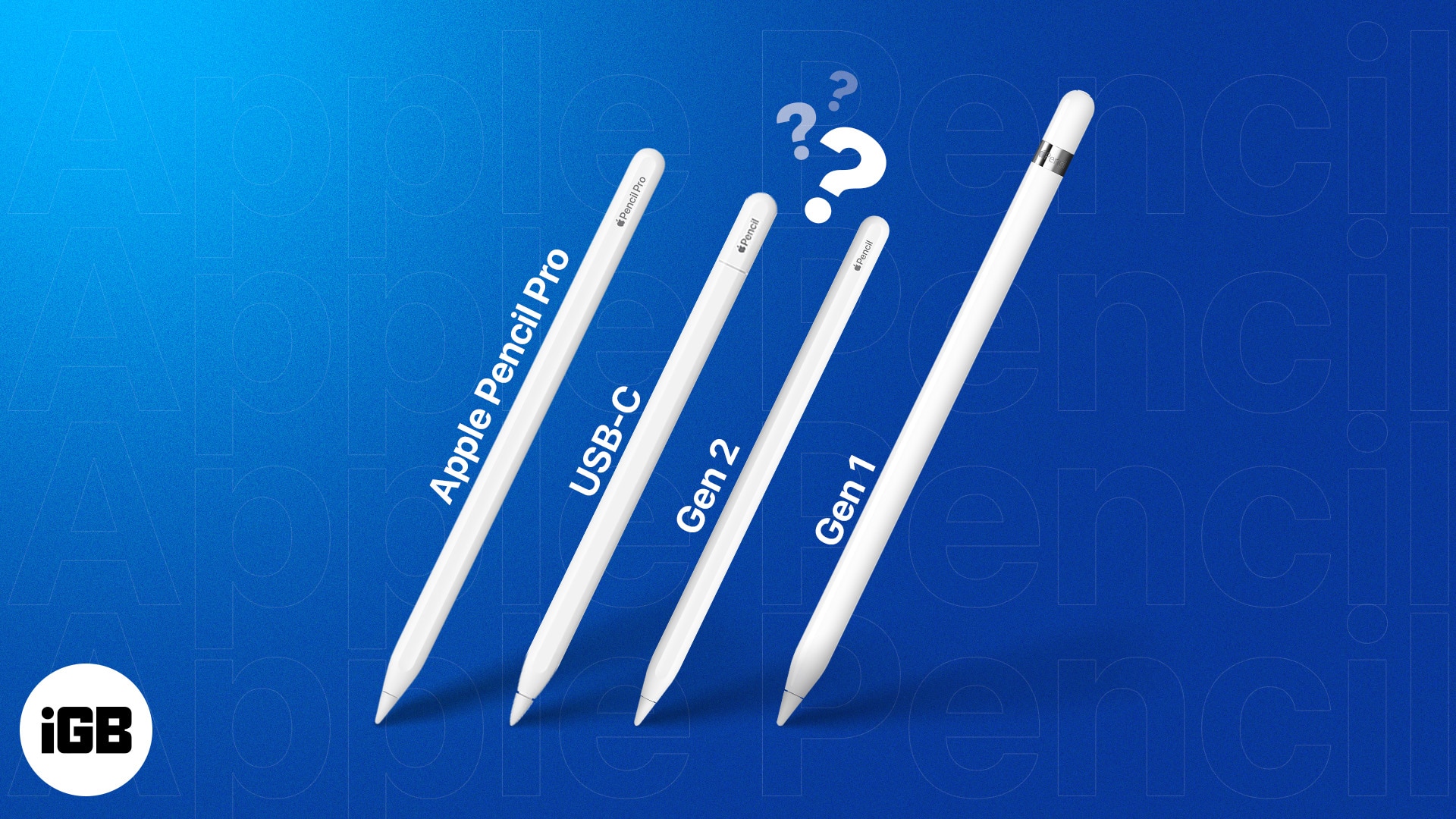
After the Mac, iPad, and iPhone, it’s time for the Apple Pencil to go “Pro”. At the Let Loose event, Apple announced the Apple Pencil Pro, which comes with quality additions like support for Find My, barrel roll, and squeeze gestures.
With this announcement, the Apple Pencil lineup expands to four models – the Pro, USB-C, 2nd generation, and 1st generation. While upgraded Pencils are most welcome, the increased number of products might confuse potential buyers. If you are one of them, you have come to the right place.
This detailed guide compares Apple Pencil Pro vs. USB-C, 2, 1 for features, compatibility, and pricing to help you pick the right one for your iPad. Let’s get started.
Apple Pencil Pro vs USB-C, 2, 1: Features compared
Apple uses fancy terms to describe the simplest of features. To make things easier for you, I have mentioned the features offered by each Apple Pencil and briefly explained what each feature does.
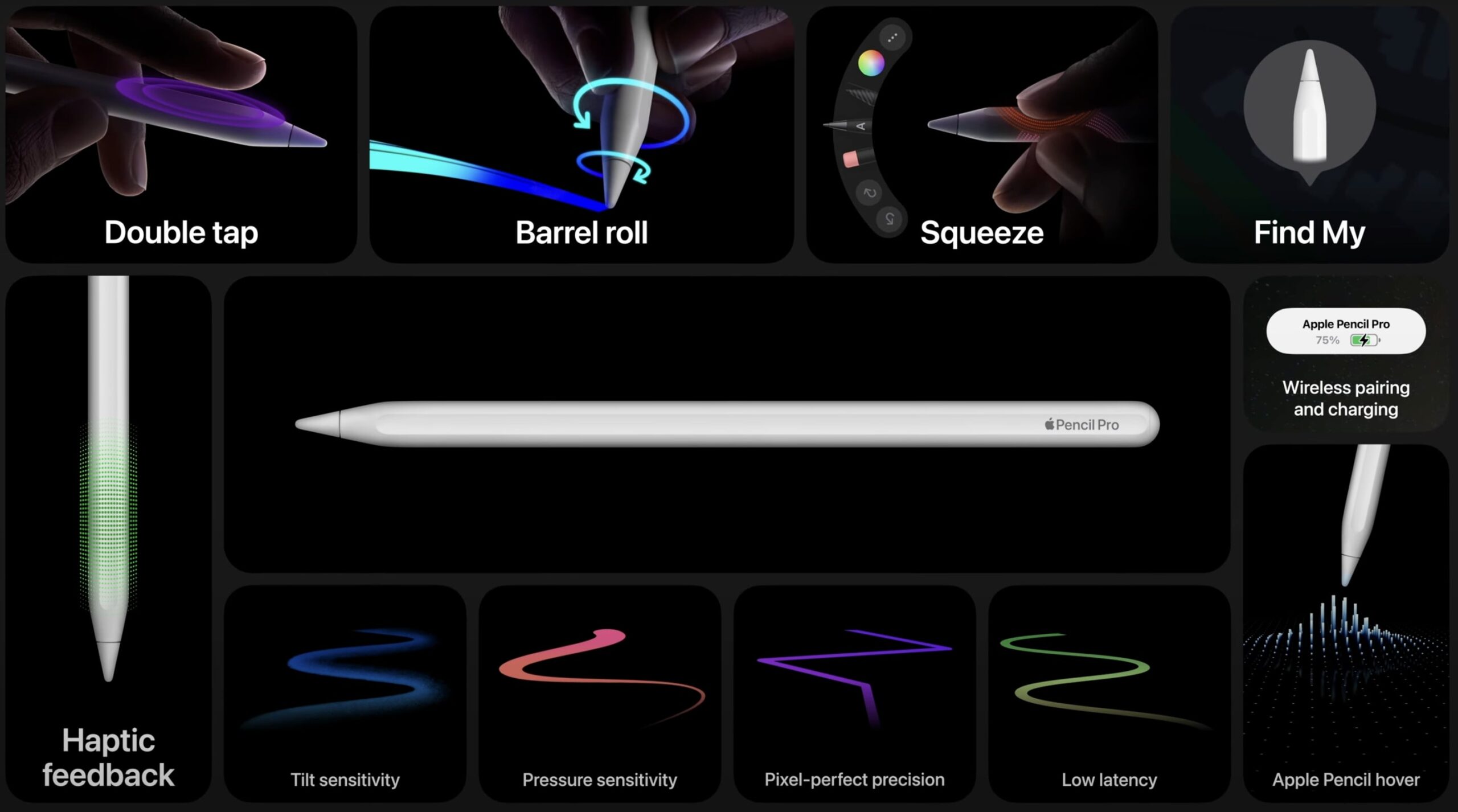
| Feature | Purpose | Apple Pencil Pro | Apple Pencil USB-C | Apple Pencil (2nd gen) | Apple Pencil (1st gen) |
| Find My | Locate Pencil in the Find My app | ✅ | ❌ | ❌ | ❌ |
| Squeeze | Brings up a new palette to switch tools, line thickness, colors | ✅ | ❌ | ❌ | ❌ |
| Barrel roll | For precise control of shaped pen when titled or rotated | ✅ | ❌ | ❌ | ❌ |
| Haptic feedback | Squeeze or tap on the pen generates a light pulse | ✅ | ❌ | ❌ | ❌ |
| Low latency | Ensures high responsiveness | ✅ | ✅ | ✅ | ✅ |
| Pixel-perfect precision | Helps write, sketch, and draw with top-notch precision | ✅ | ✅ | ✅ | ✅ |
| Tilt sensitivity | Tilts stylus for shading and other drawing effects | ✅ | ✅ | ✅ | ✅ |
| Pressure sensitivity | Natural response to pressure – light or deep presses | ✅ | ❌ | ✅ | ✅ |
| Magnetic attachment | For storage, pairing, and charging | ✅ | ✅ | ✅ | ❌ |
| Wireless connectivity and charging | ✅ | ❌ | ✅ | ❌ | |
| Apple Pencil hover | Detects the Pencil just above the screen | ✅ | ✅ | ✅ | ❌ |
| Double-tap support | Instant switch between tools | ✅ | ❌ | ✅ | ❌ |
| Removable cap | Keeps the charging port safe | ❌ | ✅ | ❌ | ❌ |
| Free Engraving | Customize text on the Pencil | ✅ | ❌ | ✅ | ❌ |
While innovative features might excite you, bear in mind that you’re not always going to need them. Additionally, you must factor in the compatibility and pricing of each Apple Pencil before zeroing in on one. So, let’s check those out too.
Apple Pencil compatibility
Apple has been chopping and changing Apple Pencil features more erratically than you’d expect. So, not all iPads support the four Apple Pencils. This makes it extremely important for you to know which iPad model you have or which iPad you should buy. Once you have figured that out, take a look at the compatibility details listed below:
Apple Pencil Pro:
- iPad Pro 13-inch and 11-inch (M4)
- iPad Air 13-inch and 11-inch (M2)
Apple Pencil USB-C:
- iPad Pro 13-inch and 11-inch (M4)
- iPad Air 13-inch and 11-inch (M2)
- iPad Pro 12.9-inch (3rd generation or later)
- iPad Pro 11-inch (all models)
- iPad Air (4th generation or later)
- iPad (10th generation)
- iPad mini (6th generation)
Apple Pencil 2nd generation:
- iPad Pro 12.9-inch (3rd generation or later)
- iPad Pro 11-inch (1st generation or later)
- iPad Air (4th generation or later)
- iPad mini (6th generation)
Apple Pencil 1st generation:
- iPad Pro 12.9-inch (1st and 2nd generation)
- iPad Pro 10.5-inch
- iPad Pro 9.7-inch
- iPad Air (3rd generation)
- iPad (6th to 10th generation)
- iPad mini (5th generation)
Apple Pencil Pro vs USB-C, 2, 1: Pricing and dimensions
By now, it’s quite obvious that the purchase decision does not rely on pricing and dimensions as much as it does on compatibility. Still, knowing how much you need to shell out always helps:
| Apple Pencil Pro | Apple Pencil USB-C | Apple Pencil (2nd gen) | Apple Pencil (1st gen) | |
| Price | $129 | $79 | $129 | $99 |
| Dimensions (Length x Diameter) | 6.53 x 0.35 inches | 6.1 inches x 0.29 inches | 6.53 x 0.35 inches | 6.92 x 0.35 inches |
| Weight | 0.68 ounces | 0.72 ounces | 0.73 ounces | 0.73 ounces |
Which Apple Pencil should you buy for your iPad?
- Apple Pencil Pro: If you are a creator, editor, designer, or a power user whose primary device is going to be the M4 iPad Pro or M2 iPad Air, you should definitely get the Apple Pencil Pro. For the price of a 2nd gen Apple Pencil, you get a stylus with more advanced features.
- Apple Pencil USB-C: This is the most affordable Apple Pencil for students and professionals. It is compatible with any iPad with a USB-C port. The only caveat is you will have to part ways with wireless charging.
- Apple Pencil (2nd generation): Continues to be a premium option for the ones who have older iPad Pros and iPad Airs. If you are not planning to buy the M4 iPad Pro and M2 iPad Air, this Apple Pencil is your best bet.
- Apple Pencil (1st generation): No other Apple Pencil is compatible with iPad Pro 12.9-inch (1st and 2nd generation), iPad Pro 10.5-inch, iPad Pro 9.7-inch, or iPad Air (3rd generation). If you have one of these iPads, Apple has already made the decision for you.
Conclusion
As stated above, the price difference between the most affordable Apple Pencil USB-C and the flagship Apple Pencil Pro is just $50. So, the answer to which Apple Pencil you should buy boils down to use case and compatibility.
I hope the details mentioned above help you choose an ideal Apple Pencil for your iPad. If you need any further assistance or have any other questions regarding this, please reach out to me in the comments below. I’d be happy to help.
Read more:
Topics

Written by
Srishti PandeySrishti is a writing enthusiast who has been creating user-friendly content for more than 5 years in the tech space. At iGeeksBlog, she helps readers explore the Apple ecosystem, understand the jargon, and improve their experience. With expertise in buying guides, she helps you find the best accessories amid the pool of choices for Apple products. Her talent for making complicated tech understandable shines through in her writing. When away from her MacBook, you can find her doing a hands-on experience with new products.
View all posts →More from Editorial
iPad Air M4 vs iPad Pro M4: Which One Should You Buy?
Trying to choose between the iPad Air M4 and iPad Pro M4? This comparison breaks down specs, display, power, and value so you can pick the best iPad for your needs.
 VikhyatMarch 4, 2026
iPhone 17e vs iPhone 17: What You Give Up for $200 Less
iPhone 17e vs iPhone 17: What do you lose for $200 less? From display and cameras to battery and charging, here’s the full comparison.
 Ravi Teja KNTSMarch 5, 2026
Upcoming Apple Products in 2026: Full List of What to Expect
Uncover the biggest Apple product launches coming in 2026, including new iPhones, Macs, smart home devices, and the company’s boldest innovations yet.
 Ava BiswasMarch 3, 2026