Every time I set up a new Windows 11 PC, I run into the same thing: Microsoft asking me to sign in with a Microsoft account. And it’s not just during setup. Windows regularly nudges me to sign in, sync my files, back up my data, and connect to Microsoft’s services.
At first, I assumed Microsoft simply wanted more of my data. But after digging deeper into why Windows 11 keeps asking for a Microsoft account, I found that the truth was much less dramatic and far more practical. Here’s why Microsoft pushes its account so heavily, how it differs from a local account, and whether you actually need one on your Windows 11 PC.
Why does Windows 11 keep asking for a Microsoft account?
The short answer is that a Microsoft account turns a standalone Windows PC into part of Microsoft’s much larger ecosystem.
A local account is simple. I create a username and password, sign in to my computer, and the account essentially lives on that device. Windows works, my files stay on my PC unless I choose to upload them elsewhere, and I can decide which online services I want to use separately.
A Microsoft account changes that relationship. The same account can connect Windows with:
- OneDrive
- Microsoft 365
- Outlook
- Xbox
- Microsoft Store purchases
- Copilot
- Cloud backups
- Cross-device syncing
- Windows activation
That’s when the constant sign-in reminders started making more sense to me. Microsoft isn’t repeatedly asking me to sign in because Windows suddenly can’t function without my email address. It wants Windows connected to the broader Microsoft ecosystem.
I initially thought it was all about data collection
My first assumption was that Microsoft’s push toward Microsoft accounts was mainly about data collection.
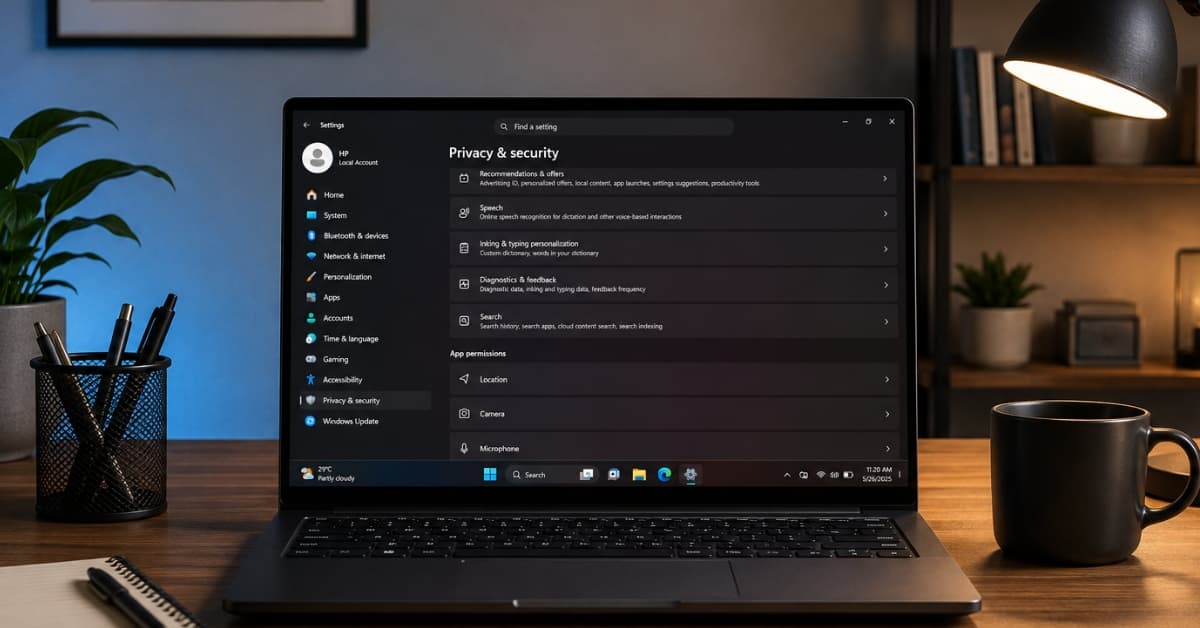
Windows 11 already collects diagnostic data, commonly referred to as telemetry, to help Microsoft understand how devices perform, identify bugs, improve Windows, and troubleshoot problems. So naturally, I wondered: if Windows is already collecting diagnostic information, why does it also want me to sign in with a Microsoft account?
That’s part of what makes the Microsoft account requirement uncomfortable for privacy-conscious users.
However, Windows diagnostic data and your Microsoft account aren’t exactly the same thing. Windows can collect required diagnostic information regardless of whether you’re using a local or Microsoft account.
A Microsoft account instead provides a persistent identity that works across Microsoft’s products and services. The same account can be used with Windows, Outlook, OneDrive, Xbox, Microsoft 365, and other Microsoft products.
So, while privacy is still a valid consideration, there’s more behind Microsoft’s account push than simply collecting Windows telemetry.
The boring truth behind why Windows 11 needs a Microsoft account
Microsoft isn’t pushing a Microsoft account because it desperately needs my email address. It wants the relationship with its wider ecosystem that comes with it.
1. Microsoft wants Windows connected to its entire ecosystem
This is the biggest reason, in my opinion. A Microsoft account isn’t really just a Windows login anymore. It’s Microsoft’s universal membership card.
When I sign in to Windows with one, it gives me access to a vast number of services without creating individual accounts for them. So, my files, settings, purchases in Outlook, Office, OneDrive, Skype, Xbox, and Windows remain synced across devices.
That’s convenient.
2. Cloud backup makes Microsoft accounts more valuable
I used to dismiss cloud backup as one of those features companies aggressively pushed to get me to buy another subscription. However, when I moved from an old PC to a new one, it was irritating to recreate years of settings and preferences. Then I understood why Microsoft wants Windows users connected to cloud services.
Sometimes, computers fail, drives die, laptops get stolen, or people accidentally delete files. With a local account, you would have no way to restore the previous configuration. With a Microsoft account, my digital identity and Windows experience can move with me.
Windows Backup stores settings, personalization, Wi-Fi passwords, language preferences, installed apps, and supported folders through OneDrive under a Microsoft account. So, when you set up a new PC or reinstall Windows and sign in with the same account, everything gets restored.
3. Your Windows license is another reason to sign in
This was the part that made Microsoft’s argument more convincing to me. A Microsoft account isn’t just useful for apps and cloud services. It can also help connect my Windows digital license to my identity.
Linking a Microsoft account with a Windows digital license can make reactivation easier after a significant hardware change, for instance, replacing your motherboard. This may seem like a rare case until it happens to you.
Imagine replacing a major hardware component and suddenly having to convince Windows that, yes, this is still your computer. Having an account associated with the digital license can make that process easier through Microsoft’s Activation troubleshooter.
4. Windows is the gateway to Microsoft’s other services
Windows isn’t Microsoft’s only business anymore. It has Microsoft 365 subscriptions, cloud storage, gaming, AI products, business software, developer tools, and more.
Windows is one of the biggest doors into that universe. And if Microsoft can get me signed in at the operating system level, it has created the perfect starting point for introducing everything else.
- Need cloud storage? Here’s OneDrive.
- Need productivity apps? Microsoft 365 is right there.
- Want AI assistance? Copilot is built into the Windows experience.
- Want games? There’s Xbox integration.
- Need apps? The Microsoft Store is waiting.
It’s simply ecosystem strategy.
How to install and log in to Windows 11 without a Microsoft account
Connecting a Microsoft account to your Windows 11 can genuinely make life easier. But that doesn’t mean a Microsoft account is the right choice for everyone.
A local account gives me a simpler and more independent Windows experience. I don’t have to connect my PC login to my cloud storage, email, Xbox profile, or other Microsoft services. My account stays on the device, and I decide exactly which services I want to connect.
If that’s the experience you prefer, you can still set up Windows 11 with a local account.
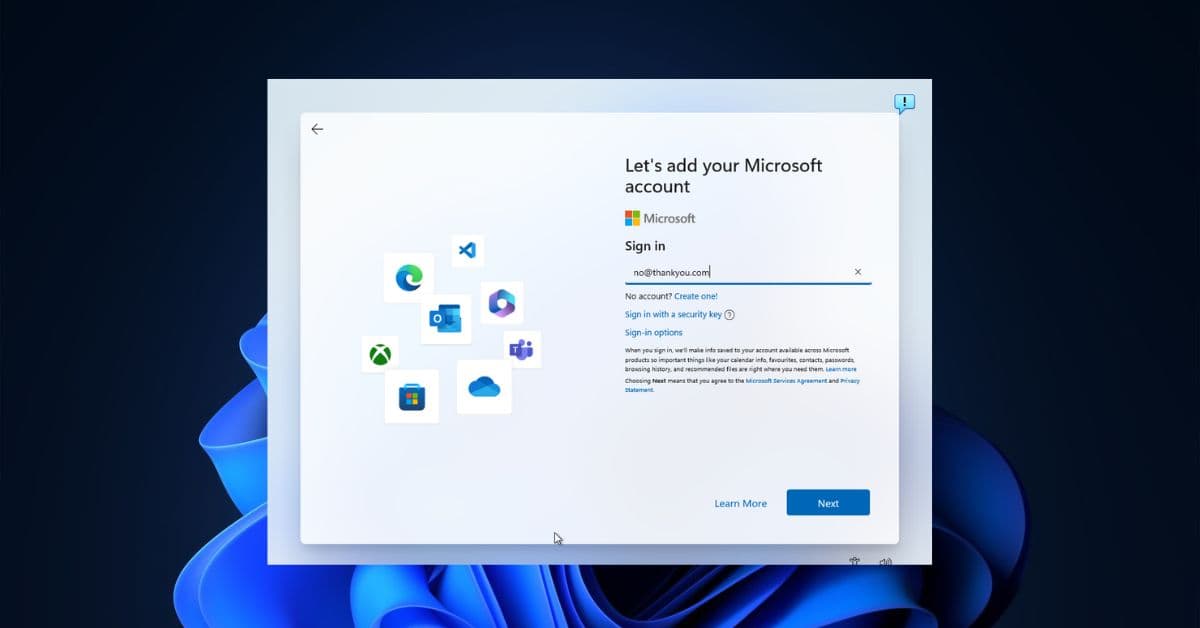
- Start setting up Windows 11 by following the on-screen instructions.
- Continue until you reach the Microsoft account sign-in screen. Then press Shift + F10 to open Command Prompt.
- There enter:
start ms-cxh:localonly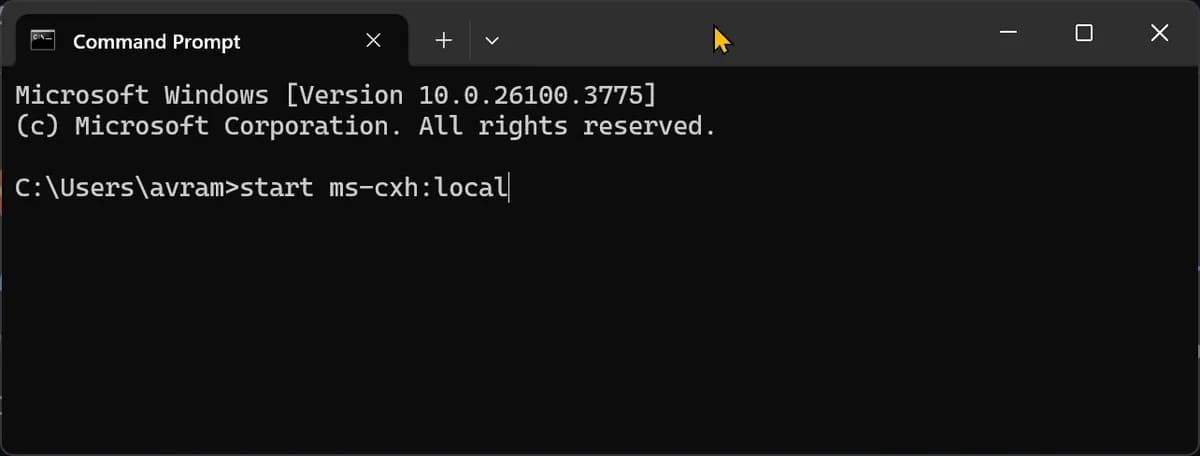
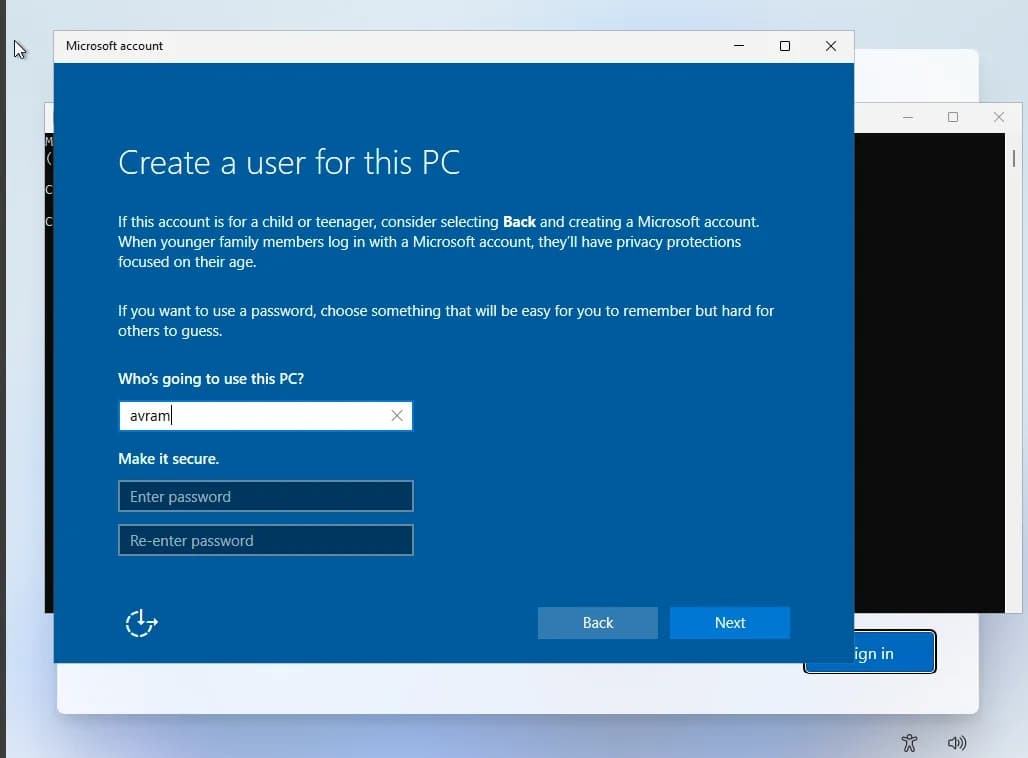
- Windows should open a Create a user for this PC window. Now create a local username and password and continue the setup without signing in to a Microsoft account.
Alternatively, you can create a Windows installation USB using Rufus, which offers options to remove the Microsoft account requirement during setup.
However, if you have already installed Windows 11, you don’t need to reinstall Windows just to get rid of the Microsoft account.
- Open Settings and go to Accounts > Your info.
- Select Sign in with a local account instead, then follow the prompts to complete the switch.
- Go back to Accounts and select Sign-in Options.
- Click the dropdown next to When should Windows require you to sign-in again and set it to Never.
This ensures you won’t have to log in every time you wake your PC or make changes.
Final thoughts
After looking into it, I realized the reason Windows 11 keeps pushing a Microsoft account isn’t particularly mysterious. Microsoft wants to connect Windows with the rest of its ecosystem, making it easier to sync settings, back up files, restore a PC, and access services like OneDrive and Microsoft 365.
But some users prefer a simple local account without connecting their PC to Microsoft’s wider ecosystem. Fortunately, that option still exists. In the end, I don’t think Microsoft accounts are the problem. I just think users should be able to decide how connected they want their Windows experience to be.
You may like to read: