
WhatsApp Adds Support for Live Photos on iOS
WhatsApp has rolled out Live Photos support on iOS, bringing motion and sound to chats. Here’s how the feature works and what else is new.

- WhatsApp adds Live Photos and Motion Photos: iOS users can send Live Photos, while Android users can share Motion Photos with movement and sound inside chats.
- Playback works like Apple Photos app: Live Photos animate briefly in WhatsApp with an icon, and tapping it plays the audio captured with the picture.
- Meta expands WhatsApp features in 2025: Updates include custom chat themes, AI stickers, group search improvements, document scanning, video call backgrounds, and message reminders.
- Rollout isn’t uniform across iOS: Some iPhone users can already receive Live Photos but may need to wait before being able to send them.
WhatsApp, owned by Meta, now officially enables the sending of Live Photos on iOS devices, along with Motion Photos on Android. After a few users noticed the feature being gradually introduced in recent days, it’s now widespread. This enhancement allows users to share moments with both movement and sound, offering a richer messaging experience.
How WhatsApp Live Photos Work
When a Live Photo is shared or received through WhatsApp, it animates briefly, mirroring the experience in the iOS Photos app. A small icon in the upper-left corner identifies it as a Live Photo. By pressing this icon, the audio captured with the photo plays synchronously.
Other Recent WhatsApp Features
In addition to supporting Live Photos, WhatsApp has launched an array of new features recently:
- Custom Chat Themes with Meta AI: Users can now utilize Meta AI to create personalized chat themes, thereby enhancing the conversational experience.
- New Sticker Packs: WhatsApp has introduced packs such as Fearless Bird and Vacation, which add fun and expressive stickers to chats.
- Easier Group Search: Finding group chats has been simplified, allowing you to search for a contact and see all the groups you share.
- Document Scanning on Android: Android users can now scan, crop, and send documents directly within WhatsApp, a feature that was previously limited to iPhone.
- AI-Powered Video Call Backgrounds: Users can create unique video call backgrounds using Meta AI and apply these effects to photos and videos captured in chats.
- Message Reminders: You can now set reminders for specific messages, so you stay on top of important conversations.
Availability and Rollout
Though Live Photos support is officially available, WhatsApp is rolling it out progressively. Some iOS users have noticed they can receive Live Photos but cannot yet send them.
Have you tried sending or receiving Live Photos on WhatsApp? Give it a test, and share your thoughts below.
Don’t miss these related reads:
Topics

Written by
VikhyatVikhyat has a bachelor's degree in Electronic and Communication Engineering and over five years of writing experience. His passion for technology and Apple products led him to the tech writing space, where he specializes in writing App features, How-to guides, and troubleshooting guides for fellow Apple users. When not typing away on his MacBook Pro, he loves exploring the real world.
View all posts →More from News
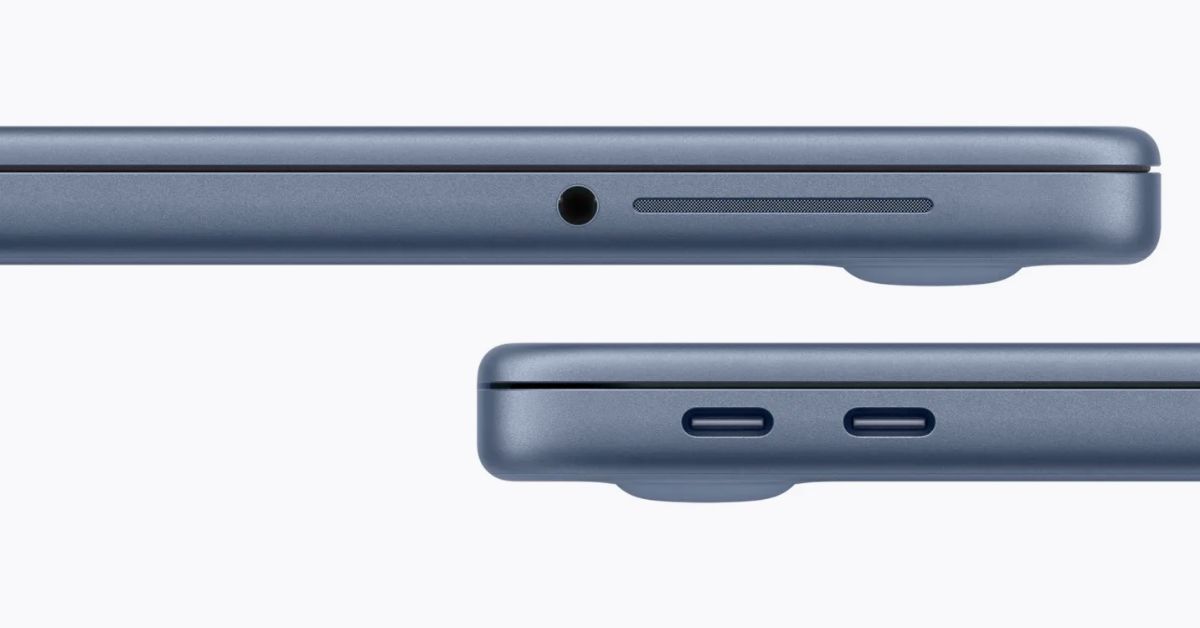
macOS Will Flag the Slower USB-C Port on MacBook Neo
The MacBook Neo includes two USB-C ports with different capabilities. The left port supports faster speeds and external displays, while the right port is limited to USB 2 speeds for charging and basic accessories.
VikhyatMarch 5, 2026
Apple Launched Studio Display and Studio Display XDR: Full Specs, Features, and Price
Apple launches Studio Display and Studio Display XDR built for creators with Thunderbolt 5, stunning visuals, and pro-level performance. Here’s all the specs, features, and price.
 Ava BiswasMarch 4, 2026
Apple Pre‑Orders Now Live for iPhone 17e, MacBook Neo, M5 Macs and More
Apple has opened global pre-orders for iPhone 17e, MacBook Neo, M5 Macs, and new Studio Displays. Here are the start times, products, and release date.
 Ravi Teja KNTSMarch 4, 2026